MPM UP3000中文操作手册.pdf - 第34页
Please DEFINE the END pad of this device. (將 PAD 點前後框起來) Press NEXT to alternate between POSITION (按 NEXT 調整框位置、尺寸) Adjust mode and size adjust mode. Press EXIT when you are FINISHED. (按 EXIT 完成) ※ 按 EXIT 之後,影像視覺系統自動搜尋 Q…
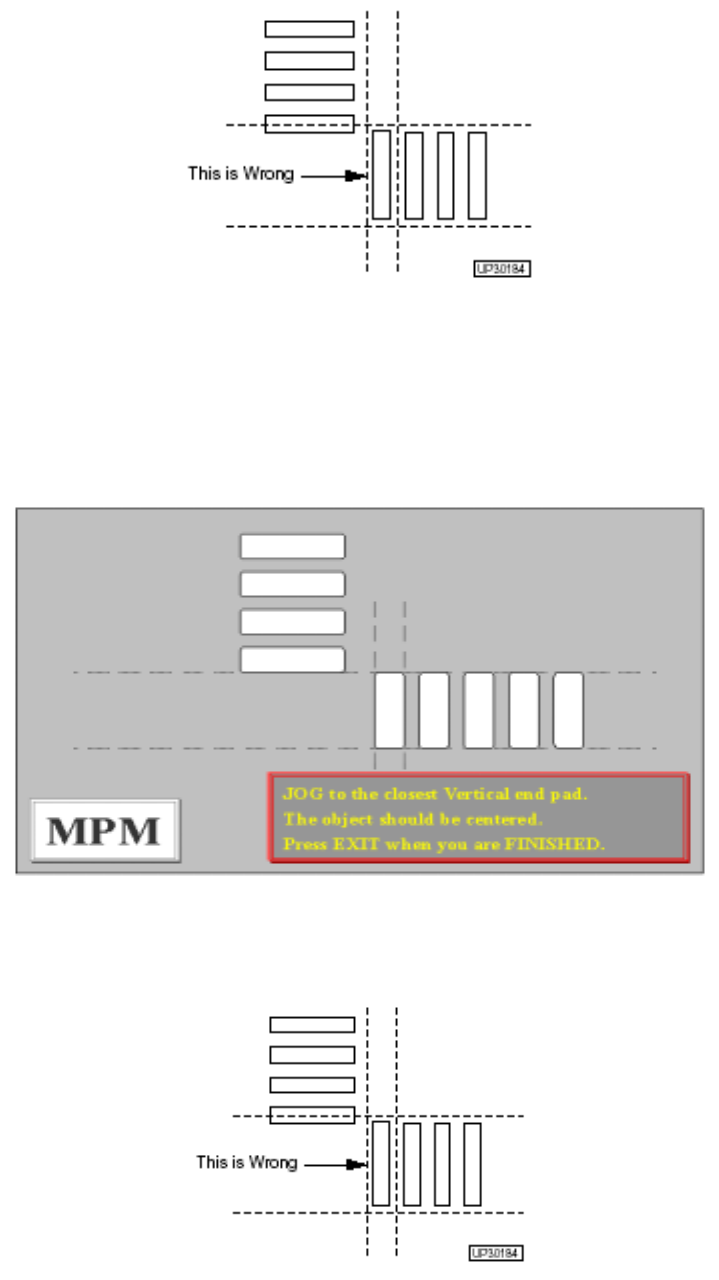
Please DEFINE the END pad of this device. (請將 PAD 點前後框起來)
Press NEXT to alternate between POSITION(按 NEXT 調整框位置、尺寸)
Adjust mode and size adjust mode.
Press EXIT when you are FINISHED. (按 EXIT 完成)
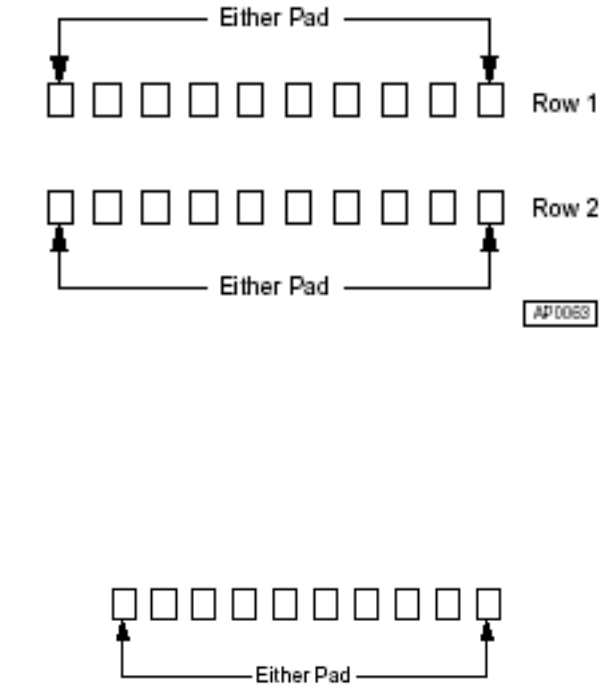
JOG to the closest Vertical end pad. (移動虛線,選擇 QFP 第一點垂直
The object should be centered. PAD 點)
Press when you are FINISHED. (按 EXIT 完成)
33
Please DEFINE the END pad of this device. (將 PAD 點前後框起來)
Press NEXT to alternate between POSITION(按 NEXT 調整框位置、尺寸)
Adjust mode and size adjust mode.
Press EXIT when you are FINISHED. (按 EXIT 完成)
※ 按 EXIT 之後,影像視覺系統自動搜尋 QFP,並計算零件腳數量
選擇 DIL 零件時之後,出現下列訊息
JOG to the End Pad of either row. (移動虛線中心點到PAD點,前起始點
The object should be centered. 與後結束點,兩邊都可)
Press EXIT when DONE. (按EXIT完成)
JOG to the Nearest End Pad of the other row. (移動虛線中心點到另一邊PAD點
The object should be centered. ,前起始點與後結束點皆可)
Press EXIT when DONE. (按EXIT完成後,影像系統自動搜尋完成後存檔)
※ DIL零件腳,先定義一邊PAD點再定義另一邊PAD點
選擇 SIL 零件時之後,出現下列訊息
JOG to the END PAD of DEVICE (移動虛線中心點到PAD點,前起始點與
The object should be centered. 後結束點皆可)
Press EXIT when DONE. (按EXIT完成後,影像系統自動搜尋完成後存檔)
※ SIL零件,須定義一邊腳位置即可
34
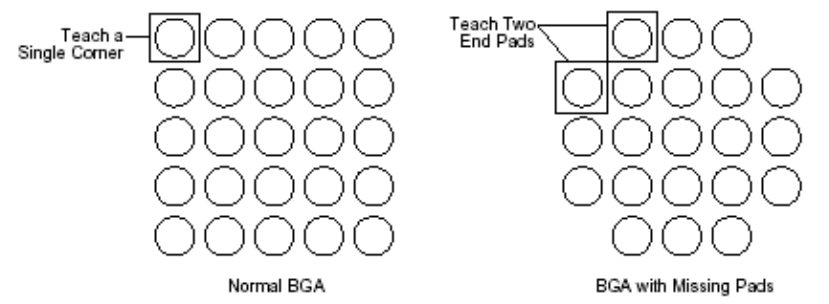
選擇 BGA 零件時之後,出現下列訊息
Press SELECT for normal BGA, (一般型BGA按SELECT製作程式,
Press NEXT if corner pads are missing, 缺角型BGA按NEXT製作程式或按
or press EXIT to Abort. EXIT中止程式製作)
※ 一般型BGA製作程式從第一個點開始,缺角型BGA需從第一點與最後一點來製作
程式,製作完後影像系統會搜尋一次,來計算BGA數量。
5. Stencil Adjust:將板子與鋼板的對位點,重新再對位
※ PC 板與鋼板重新對位,確認 Mark 點是否在同一點上,必須要作程式。此動作會
先確認 Vision Align Mark 點與 Vision Inspect Mark 點,然而確認板子是否再正中
間。
6. Offset Location:教導製作”視覺系統” 位置修正值
從Teach下拉選單中,選Offset Location 後出現下列訊息及視窗
35