MPM UP3000中文操作手册.pdf - 第30页
Please Define the BOARD TARGET. (請定義基板上 Mark 點收尋範圍的位置與尺寸) Press NEXT to alternate between POSITION (按 NEXT 變換搜尋範圍框位置、尺 adjust mode and SIZE adjust mode. 寸並調整) Press SELECT when DONE. (按 SELECT 完成) 按 SELECT 完成後,會出現做第二個 Ma…
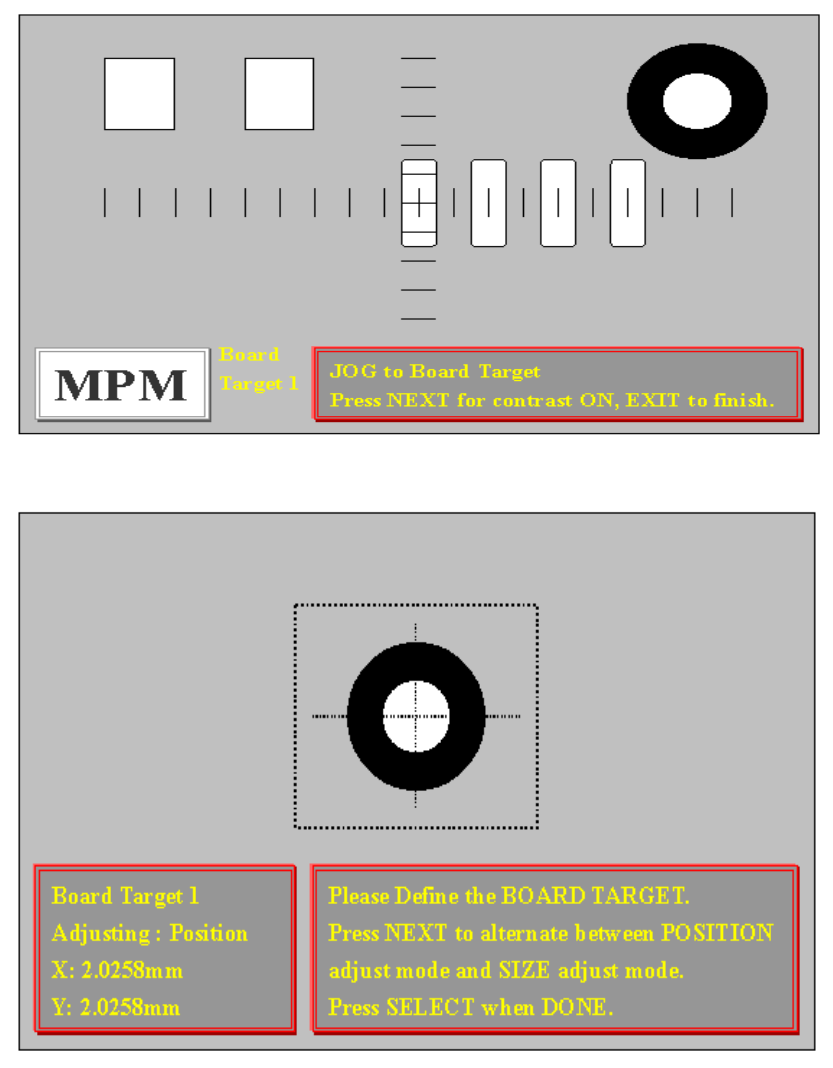
The object should be centered.
Press EXIT when DONE. (按EXIT完成)
按 EXIT 之後,出現下列視窗:
Board Target 1(PC 板上第一個 Mark 點)
Adjusting : Position(調整搜尋範圍框大小、尺寸)
X: 2.0258mm(搜尋範圍框 X 方向)
Y: 2.0258mm(搜尋範圍框 Y 方向)
29
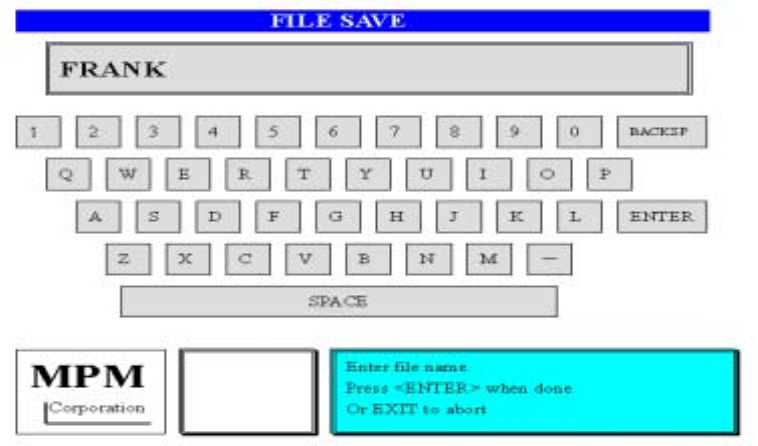
Please Define the BOARD TARGET. (請定義基板上 Mark 點收尋範圍的位置與尺寸)
Press NEXT to alternate between POSITION(按 NEXT 變換搜尋範圍框位置、尺
adjust mode and SIZE adjust mode. 寸並調整)
Press SELECT when DONE. (按 SELECT 完成)
按 SELECT 完成後,會出現做第二個 Mark 點的訊息,製作方式如第一個 Mark 點
CAUTION, Teach Device Vision is almost (警告!程式製作完成,影像系統會移動
complete, the camera is now going to 依照程式確認Mark點)
move around the board. Stay Clear. (按NEXT後動作)
Press NEXT to Continue.
按 NEXT 之後,出現下列訊息
VISION INSPECT is now complete. (程式製作完成)
NEXT for Save Operations. (按NEXT後存檔,進入小鍵盤輸入名稱後存檔)
EXIT to Quit. (按EXIT後離開)
按 NEXT 之後,出現存入檔案鍵盤畫面
4. Device Layout:製作2D檢查時,所要檢查零件
從Teach下拉選單中,選Device Layout 後出現下列訊息及視窗:
Use the buttons on the left to perform the(使用左邊功能鍵來完成程式製作)
desired function.
Press EXIT when you are FINISHED. (按EXIT結束程式製作)
30
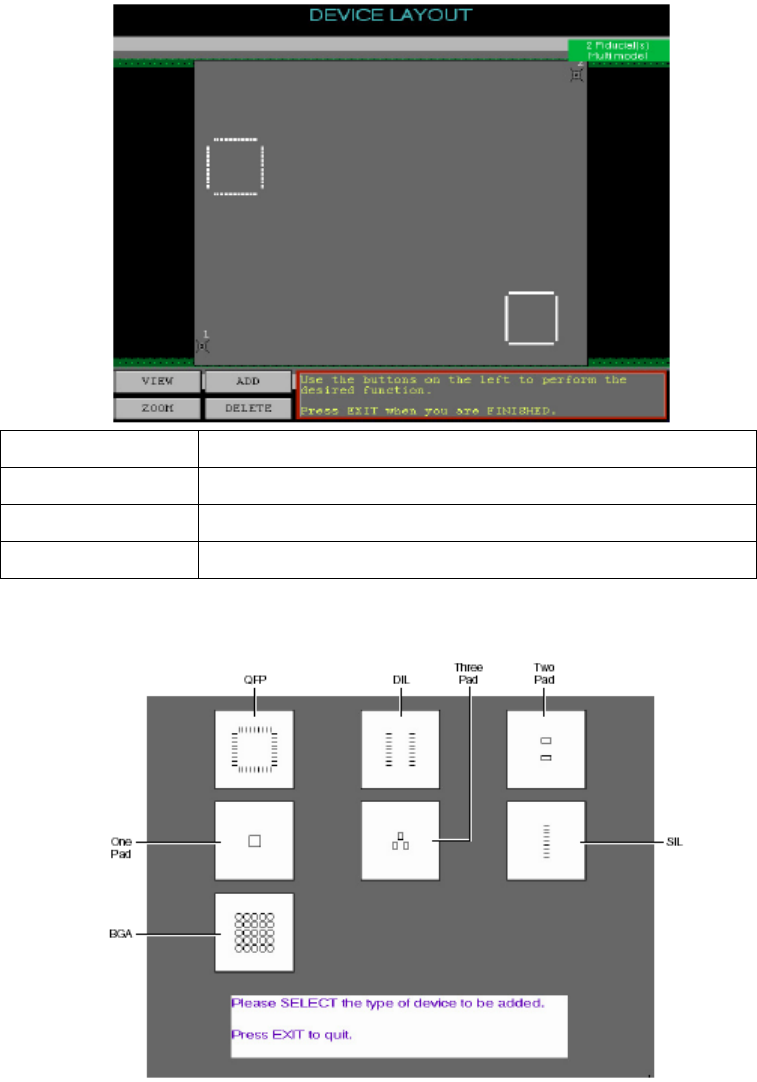
ADD 增加一個 2D 檢查零件
DELETE 刪除一個 2D 檢查零件
VIEW 察看 2D 檢查零件
ZOOM 將點選到位置放大與縮小
按ADD之後,出現下列訊息視窗:
Please SELECT the type of device to be added. (請選擇新增2D零件型式)
Press EXIT to quit. (按EXIT離開)
選擇 QFP 零件時
Move the trackball pointer to the Area(移動軌跡球,按 SELECT 點選到 PC
Where the device is to be added and 板上 QFP 零件位置)
31