00193732-02.pdf - 第63页
SIPLACE HS-50/HS-60 2 Retrofit Instructions for PCB Camera Mult icolor, HS-50 / HS-60 11/2004 Edition 2.7 Installing PCB Camera Board and P CB Camera Multicolor 63 2.7.3 Inst alling the "PCB Camer a Board, M odular&…
2 Retrofit Instructions for PCB Camera Multicolor, HS-50 / HS-60 SIPLACE HS-50/HS-60
2.7 Installing PCB Camera Board and PCB Camera Multicolor 11/2004 Edition
62
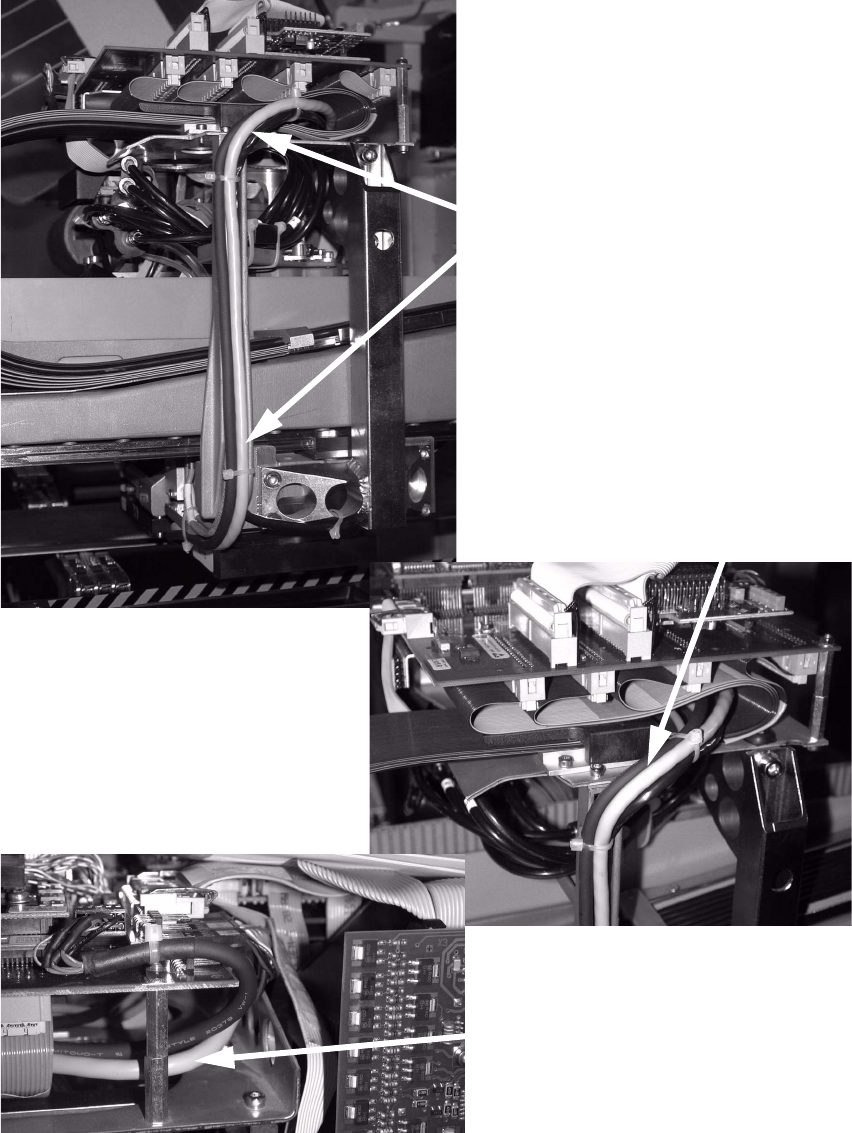
Laying cables 2
: Run both cables, if possible, as shown in the picture.
Mind a correct fixation of the cablesl.
2
Cable
Cable
Cable
SIPLACE HS-50/HS-60 2 Retrofit Instructions for PCB Camera Multicolor, HS-50 / HS-60
11/2004 Edition 2.7 Installing PCB Camera Board and PCB Camera Multicolor
63
2.7.3 Installing the "PCB Camera Board, Modular" from the Retrofit Kit
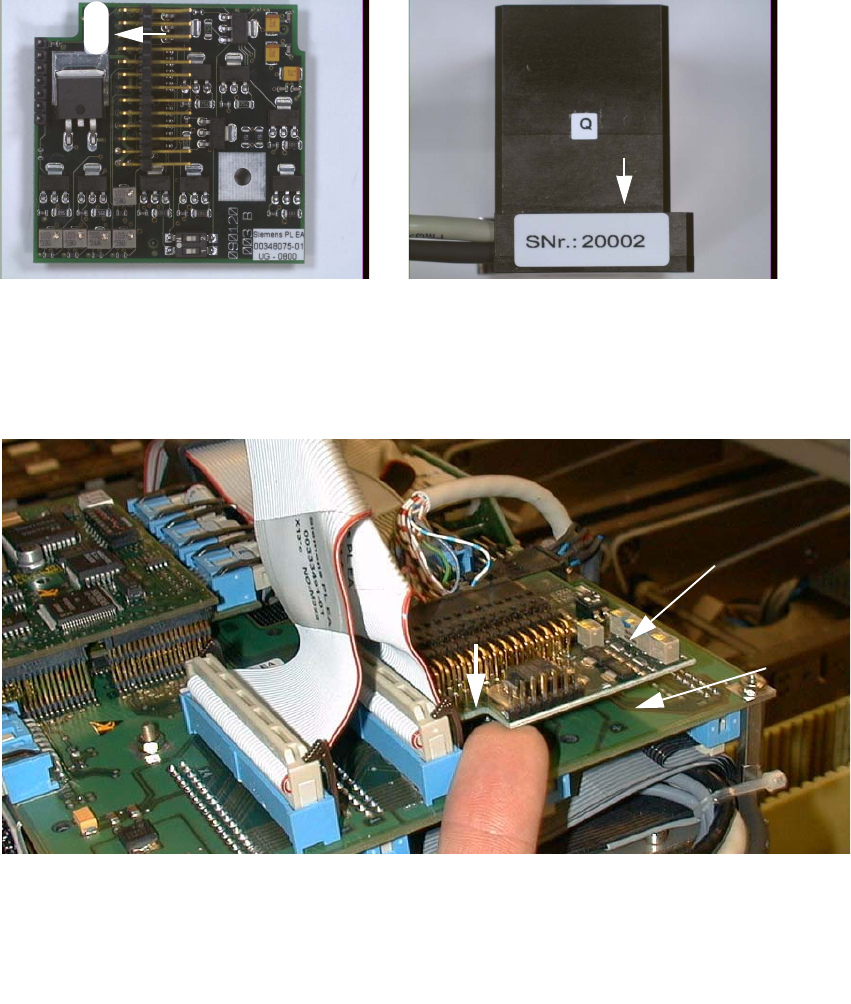
: Check the serial number of the PCB camera board, modular: It must correspond to the number
on the Multicolor PCB camera. Per gantry this allocation must be maintained during installa-
tion. The position of the number is shown in the following illustration.
Abb. 2.7.5 Check: the identical serial number on modular PCB Camera Board and PCB Camera Multicolor
: Screw the distance plates from the retrofit kit onto the "Vision board, modular".
: Plug the "PCB camera board, modular" onto the "Vision board, modular" in the correct position.
2
Abb. 2.7.6 Installing the "PCB Camera Board, Modular" from Retrofit Kit
: Screw the PCB camera board, modular.
1 Head PCB HS-50 assembly (modular)
2 PCB camera board, modular, manufacturer = Sticksel
3 Position of the recess
20002
3
2
1
2 Retrofit Instructions for PCB Camera Multicolor, HS-50 / HS-60 SIPLACE HS-50/HS-60
2.7 Installing PCB Camera Board and PCB Camera Multicolor 11/2004 Edition
64
2.7.4 Laying Cables, Plugging into PCB Camera Board and Vision Board
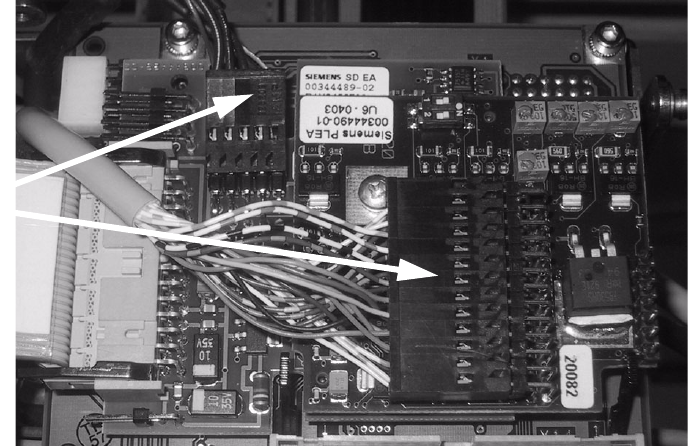
: Run the two cables from the PCB camera Multicolor up to the head PCBs.
: Plug the connectors of the PCB camera Multicolor into the "Vision board modular" and into the
"PCB camera, modular" located above it.
2
2
: Fasten the cables running upward such that the strain on the connectors is relieved.
: Fasten the flat ribbon cables.
2
2
2
2
2
2
2
2
2
Plug the
camera cable