00195447-02_Installation_604_01_SP1_EN_DE.pdf - 第8页
Installation Manual, Station Software Version 604.01 SP1 Issue 12/2007 3 Upgrade to the 604.xx sof tware version This chapter describes which steps you have to a ttend when upgrading from different software versions. Whe…

Installation Manual, Station Software Version 604.01 SP1 Issue 12/2007
7 of 47
2.2 Hardware components
• Station computer
• MC computer (machine controller)
• Vision computer (optional, required for the 3D coplanarity sensor option)
2.3 Languages
User interface for station computer and SIPLACE Vision:
The standard package contains German and English versions. Other languages contained in the
languages package are optional and available under item number 00385490-01.
The following table indicates which languages are available for the station software and SIPLACE Vision:
Language Station software /
SIPLACE Vision
French x
Italian x
Spanish (Mexico) x
Portuguese (Brazil) x
Hungarian x
Czech x
Polish x
Russian x
Estonian x
Chinese (simplified) x
Chinese (traditional) x
Korean x
Japanese x
Thai *) x
*) Only available for GUIs (English online help)
SITEST user interface:
German and English are included on the software CD.
Installation Manual, Station Software Version 604.01 SP1 Issue 12/2007
3 Upgrade to the 604.xx software version
This chapter describes which steps you have to attend when upgrading from different software versions.
When upgrading the station software, always check the eSW versions and download the current versions if
necessary.
3.1 Upgrade from Version 603.x
Caution:
For upgrading to the software version 604.x on the SIMATIC BoxPC 627, please consider the
installation manual “Windows Embedded XP operating system for the MC German and
English” (00195327-xx). Therfor, the standard media package (03054699-xx) is required.
It is not necessary to install the Windows embedded XP operating system for the other
machines.
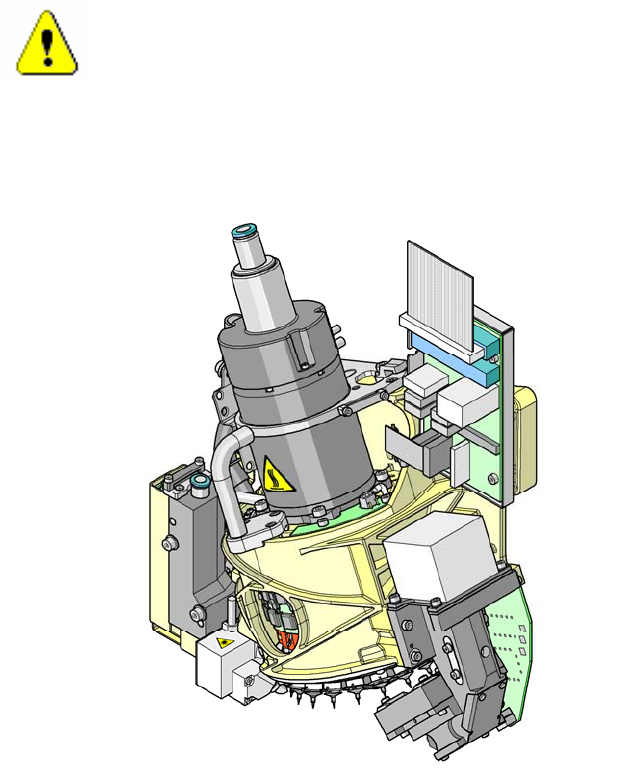
- Fix the temperature warning labels (03031926-01) at the C&P20 head (see the figure).
- After an upgrade to the 604.xx software version, calibrate the heads of the D1, D2 and D4 machines.
The temperature compensation is activated for these machines.
- If the machine can not be started after the upgrade to the software version 604.xx, please consider the
technical information TI 2006-01C08 or contact your Siemens service technician.
8 of 47
Installation Manual, Station Software Version 604.01 SP1 Issue 12/2007
3.2 Upgrade from Version 601.x or 602.x
Caution:
For upgrading to the software version 604.x, please consider the installation manual “Windows
Embedded XP operating system for the MC German and English” (00195327-xx).
Therfor, the standard media package (03054699-xx) is required.
- For SIPLACE X4, X2 and X3 machines with CPU 076 the following upgrade packages for the machine
controller are required:
- Upgrade package for SIPLACE X4 with CPU 076 for computer upgrade to CPU 086
Item number: 03029123S03
- Upgrade package for SIPLACE X2 and X3 with CPU 076 for 128 MB memory expansion
Item number: 03051831
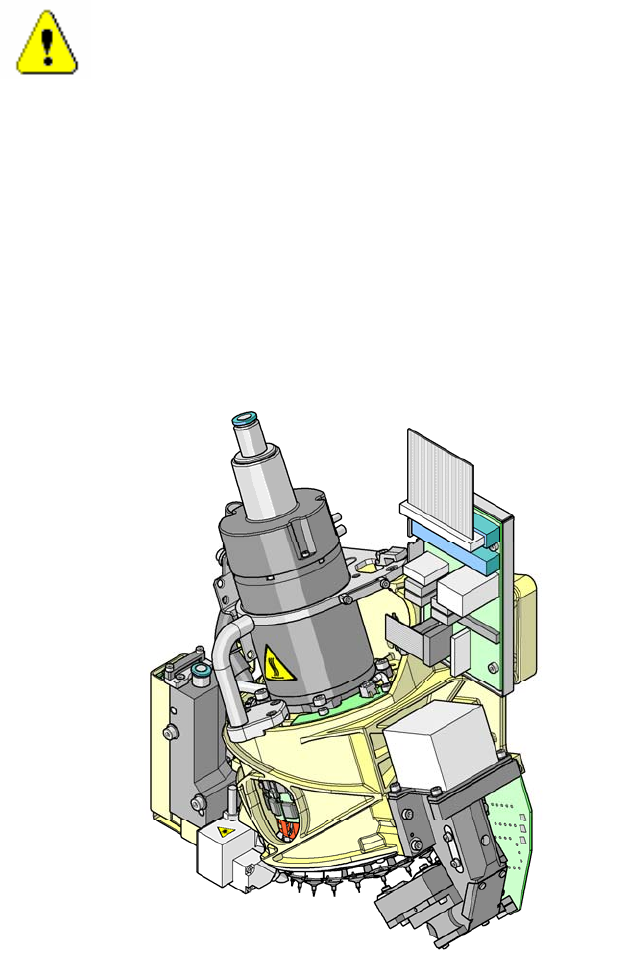
- Fix the temperature warning labels (03031926-01) at the C&P20 head (see the figure).
- After an upgrade to the 604.xx software version, calibrate the heads of the D1, D2 and D4 machines.
The temperature compensation is activated for these machines.
- If the machine can not be started after the upgrade to the software version 604.xx, please consider the
technical information TI 2006-01C08 or contact your Siemens service technician.
9 of 47