00194547-03.pdf - 第33页
Installation Manual Station Software Version 601.02 SP1 Edition 10/2005 33 of 82 Or: → Open the Start menu and select Settings Æ Control panel . → Double-click Softw are . Fig. 4-16: Starting uninstallation (alternative …
Installation Manual Station Software Version 601.02 SP1 Edition 10/2005
32 of 82
→ Switch the machine off when the station computer has shut down.
→ Switch the machine back on again. This reboots both the station computer and the machine
controller.
4.3 Uninstalling the SIPLACE software
If it is necessary to uninstall the SIPLACE software, this must be done in one of the ways described
below.
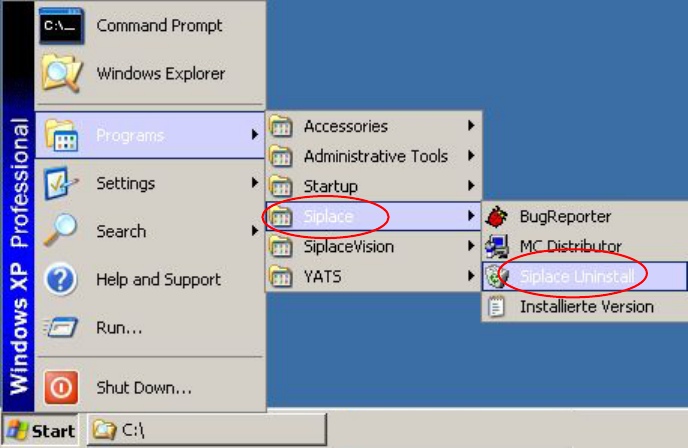
→ Open the Start menu and select Programs Æ Siplace Æ Siplace Uninstall.
Fig. 4-15: Starting uninstallation (alternative 1)
Installation Manual Station Software Version 601.02 SP1 Edition 10/2005
33 of 82
Or:
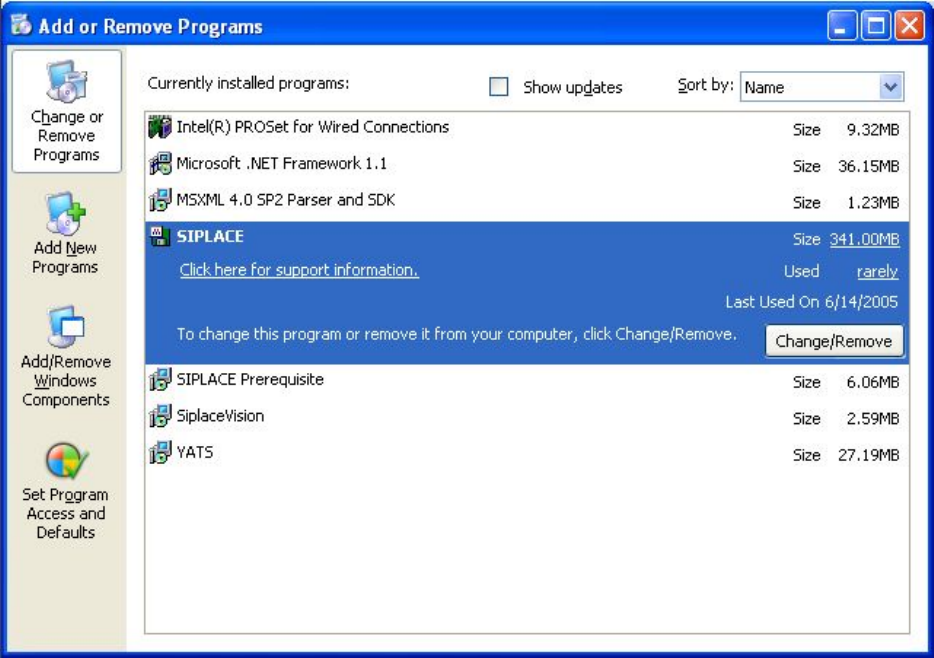
→ Open the Start menu and select Settings Æ Control panel.
→ Double-click Software.
Fig. 4-16: Starting uninstallation (alternative 2)
→ Select Siplace from the list of installed programs.
→ Click the Change/Remove button.
Installation Manual Station Software Version 601.02 SP1 Edition 10/2005
34 of 82
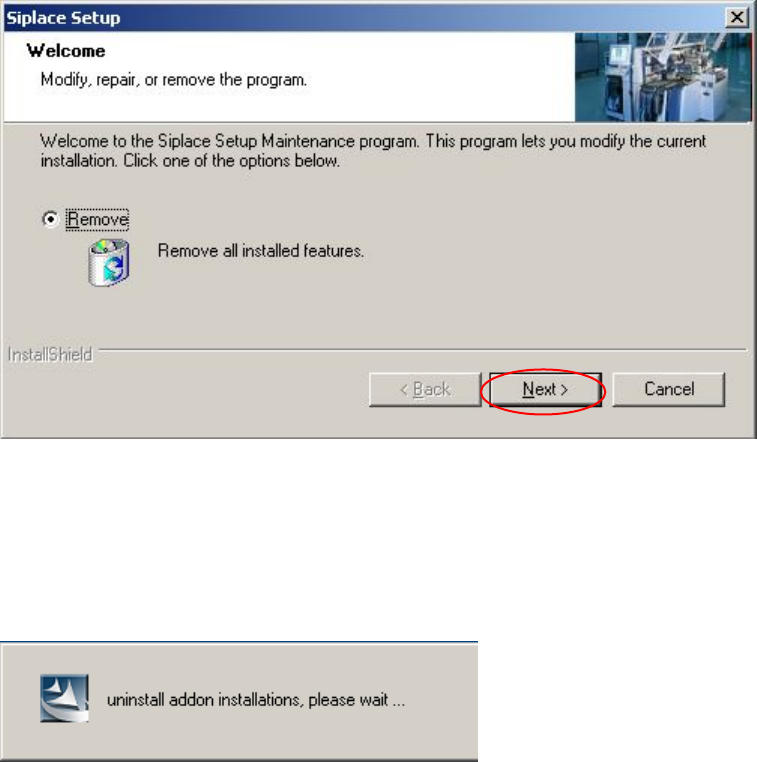
Removing the program
Fig. 4-17: Removing the program
→ Click the Next button.
The installation program now uninstalls the SIPLACE software including SIPLACE Vision.