00197192-02_VD_EDM_2.1_DE_EN.pdf - 第12页
EDM V2.1 / Versio n Desc ription Ausgabe 11/2012 Edit ion 12 ► Enter your user n ame. ► W rite an explana tion in th e Comment f ield wh y you ha ve made th e cha nge in SIP LACE Pr o. ► Select th e appropr iate c ategor…
EDM V2.1 / Version Description Ausgabe 11/2012 Edition
11
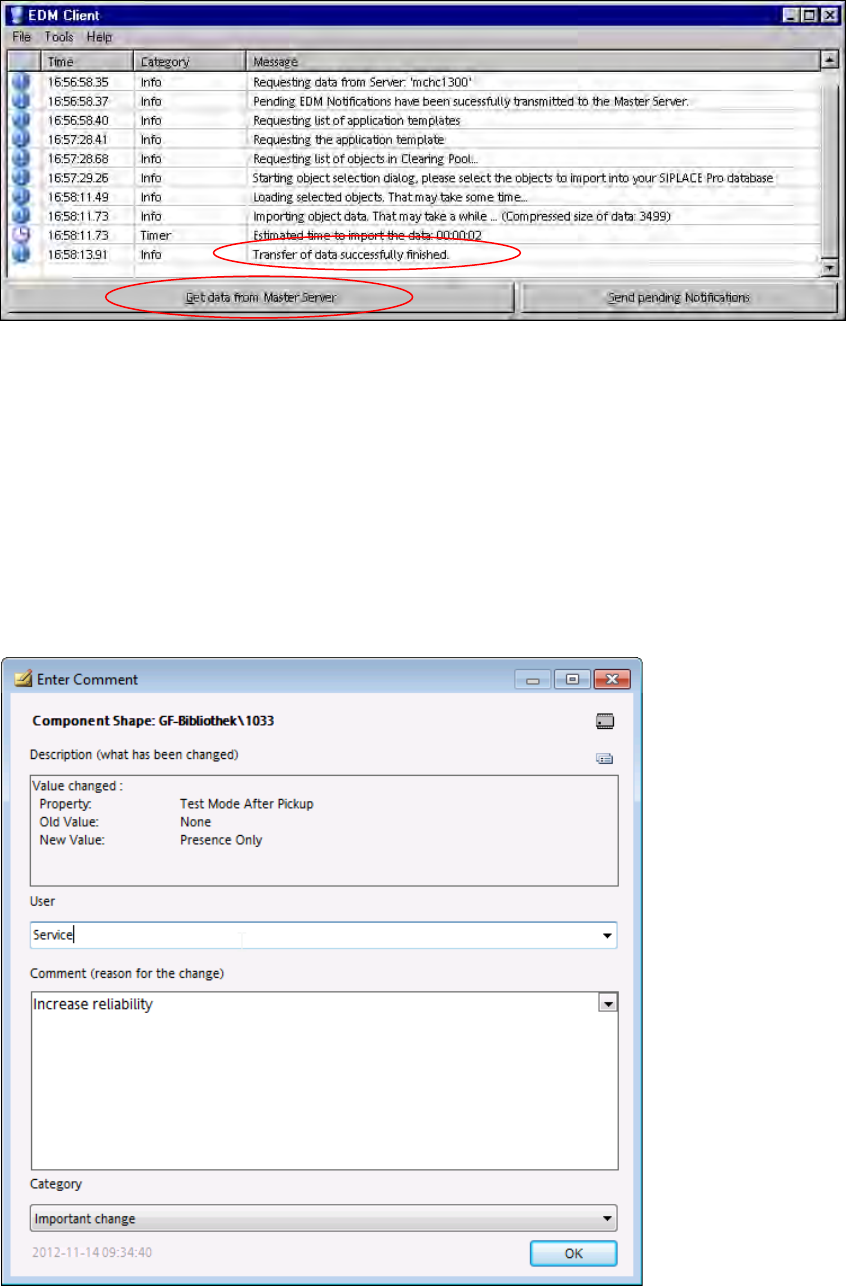
The message dialog box returns to the foreground and the selected objects are transferred:
Figure 4-4: Data transfer completed
A processing bar is displayed during the data transfer and the buttons are disabled.
When the data transfer has been completed successfully, the message Transfer of data
successfully finished appears and the Get data from Master Server button is enabled
again.
If the data transfer failed, a corresponding error message is displayed.
4.2.1.1 Comment Dialog Box
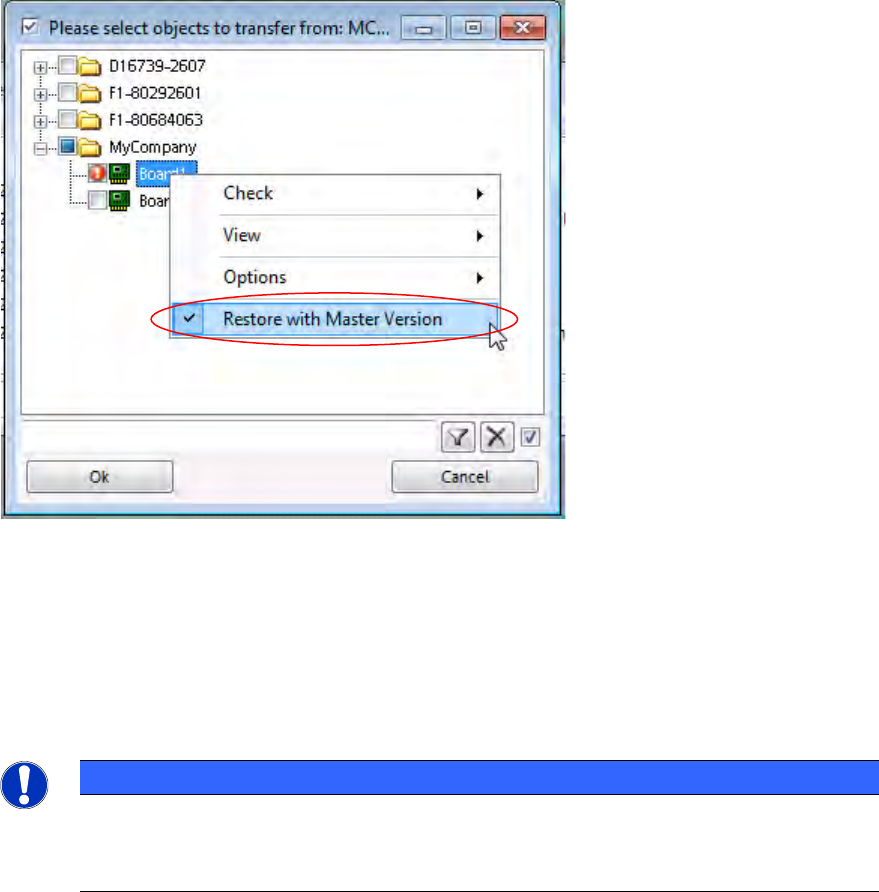
The comment dialog box opens if you make changes in SIPLACE Pro on the Line Server (e.g. if
you change the component shape).
Figure 4-5: Comment dialog box
EDM V2.1 / Version Description Ausgabe 11/2012 Edition
12
► Enter your user name.
► Write an explanation in the Comment field why you have made the change in SIPLACE Pro.
► Select the appropriate category from the drop-down list.
► Click OK to close the comment dialog box.
4.2.1.2 Restoring Data with Pending Changes in the Clearing Pool
By default, an object is not overwritten or restored as long as there are pending changes for this
object on the current line in the Clearing Pool. During a pull operation it is now possible to restore
data on the Line Server to the current version of the Master Server, although a modified version
has been transmitted to the Clearing Pool.
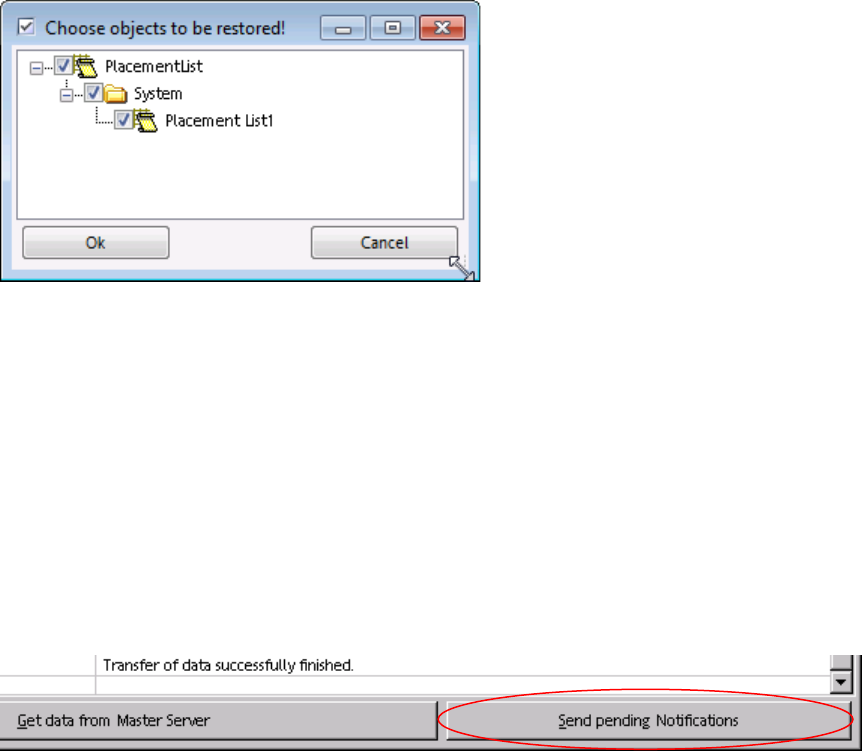
Figure 4-6: Restoring data
The folders that contain at least one object to be restored and the objects themselves are marked
with the icons above.
► Check the object(s) to be restored.
► Click the right-hand mouse button to open the context menu and select the Restore with
Master Version menu entry.
NOTICE
No object version history is provided in EDM.
All changes of this object that have not yet been accepted in the Master get irrecoverably
lost after the recovery.
EDM V2.1 / Version Description Ausgabe 11/2012 Edition
13
All changed sub-objects for which changes are pending in the Clearing Pool are displayed in a
confirmation window. Only the selected, tagged objects will be restored.
Figure 4-7: Confirming objects to be restored
► Confirm your selection by clicking OK.
The selected objects are restored on the Line Server and the changes are removed from the
Clearing Pool.
4.2.2 Transferring the Change Notifications to the EDM Master
All change notifications are transferred to the EDM Master after a configurable timeout has elapsed
(see the EDM Installation Manual, section 5.2.3.5). Notifications can be sent immediately by
clicking Send Pending Notifications in the EDM Client:
Figure 4-8: Sending pending notifications
4.2.3 "Auto Reject" and "Direct Import
Data which matches the rules for Auto Reject and Direct Import is not put into the Clearing Pool.
In the case of Direct Import, the data is transferred directly to the EDM Master database, and in
the case of Auto Reject the data is ignored. Therefore, it is not necessary to enter comments at
the EDM Line in this case.
Further information about this can be found in the EDM Installation Manual, section 5.3.7
Notifications/Rules… .