00197192-02_VD_EDM_2.1_DE_EN.pdf - 第17页
EDM V2.1 / Versio n Desc ription Ausgabe 11/2012 Edit ion 17 4.3.1.5 Send ing the D ata P ack age Once the user has perform ed all the s teps ab ove, the button f or trans ferring th e pack age is enabled an d t he error…
EDM V2.1 / Version Description Ausgabe 11/2012 Edition
16
4.3.1.3 Selecting the Objects to be Transferred
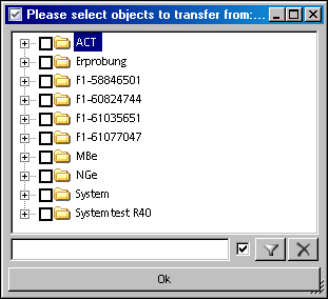
The Add button opens a dialog box for selecting the objects. The filter function and the context
menu allow the relevant objects to be selected quickly. The checked entries are added to the
Object selection list.
Figure 4-10: Selecting objects to be transferred
4.3.1.4 Entering a Comment
A text must be entered in the Comment field. This is subsequently used as a notice and identifies
the content of the push package to the user at the Line Server.
EDM V2.1 / Version Description Ausgabe 11/2012 Edition
17
4.3.1.5 Sending the Data Package
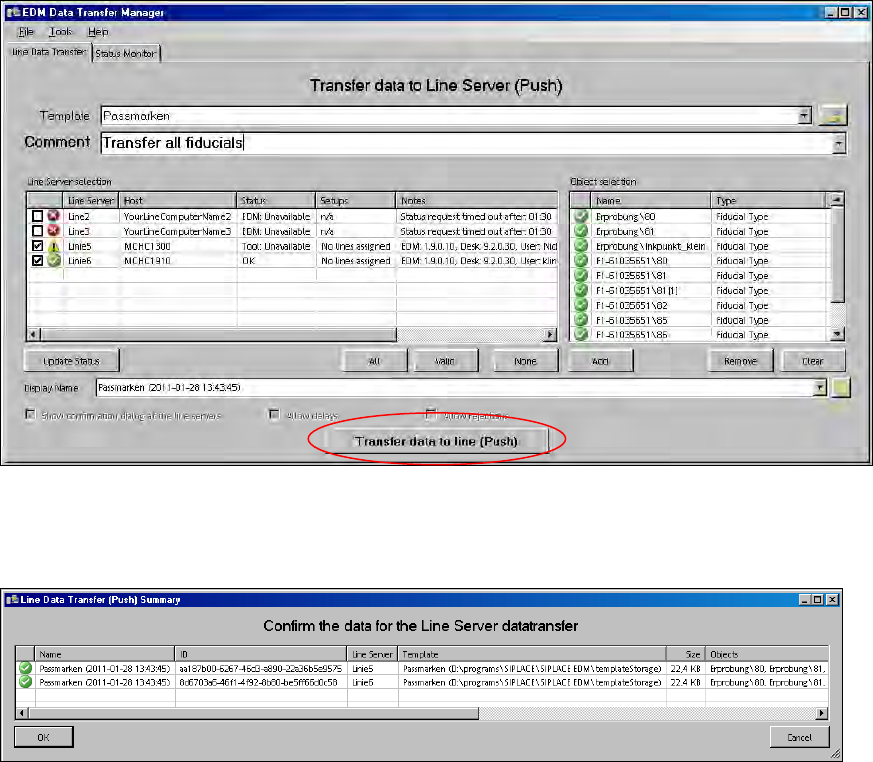
Once the user has performed all the steps above, the button for transferring the package is
enabled and the error icon next to it is no longer visible.
Figure 4-11: Sending the data package
After the Transfer data to line (Push) button is pressed, the selected data is exported from
SIPLACE Pro. The summary has then to be confirmed or the push operation has to be canceled:
Figure 4-12: Confirming/Cancelling the push operation
EDM V2.1 / Version Description Ausgabe 11/2012 Edition
18
4.3.1.6 Checking the Data Packages
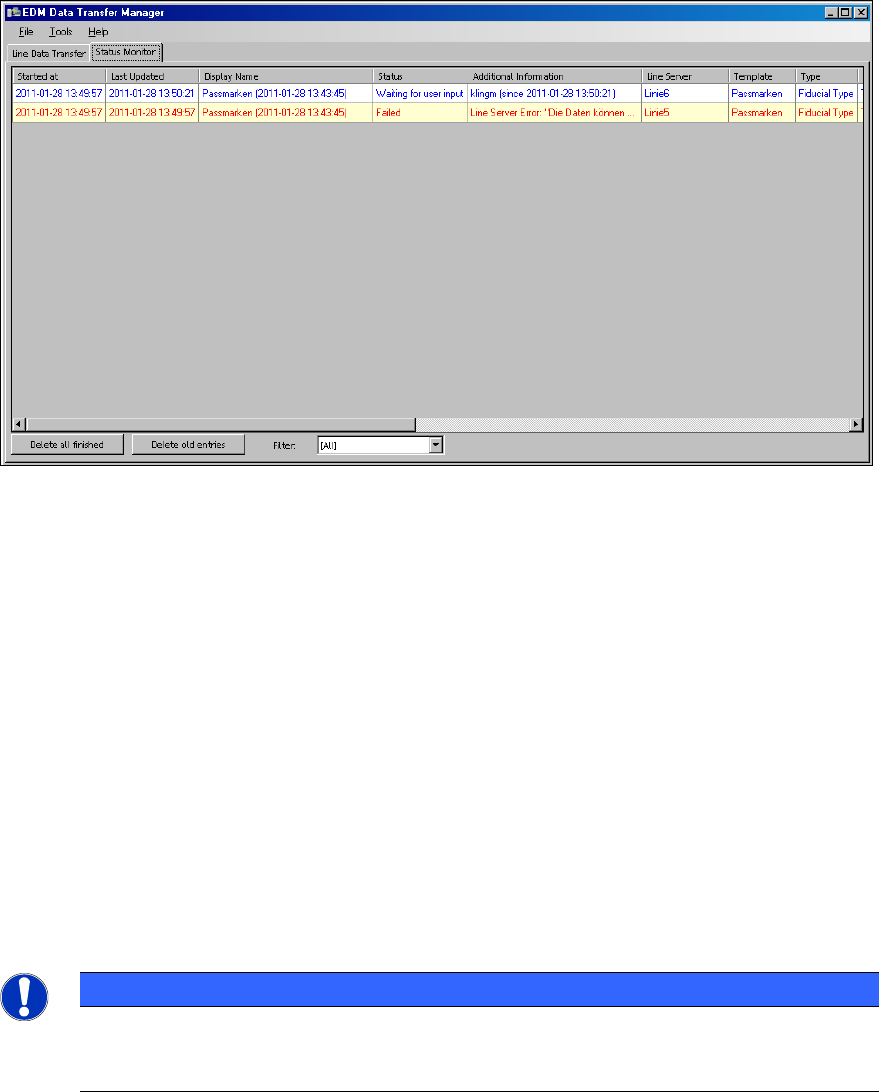
The Status Monitor tab lists the packages sent. This view is used to track the push operations.
Figure 4-13: Checking the data packages
Depending on the status of the relevant push package, the context menu (right mouse button) in
each row allows you to delete the associated entry, cancel data transfer or create a new data
package on the basis of the current entry in the Line Data Transfer tab (Repeat Push...).
4.3.2 Receiving Data on the EDM Line Server
4.3.2.1 Accepting the Push Data Packages
By default, EDM pops up a confirmation dialog box on the Line Server after the push package has
been sent by the Data Transfer Manager.
Depending on the configuration set by the Data Transfer Manager, the user at the Line Server can
reject packages or flag them for resubmission (Delay). EDM can be configured in such a way that
the confirmation dialog box does not appear and the data is imported on the Line Server with no
further intervention by the user. This is described in the EDM Installation Manual.
NOTICE
A Windows user has to be logged in and the EDM Tool started on the Line Server to
allow the user to confirm receipt of data packages from the Data Transfer Manager. The
EDM Service is sufficient to allow data to be imported without user interaction.