00198574-01_Process_Foundation_DEK_Micron_EN.pdf - 第16页
4 Process Hardware 4.2 Tooling 16 Process Foundation DEK Micron-Series 12/2017 Gridlok TM ● Board; components and stencil support ● Eliminates operator influence ● Quick changeover ● Expandable from 38-508mm board widths…
4 Process Hardware
4.2 Tooling
Process Foundation DEK Micron-Series 12/2017 15
4.2 Tooling
The importance of good board support during the print stroke cannot be over- emphasized.
Inappropriate, poorly designed or badly maintained tooling can be a contributing factor to every
type of print defect. Tooling should offer a flat, solid support, and should support the board to
ensure good print definitions across the board.
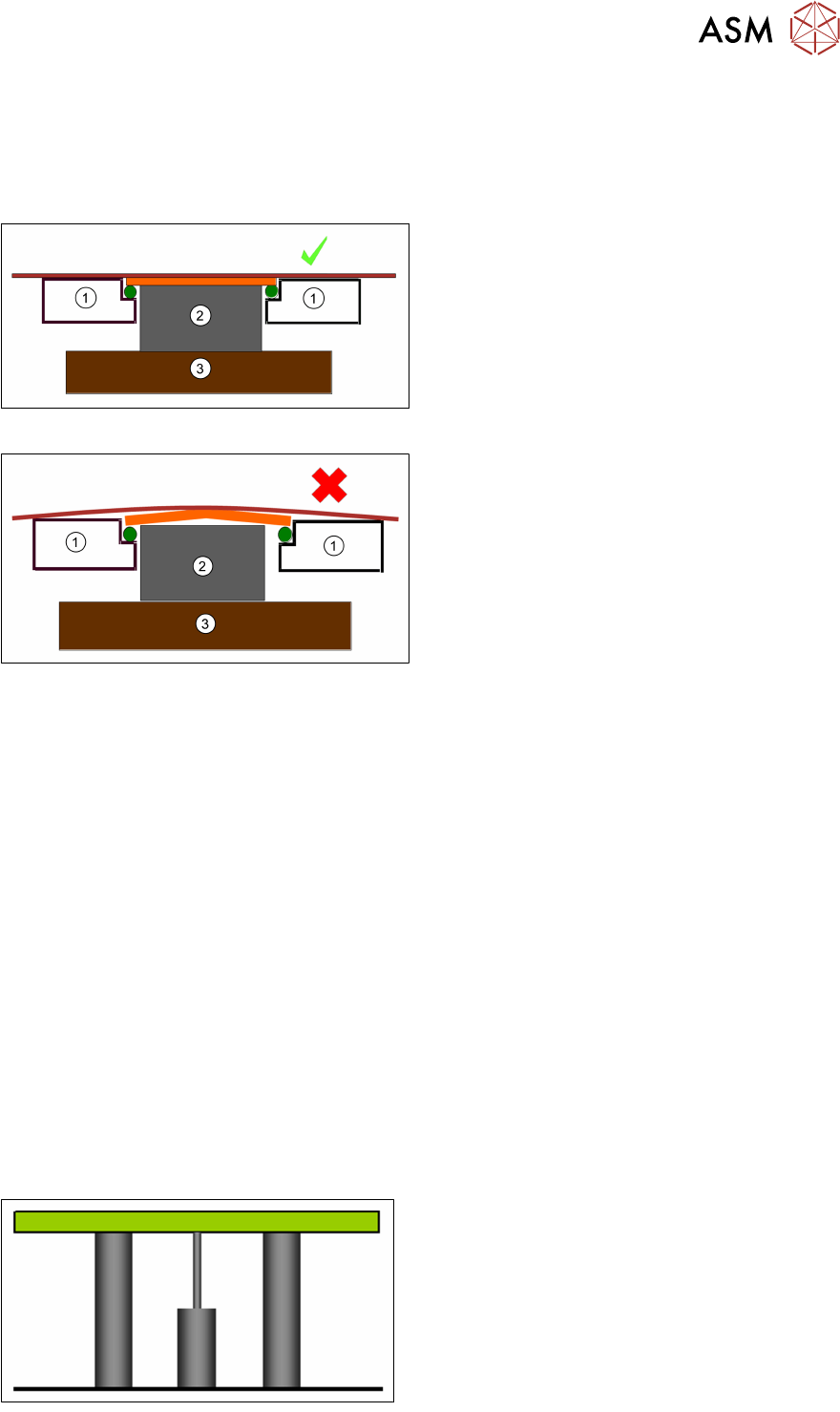
Good
1. Rail
2. Tool Block
3. Table
The secret to good printing is to have everything flat and parallel.
Bad
1. Rail
2. Tooling Block
3. Table
Check
●
Cleanliness of table
●
Cleanliness of pins
●
Board clamps for damage
●
Transport belt condition
●
Board thickness
●
Board warpage
●
Stencil for damage
●
Position of tooling pins
●
Dowel pin location
●
Underside components
Anything that distorts the board or causes it to bend during the print will result in poor printing.
4.2.1 Suitable Tooling Type
●
Magnetic pillars
●
Gridlok
TM
●
Dedicated
●
Custom
There are many tooling types available reflecting the variety of products which they may support.
For instance whether the product is thick or thin, single- or double-sided, partially or densely
populated, small batch or high volume, low or high profit. It is important to set-up tooling carefully
as per the process design specification.
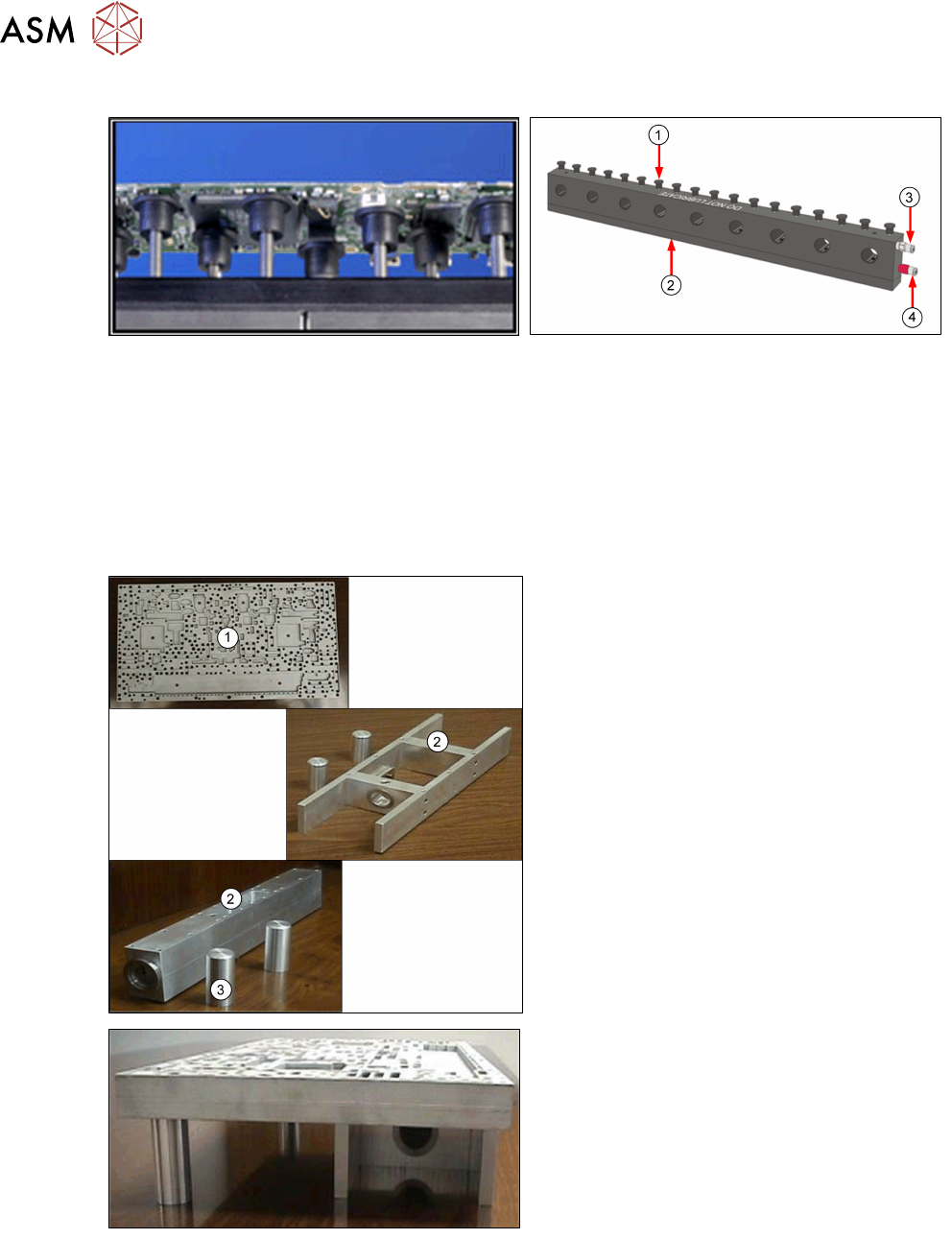
Magnetic Tooling
●
Simple and robust construction
●
19 mm and 4 mm pin diameter
●
Inexpensive
●
Slow changeover
●
Poor repeatability
4 Process Hardware
4.2 Tooling
16 Process Foundation DEK Micron-Series 12/2017
Gridlok
TM
●
Board; components and stencil support
●
Eliminates operator influence
●
Quick changeover
●
Expandable from 38-508mm board widths
●
Good for 0.6mm and thicker
●
No vacuum option…
1. Tooling Pins
2. Magnetic Base
3. Pneumatic Input to Lock Pins
4. Pneumatic Input to Raise Pins
Dedicated Tooling
1. Plate
2. Towers
3. Support Pins
●
Up to 100% support
●
Quick and accurate changeover
●
Can contain milled out areas for underside
components
●
Can be fitted with vacuum cups
●
Less expensive than custom tooling
●
One plate per product…
4 Process Hardware
4.2 Tooling
Process Foundation DEK Micron-Series 12/2017 17
Customised Tooling
●
For one off applications
●
Expensive
●
Inflexible…
4.2.2 Correct Set Up
●
Label tooling clearly to prevent mix-ups
●
Tooling blocks should make use of the locating dowels on the rising table to ensure
repeatability of positioning
●
To aid in the positioning of magnetic pins, create tooling maps or templates that can be laid on
the table surface with holes cut for the pins to go through
●
Use tooling blocks designed with stencil support, or stencil support blocks if squeegee length
exceeds board length
Care and Maintenance
●
Keep tooling and rising table scrupulously clean
●
Inspect tooling regularly for wear or damage
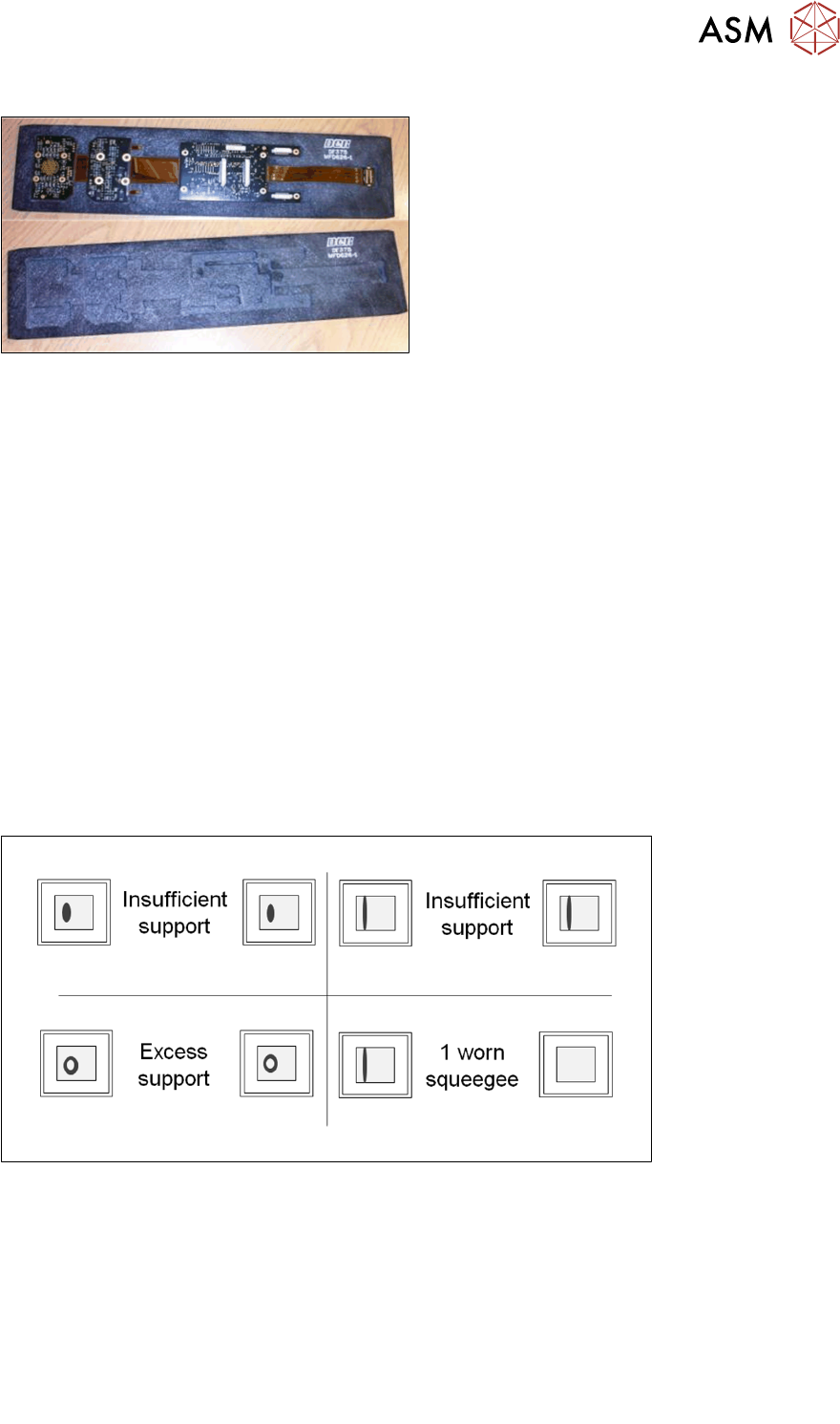
4.2.3 Identifying Tooling Problems
With everything set correctly, the stencil surface should be clean at the end of the print stroke.
Therefore, any material residues left can provide clues to underlying problems.
These problems can be caused by:
●
Damage or contamination of tooling or rising table
●
Tooling pins positioned beneath underside components
●
Tooling positioned directly under meath bar code labels, silkscreen mask or uneven pad finish
on the underside of the board
●
Worn or damaged transport belts
●
Underside components fouling on the surface of the tooling plate
Note: Adjusting the "Board Stop X" parameter slightly may allow the board to locate accurately
within the tooling block.