00194798-01.pdf - 第40页
Installation Manual, Station Software Version 602.01 Edition 06/2006 4.4 Uninst alling the SIPLACE software If it is necessary to uninstall the SIPLACE software, this must be done in one of the ways described below. → Op…
Installation Manual, Station Software Version 602.01 Edition 06/2006
Finalizing the installation
Note:
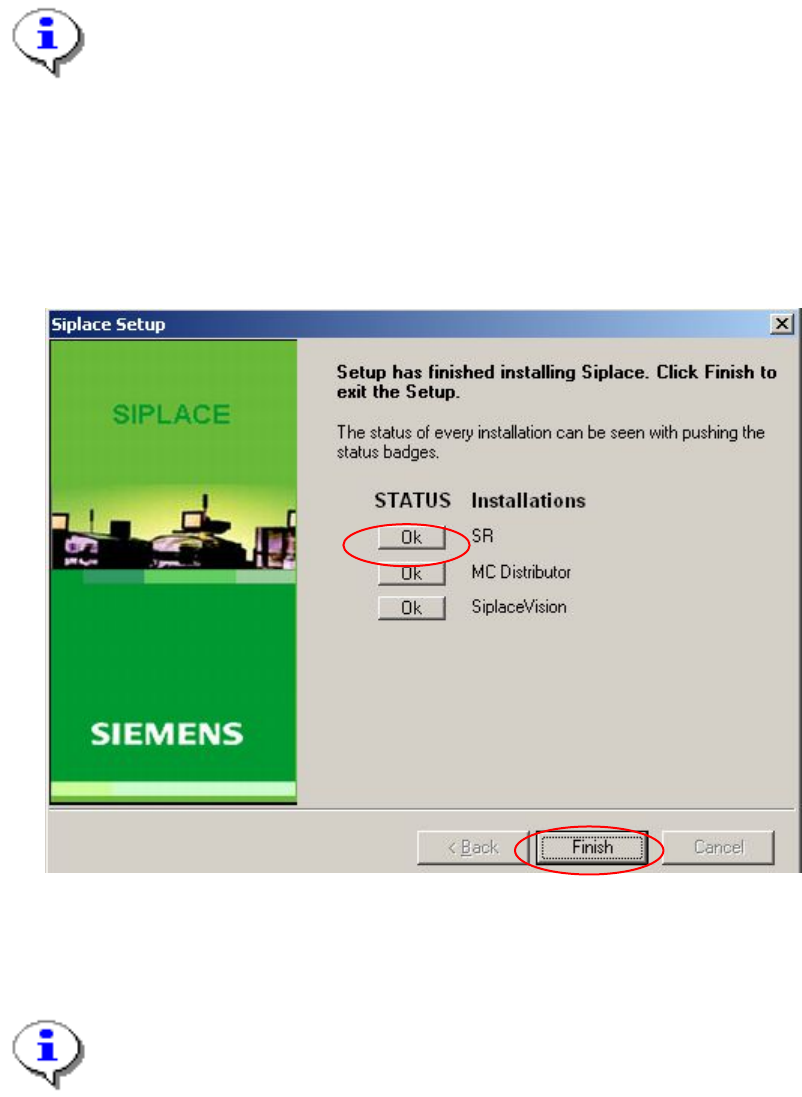
The status only lists the programs that have just been installed. If, for instance, the
current version of SIPLACE Vision was already installed, it is not listed here.
If errors occurred during installation, the status is indicated by the Error button being
displayed next to the program name instead of the Ok button.
→ If you wish to read the log of the installation of any program, click the Ok (or Error) button next to the
name of the program. The Notepad is started and displays the appropriate file.
Fig. 4-21: Final dialog of the installation
→ Click the Finish button.
Note:
To establish the connection between the station computer and the machine controller
after installation has been completed the station computer must first be run down and
the machine must then be switched off completely.
→ To do this, click Shut Down in the Start menu and select Shut Down from the dropdown list followed
by the OK button.
→ Switch the machine off when the station computer has shut down.
→ Switch the machine back on again. This reboots both the station computer and the machine controller.
39 of 60
Installation Manual, Station Software Version 602.01 Edition 06/2006
4.4 Uninstalling the SIPLACE software
If it is necessary to uninstall the SIPLACE software, this must be done in one of the ways described below.
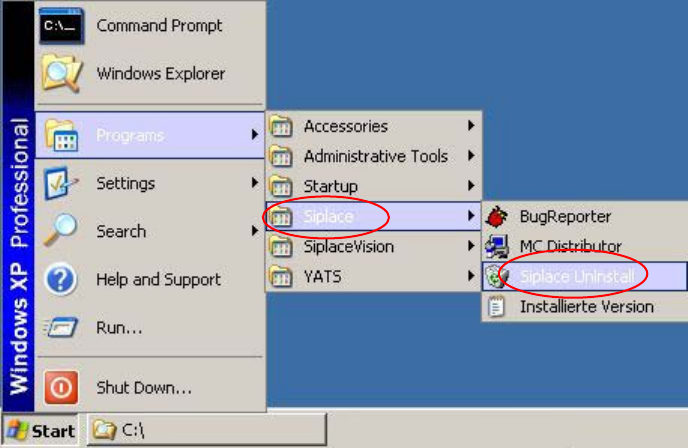
→ Open the Start menu and select Programs Æ Siplace Æ Siplace Uninstall.
Fig. 4-22: Starting uninstallation (alternative 1)
40 of 60
Installation Manual, Station Software Version 602.01 Edition 06/2006
Or:
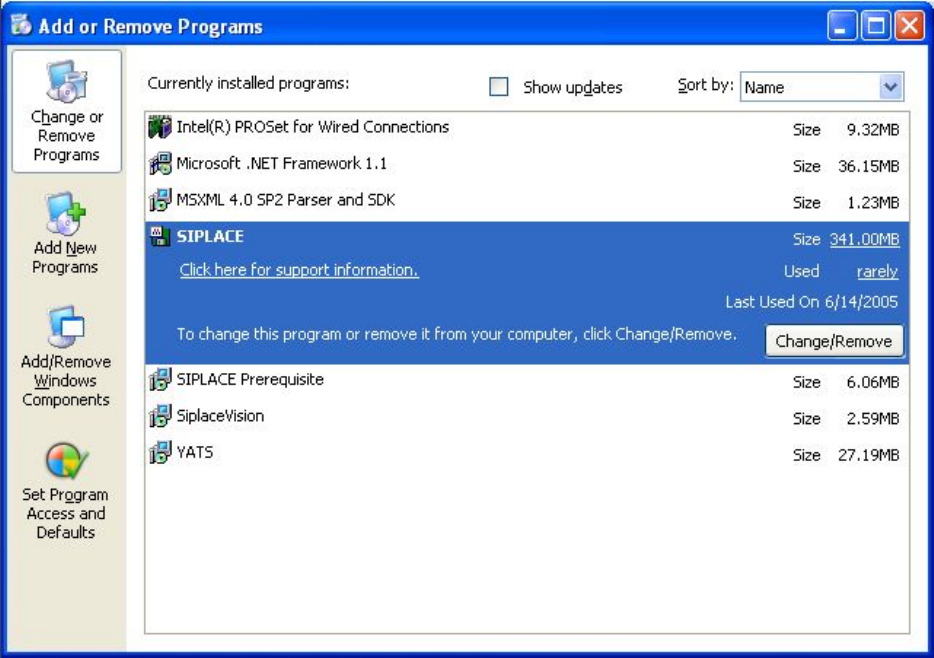
→ Open the Start menu and select Settings Æ Control panel.
→ Double-click Add/Remove Programs.
Fig. 4-23: Starting uninstallation (alternative 2)
→ Select Siplace from the list of installed programs.
→ Click the Change/Remove button.
41 of 60