SOM-1764-001.pdf - 第12页
031 1-001 1 1 Tg0979-PM-SO
6. Re-starting Operation
0311-001 10 Tg0979-PM-SO
6. Re-starting Operation
When the [START] button is pressed, the operation is re-started.
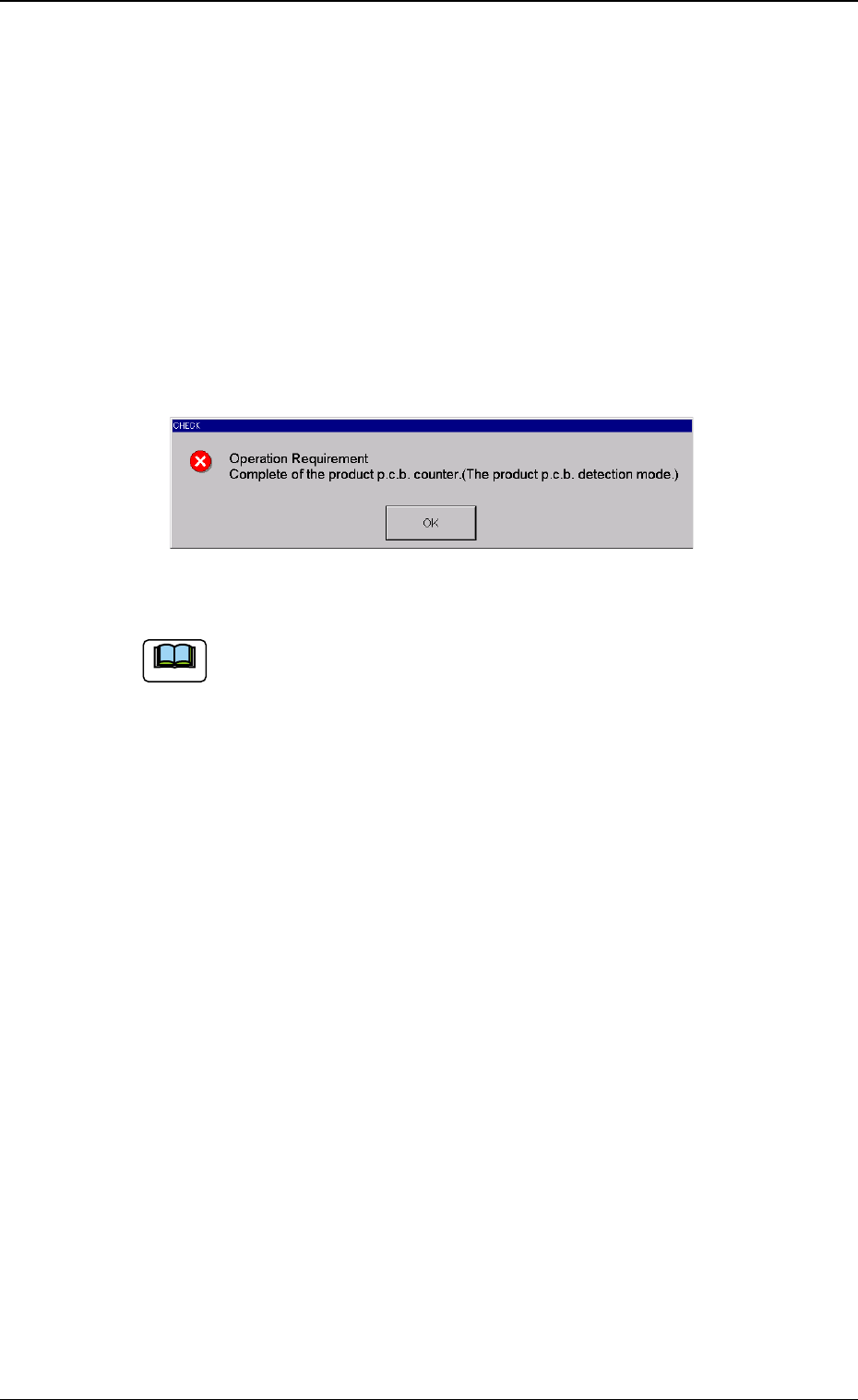
When the [START] button is pressed while "Total number of produced
Unit P.C.B.s is more than specified number of Unit P.C.B.s to be pro-
duced" is shown, then the operation can not be re-started on the
"CHECK" window in Fig. 5.
• In that case, either the "P.C.B. Counter" should be cleared to "0" or
the "Product PCB Set Mode" should be set to "Disable" on the
"P.C.B. COUNTER DETECTION MODE" window (Fig. 1).
Fig. 5
(a) When the semi-automatic start/Warm start is used, the
alarm is not available.
The recovery operation due to the operation stop is
allowed.
(b) When the automatic operation is manually stopped or the
semi-automatic operation is set, then manual recovery by
the operator is required because the number of Unit
P.C.B.s (number of components to be placed) has not
been obtained.
Note

0311-001 11 Tg0979-PM-SO

1st Edition Issued Nov., 2003 Copying Prohibited
Compiled and Distributed by
0311-001
Tg0979-PM-SO