SOM-1764-001.pdf - 第7页
3. Product P .C.B. Set Mode 031 1-001 6 Tg0979-PM-SO 3. Product P .C.B. Set Mode Press the [OPN. MODE] button on the "AUTO OPN." window (submenu), and press the [Opn. Mode] tab. Pressing the [Next] button shows…
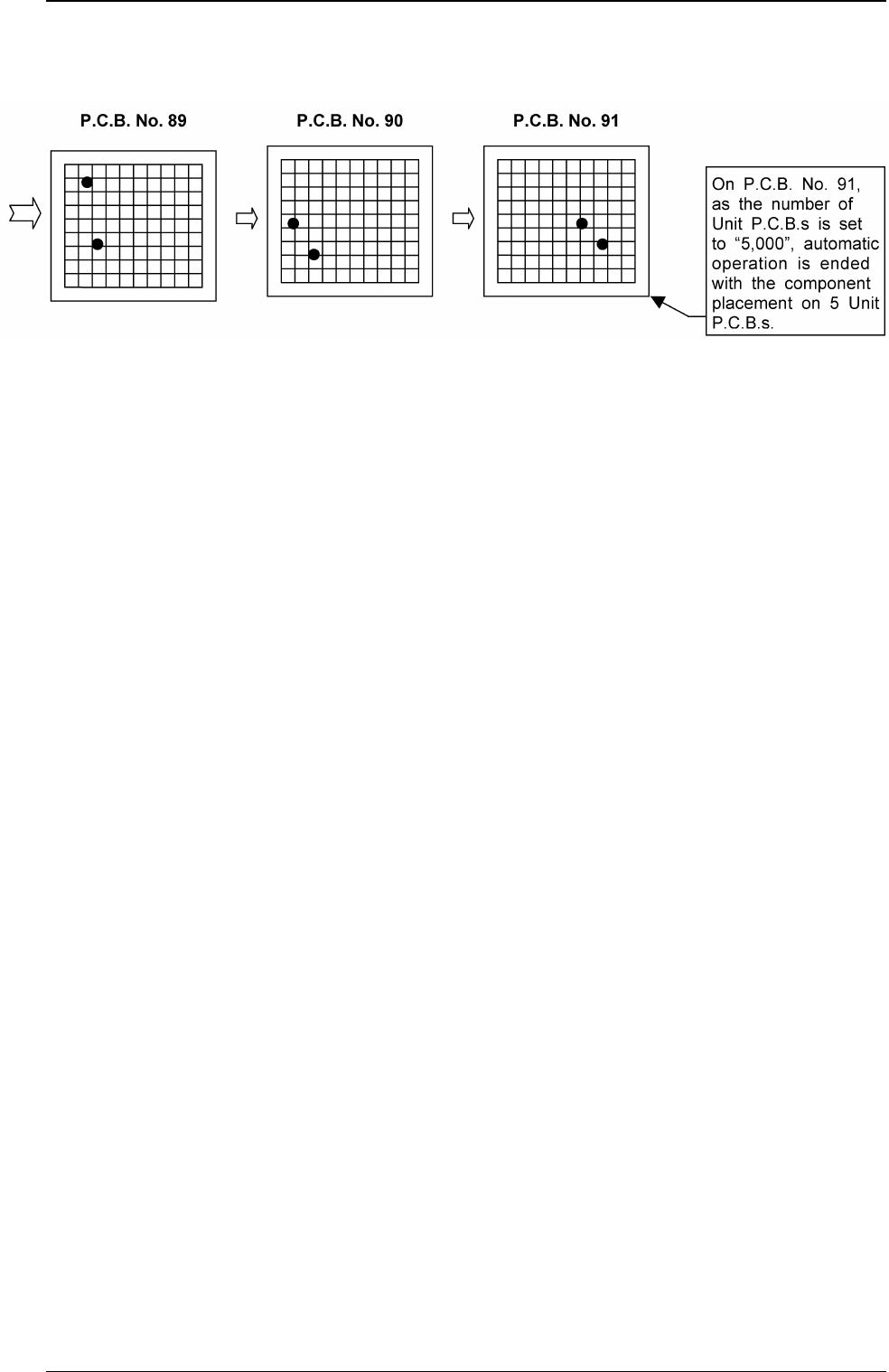
Performance using this specially designed specifications
Using the Unit P.C.B. B.B.R. function, the specified number of
Unit P.C.B.s can be checked. Therefore, the number of Unit
P.C.B.s to be produced is set before the placement of the
component and the automatic operation is ended when the
specified number of Unit P.C.B.s has been produced.
(Extended function of Unit P.C.B. B.B.R. Function)
0311-001 5 Tg0979-PM-SO
2. Function
3. Product P.C.B. Set Mode
0311-001 6 Tg0979-PM-SO
3. Product P.C.B. Set Mode
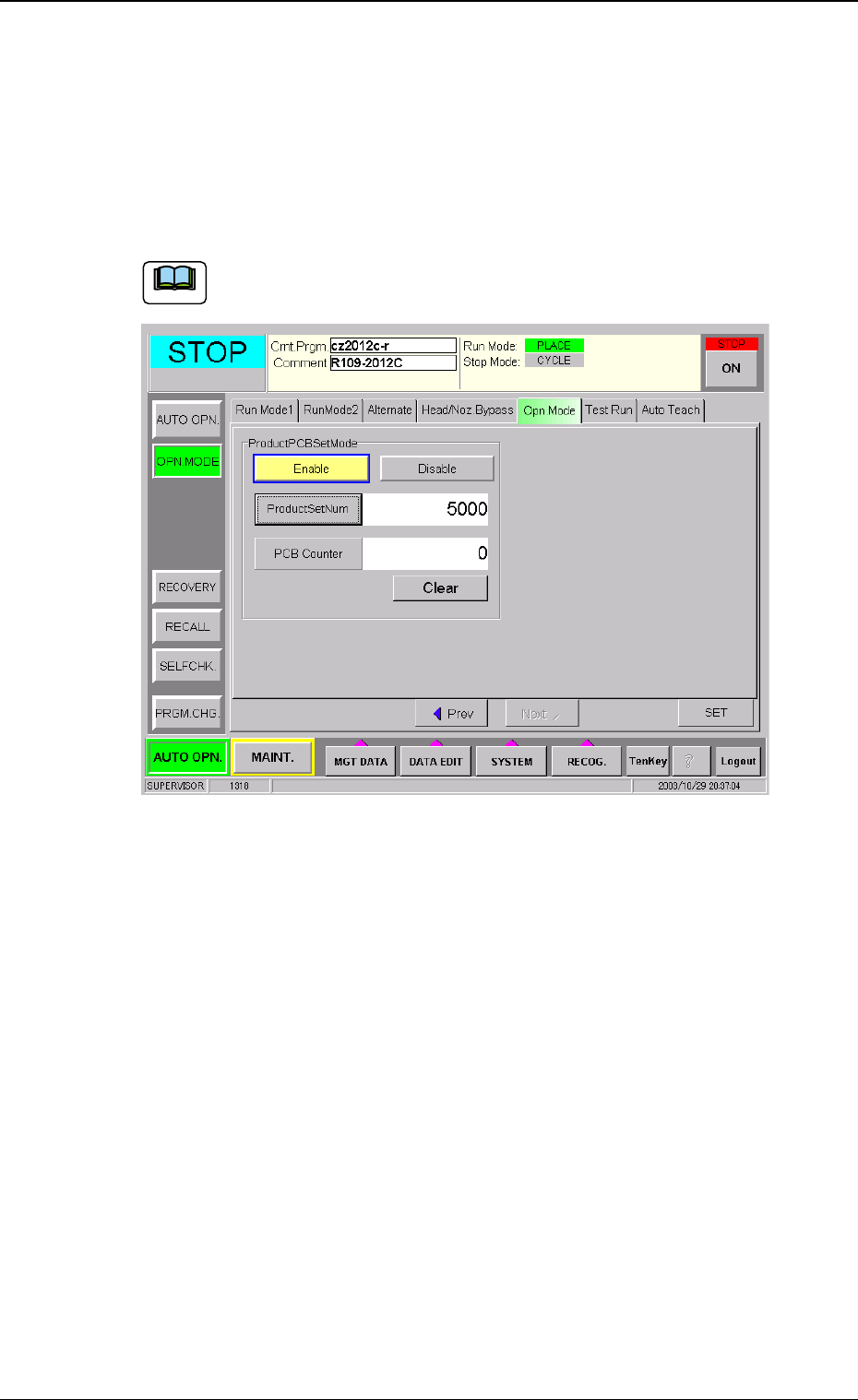
Press the [OPN. MODE] button on the "AUTO OPN." window (submenu),
and press the [Opn. Mode] tab.
Pressing the [Next] button shows the window in Fig. 1.
Set the number of Product P.C.B.s.
The operation data is available only when the "Unit P.C.B. B.B.R."
is set to "Enable" and "Repetitive Pattern".
Fig. 1
Product PCB Set Mode
MODE
Select "Enable" or "Disable" in the "Product PCB Set Mode" data
box.
Enable :The function becomes available.
Disable :The standard automatic operation is performed.
Product Set Num
Set the number of Unit P.C.B.s to be produced in the "Product
Set Num" data box.
Number to be set : 0 to 9999999 (7 digits)
The number of produced Unit P.C.B.s is counted and
managed during automatic operation and is based on the
timing of the completion of each Unit P.C.B. production.
Re. : If the "Product Set Num" is set to "0", even when the
"MODE" has been set to "Enable", this function is not
available.
Note
0311-001 7 Tg0979-PM-SO
P.C.B. Counter :The total number of produced Unit P.C.B.s is
displayed.
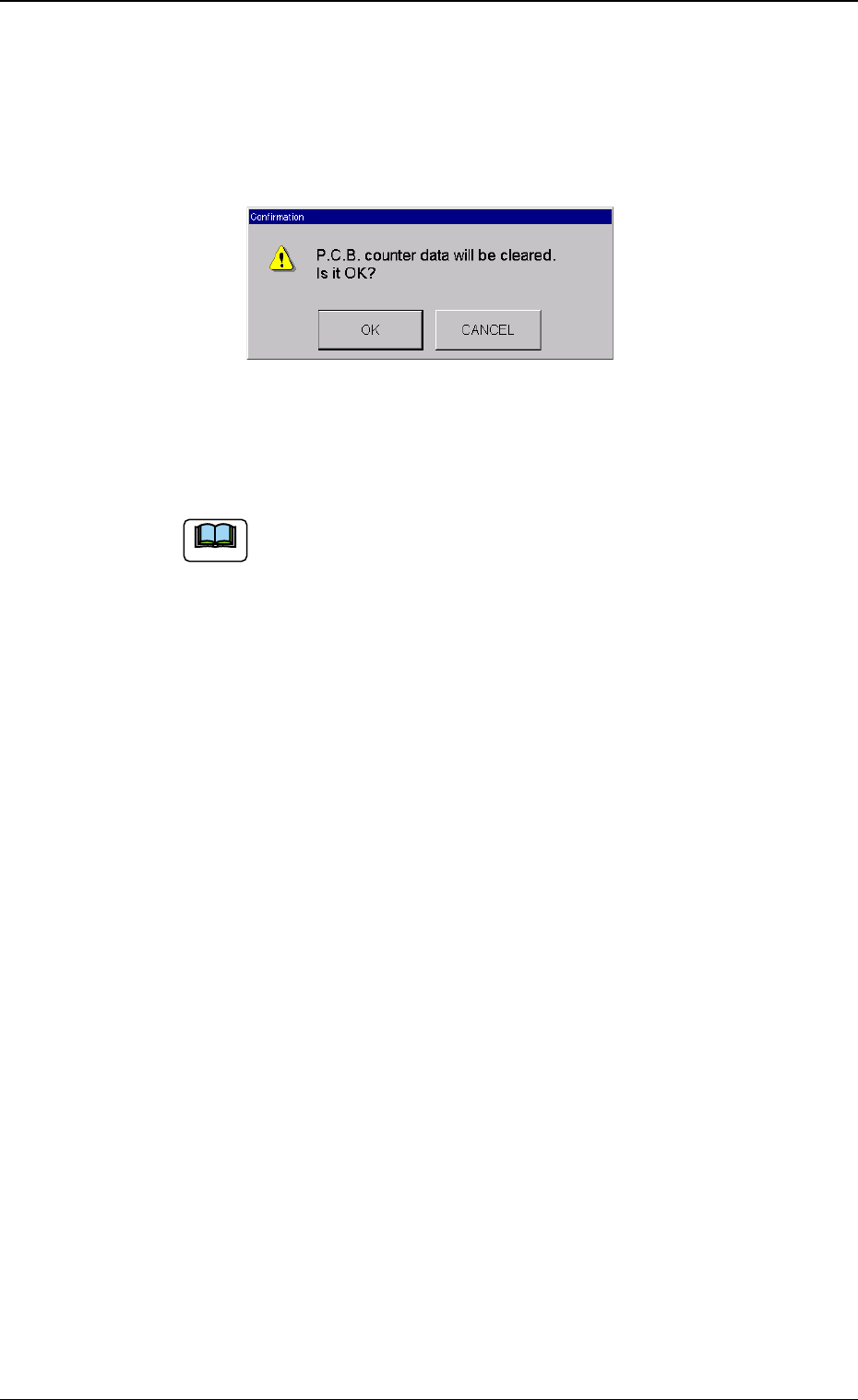
• Clear of PCB Counter to "0".
When the [Clear] button is pressed, the following confirmation
window appears.
Fig. 2
When the [OK] button is pressed, the "P.C.B. Counter" is set to
"0".
When the component placement is operated on P.C.B.s
other than the Unit P.C.B.s, a single P.C.B. is counted as a
single Unit P.C.B., so that the operation is stopped when
the specified number of P.C.B.s is reached.
3. Product P.C.B. Set Mode
Note