SOM-1764-001.pdf - 第6页
Performance using this specially designed specifications Using the Unit P .C.B. B.B.R. function, the specified number of Unit P .C.B.s can be checked. Therefore, the number of Unit P .C.B.s to be produced is set before t…
1. Scope
This function automatically terminates the P.C.B. production when the
production of specified number of Unit P.C.B.s has been completed in
the automatic operation using Unit P.C.B. B.B.R. detection function.
2. Function
When the stock of special components is limited to a specified number,
the automatic operation is ended with the production of that specified
number of P.C.B. (Unit PCB): that prevents any unnecessary compo-
nent placement on the final P.C.B. product.
• This function is much effective when the order of component place-
ment is designated and the component with limited stock is placed
last.
Example:
• P.C.B.s are produced using a component with the number of 5,000
of stock
• Using the Unit P.C.B. B.B.R. Function
• One P.C.B. consists of 100 Unit P.C.B.s
• There are random Defective Unit P.C.B. patterns.
Performance using the standard functions
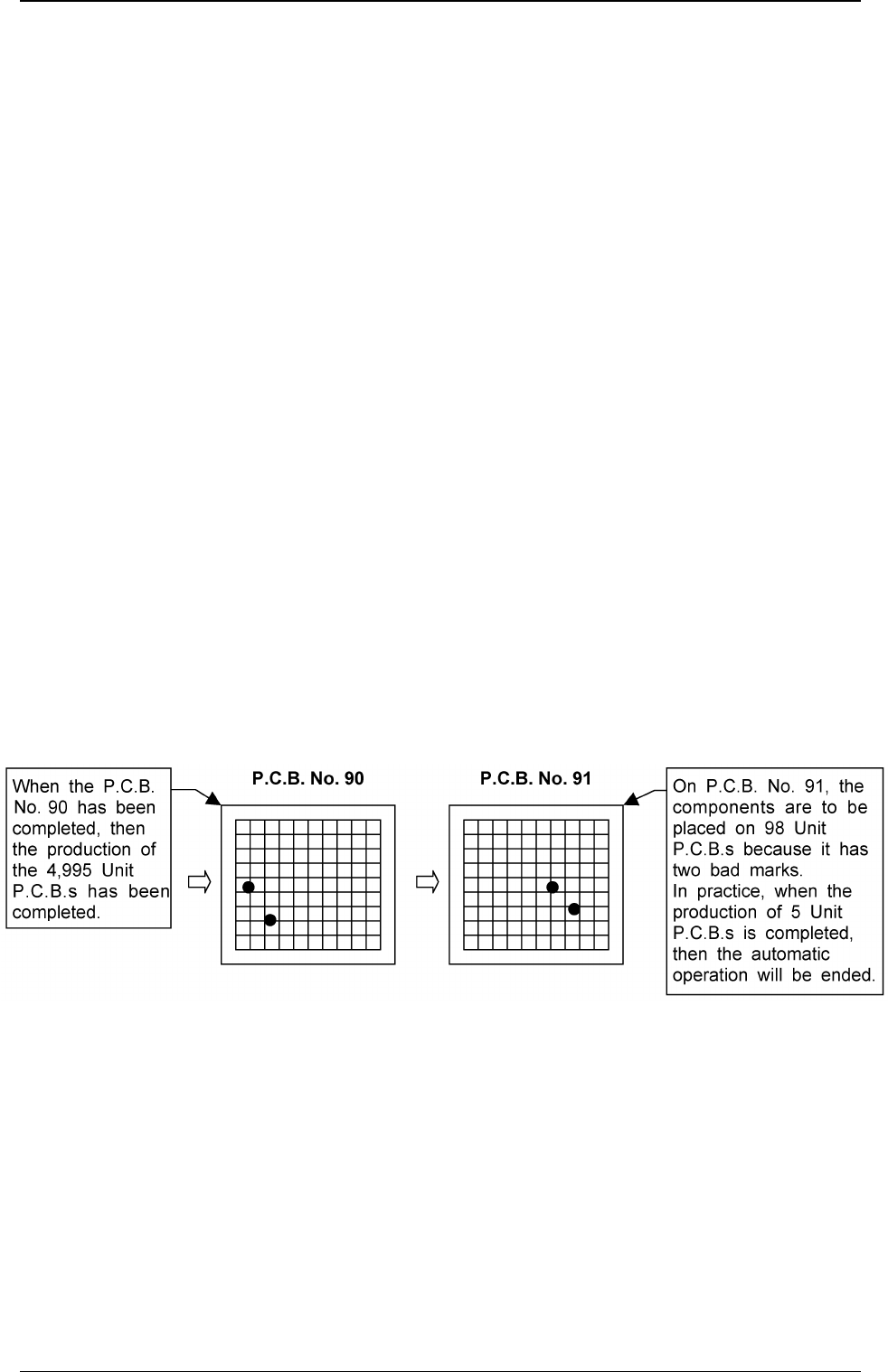
On the final P.C.B. (No. 91), the components are to be placed on
93 Unit P.C.B.s (98 - 5 = 93). However, as the special compo-
nent with the specified number of stocks is to be placed last, all
previously components placed on 93 Unit P.C.B.s will become
useless.
1. Scope
0311-001 4 Tg0979-PM-SO
Performance using this specially designed specifications
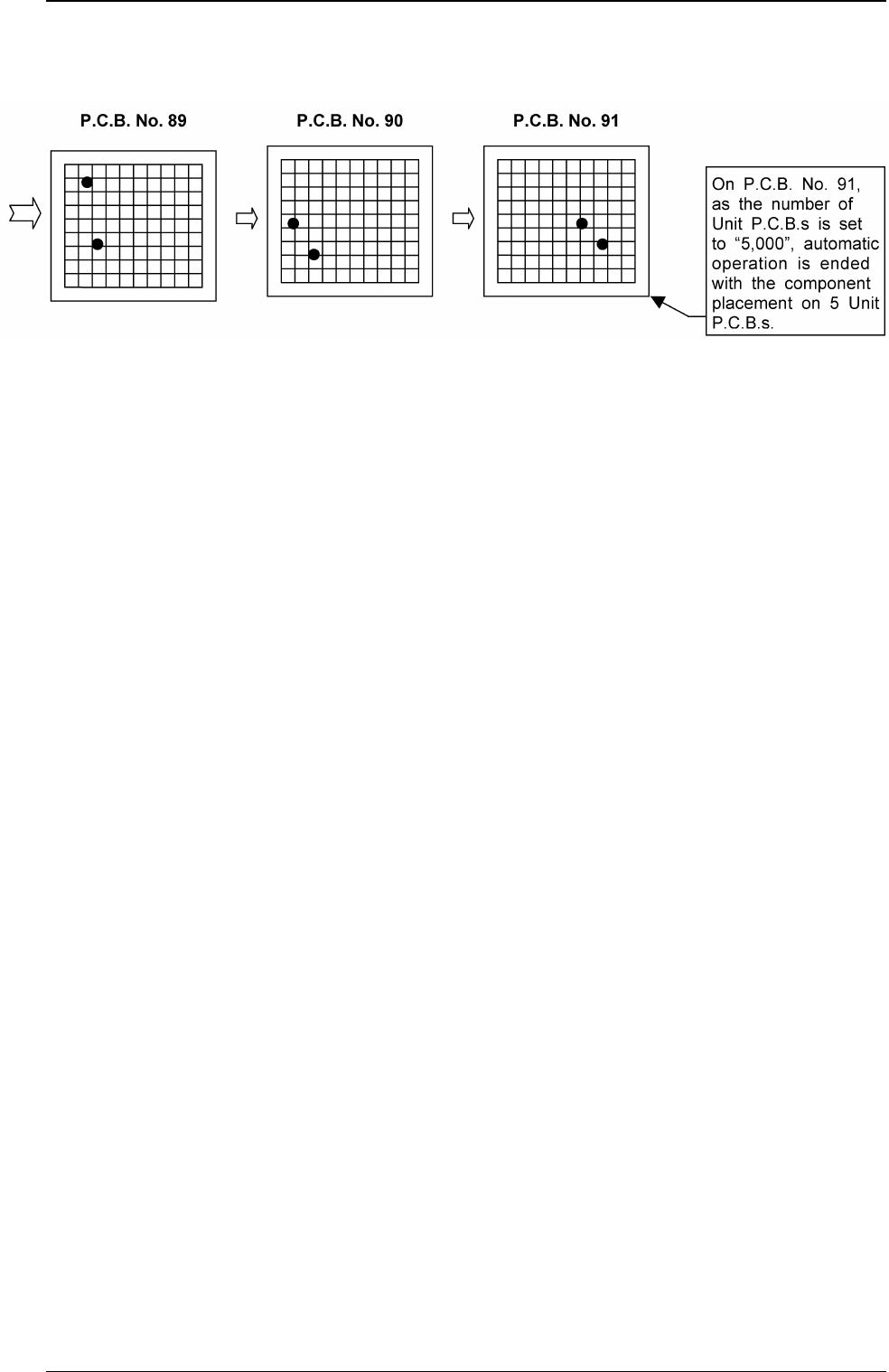
Using the Unit P.C.B. B.B.R. function, the specified number of
Unit P.C.B.s can be checked. Therefore, the number of Unit
P.C.B.s to be produced is set before the placement of the
component and the automatic operation is ended when the
specified number of Unit P.C.B.s has been produced.
(Extended function of Unit P.C.B. B.B.R. Function)
0311-001 5 Tg0979-PM-SO
2. Function
3. Product P.C.B. Set Mode
0311-001 6 Tg0979-PM-SO
3. Product P.C.B. Set Mode
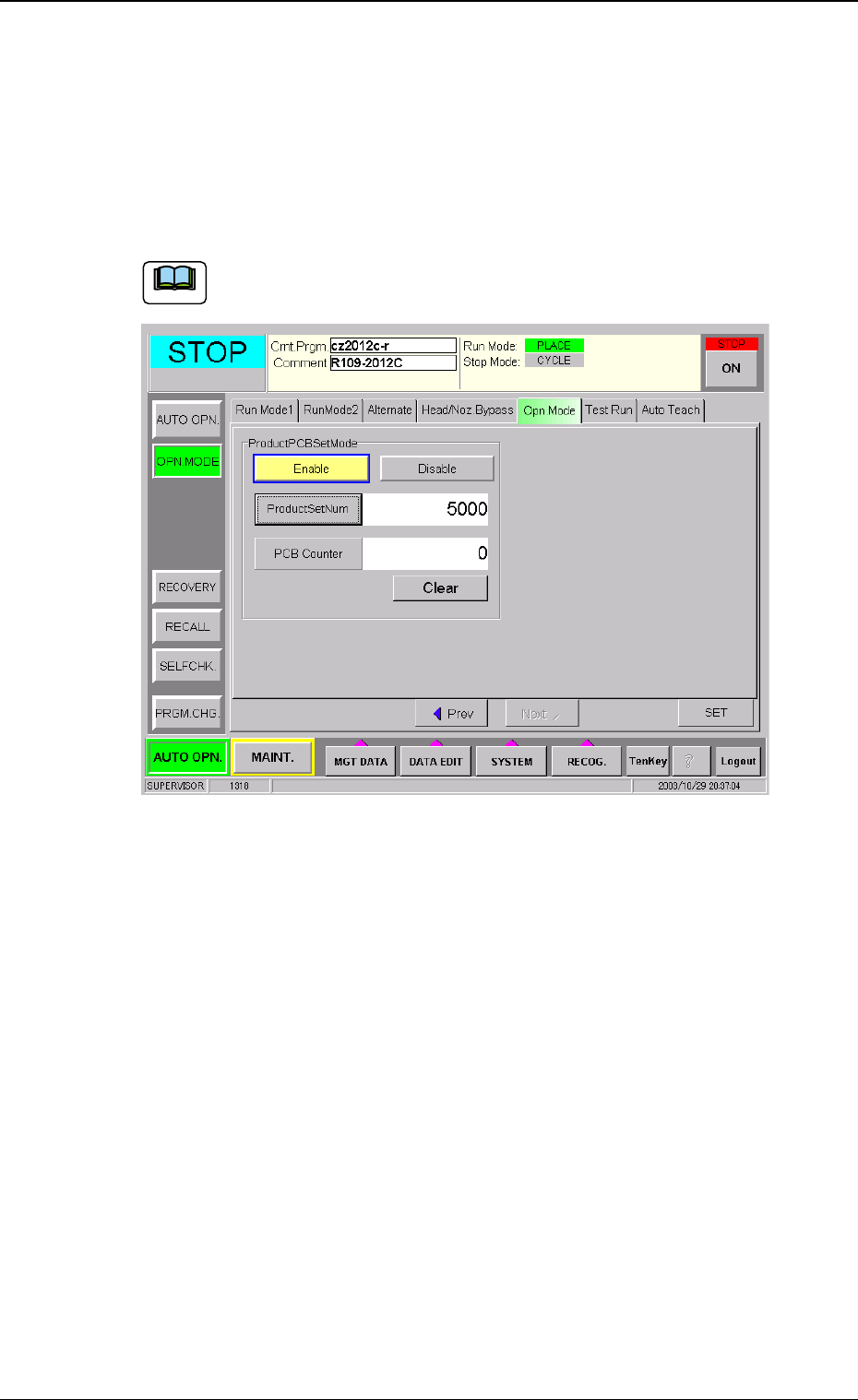
Press the [OPN. MODE] button on the "AUTO OPN." window (submenu),
and press the [Opn. Mode] tab.
Pressing the [Next] button shows the window in Fig. 1.
Set the number of Product P.C.B.s.
The operation data is available only when the "Unit P.C.B. B.B.R."
is set to "Enable" and "Repetitive Pattern".
Fig. 1
Product PCB Set Mode
MODE
Select "Enable" or "Disable" in the "Product PCB Set Mode" data
box.
Enable :The function becomes available.
Disable :The standard automatic operation is performed.
Product Set Num
Set the number of Unit P.C.B.s to be produced in the "Product
Set Num" data box.
Number to be set : 0 to 9999999 (7 digits)
The number of produced Unit P.C.B.s is counted and
managed during automatic operation and is based on the
timing of the completion of each Unit P.C.B. production.
Re. : If the "Product Set Num" is set to "0", even when the
"MODE" has been set to "Enable", this function is not
available.
Note