SOM-1764-001.pdf - 第9页
4. AUTO OPN. Window 031 1-001 8 Tg0979-PM-SO 4. AUTO OPN. W indow When the [AUTO OPN.] button is pressed in the "AUT O OPN." window (submenu), the following window appears. Note Fig. 3 During operation with thi…
0311-001 7 Tg0979-PM-SO
P.C.B. Counter :The total number of produced Unit P.C.B.s is
displayed.
• Clear of PCB Counter to "0".
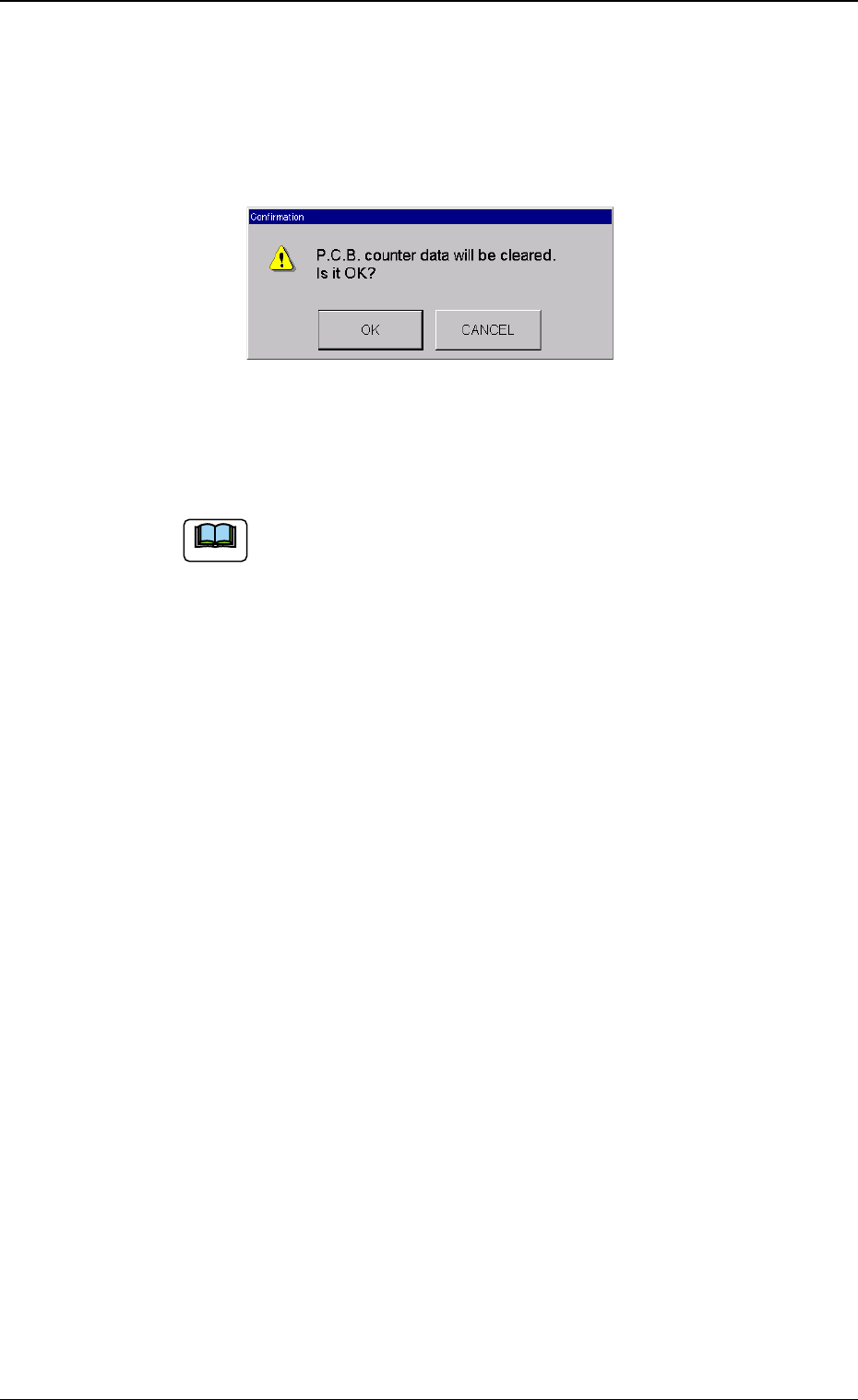
When the [Clear] button is pressed, the following confirmation
window appears.
Fig. 2
When the [OK] button is pressed, the "P.C.B. Counter" is set to
"0".
When the component placement is operated on P.C.B.s
other than the Unit P.C.B.s, a single P.C.B. is counted as a
single Unit P.C.B., so that the operation is stopped when
the specified number of P.C.B.s is reached.
3. Product P.C.B. Set Mode
Note
4. AUTO OPN. Window
0311-001 8 Tg0979-PM-SO
4. AUTO OPN. Window
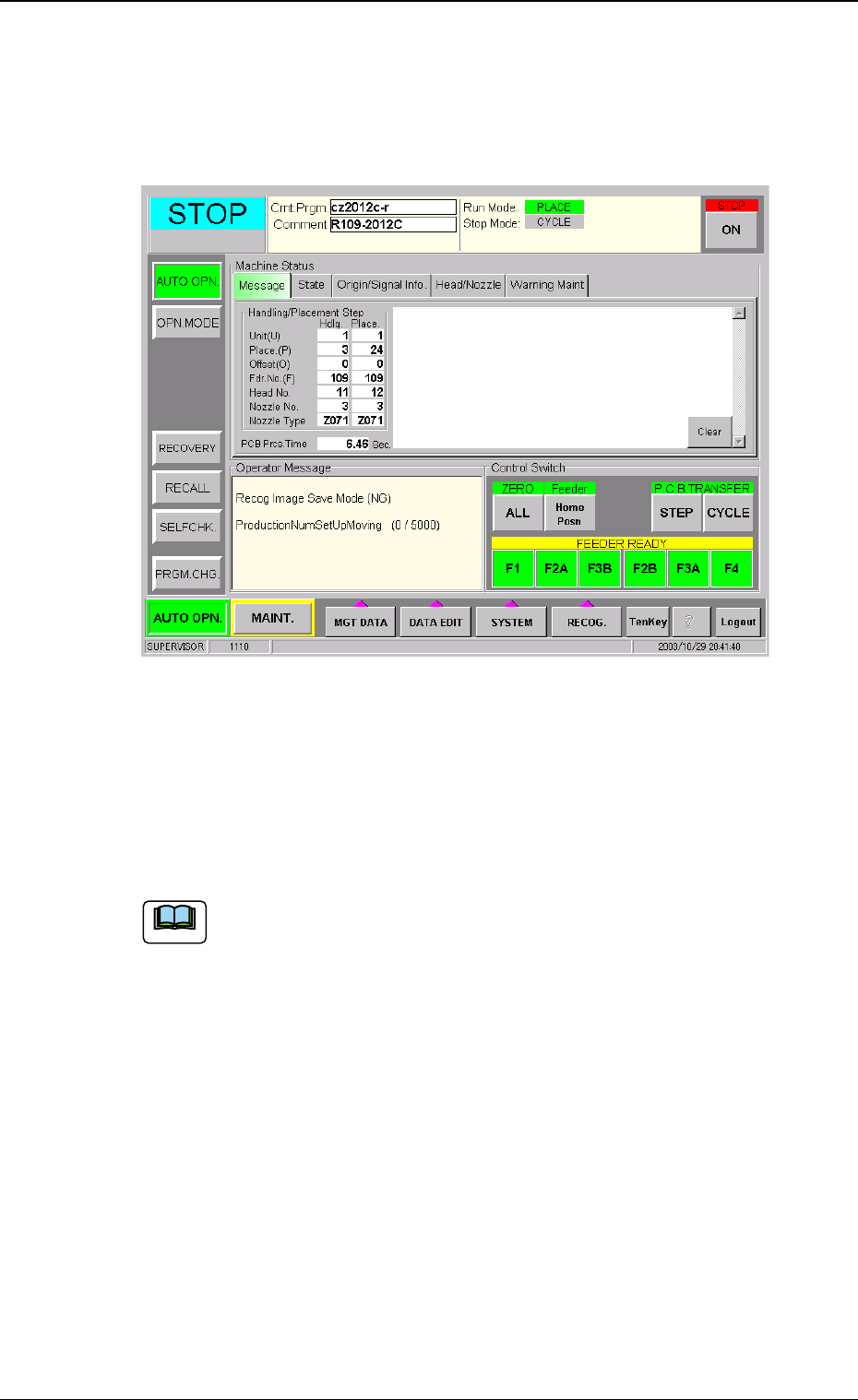
When the [AUTO OPN.] button is pressed in the "AUTO OPN." window
(submenu), the following window appears.
Note
Fig. 3
During operation with this function, the data is displayed on the "AUTO
OPN." window (Fig. 3).
• "Production Num Set Up Moving: (Number of Produced Unit P.C.B.s/
Specified Number of Unit P.C.B.s to be produced)" is displayed on the
"Operator Message" data box.
When the "MODE" of "Product PCB Set Mode" is set to "Dis-
able", the above is not displayed.
(a) It is not an actual error, but it is used to alert the operator.
(b) When the specified number of Unit P.C.B.s to be pro-
duced is reached and the machine is stopped, then a
recovery operation is needed, such as removing the
P.C.B.s on the input/transfer conveyor in the main ma-
chine.
(c) When the specified number of Unit P.C.B.s to be pro-
duced has been reached, then the Unit P.C.B.s without
component placement on the final P.C.B. are counted as
defective Unit P.C.B.
5. End of Production
0311-001 9 Tg0979-PM-SO
5. End of Production
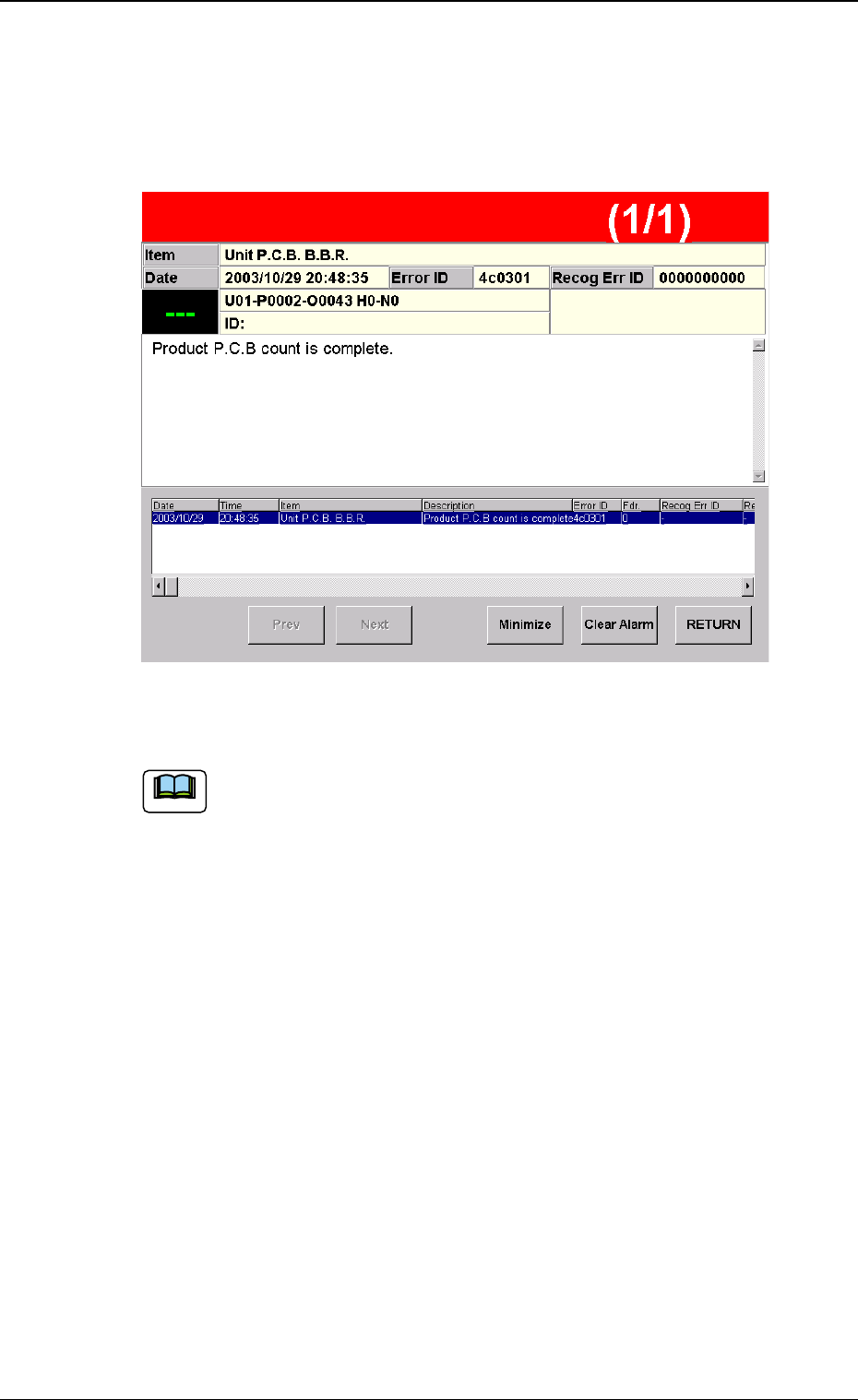
When the production of the final P.C.B. is completed, it is announced on
the Error Window that the specified number has been reached (Fig. 4).
Fig. 4
Note