00195467-01_Installation Manual Setup Center 2.2.pdf - 第24页
SIPLACE Setup Center 2.2 Installation Manual Open the folder \3rdparty installer\Son theime PCI CAN Driver\V3.038\driv er and select the file C167D00.INF on the SC installation CD,. Click on Open . Click on OK . 24…
Installation Manual SIPLACE Setup Center 2.2
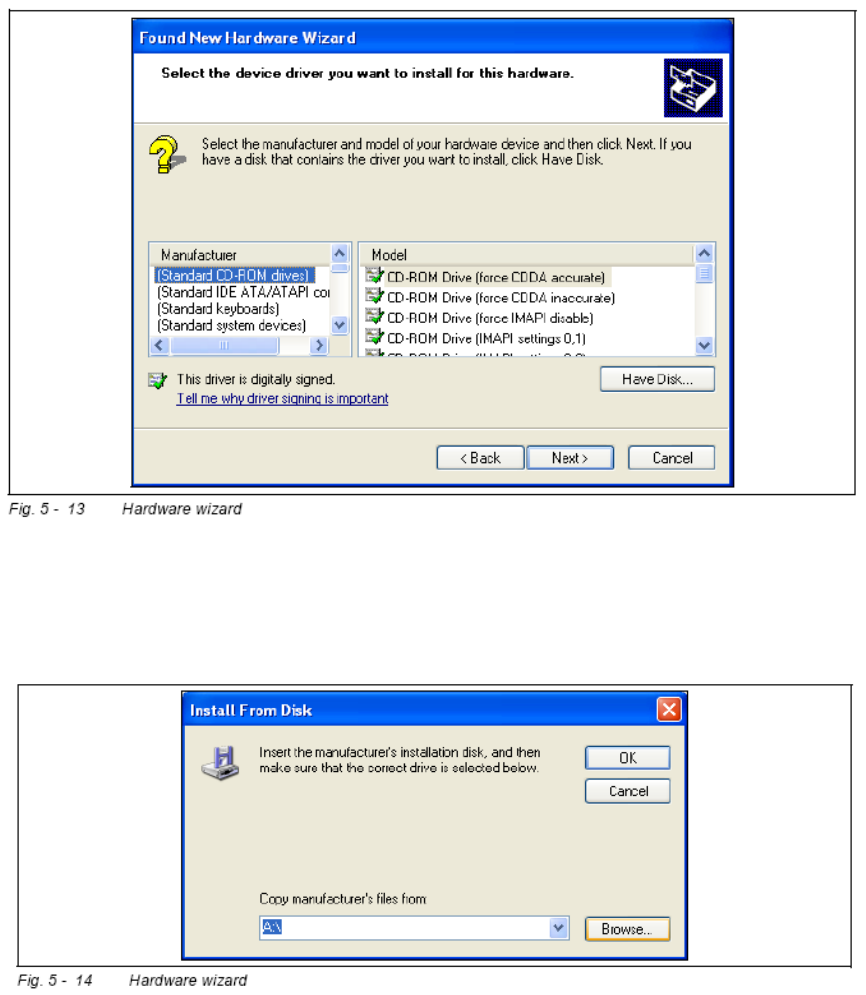
The software for the CAN card is contained on the SC ESS installation CD. This needs to
be inserted into the CD-ROM drive of your SC ESS PC.
Click on the Have Disk ... button.
Click on the Browse ... button.
23 of 90
-
SIPLACE Setup Center 2.2 Installation Manual
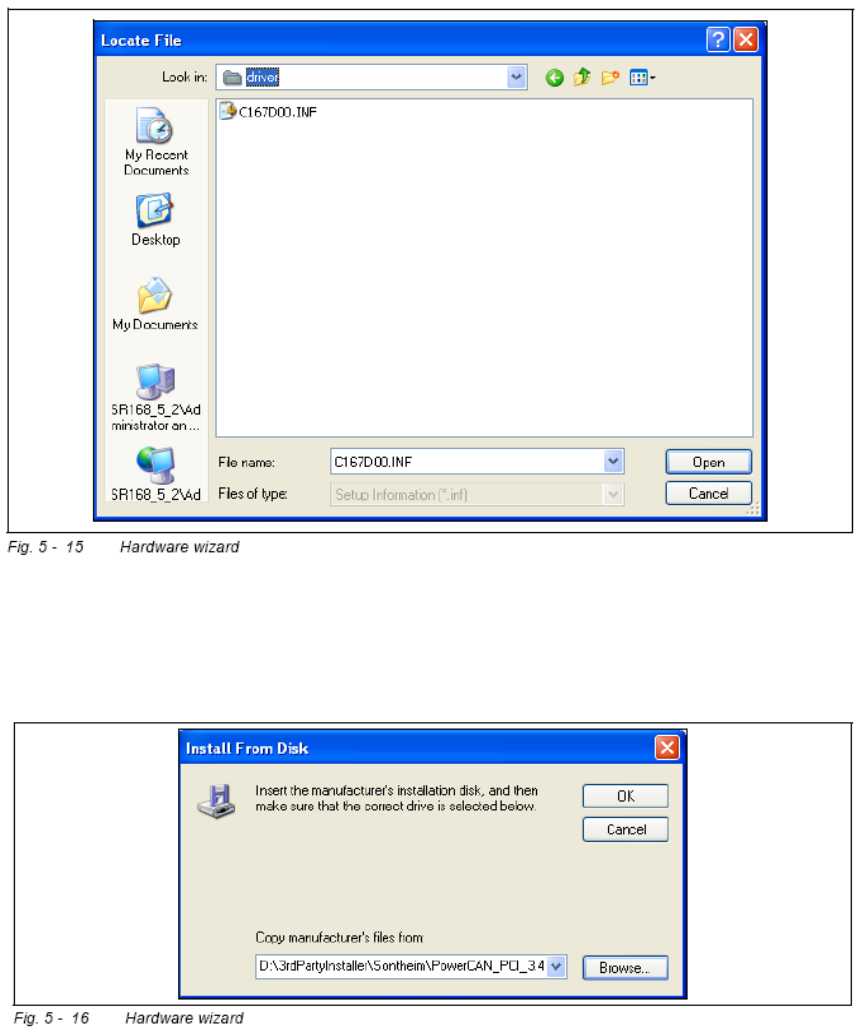
Open the folder \3rdparty installer\Sontheime PCI CAN Driver\V3.038\driver and
select the file C167D00.INF on the SC installation CD,.
Click on Open.
Click on OK.
24 of 90
Installation Manual SIPLACE Setup Center 2.2
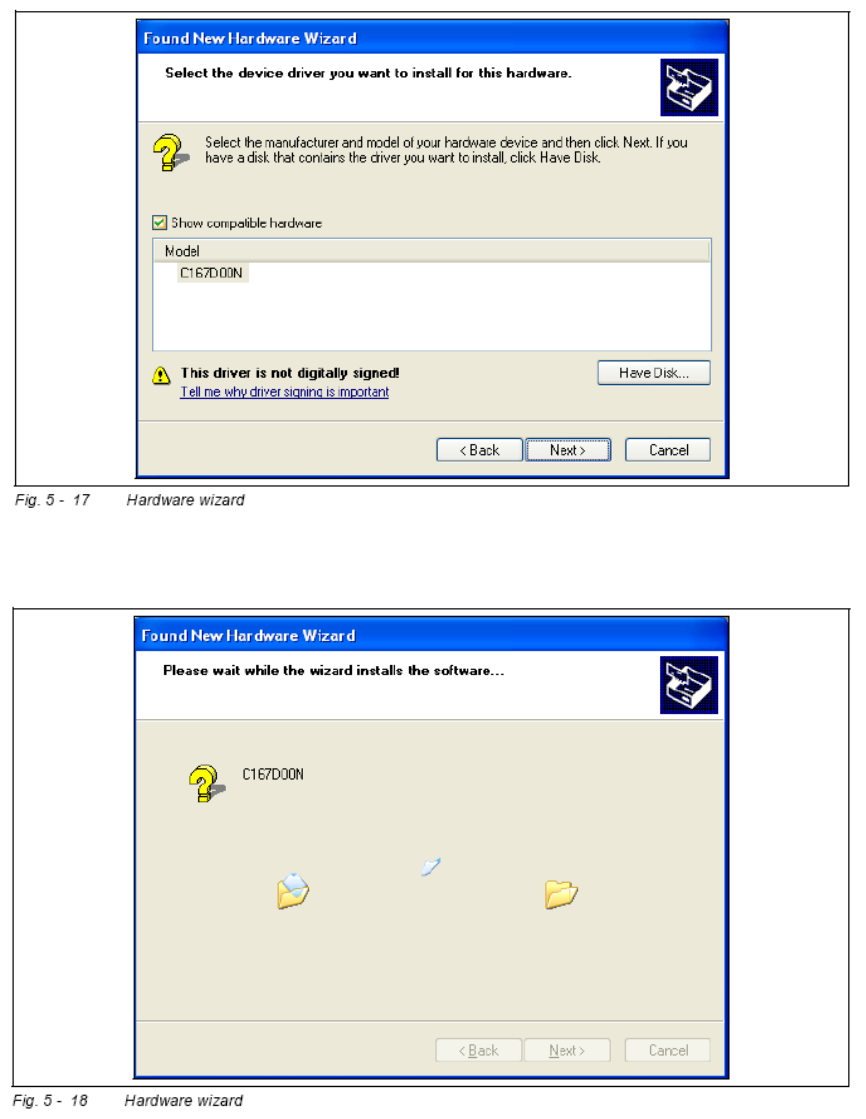
• Click on Next to continue. The CAN driver software will be installed.
After the installation has been completed, the following dialog box will be opened.
25 of 90
-