00197964-01_AI_Flex-Head-Options-Configuration_en.pdf - 第19页
Installing Flex Option 2 Assembly Instructions SIPLACE E 19 ► Place the height measurement block FLEX LOC1 [03118 538-xx] onto t h e s h i m c o v e r s o f t h e m o u n t - ing brackets and move the head h older manual…
Installing Flex Option 2
18 Assembly Instructions SIPLACE E
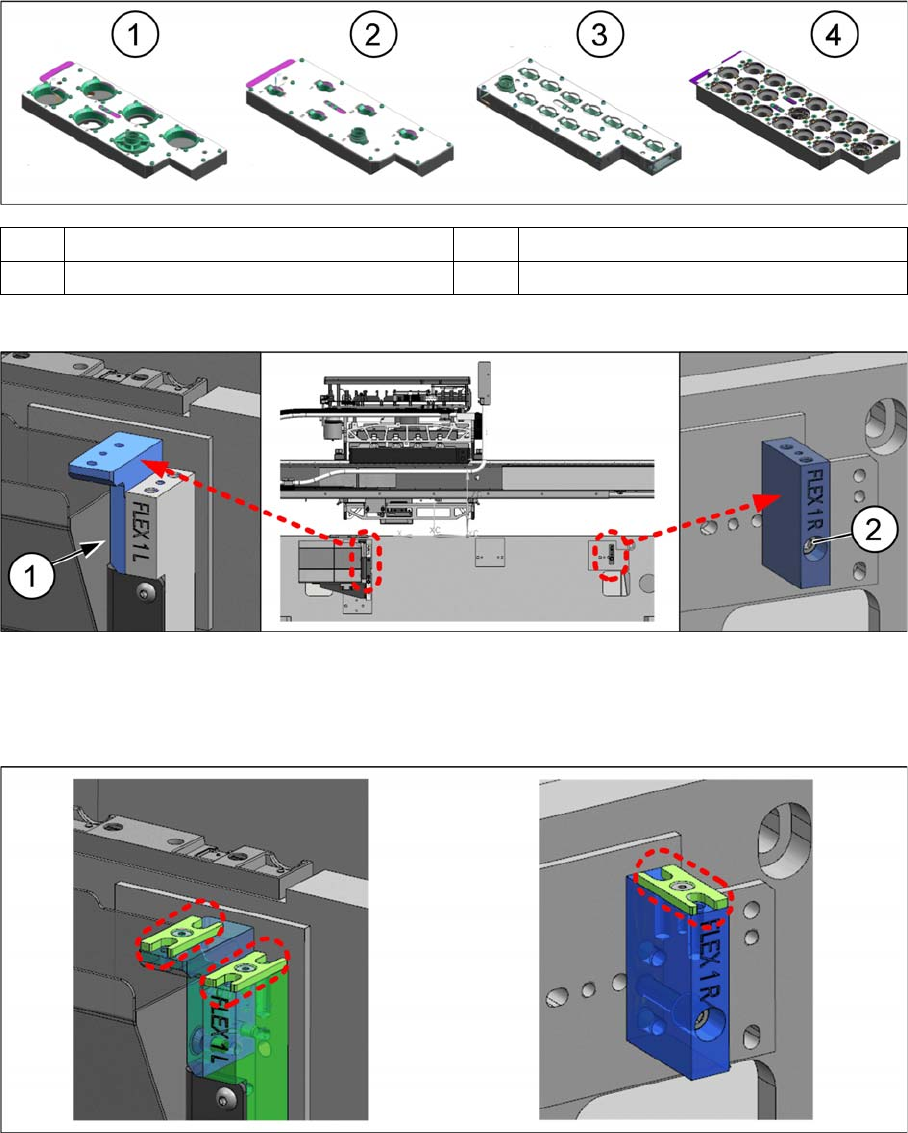
Active Nozzle Magazine Types (Quick Reference)
Installation Procedures
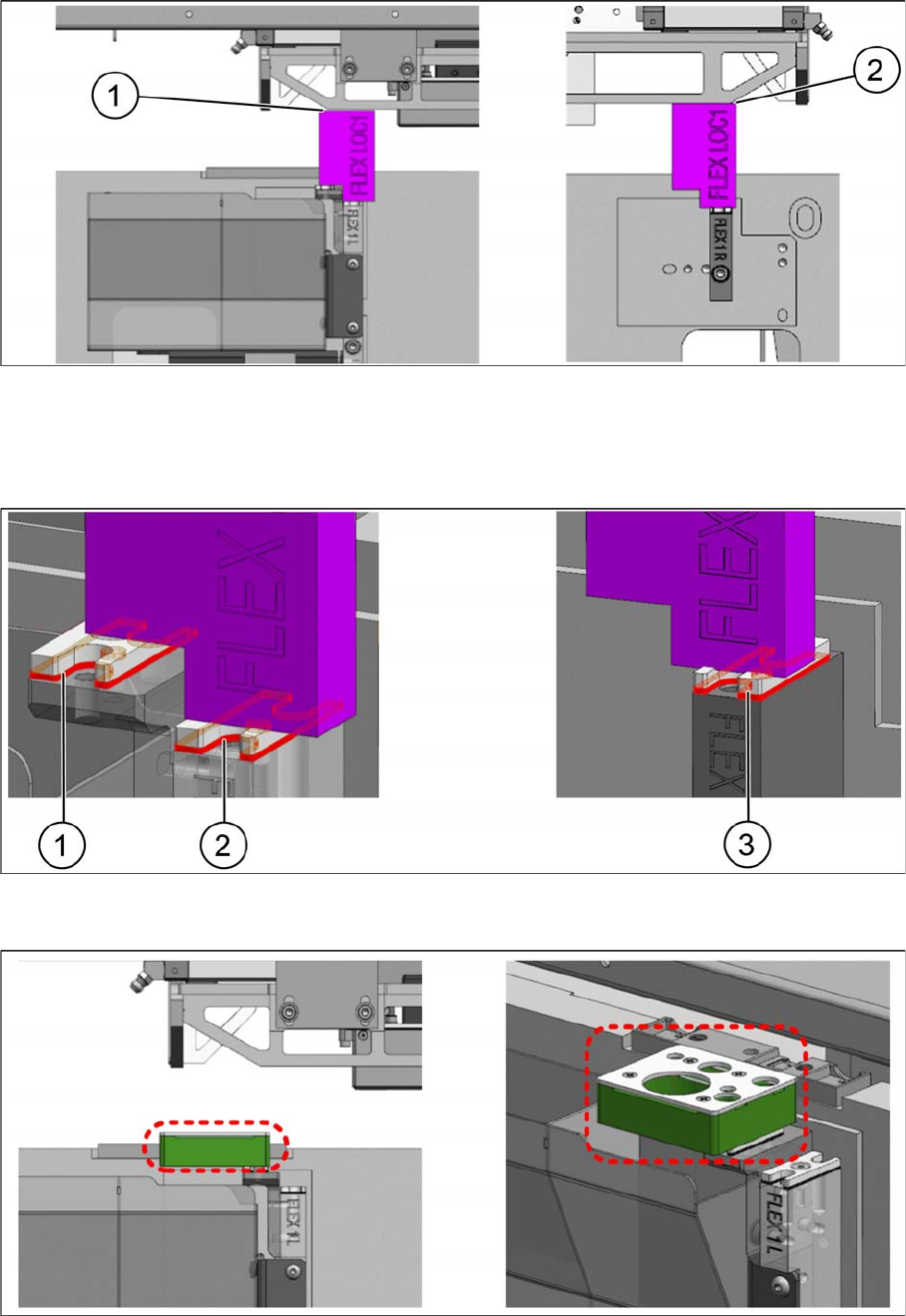
► Mount the nozzle station support [03105456-xx] onto the NC mounting bracket FLEX 1 Left
[03109945-xx] with two M4x10 countersunk screws (1) (screws not visible in the figure).
► Mount the NC mounting bracket FLEX 1 Right [03109942-xx] onto the machine base frame with one
M5x30 cap screw (2).
► Mount one shim cover each [03108393-xx] onto the nozzle station support [03105456-xx], the NC
mounting bracket FLEX 1 Left [03109945-xx], and the NC mounting bracket FLEX 1 Right
[03109942-xx].
1 Nozzle magazine type 38xx for RV6 2 Nozzle magazine type 39xx for RV6
3 Nozzle magazine type 30xx for RV12 4 Nozzle magazine type 40xx for CP14
Installing Flex Option 2
Assembly Instructions SIPLACE E 19
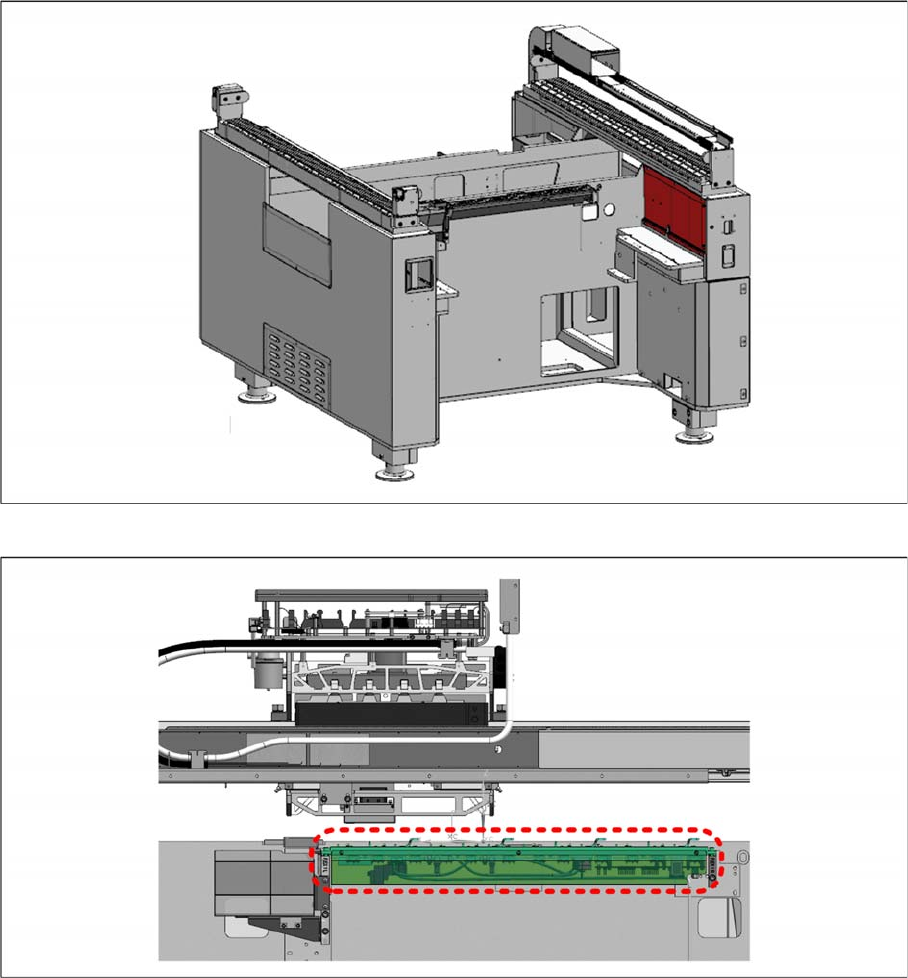
► Place the height measurement block FLEX LOC1 [03118538-xx] onto the shim covers of the mount
-
ing brackets and move the head holder manually towards the block with care.
► Check the gaps (1) and (2) with a feeler gauge.
► Determine the gap and the number of NC shims [03108395-xx] required.
► Place the required shims underneath the shim covers (1), (2), and (3) and fasten them with an M3x8
countersunk screw each.
► Place the reject device [03109608-xx] onto the shim cover (adjusted height).
► Secure it with two M4x20 countersunk screws.
Installing Flex Option 2
20 Assembly Instructions SIPLACE E
► Remove the red cover shown and locate the nozzle changer control cable [03102710-xx].
► Connect the cable [03102710-xx] to the cable of the nozzle changer NC single row [03106322
-
xx]
for SIPLACE CP6/CP12 (DLM 4), SIPLACE CP14 P.
► Mount the nozzle changer onto the shim covers on both ends and secure with four M5x14 cap
screws.