SOM-1627-002.pdf - 第45页
8 . 1 “Camera X/Y Origin” T ab This tab sheet enables the operator to perform the origin adjustment of the image camera, the sensitivity adjustment of the CCD camera, the intensity adjustment of front lighting, etc. • Sh…
8. “UNIT ADJ.” Window (Submenu)
• Window Layout
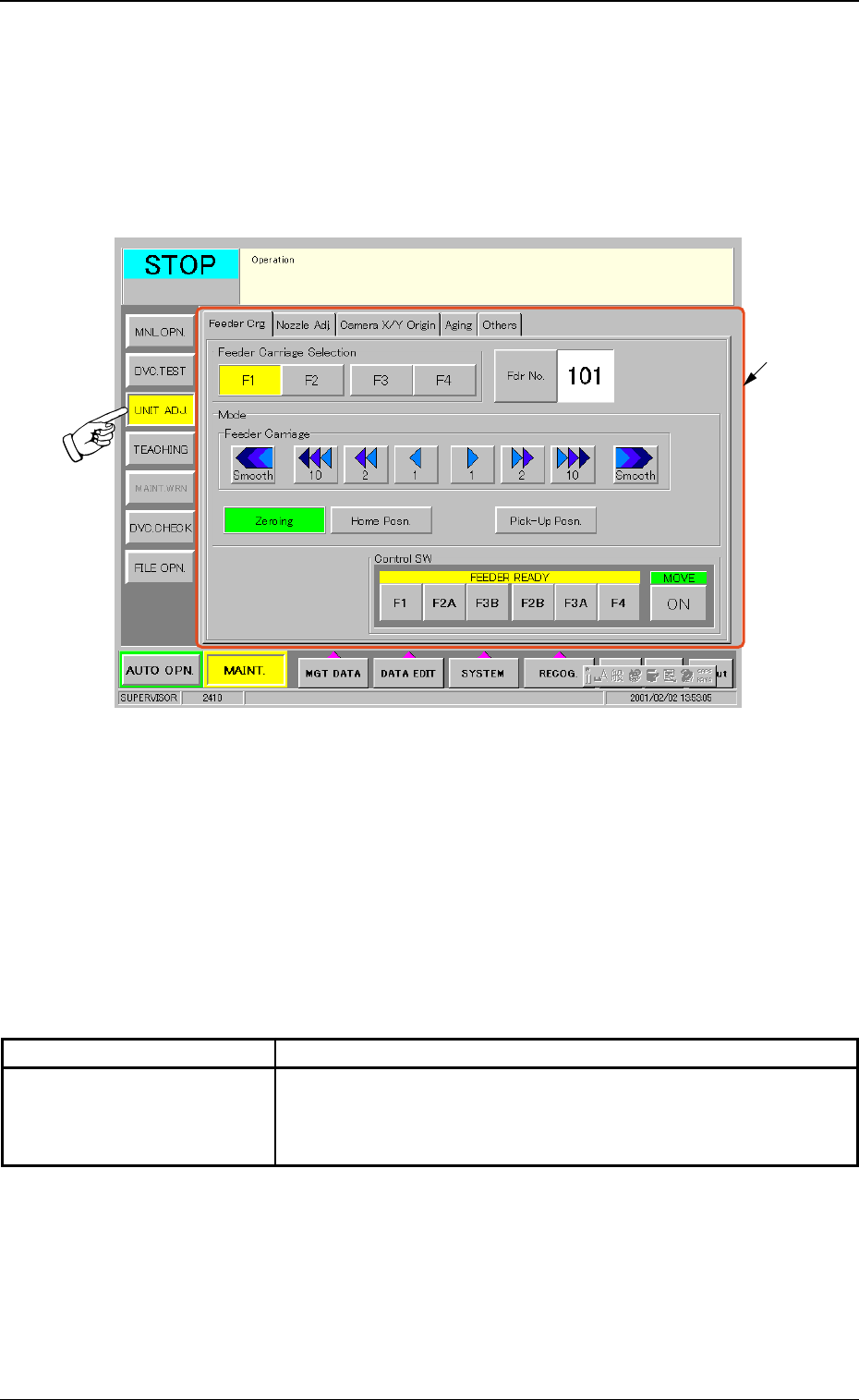
When the [UNIT ADJ.] button on the submenu bar is pressed, the fol-
lowing window opens. (Operation Sequence: [MAINT.] Button Æ [UNIT
ADJ.] Button on Submenu Bar Æ “UNIT ADJ.” Window)
Fig. 97 “UNIT ADJ.” Window (Submenu)
• Window Composition
*1 Tabs and Tab Sheets
The “UNIT ADJ.” window (submenu) is provided with 5 tab
sheets. When each tab is pressed, the corresponding tab sheet
appears inside the window.
Table 14
Tab Description
Camera X/Y Origin This tab sheet enables the operator to perform the origin adjust-
ment of the image camera, the sensitivity adjustment of the CCD
camera, the intensity adjustment of front lighting, etc.
8. “UNIT ADJ.” Window (Submenu)
0102-001 42 AGQ01EGP
*1
8.1 “Camera X/Y Origin” Tab
This tab sheet enables the operator to perform the origin adjustment of
the image camera, the sensitivity adjustment of the CCD camera, the
intensity adjustment of front lighting, etc.
• Sheet Layout
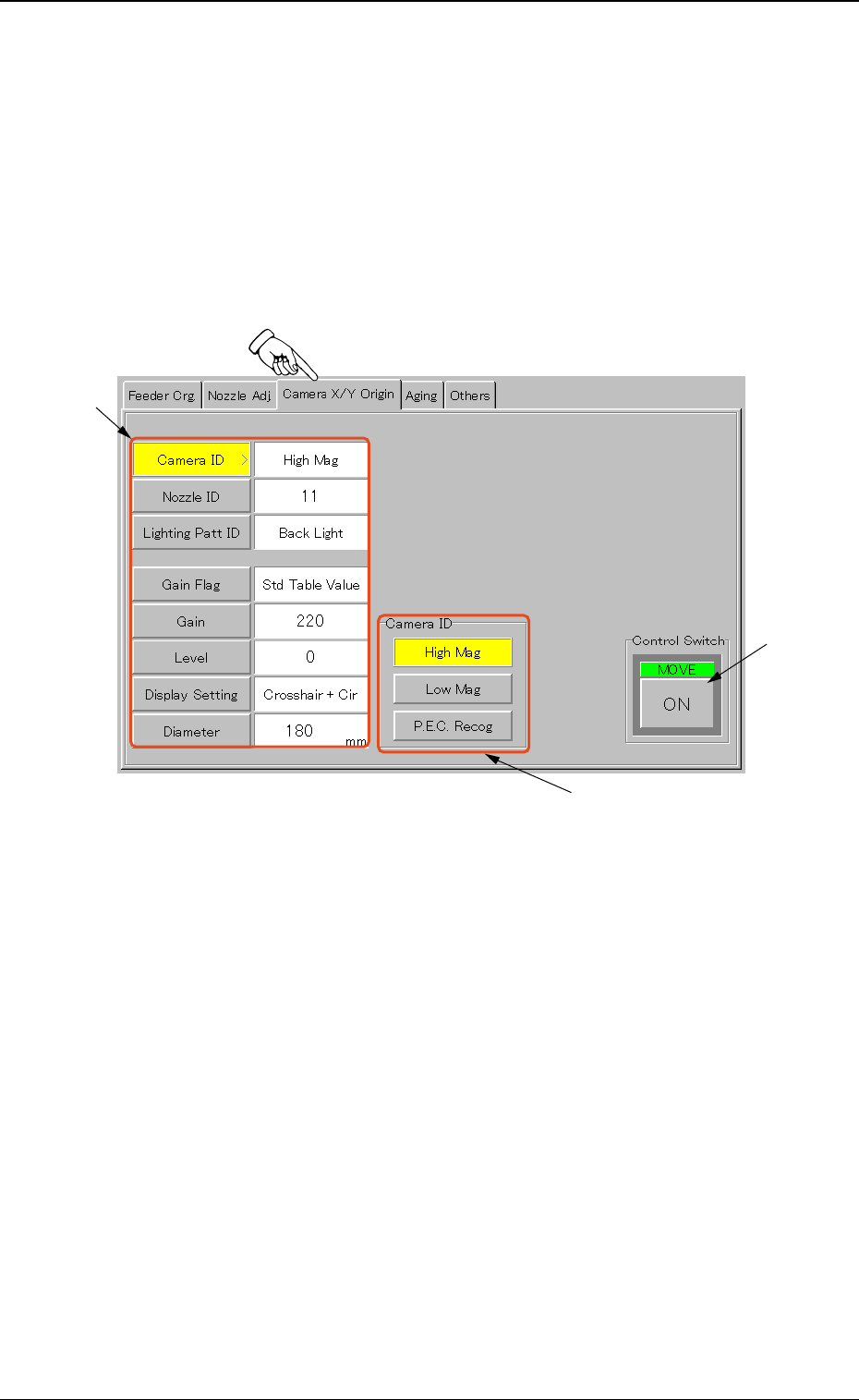
When the “Camera X/Y Origin” tab is pressed in the “UNIT ADJ.” win-
dow (submenu), the following tab sheet appears.
Fig. 98 “Camera X/Y Origin” Tab Sheet
• Sheet Composition
*1 Operation Selection Buttons
When a button is pressed, it turns yellow, indicating that it is
selected.
[Camera ID] Button :
[Nozzle ID] Button :
[Lighting Patt ID] Button :
[Gain Flag] Button :
[Gain] Button :
[Level] Button :
[Display Setting] Button :
[Diameter] Button :
8.1 “Camera X/Y Origin” Tab
0102-001 43 AGQ01EGP
*1
*2
*3
*2 Adjustment and Setting Buttons
The displayed contents change as follows, depending on which
button was selected in “*1”.
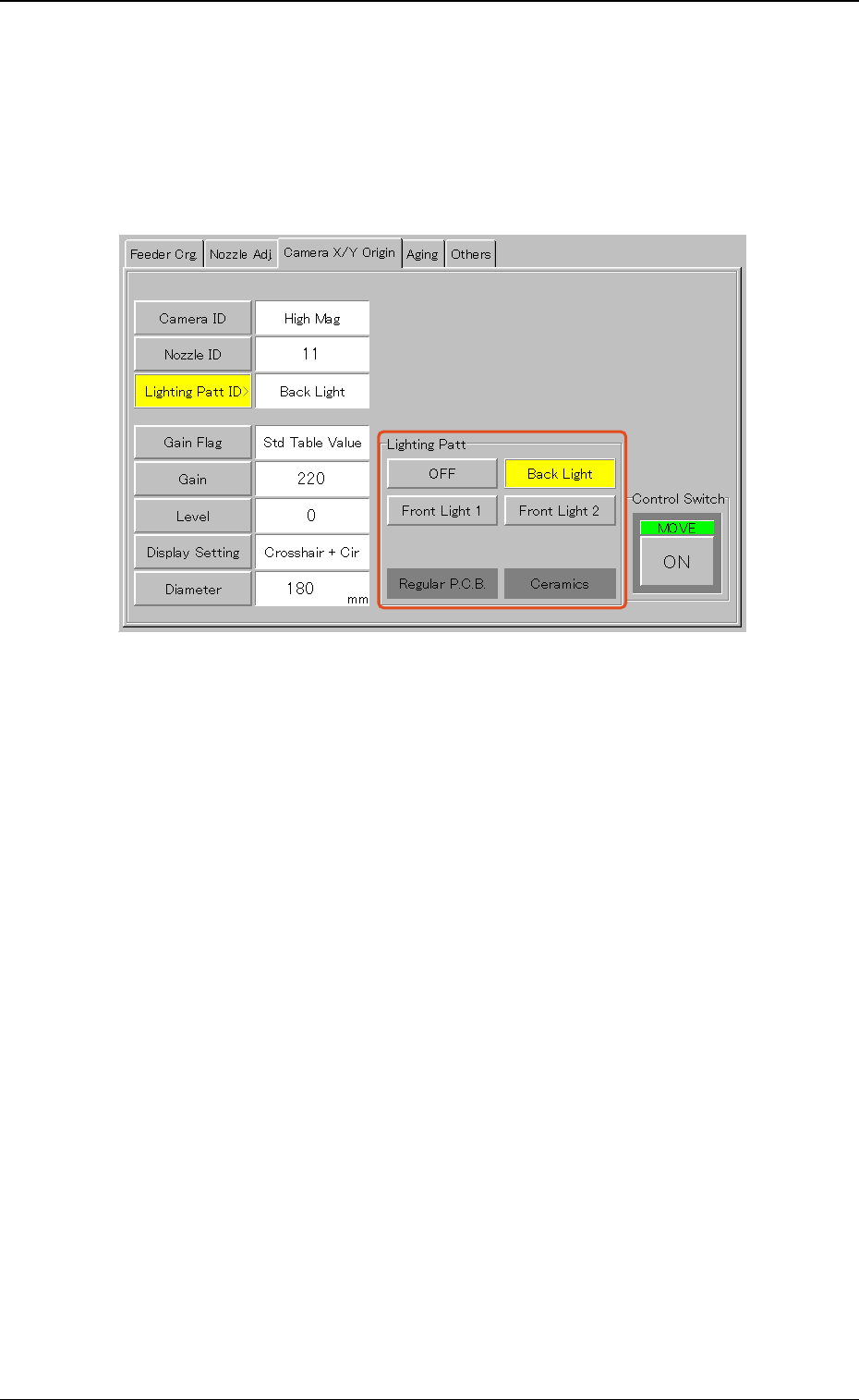
• When the [Lighting Patt ID] button is pressed, the following ad-
justment and setting buttons appear.
Fig. 99
When one of the buttons ([OFF], [Back Light], [Front Light 1], [Front
Light 2], and [Front Light 3 (Option)] buttons) is pressed, the speci-
fied item appears in the “Lighting Patt ID” text box.
*3 Control Switch
When the [ENABLE] button on the front operation panel is
pressed in 2 seconds after each parameter is specified in “*2”
and [ON] button is pressed, the machine performs the zeroing
adjustment.
8.1 “Camera X/Y Origin” Tab
0102-001 44 AGQ01EGP