YG12F_Ope_E.pdf - 第38页
1-4 1 Part names and functions 2.2 Operation panel buttons T he operation panel buttons are provided on the front and rear (option) of the machine to run major commands frequently used to operate the mac hine. Each butto…
1-3
1
Part names and functions
2. Operation panel and data input unit
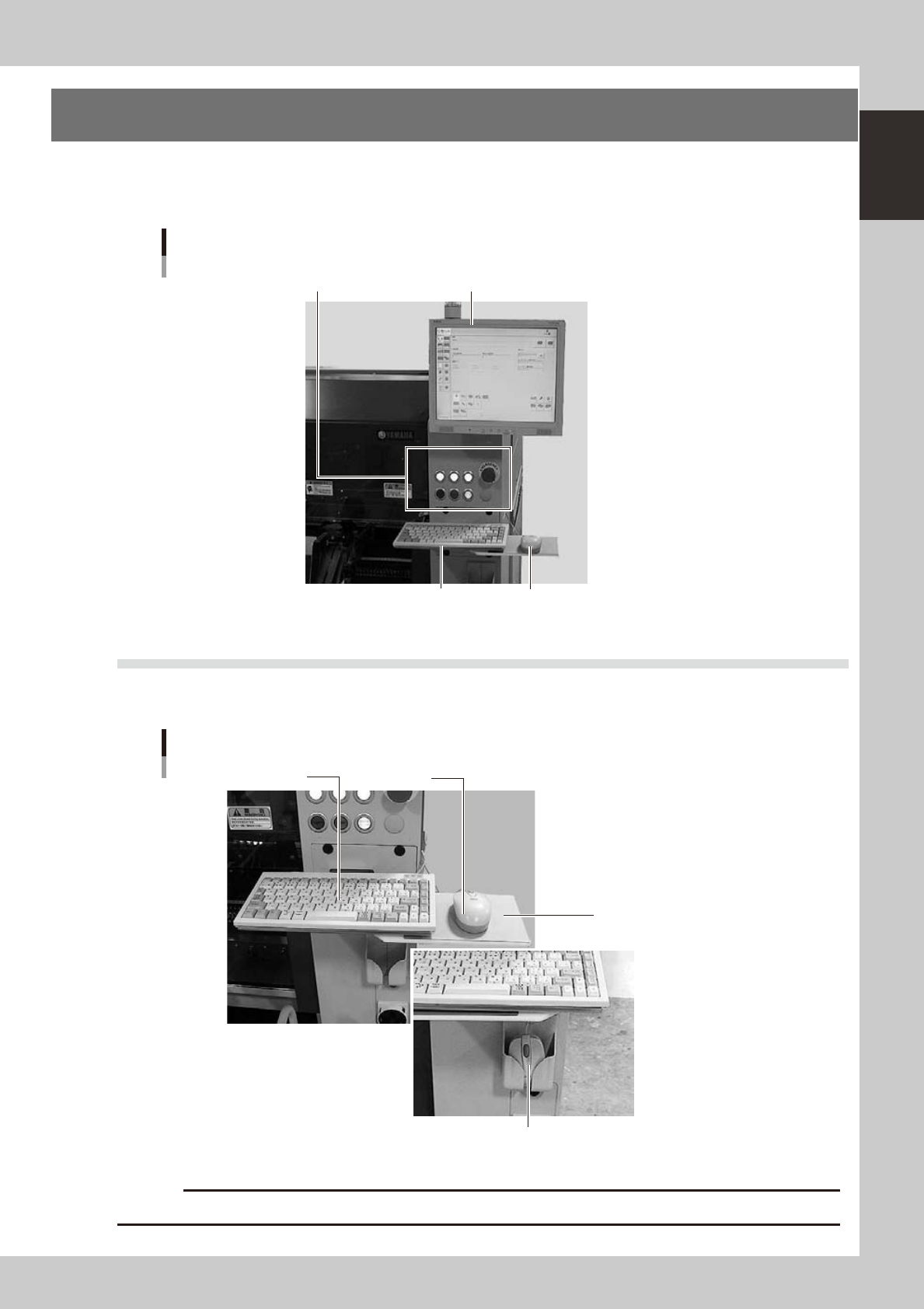
Standard machines are equipped with an operation display, operation panel buttons, a keyboard and a
mouse on the front and rear (option) of the machine, to operate the machine and make data settings. The
functions of these units are explained below.
Operation display (touch screen is optional)
MouseKeyboard
Operation panel button
Operation panel and data input unit
23101-M7-00
2.1 Keyboard and mouse
This machine is equipped with a keyboard and mouse as standard features to operate the machine or edit data
settings. To select a menu button or parameter item on the operation screen, click it with the left mouse button.
Mouse in holder
Keyboard and mouse
Keyboard Mouse
Mouse pad
23102-M7-00
c
Store the mouse in holder when not in use or it may drop and be damaged.
1-4
1
Part names and functions
2.2 Operation panel buttons
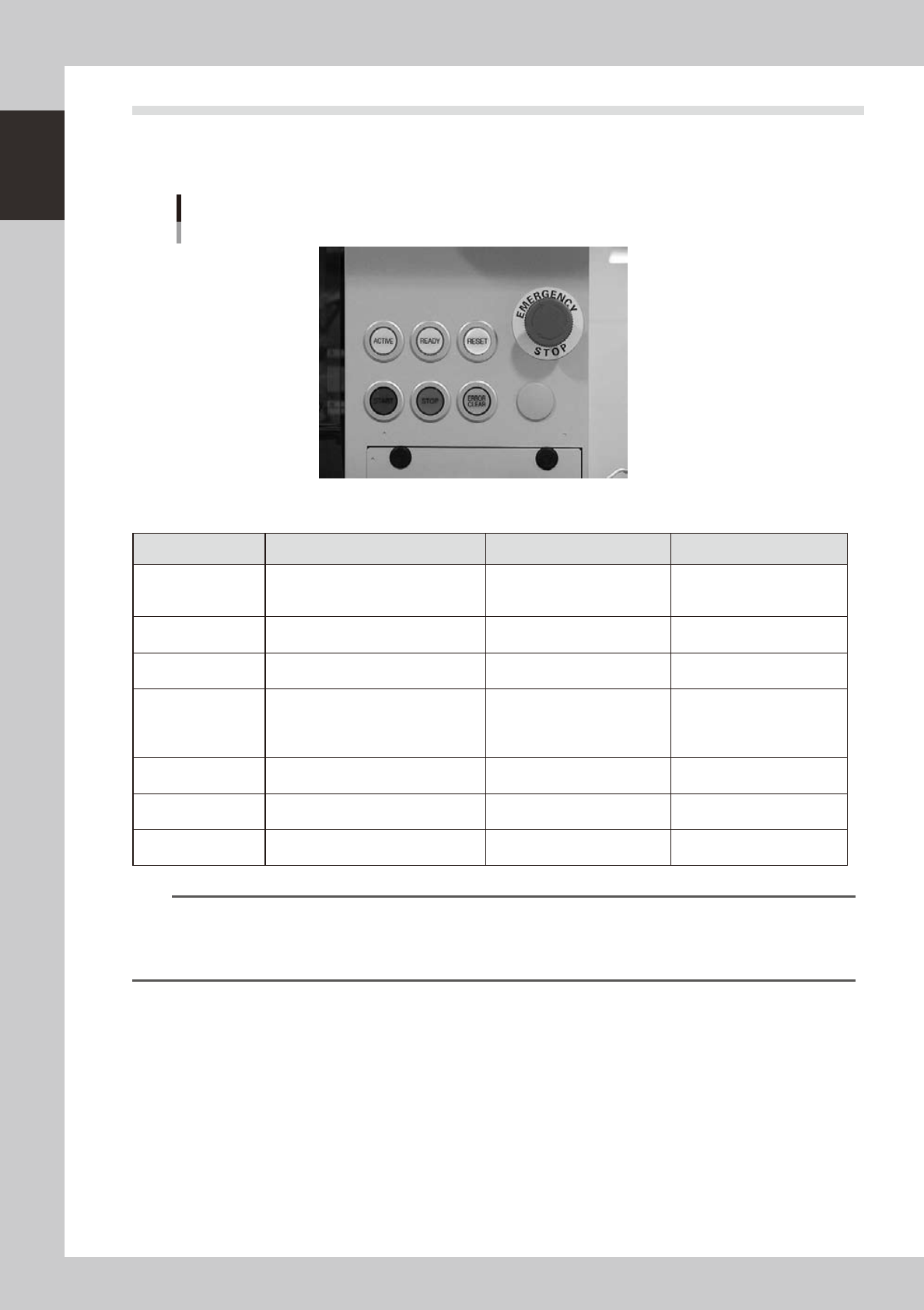
The operation panel buttons are provided on the front and rear (option) of the machine to run major commands
frequently used to operate the machine. Each button is lit while turned on. (Colors of panel buttons are the
same as the colors specified for signal lights.)
Operation panel buttons
23103-M7-00
n
Operation panel button functions
Button name Use the button to: OFF ON
ACTIVE
Enable other keys. (The front and rear
[ACTIVE] keys cannot be turned on
simultaneously.)
• After machine has started.
• The other table has access
rights to operate machine.
• Has access rights to
operate machine.
READY
Release emergency stop and turn the
servo on.
• SERVO OFF
(Motor power OFF)
• SERVO ON
(Motor power ON)
RESET
Stop automatic operation and return to
standby for board production.
• Machine is in normal operation
or stopped.
• Machine has been reset.
START (green)
Perform component placement
according to board data.
• Machine is stopped.
• Machine is in normal
operation.
[Flash]
Pause or step operation
STOP (Red/White)
Interrupt automatic operation. (Press
START to resume operation.)
• Machine is in normal
operation.
• Error occurred.
ERROR CLEAR
(Yellow/Blue)
Stop buzzer sound and clear error
screen.
• Machine is in normal
operation.
• Error occurred.
EMERGENCY STOP
Trigger emergency stop. Turn to the
right to release it.
n
NOTE
The [ACTIVE] button is provided on both front and rear (option) panels, but cannot be turned on simultaneously. This
means that the [READY], [START], [ERROR CLEAR] and [RESET] buttons are enabled only when the [ACTIVE] key on the
same panel is turned on. (The [STOP] button can be used when the [ACTIVE] button is either on or off.)
The keyboard is enabled only when the [ACTIVE] key on the front panel is on.
1-5
1
Part names and functions
3. Head assembly
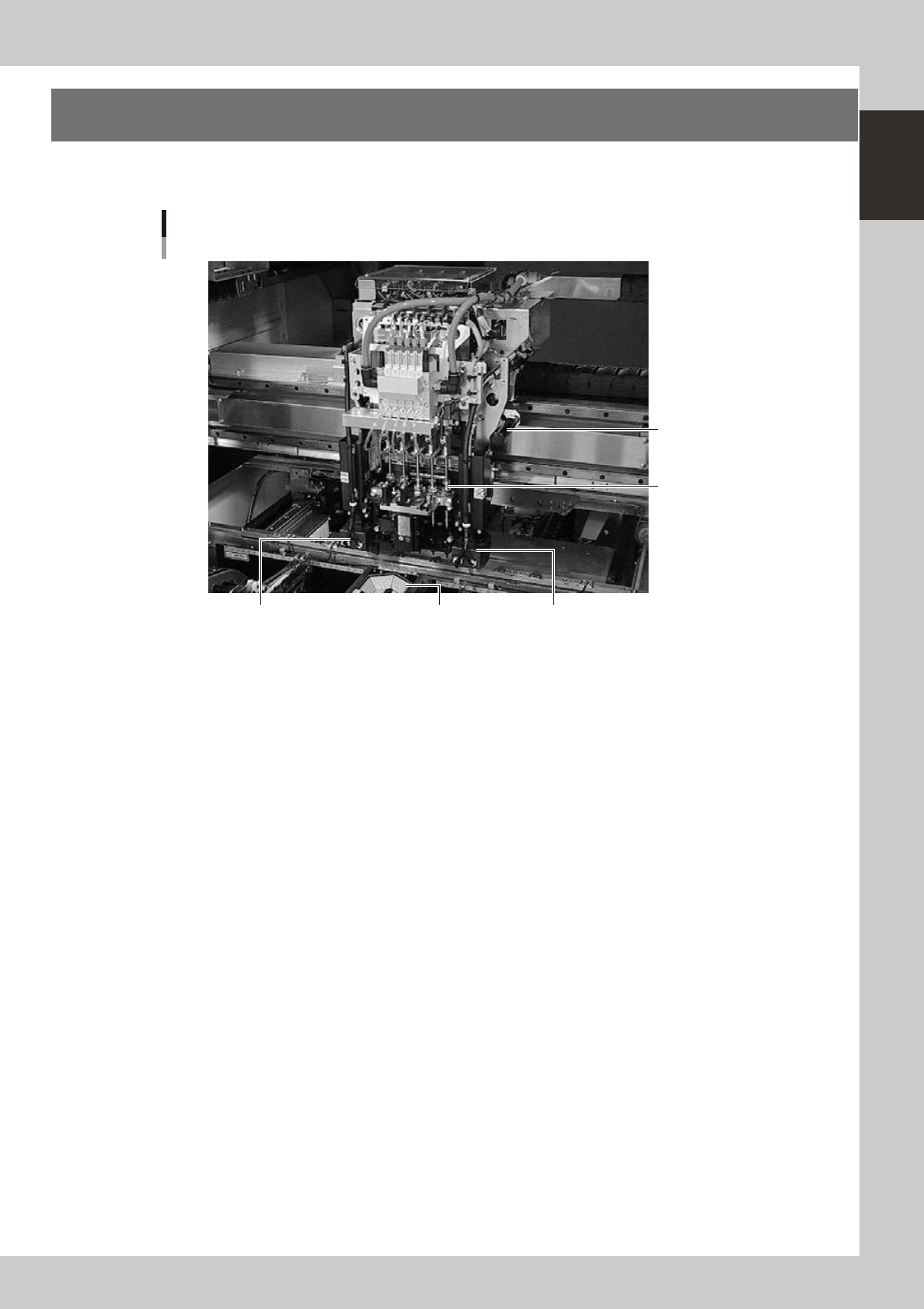
The head assembly is mounted on the XY arms and moves to pick up and place components. The following
sections describe the head assembly configurations and nozzle types.
Head assembly
Fiducial camera lighting unit (option)
Multi-vision camera
Fiducial camera lighting unit
5-in-line multi-head
Handle for moving
head assembly
23004-M7-00