UD1384_UD1394.Program List Editor.pdf - 第5页
SMT Software Engineeri ng Group IMOperationsYAMAHAMOTORCO. ,LTD. MD OC-SOFT50037 5/11 4.2 Open and Save The progra m list dat a is opened and sav ed by the [File] menu. Figure4.2.1 Progr am Lis…
SMT Software Engineering Group
IMOperationsYAMAHAMOTORCO.,LTD.
MDOC-SOFT50037
4/11
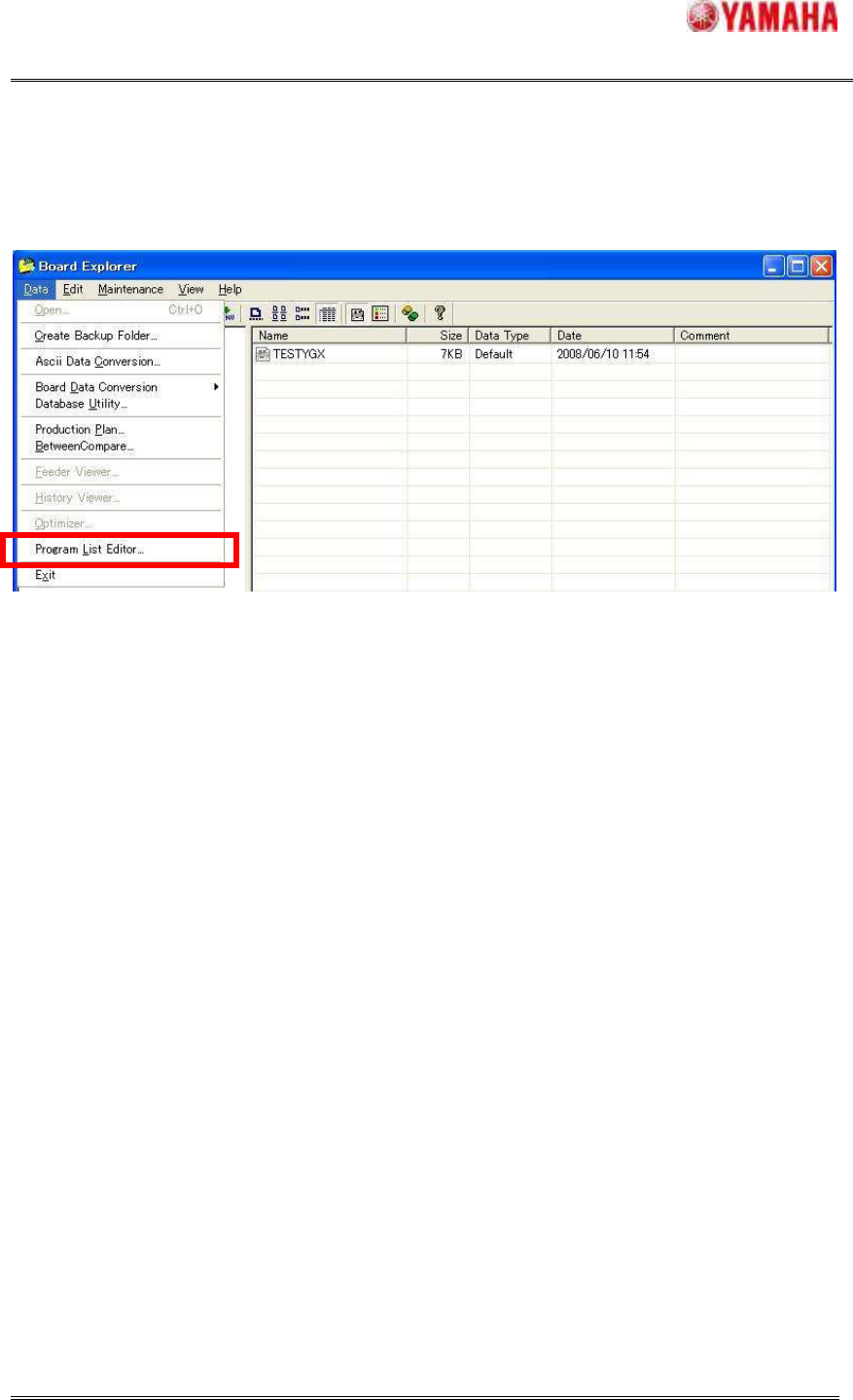
2. Start from the Board Explorer of Y.FacT.
It starts by selecting [File] – [Program List Editor]. There is especially no condition to start.
Figure4.1.2 Start of the Program List Editor (Board Explorer)
SMT Software Engineering Group
IMOperationsYAMAHAMOTORCO.,LTD.
MDOC-SOFT50037
5/11
4.2 Open and Save
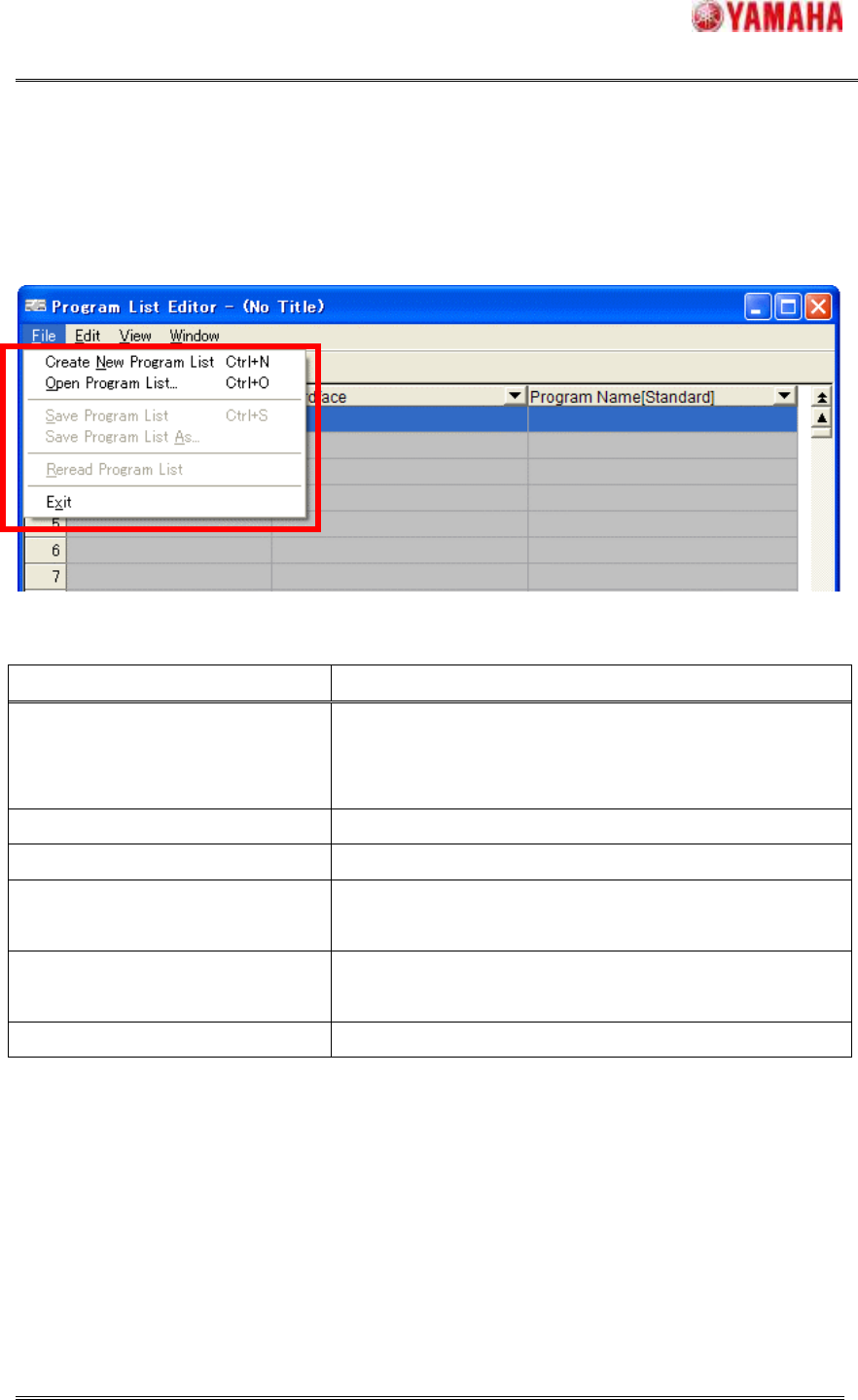
The program list data is opened and saved by the [File] menu.
Figure4.2.1 Program List Editor Menu (File)
Table4.2.2 File Menu Items and Operation
Menu Items Operation
Create New Program List
Create new program list.
When there is the program list being edited now, it is
closed.
Open Program List Select the program list already registered and open it.
Save Program List Save the program list being edited now.
Save Program List As
Save the program list being edited now as another file
name.
Reread Program List
Reread the program list without saving it. The data
being edited is discarded.
Exit Exit the Program List Editor.
SMT Software Engineering Group
IMOperationsYAMAHAMOTORCO.,LTD.
MDOC-SOFT50037
6/11
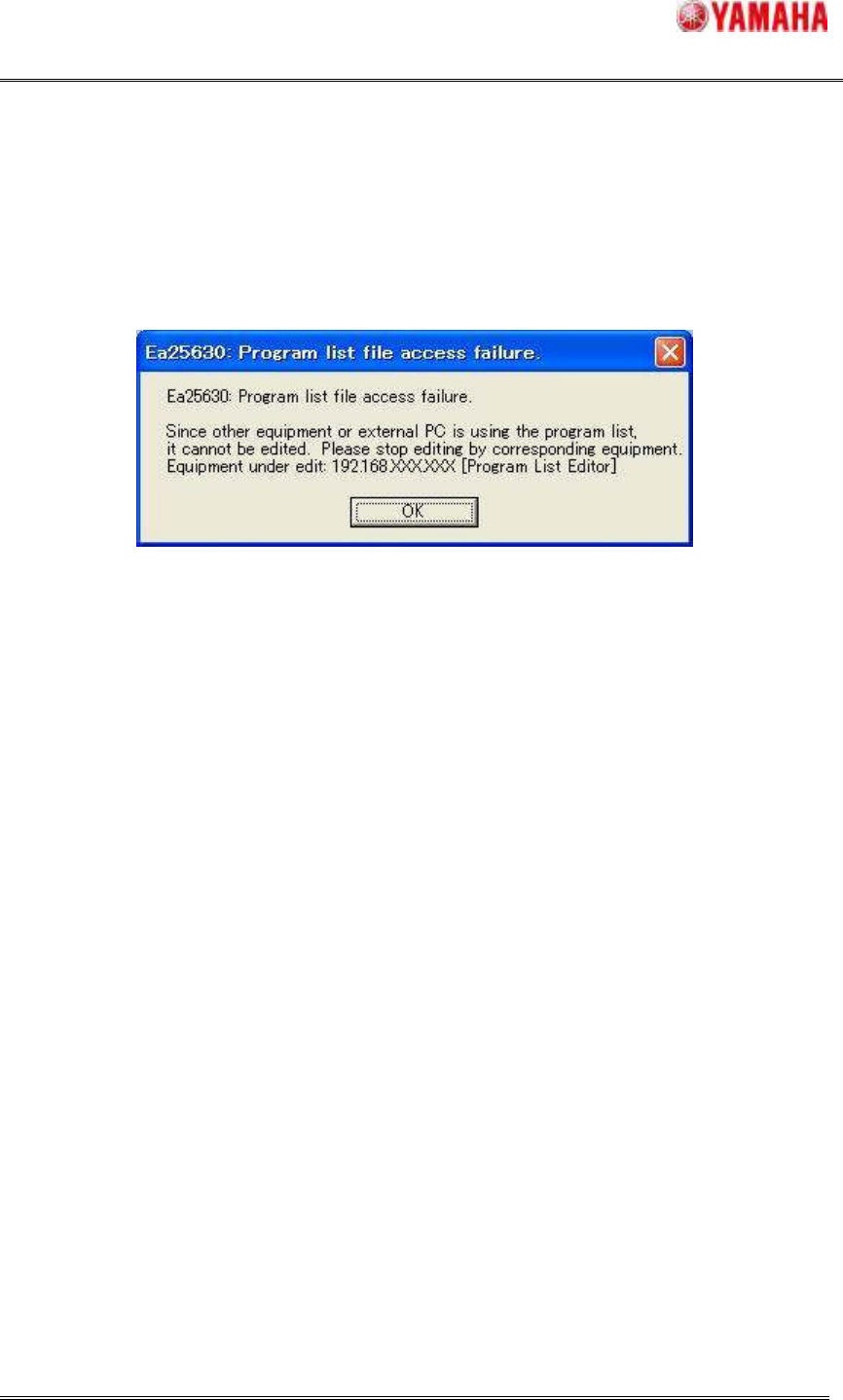
When following dialog is displayed while opening the program list, selected program list file
can’t be read because other application is opening it already. That dialog is displayed
“Equipment under edit”. Check this equipment.
Figure4.2.2 Warning Dialog