UD1384_UD1394.Program List Editor.pdf - 第7页
SMT Software Engineeri ng Group IMOperationsYAMAHAMOTORCO. ,LTD. MD OC-SOFT50037 7/11 4.3 Edit the Progr am Li st The progra m list can be e dited by usi ng [Edit] menu. (Figure4 .3.1) Refer to…
SMT Software Engineering Group
IMOperationsYAMAHAMOTORCO.,LTD.
MDOC-SOFT50037
6/11
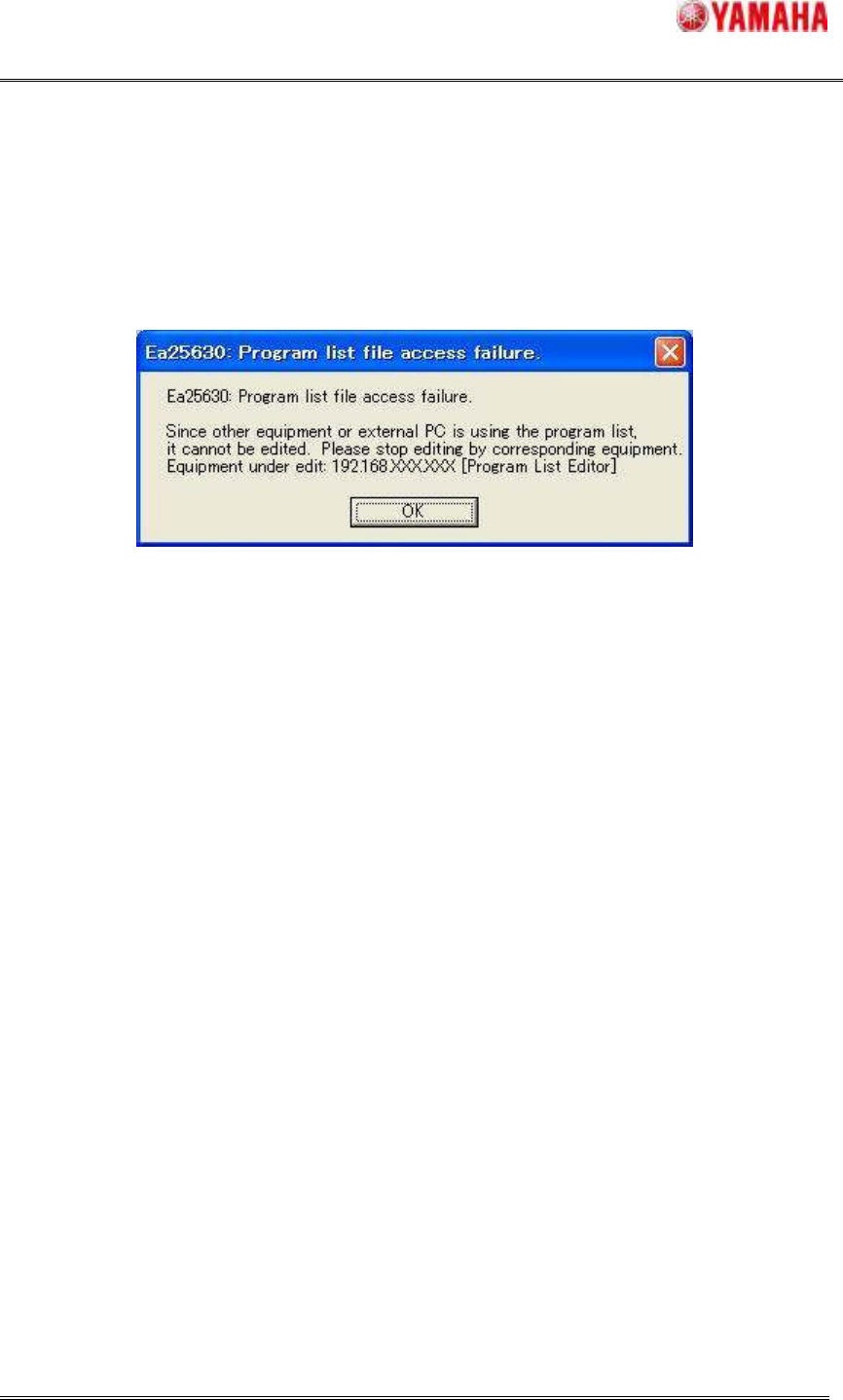
When following dialog is displayed while opening the program list, selected program list file
can’t be read because other application is opening it already. That dialog is displayed
“Equipment under edit”. Check this equipment.
Figure4.2.2 Warning Dialog
SMT Software Engineering Group
IMOperationsYAMAHAMOTORCO.,LTD.
MDOC-SOFT50037
7/11
4.3 Edit the Program List
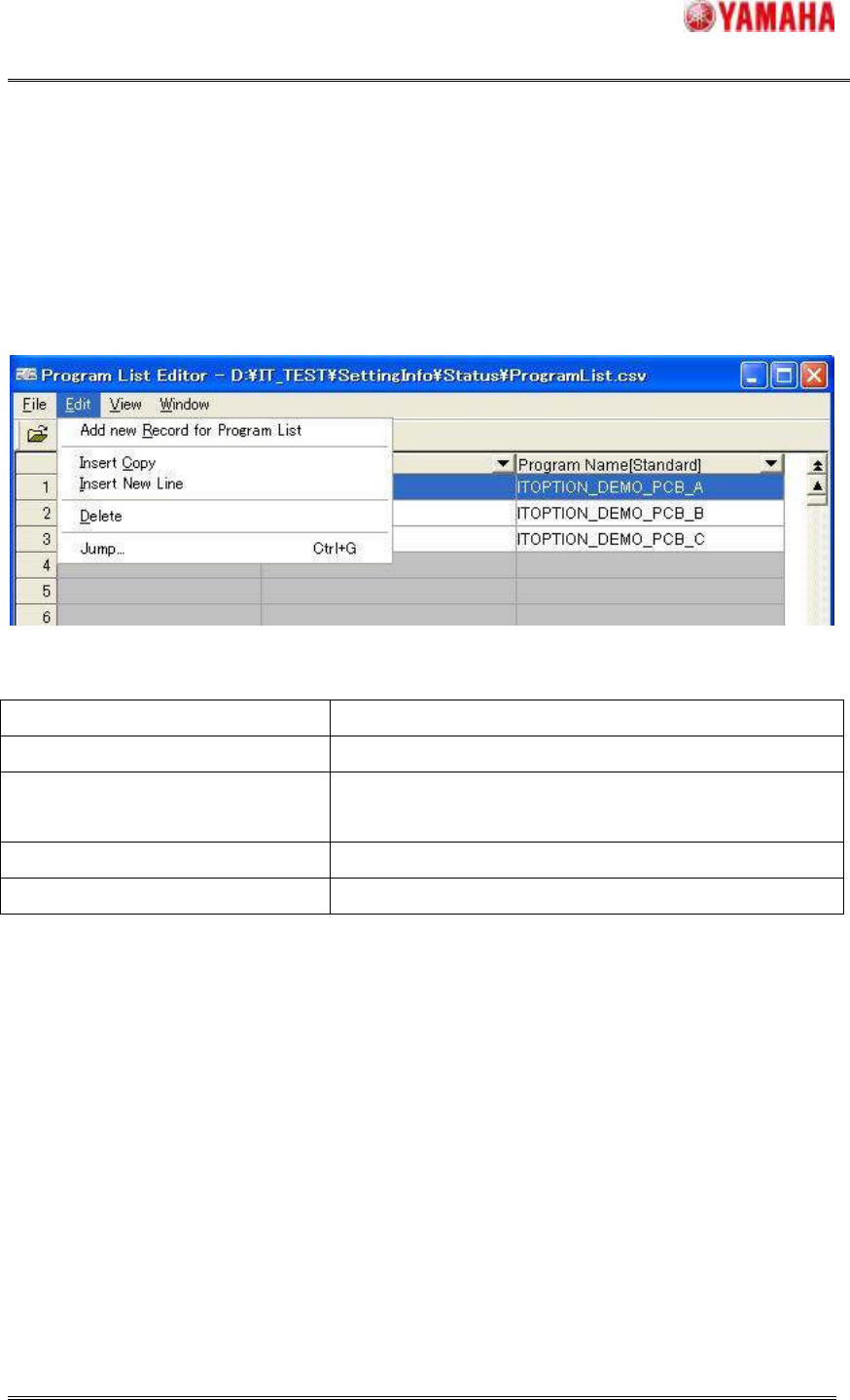
The program list can be edited by using [Edit] menu. (Figure4.3.1)
Refer to “Table4.3.1” about details of items. This menu is also displayed when right-clicking
selected row.
Figure4.3.1 Editor Menu (Edit)
Table4.3.1 Menu Items and Operation
Menu Items Operation
Add new Record for Program List A new record is added to the tail.
Insert Copy
The selection record is copied. And, it is inserted in the
selection position as a new record.
Insert New Line A new record is inserted in the selection position.
Delete The selection record is deleted.
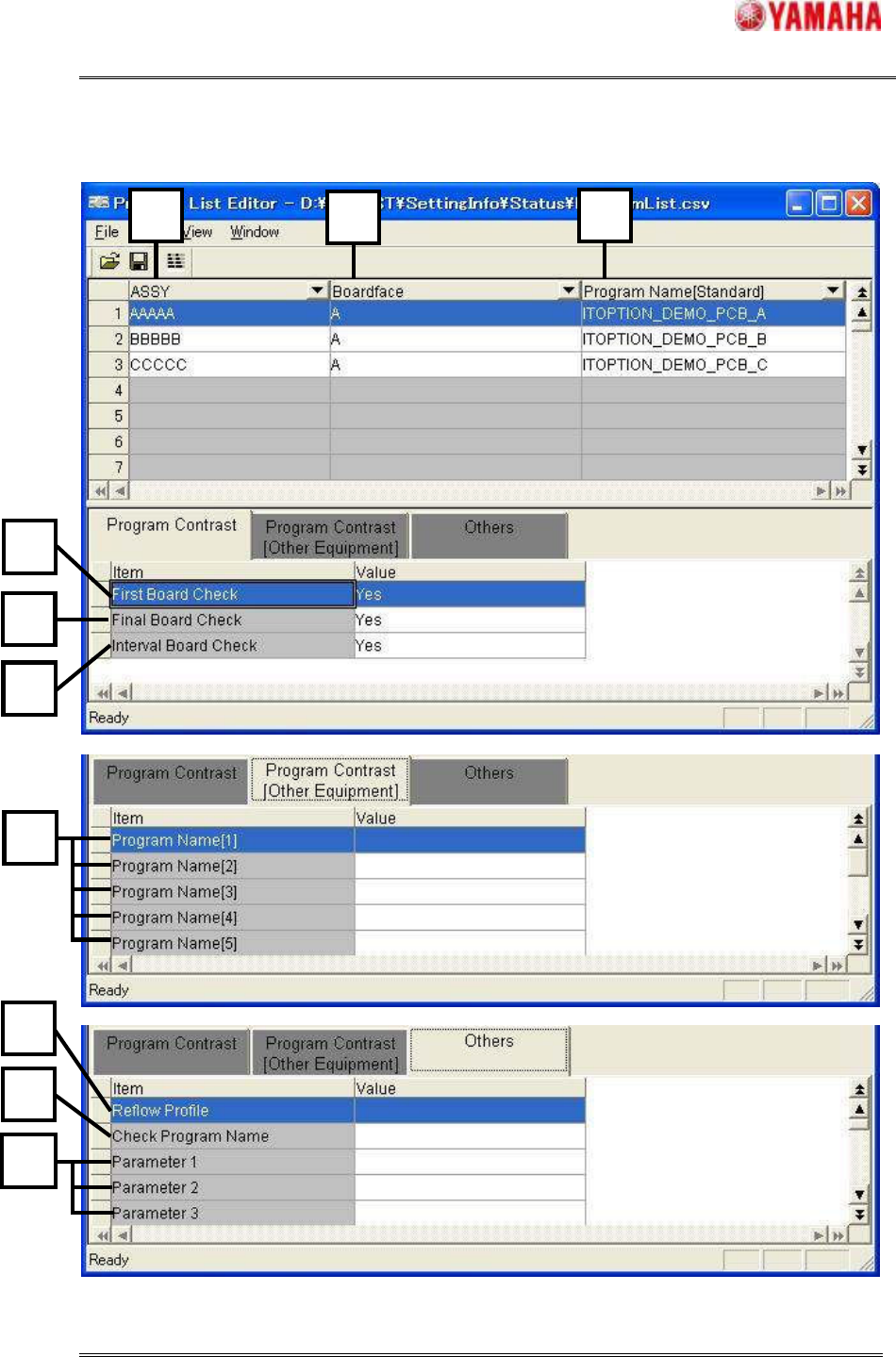
Refer to Figure 4.3.2 and Table 4.3.2 about the item that can be edited. The number of the
figure and the number of the table correspond.
SMT Software Engineering Group
IMOperationsYAMAHAMOTORCO.,LTD.
MDOC-SOFT50037
8/11
Figure4.3.2 Item that can be edited
7
10
8
9
1
11
1
2
3
5
4
6