UD1384_UD1394.Program List Editor.pdf - 第9页
SMT Software Engineeri ng Group IMOperationsYAMAHAMOTORCO. ,LTD. MD OC-SOFT50037 9/11 T ab le4.3.2 Explan ation of item that can be edited No Items Explanation 1 ASSY Production mode l number i…
SMT Software Engineering Group
IMOperationsYAMAHAMOTORCO.,LTD.
MDOC-SOFT50037
8/11
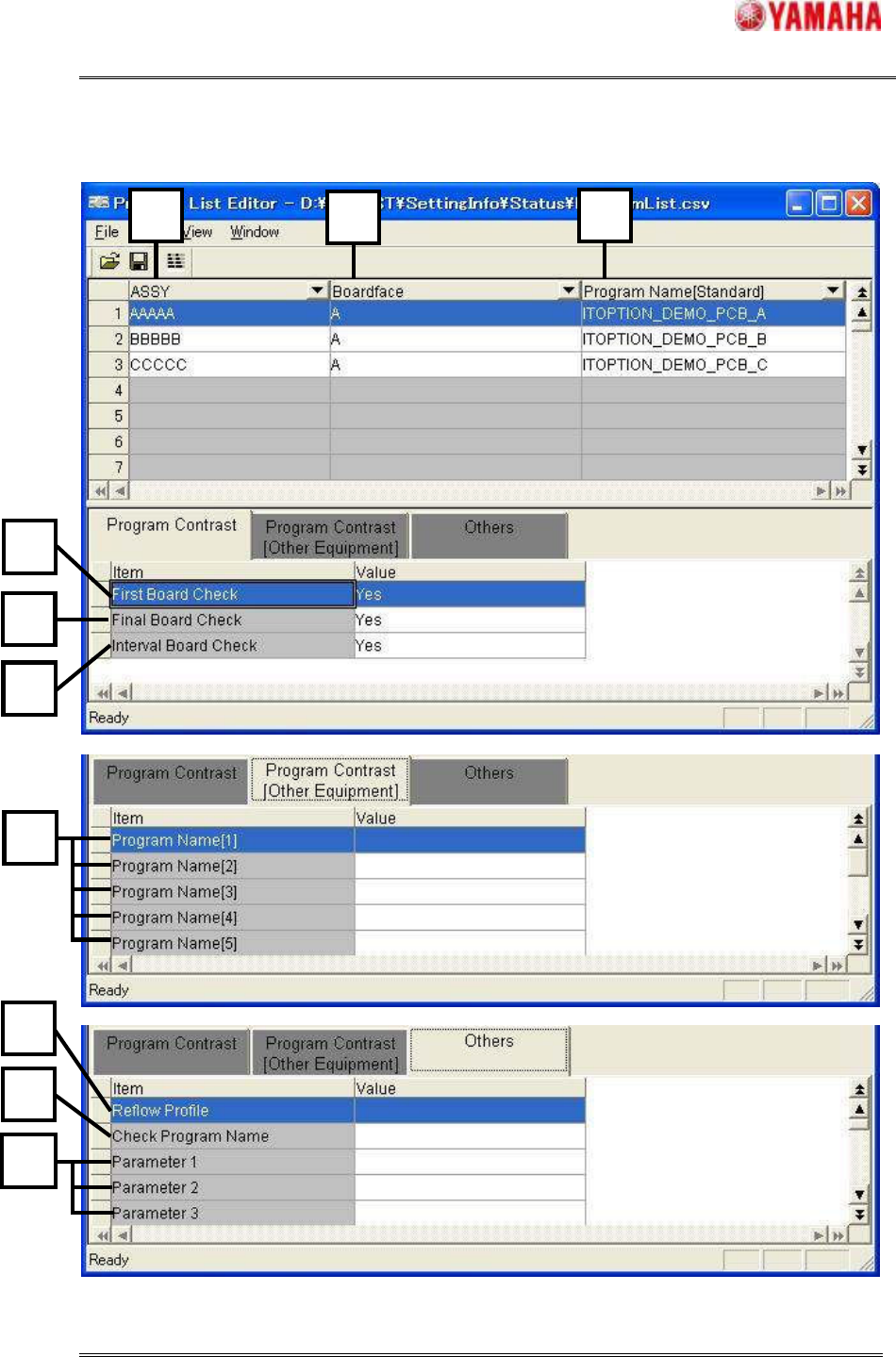
Figure4.3.2 Item that can be edited
7
10
8
9
1
11
1
2
3
5
4
6
SMT Software Engineering Group
IMOperationsYAMAHAMOTORCO.,LTD.
MDOC-SOFT50037
9/11
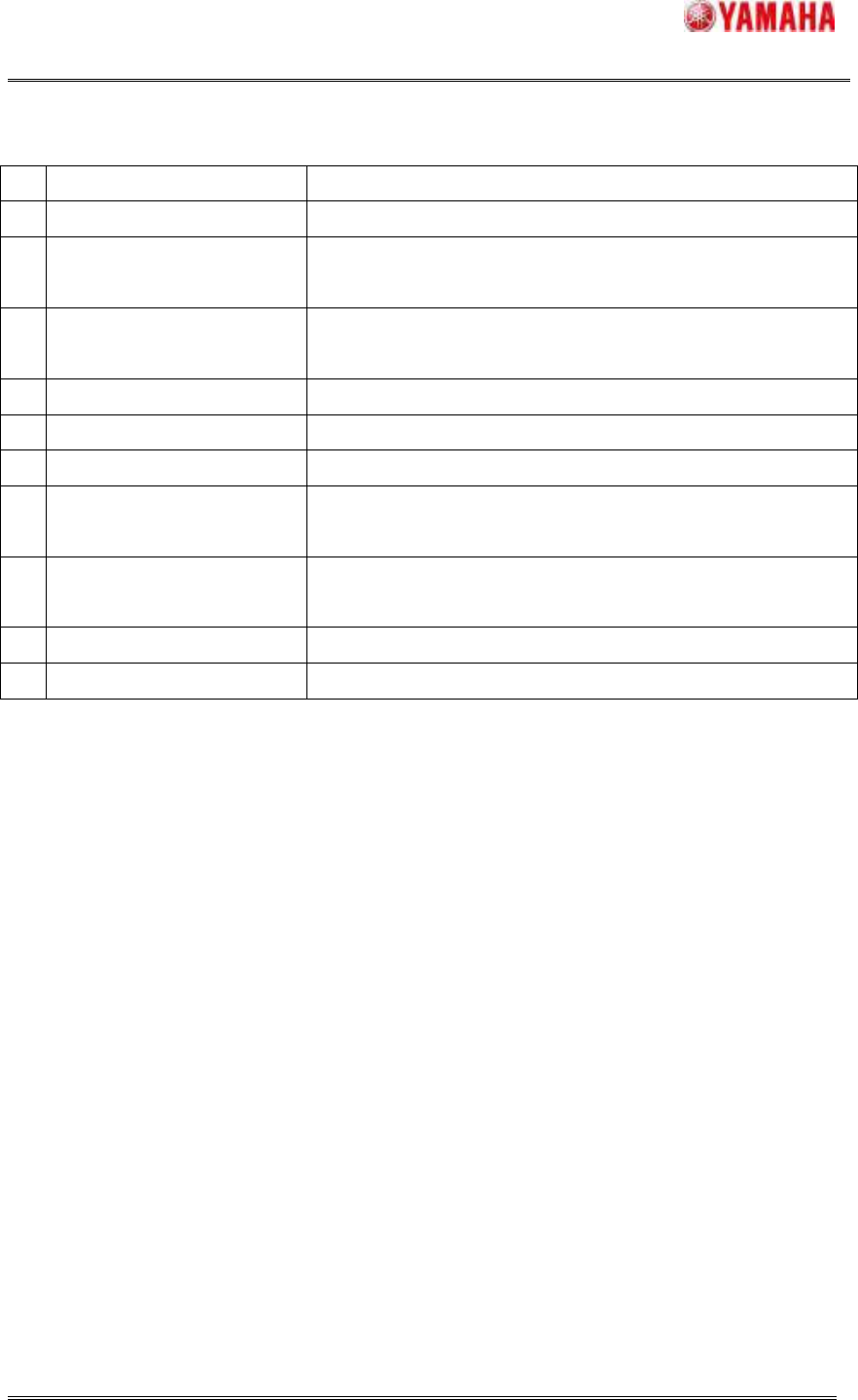
Table4.3.2 Explanation of item that can be edited
No
Items Explanation
1
ASSY Production model number is displayed.
2
Boardface
Information regarding the surface to which components are
to be mounted is displayed.
3
Program Name[Standard]
Board program name related to the information given in
[ASSY] and [Boardface] is displayed.
4
First Board Check First board check setting is displayed.
5
Final Board Check Final board check setting is displayed.
6
Interval Board Check Interval board check setting is displayed.
7
Program Name[1-9]
The board program name used for another machine of the
line is displayed.
8
Reflow Profile
The name of the program used for the reflow furnace
temperature profile is displayed.
9
Check Program Name The name of the program used for the checker is displayed.
10
Parameter1-20 Additional information is displayed.
SMT Software Engineering Group
IMOperationsYAMAHAMOTORCO.,LTD.
MDOC-SOFT50037
10/11
4.4 Option
1. Grid View Setting
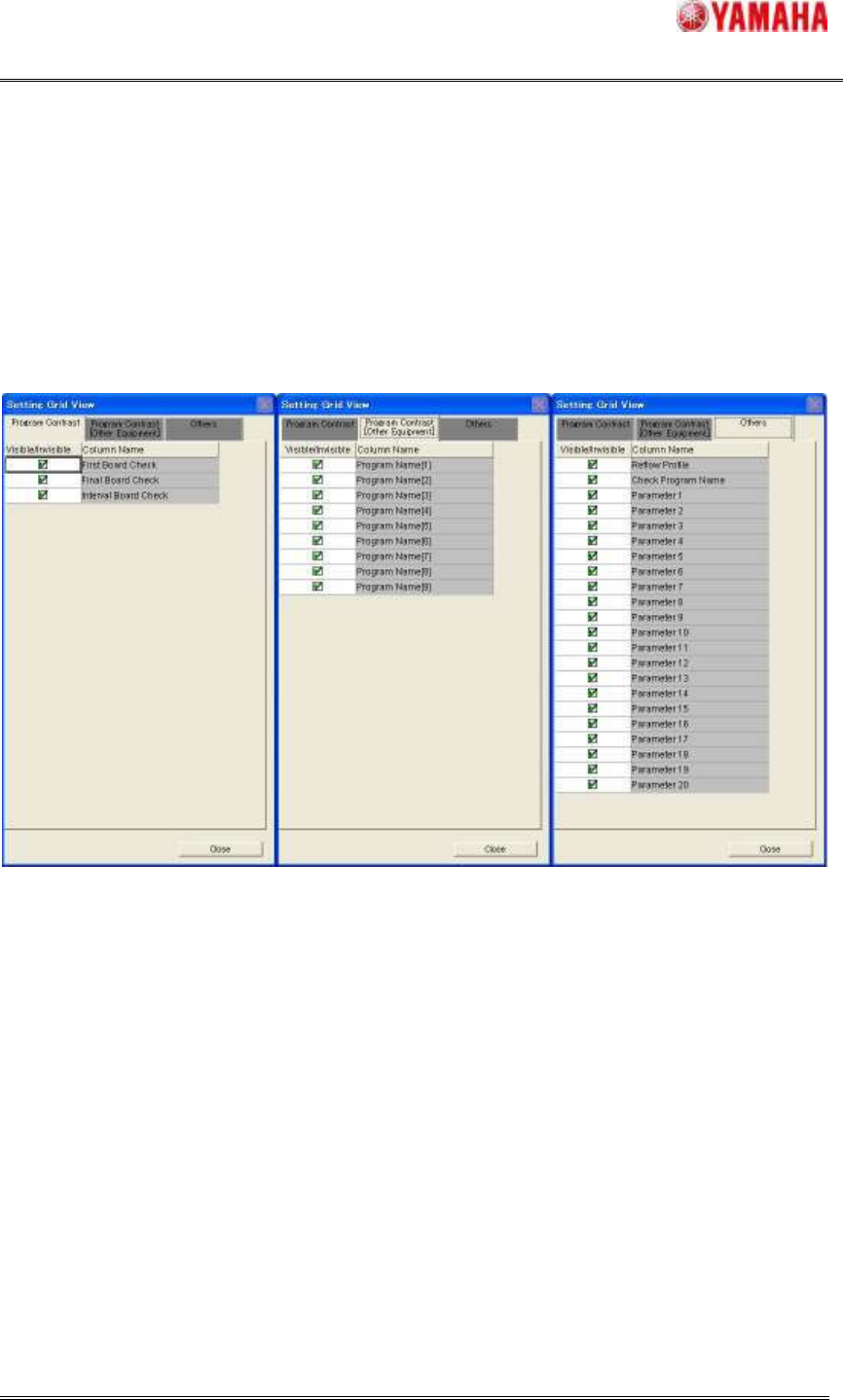
As for each grid item of "Program Contrast", "Program Contrast [Other Equipment]" and
"Others", the display or non-display can be selected. This setting can be set at [View] -
[Option]. (Figure4.4) Check the items to be displayed.
Figure4.4 Grid View Setting