UD1384_UD1394.Program List Editor.pdf - 第8页
SMT Software Engineeri ng Group IMOperationsYAMAHAMOTORCO. ,LTD. MD OC-SOFT50037 8/11 Figure4.3.2 Ite m that can be edited 7 10 8 9 1 1 1 1 2 3 5 4 6
SMT Software Engineering Group
IMOperationsYAMAHAMOTORCO.,LTD.
MDOC-SOFT50037
7/11
4.3 Edit the Program List
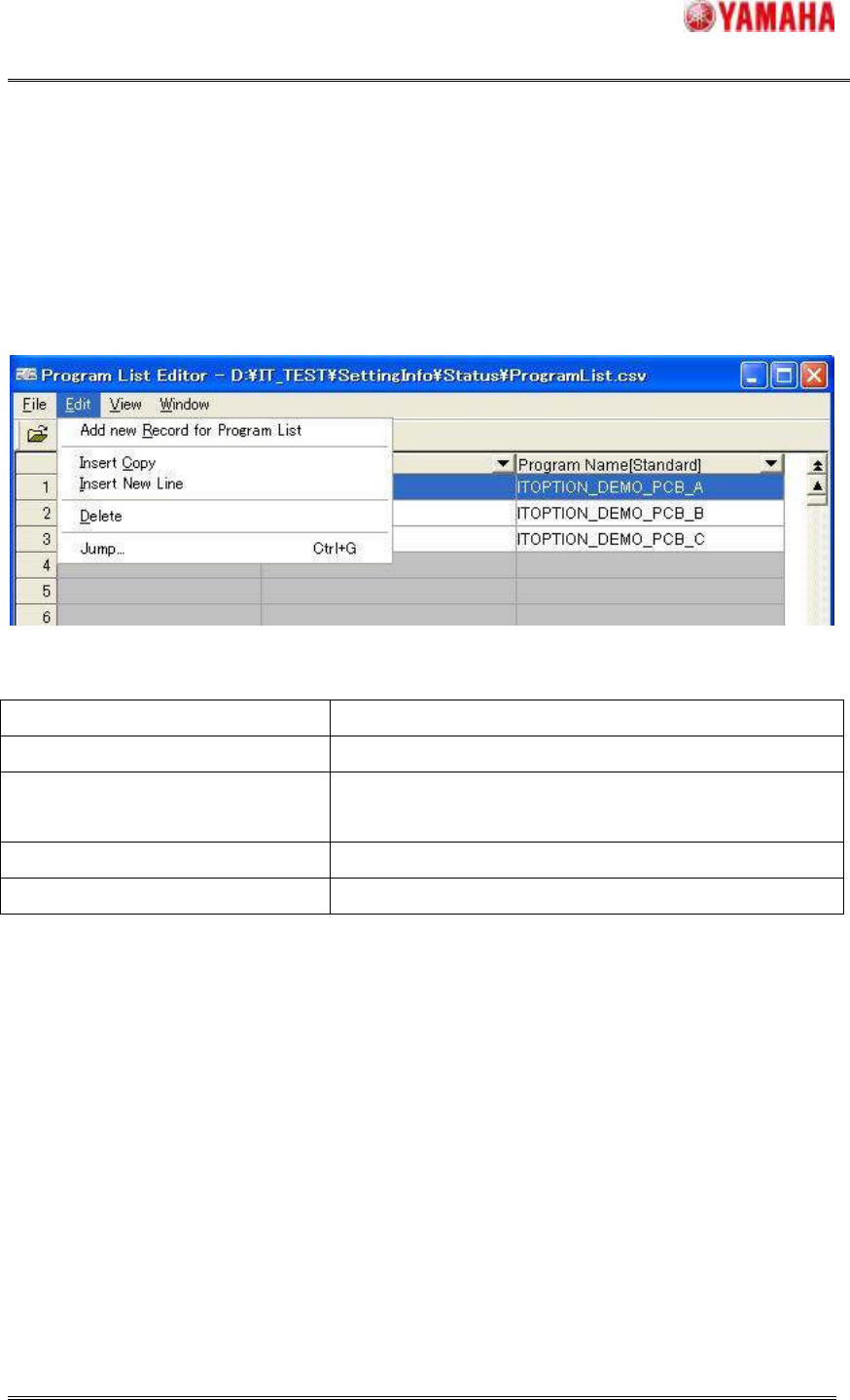
The program list can be edited by using [Edit] menu. (Figure4.3.1)
Refer to “Table4.3.1” about details of items. This menu is also displayed when right-clicking
selected row.
Figure4.3.1 Editor Menu (Edit)
Table4.3.1 Menu Items and Operation
Menu Items Operation
Add new Record for Program List A new record is added to the tail.
Insert Copy
The selection record is copied. And, it is inserted in the
selection position as a new record.
Insert New Line A new record is inserted in the selection position.
Delete The selection record is deleted.
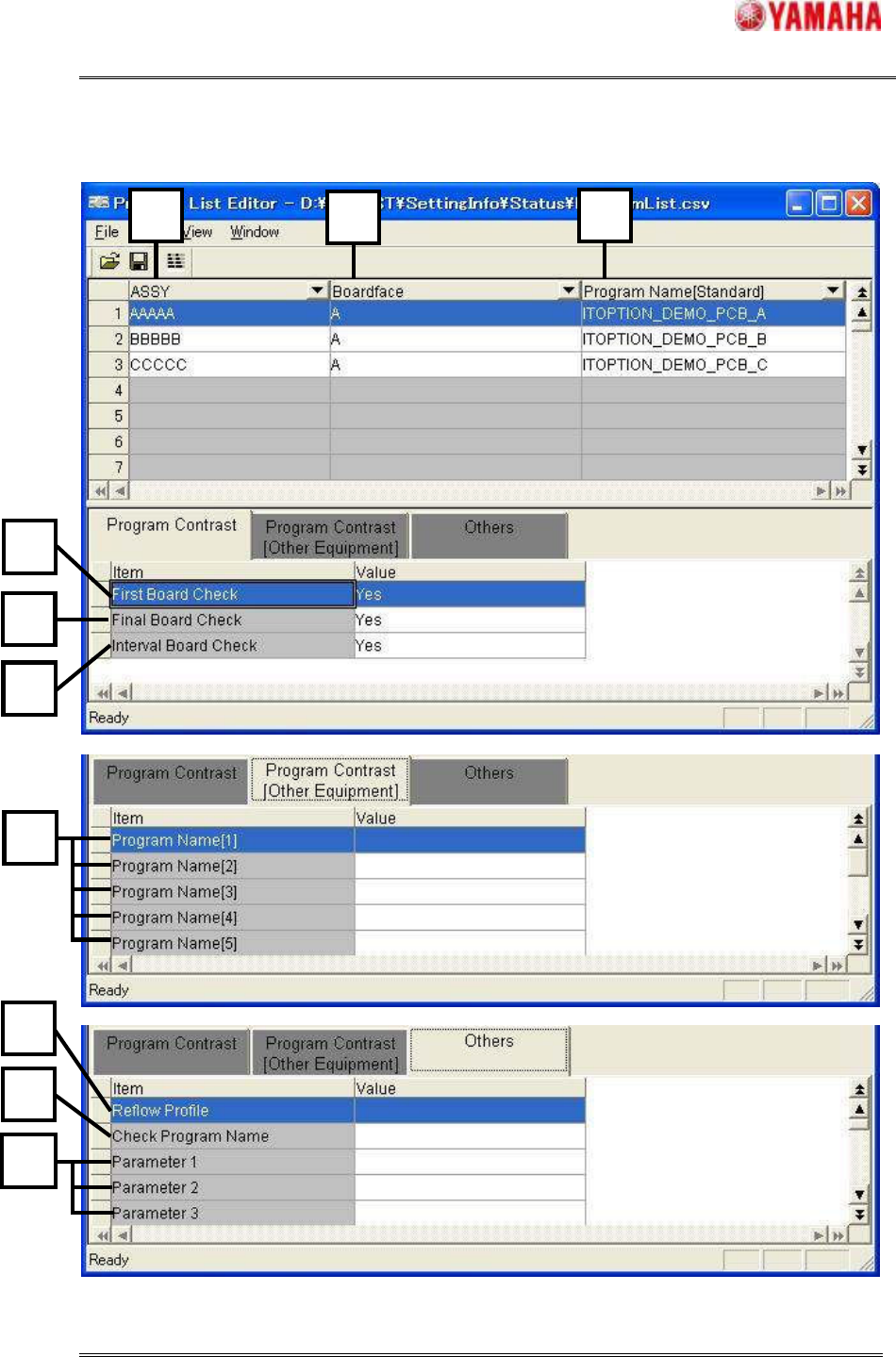
Refer to Figure 4.3.2 and Table 4.3.2 about the item that can be edited. The number of the
figure and the number of the table correspond.
SMT Software Engineering Group
IMOperationsYAMAHAMOTORCO.,LTD.
MDOC-SOFT50037
8/11
Figure4.3.2 Item that can be edited
7
10
8
9
1
11
1
2
3
5
4
6
SMT Software Engineering Group
IMOperationsYAMAHAMOTORCO.,LTD.
MDOC-SOFT50037
9/11
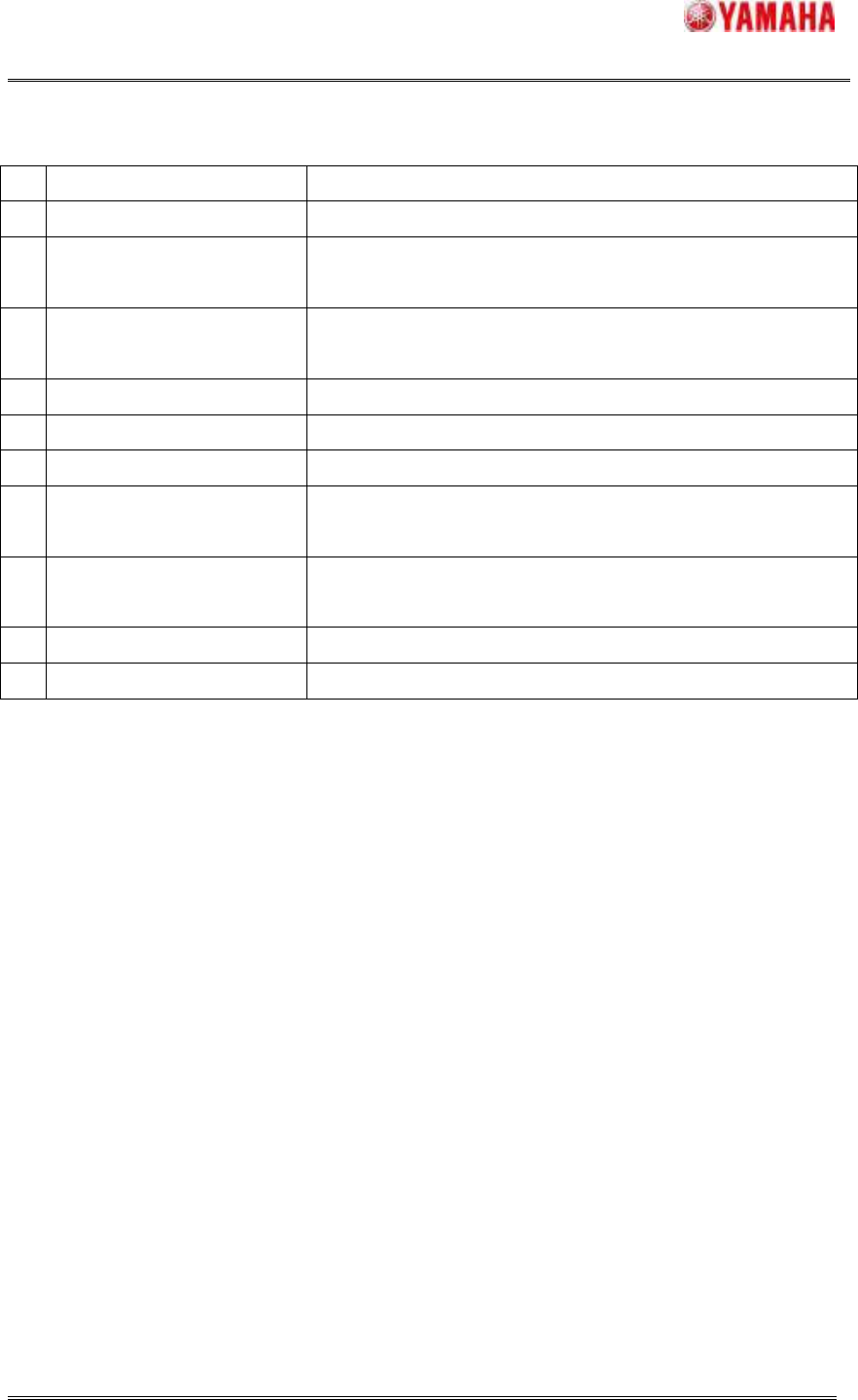
Table4.3.2 Explanation of item that can be edited
No
Items Explanation
1
ASSY Production model number is displayed.
2
Boardface
Information regarding the surface to which components are
to be mounted is displayed.
3
Program Name[Standard]
Board program name related to the information given in
[ASSY] and [Boardface] is displayed.
4
First Board Check First board check setting is displayed.
5
Final Board Check Final board check setting is displayed.
6
Interval Board Check Interval board check setting is displayed.
7
Program Name[1-9]
The board program name used for another machine of the
line is displayed.
8
Reflow Profile
The name of the program used for the reflow furnace
temperature profile is displayed.
9
Check Program Name The name of the program used for the checker is displayed.
10
Parameter1-20 Additional information is displayed.