Scienscope2016VideoCatalog-1.pdf - 第3页
4 5 MAC 3 Camer a MAC 3 Camer a Edge enhancement: Y es Color R/G/B adjustable OSD: Y es, in HDMI mode Brightness control Automatic/Manual/Continuous White balance Automatic/Manual/Continuous Housing Aluminum/Plastic Defi…
2
3
Features
MAC3 System Specications and Optical Data
Electronics Medical Devices Precision Machining
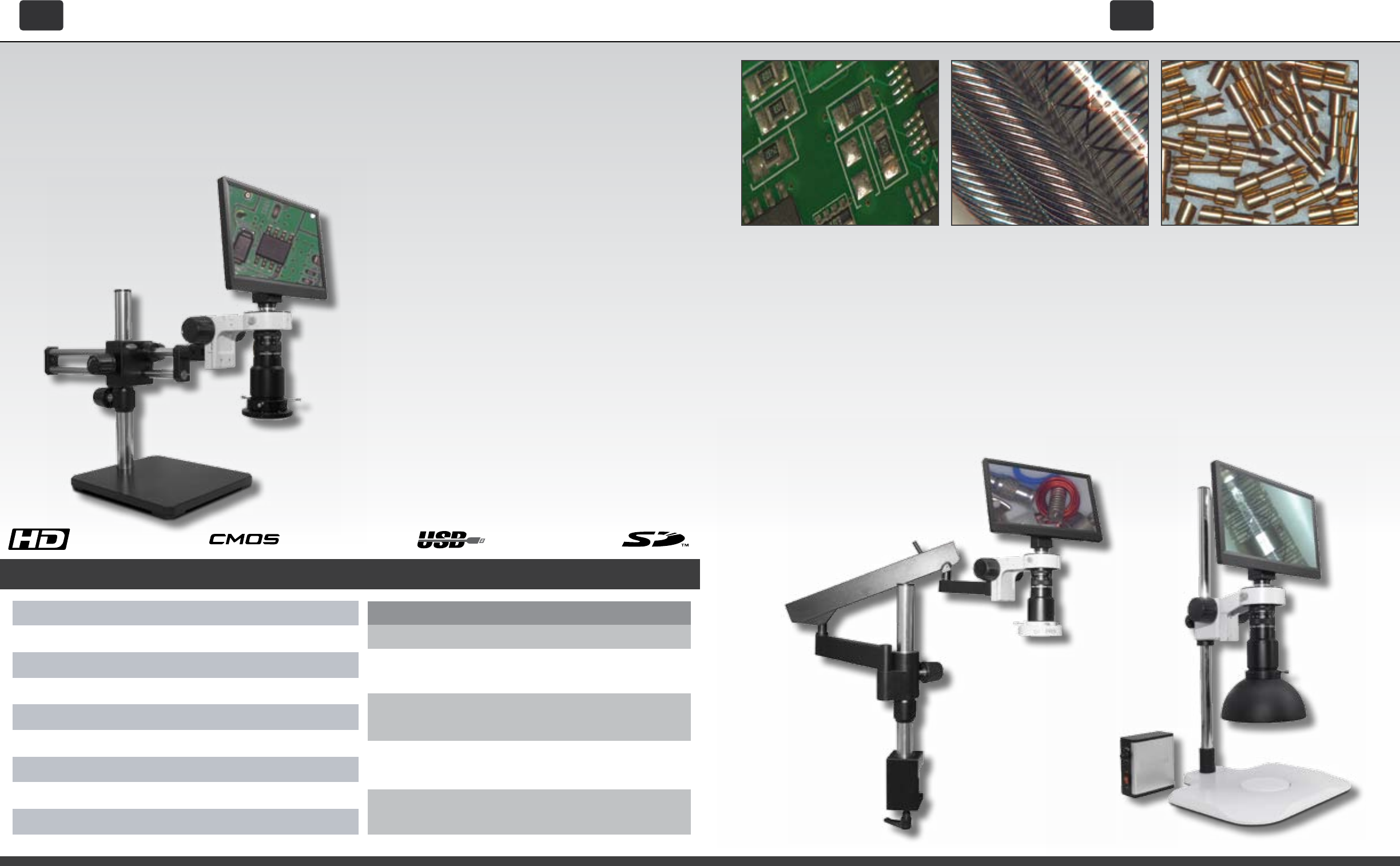
Capable of a remarkably
large eld of view or IPC spec
magnication (Up to 60x) the
MAC3 system makes electronics
inspection a more comfortable
and ecient process. If you need
to document your work, images
or video can be captured with one
click of the mouse and stored to a
removable SD card. You can also
rework or repair in comfort with
an ergonomically placed monitor
(No eyepieces!) and easy to reach
zoom and focus controls.
Whether you are inspecting
catheters, stents, pacemakers
or surgical implements, medical
devices require 100% inspection
with the utmost possible scrutiny.
Inspect, document, and compare
with ease and condence. Use the
integrated side-by-side capture
to live image comparison feature
to be certain that what you are
seeing is a defect.
Precision machined parts are used
in a wide range of industries, from
aerospace and automotive ap-
plications, to watchmaking and
traditional manufacturing. Clear
and crisp live video with simplicity
and ergonomics in mind makes
the MAC3 system and camera an
irreplaceable instrument to assist
in any visual inspection task.
MAC3 HD w/
Post Stand
Option
MAC3 HD w/
Articulating
Arm
The new MAC3 Ergonomic Digital Inspection system is the next step in the evolution of
our powerful line of digital/video inspection systems. The revolutionary MAC3 series from
Scienscope merges the latest in HD video technology with the clearest macro video optics
to provide an easy to use ergonomic inspection system for your most fatiguing and dicult
to see quality processes.
Overview
Select from a
variety of stands
and lighting
for the system
that best ts
your needs. See
precongured
packages on
page 18.
Iris Control Manual
ManualFocus control
Camera Mount
C-Mount
Sensor Type ½.5” CMOS
Resoluon
1080p HD @ 60fps
Working Distance 4.5” to 12”
FOV
33.75mm to 4.75mm (Variable depending on WD)
Magnificaon 7.75x to 60x (Variable depending on WD)
Opcs Macro Zoom
Working Distance
4.5” WD
7.75” WD
10” WD
MAG FOV
Low 7.75x 33.75mm
High 21.5x 11.8mm
Low 8.75x 30mm
High 24.5x 10.75mm
Low 9.75x 25.5mm
High 28x 9mm
Low 10x 25mm
High 30x 8.8mm
High 60x 4.75mm
8” WD
9” WD
• Integrated operating system
• Image and Video capture to SD or via USB
• Split-Screen live image/captured image compari-
son
• Image gallery and image/video preview and
playback
• Vertical and horizontal line generators with 8
presets
• Onscreen mouse-controlled video settings
• Digital image sharpening and frame averaging
• Auto White balance
• Auto shutter and brightness
• 12” LCD monitor
• 2 USB 2.0 ports
MAC
3 HD
Egro-Inspection System
MAC
3 HD
Egro-Inspection System
4
5
MAC
3 Camera
MAC
3 Camera
Edge enhancement: Yes
Color R/G/B adjustable
OSD: Yes, in HDMI mode
Brightness control Automatic/Manual/Continuous
White balance Automatic/Manual/Continuous
Housing Aluminum/Plastic
Definition More than 1200lines (the highest level)
Frame rate 60fps
Effective pixels 1920 x 1080
Image sensor 1/2.86 Inch Panasonic
FULL HD 2.0 Megapixel
Edge enhancement: Yes
Color R/G/B adjustable
OSD: Yes, in HDMI mode
Brightness control Automatic/Manual/Continuous
White balance Automatic/Manual/Continuous
Housing Aluminum
Definition More than 1200lines (the highest level)
Frame rate 60fps
Effective pixels 1920 x 1080
Image sensor 1/2.86 Inch Panasonic
FULL HD 2.0 Megapixel
USB USB 2.0
HDMI 1080p
Noise Reduction Support
Horizontal/Vertical Lines Multi-color, two lines for each
(Position can be adjusted)
Cross hair Multi-color, small or large
SD card slot Support up to 32GB SD card
Edge enhancements Yes
/Sharpening
HDR Yes
Freeze image Yes
USB USB 2.0
HDMI 1080p
Noise Reduction Support
Horizontal/Vertical Lines Multi-color, two lines for each
(Position can be adjusted)
Cross hair Multi-color, small or large
SD card slot Support up to 32GB SD card
Edge enhancements Yes
/Sharpening
HDR Yes
Freeze image Yes
Edge enhancement: Yes
Color R/G/B adjustable
OSD: Yes, in HDMI mode
Brightness control Automatic/Manual/Continuous
White balance Automatic/Manual/Continuous
Housing Aluminum/Plastic
Definition More than 1200lines (the highest level)
Frame rate 60fps
Effective pixels 1920 x 1080
Image sensor 1/2.86 Inch Panasonic
FULL HD 2.0 Megapixel
Edge enhancement: Yes
Color R/G/B adjustable
OSD: Yes, in HDMI mode
Brightness control Automatic/Manual/Continuous
White balance Automatic/Manual/Continuous
Housing Aluminum
Definition More than 1200lines (the highest level)
Frame rate 60fps
Effective pixels 1920 x 1080
Image sensor 1/2.86 Inch Panasonic
FULL HD 2.0 Megapixel
USB USB 2.0
HDMI 1080p
Noise Reduction Support
Horizontal/Vertical Lines Multi-color, two lines for each
(Position can be adjusted)
Cross hair Multi-color, small or large
SD card slot Support up to 32GB SD card
Edge enhancements Yes
/Sharpening
HDR Yes
Freeze image Yes
USB USB 2.0
HDMI 1080p
Noise Reduction Support
Horizontal/Vertical Lines Multi-color, two lines for each
(Position can be adjusted)
Cross hair Multi-color, small or large
SD card slot Support up to 32GB SD card
Edge enhancements Yes
/Sharpening
HDR Yes
Freeze image Yes
The New MAC3 Camera (Part number: CC-CMC-12H) from
Scienscope is an all-in-one camera with integrated monitor
and software. The MAC3 Camera can be used as a “live
image” HD (1080p) camera or as a USB 2.0 camera with USB
cable connected to any computer or Windows Tablet. The
camera can be connected to any microscope or optical
system with a C mount so you can instantly upgrade
your system. With monitor mounted directly to the camera
limited work space is never a problem and your ergonomics
will improve as well.
• 1080p (1920 x 1080)HD image @60fps
• Onscreen control bar and setting menu
• Image and video capture to SD card
• Split-screen live image/
Captured image comparison
(Picture in Picture)
• Image and video gallery/
Image and video review
• Vertical and horizontal line generator
• Save line generator congurations
• Wireless mouse support and control
• 2 Mega-pixel resolution
• Image and Video Capture with Windows 8 or
10 camera app
• Email, Save, or Print from software
• Image and video capture with included soft-
ware
• Annotation and drawing tools on live or cap-
tured images
• Send images directly to local le location or
network
• Time and date stamp images
• Includes DirectShow drivers
• Upgrade software with FOV measurement
tools
Overview
HD / HDMI Mode Features
USB 2.0 Mode Features
MAC3 Camera (CC-CMC-12H) | Specications
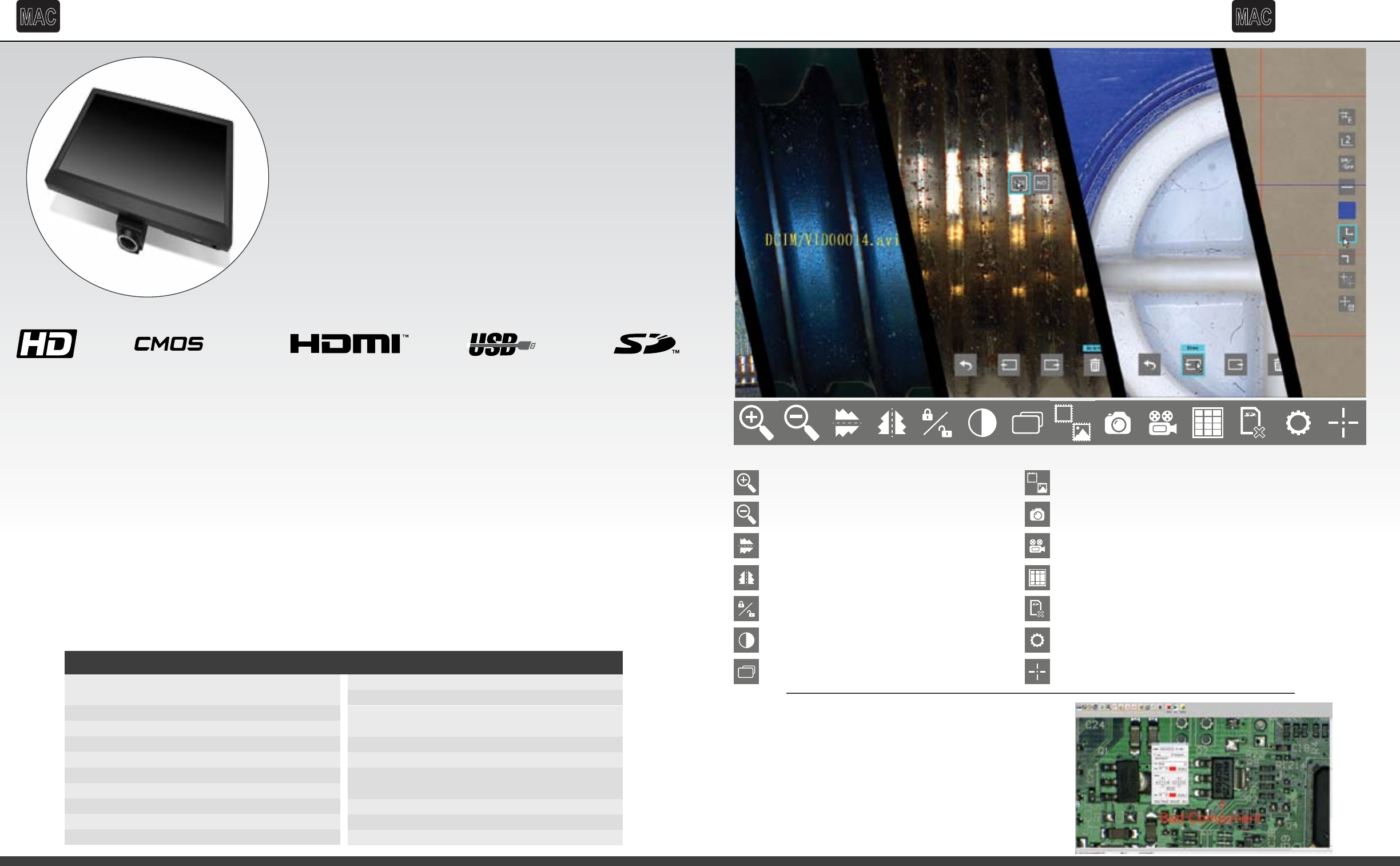
HDR
Intergrated Software With Convieniently Located Control Bar
HDR
Digital Zoom / Increase Magnification
Digital Zoom / Decrease Magnification
Flip Image Horizontal
Mirror Image Vertical
Freeze Image / Unfreeze Image Toggle
Color to Black and White Toggle
High Dynamic Range Toggle
Side-by-Side Live/Captured Image Comparison
Still Image Capture
Video Capture
Gallery / Image Preview / SD Card Management
Clear SD Card and SD Format
Settings Menu
Integrated Video Caliper and Cross-hair
With the included software you can use your USB port
to connect your camera directly to computer for large
volumes of image capture. The software is the perfect
solution for adding a simple and easy way to capture,
annotate and draw on images. Once the software is
installed you can also download eld of view measure-
ment tools for quick and easy measurement capability.
USB Software
6
7
Features
MAC3 System Specications and Optical Data
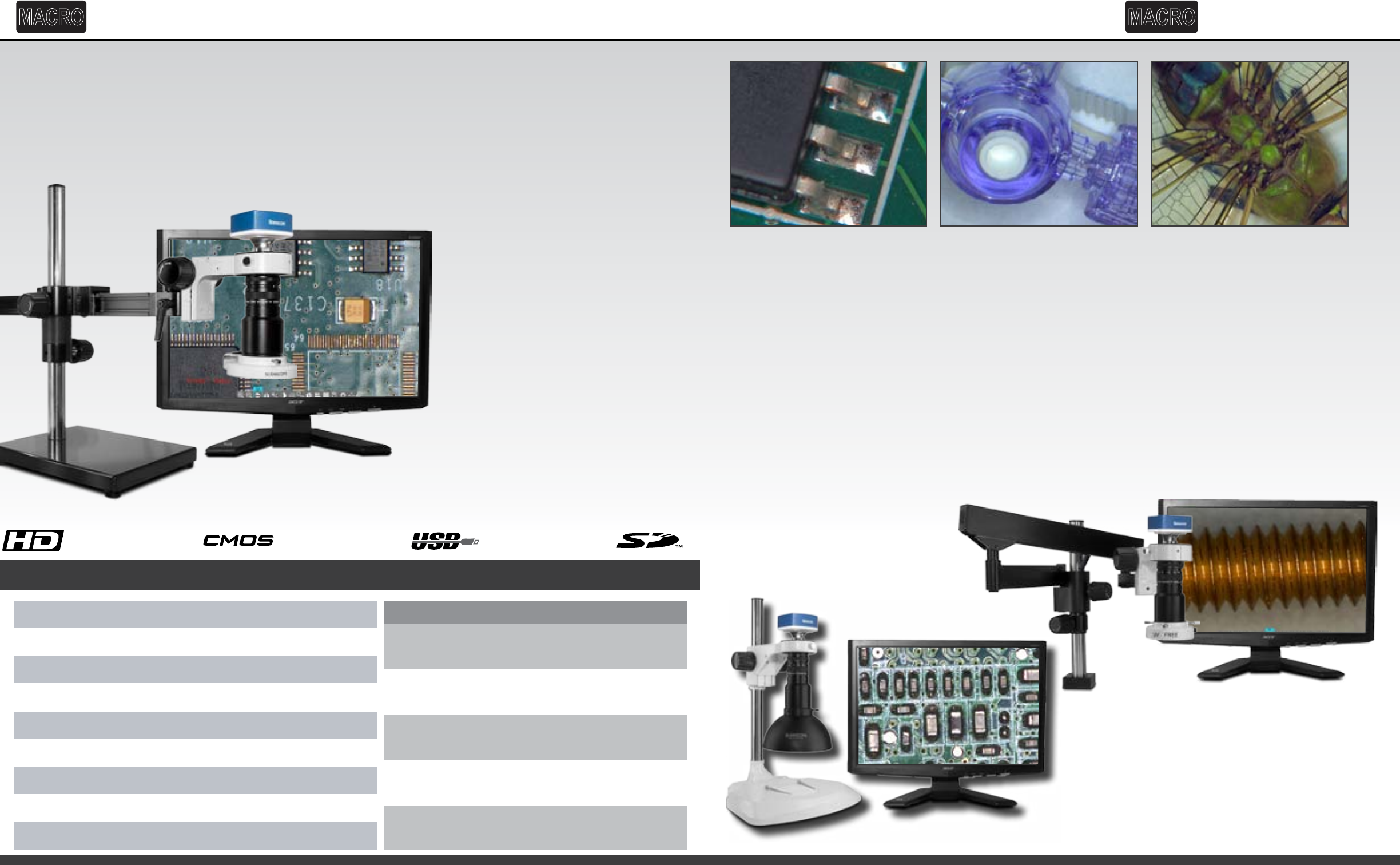
MAC3 HD w/ Post
Stand Option
MAC3 HD w/
Articulating Arm
Our industry standard Macro video/digital inspection systems now feature the powerful Versa-
Cam. The Versa-Cam can be used as a “live image” HD (1080p) camera connected to a monitor
using an HDMI cable or as a USB 2.0 camera with USB cable connected to any computer or
Windows Tablet. Now the choice between live HD monitor inspection and high resolution
USB camera capture and annotation is made at the camera…not between cameras.
Electronics
Capable of a remarkably large eld
of view or higher magnication
(Up to 90x) the Macro Systems
with Versa-CAM makes electronics
inspection a more comfortable
and ecient process. If you need
to document your work, images
or video can be captured with
one click of the mouse and stored
to a removable SD card. For high
volumes of documentation use
the USB port to capture images
with your computer.
Medical Devices
Whether you are inspecting
catheters, stents, pacemakers
or surgical implements, medical
devices require 100% inspection
with the utmost possible scrutiny.
Inspect, document, and compare
with ease and condence. Use the
integrated side-by-side capture
to live image comparison feature
to be certain that what you are
seeing is a defect.
Macro Documentation
Macro photography is extreme
close-up photography, usually
of very small subjects, in which
the size of the subject in the
photograph is greater than
life size. The Macro Systems
with Versa-CAM makes macro
biological or industrial image
capture and observation simple.
With easy to control optics,
lighting, and camera functions
macro photography for education
or industry is a snap.
Overview
Iris Control Manual
ManualFocus control
Camera Mount
C-Mount
Sensor Type ½.5” CMOS
Resoluon
1080p HD @ 60fps
Working Distance 4.5” to 12”
FOV 33.75mm to 4.75mm (Variable depending on WD)
Magnificaon 7.75x to 60x (Variable depending on WD)
Opcs Macro Zoom
Working Distance
5.5” WD
7” WD
8” WD
9” WD
10” WD
MAG FOV
Low 9x 54mm
High 42x 12mm
Low 10x 48mm
High 47x 10.5mm
Low 11.5x 43mm
High 55x 9.5mm
Low 13x 34mm
Low 20x 23mm
High 64x 8mm
High 90x 5mm
Select from a
variety of stands
and lighting
for the system
that best ts
your needs. See
precongured
packages on
page 19.
• Integrated operating system
• Image and Video capture to SD or via USB
• Split-Screen live image/captured image comparison
• Image gallery and image/video preview and playback
• Vertical and horizontal line generators with 8 presets
• Onscreen mouse-controlled video settings
• Digital image sharpening and frame averaging
• Auto White balance
• Auto shutter and brightness
• 23” LCD monitor
• 1 USB 2.0 ports
MACRO
with Versa-Cam Systems
MACRO
with Versa-Cam Systems