00196416-01_IM_OIS_SIS 7.0_DE EN.pdf - 第20页
Installationsanleitung OIS Client, OI S Server, SIS Server Version 7.0 Installation Manual ¾ Click Browse... if you want to choose an other in stallation directory for the database. ¾ Enter the starting file size for the…
OIS Client, OIS Server, SIS Server Version 7.0 Installationsanleitung
Installation manual
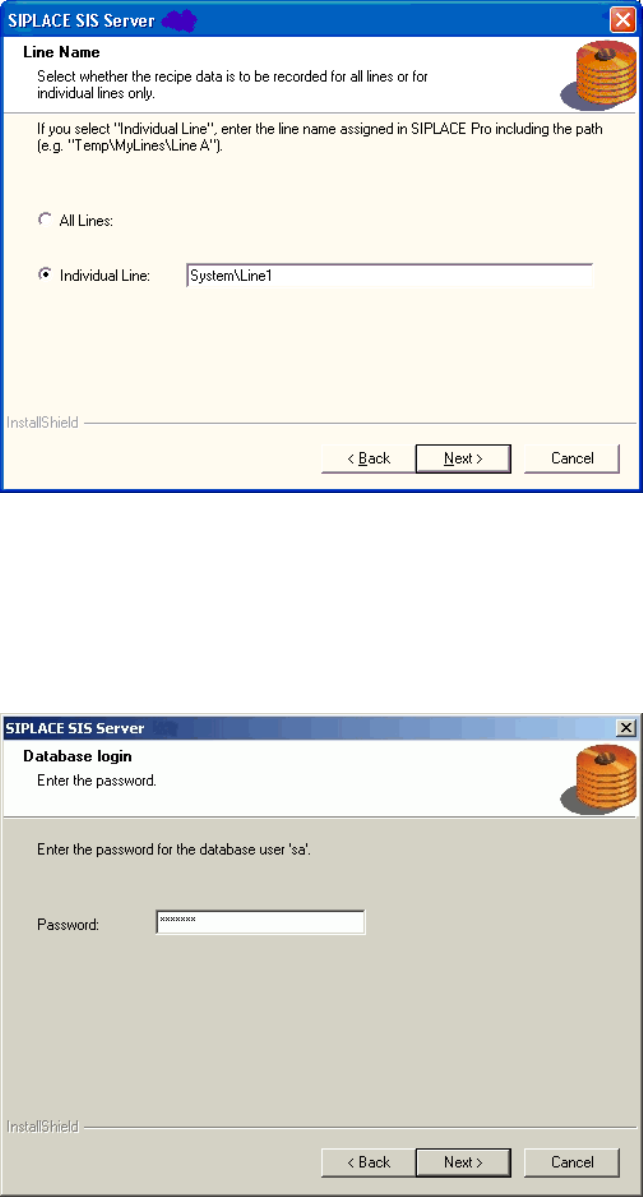
¾ Specify whether SIPLACE SIS is to record the specified recipe and setup data for all the lines
connected to SIPLACE Pro or for a specific line.
¾ If SIPLACE SIS is only to record the data for a particular line, enter the name of the required line and
the path exactly as it is written in SIPLACE Pro, e.g. System\Line1.
¾ Continue by clicking the Next> button.
The installation routine must log in to the SQL-Server as system administrator (sa) in order to set up or
update the database schema.
¾ Enter the system administrator password.
¾ Continue by clicking the Next> button. If you don't yet have a database, you'll see the following
dialog:
19 von 50
Installationsanleitung OIS Client, OIS Server, SIS Server Version 7.0
Installation Manual
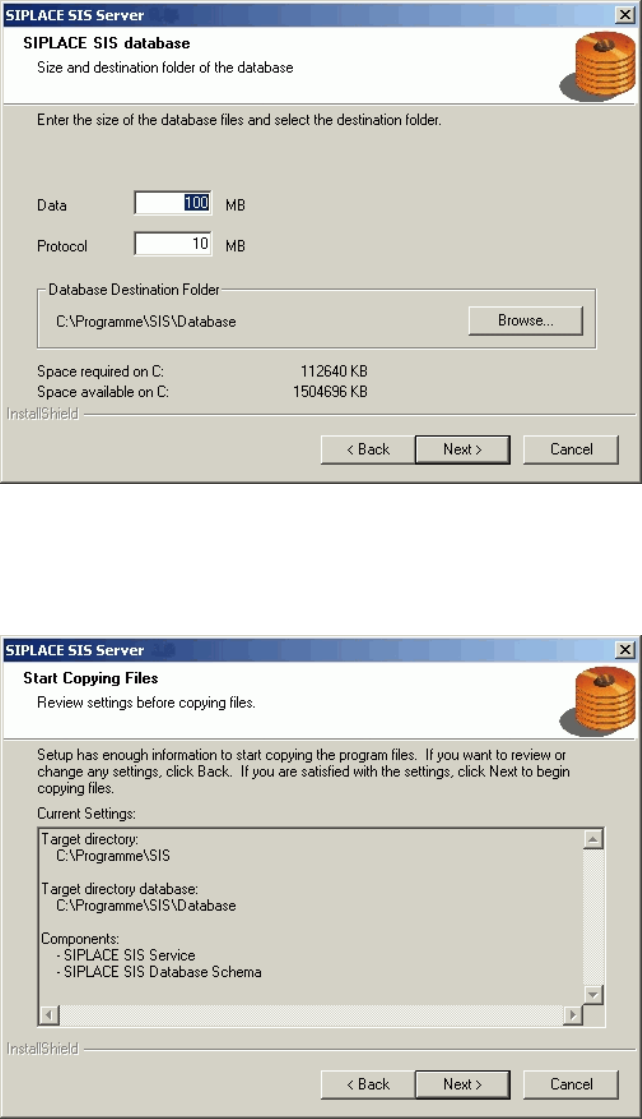
¾ Click Browse... if you want to choose another installation directory for the database.
¾ Enter the starting file size for the database files. The default values are generally acceptable, and the
files are allowed to grow as your database expands.
¾ Continue by clicking the Next> button.
This shows a summary of the settings and entries you have made so far.
¾ Check the settings.
¾ Click Next > to start the actual installation process.
¾ If you wish to change your entries, click < Back to return to the appropriate dialog.
The software is then installed.
¾ Continue with section
3.2.5 on page 21.
20 von 50
OIS Client, OIS Server, SIS Server Version 7.0 Installationsanleitung
Installation manual
3.2.5 Finishing the installation
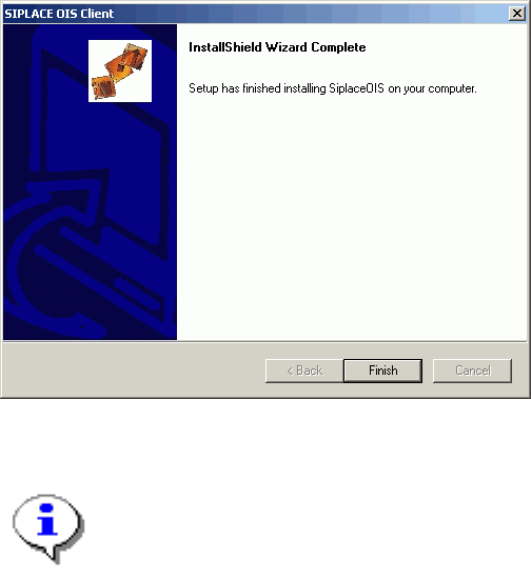
Once the installation process has been completed, the following dialog box appears.
¾ Click Finish to close the setup.
Note:
If this dialog box suggests rebooting the computer, you should do so, as the installation is only
completed after a reboot.
21 von 50