00196416-01_IM_OIS_SIS 7.0_DE EN.pdf - 第6页
Installationsanleitung OIS Client, OI S Server, SIS Server Version 7.0 Installation Manual 3 Installation ¾ Prepare your computer with Support Media DVD b efore starting the installation. 3.1 Star ting the Installation ¾…
OIS Client, OIS Server, SIS Server Version 7.0 Installationsanleitung
Installation manual
2 Prerequisites
2.1 OIS/SIS Server
• One of the following preferred operating systems:
• Windows Server 2008
• Windows Server 2003 with SP1 or SP2 or R2
• The hard disk must have at least 200 MB of free memory.
• One of the following Microsoft SQL Server versions:
• Microsoft SQL Server 2008/Express Edition
• Microsoft SQL Server 2005 (Version 9.0) with SP2/Express Edition SP2
• Microsoft SQL Server 2000 (Version 8.0) with SP4/MSDE SP4
• DVD-ROM drive
• SIPLACE Pro V4.1 or higher
• TimeSync must be installed.
2.2 OIS Client
• The preferred operating system:
• Windows XP Professional with SP2 or SP3
• Windows Vista (with or without SP1)
• Internet Explorer 4.01 SP2 or later must be installed.
• The hard disk must have at least 20 MB of free memory.
• When the system is used on a SIPLACE machine, the station computer must have at least 128 MB
of main memory.
• An OIS Server must already be installed.
• The installed OIS Server has the same or a higher version as OIS Client.
Note: OIS Client is not compatible with OIS Server with an older version.
• You must know the TCP/IP address or the UNC name (e.g. \\server-name) of the OIS Server.
• A compatible version of the station software must be installed.
• A network connection to the OIS Server is available.
• TimeSync must be installed.
5 von 50
Installationsanleitung OIS Client, OIS Server, SIS Server Version 7.0
Installation Manual
3 Installation
¾ Prepare your computer with Support Media DVD before starting the installation.
3.1 Starting the Installation
¾ Start Windows.
¾ Log in with administrative permissions.
¾ Put the CD-ROM in the drive.
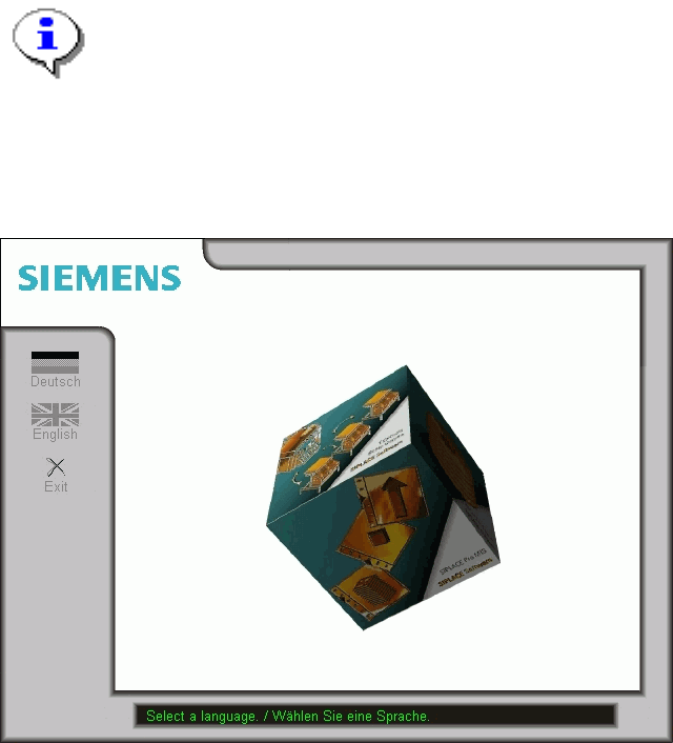
After a few seconds, the CD browser will be started automatically.
Note:
If the CD browser does not start automatically, manually start the Start.exe program from the
root directory of the CD-ROM.
The CD browser provides support as you install the individual software packages.
¾ Select a language to enter the main view of the CD browser.
6 von 50
OIS Client, OIS Server, SIS Server Version 7.0 Installationsanleitung
Installation manual
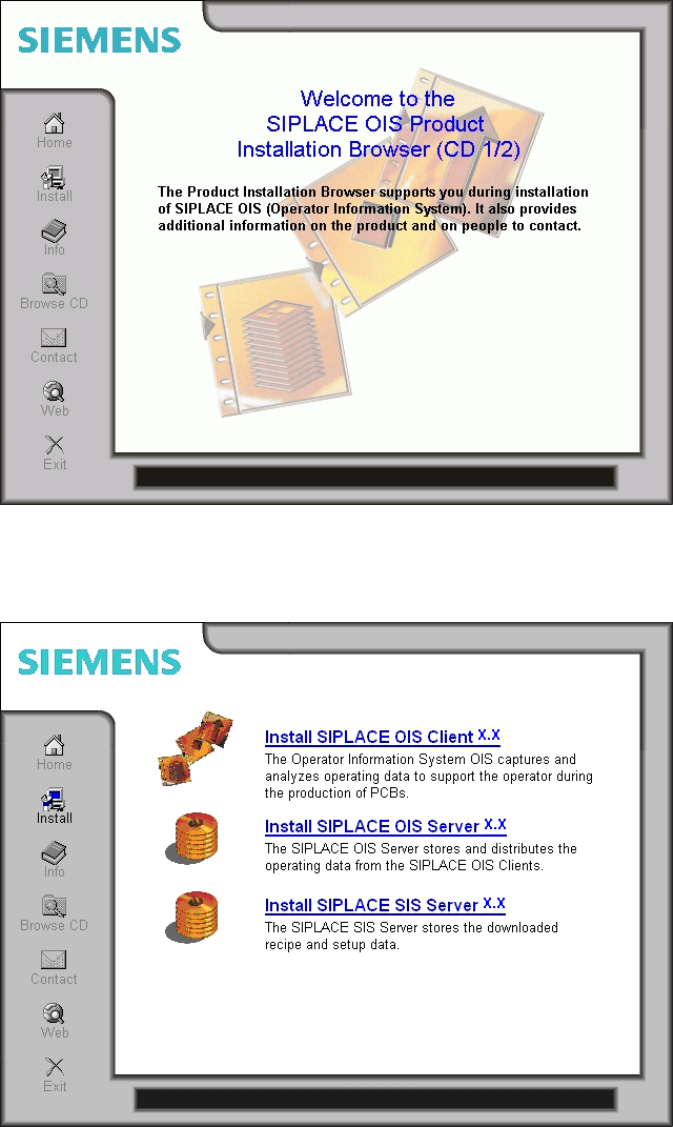
The following dialog is opened. Here you find additional menus that help you to complete the installation.
¾ Select e.g. Web to establish a connection to our Internet presence.
¾ Select Install to display the range of different setup programs.
¾ Select the program you want to install.
7 von 50