A700000009046784.pdf - 第10页
10 Stick feeder The IC stick feeders allow t he feeding of integrated circui ts of various sizes directl y from the sticks. Insertion of IC stick s: Remove t he Feeder f rom the assembling desk, put it backside on a flat…
9
Reel holders
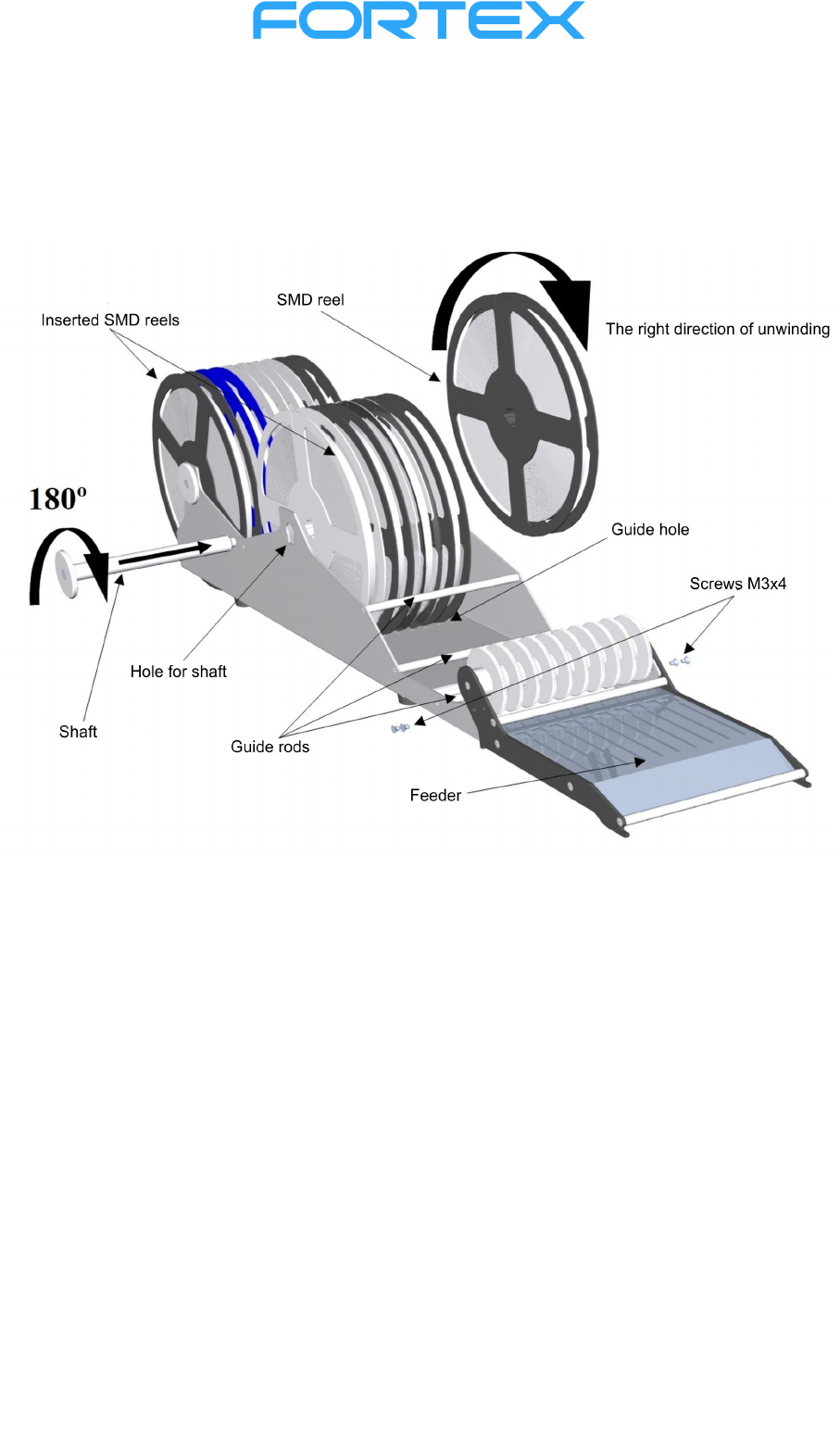
A reel holder, which enhances the comfort of assembling, can be attached to the tape feeder. Mount
the Feeder using the M3x4 screws included in the delivery!
You can add or replace SMD reels in any phase of assembling. By default, two pieces (one pair) of
reel holders are sold as an accessory to MPP1
Reel replacement - turn the shaft so that the safety pin gets into the cut - out and then take
out the shaft. Insert the reels to the guide hole of holder. Be careful about correct direction
of tape unwinding from the reel. Insert the shaft through the shaft hole and slide it over the
reels till it fits into the smaller hole in the sidewall on the other side. After moving the safety
pin through the cut - out, turn the shaft by 180º. This lifts the reels and secures the shaft
against ejection. The tapes must always be dragged under the guide bars!
10
Stick feeder
The IC stick feeders allow the feeding of integrated circuits of various sizes directly from the sticks.
Insertion of IC sticks:
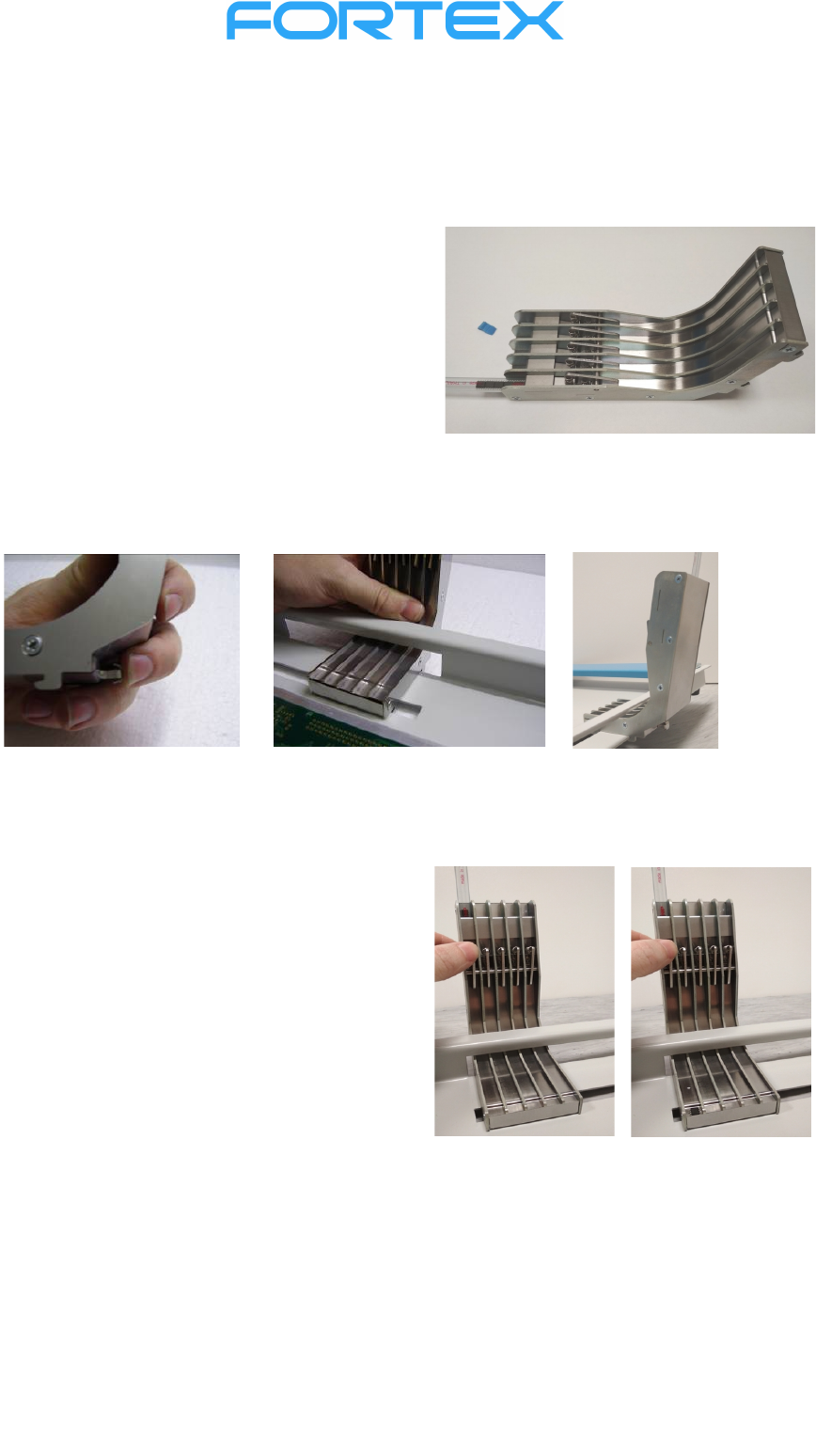
Remove the Feeder from the assembling desk, put it
backside on a flat horizontal surface. Take out the
safety latch from one end of the stick so that the
integrated circuits do not spill out. Slide this end
under the flexible holder as far as it goes. Repeat the
procedure for the required number of positions.
Holding teeth and the safety hook are used to fix the stick feeders to the assembling desk. Press the
safety hook as far as it goes. Insert the stick feeder (along with the sticks) through the rear opening and
insert both front and rear teeth under the metal plate. Release the safety hook to fix the feeder. Make
sure it is fixed properly.
Feeding of the ICs:
Press the pinch pad of the dosing mechanism in
the requested channel. One piece of the IC will slip
from the dosing mechanism to the picking position,
from where it can be easily picked up using a
respective needle or a suction cup.
If any of the sticks is emptied and you do not want
to remove the entire feeder, you can carefully
overfill integrated circuits from the full tube to the
empty one.
11
Dispensing head
Dispensing head allows convenient dosing of glue or solder paste from a 5 or 10 ml cartridge.
However, it is necessary to purchase a suitable dispenser.
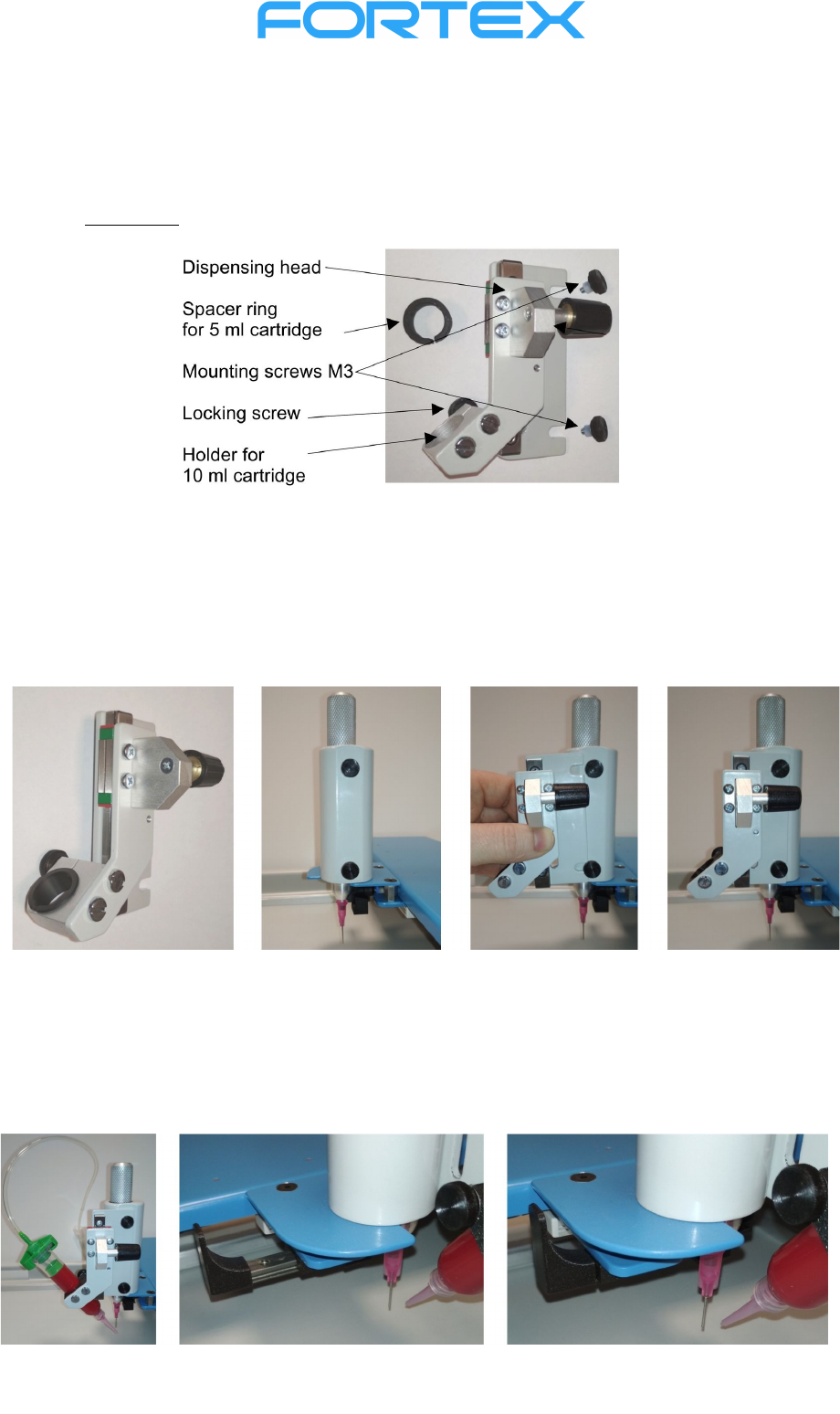
Description:
Mounting of the dispensing head
Screw the M3 mounting screws into the holes on the assembling head. Insert the dispensing head as
far as it goes under the M3 mounting screws heads. Tighten the M3 mounting screws.
Insert the 10 ml cartridge into the holder so that the end of the dispensing nozzle is at the same height
as the end of the assembling needle. (For a 5 ml cartridge, also insert the spacer ring into the holder.)
Fix the cartridge position by a safety screw. Move the CCD camera to the front position so that the
dispensing nozzle is located in the center of the screen. Connect the hose into the dispenser (not
included).
Placement of the PCB on the assembling desk