TX系列贴片机机台半年保养手册.pdf - 第43页
13 WF 3 TX-Series Maintenance Check / replace the vacuum pump filter disk 4 min 1 / 2 C A U T I O N ! R e f e r t o s a f e t y i n s t r u c t i o n s i n u s e r m a n u a l b e f o r e c o m m e n c i n g M a i n t …
12 WF 3 TX-Series Maintenance Maintain the tape cutter 15 min 4 / 4
CAUTION! Refer to safety instructions in user manual before commencing Maintenance
Machine Status OFF Conveyor Empty
NOTICE! ESD guidelines are to be followed Tool:
T31, T34, T56, T89, T90
Wear Part: Consumables:
C03, C26, C31, C49
www.asm-smt.com
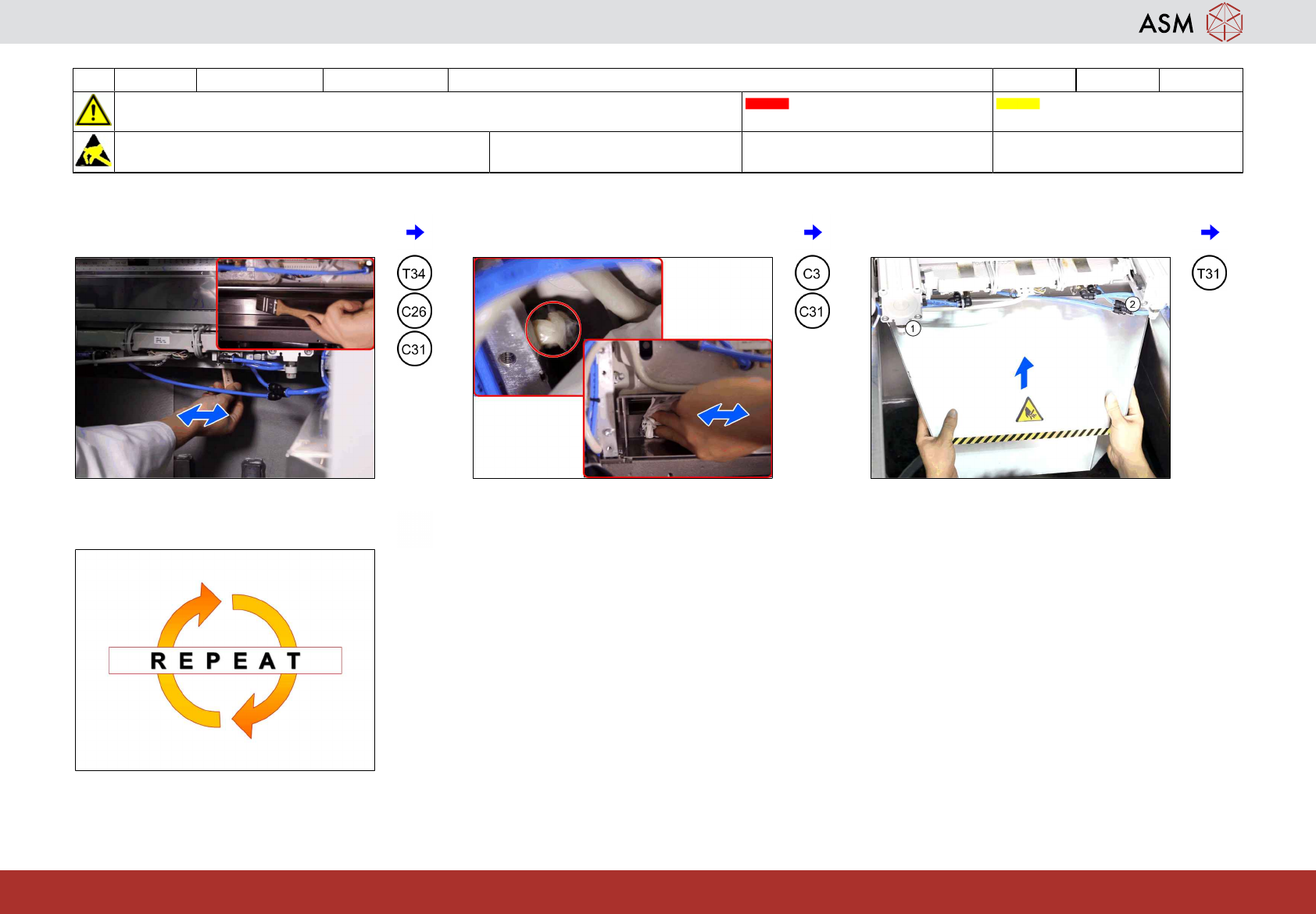
19 Distribute the grease to the fixing blade
over the whole length.
20 Remove any excess grease from both
sides of the blade.
21 Return the waste slide and fasten the
screws on both sides (1 and 2).
22 Repeat all steps on the other tape cutter.
13 WF 3 TX-Series Maintenance Check / replace the vacuum pump filter disk 4 min 1 / 2
CAUTION! Refer to safety instructions in user manual before commencing Maintenance
Machine Status OFF Conveyor Empty
NOTICE! ESD guidelines are to be followed Tool:
T86
Wear Part:
W31
Consumables:
C19
www.asm-smt.com
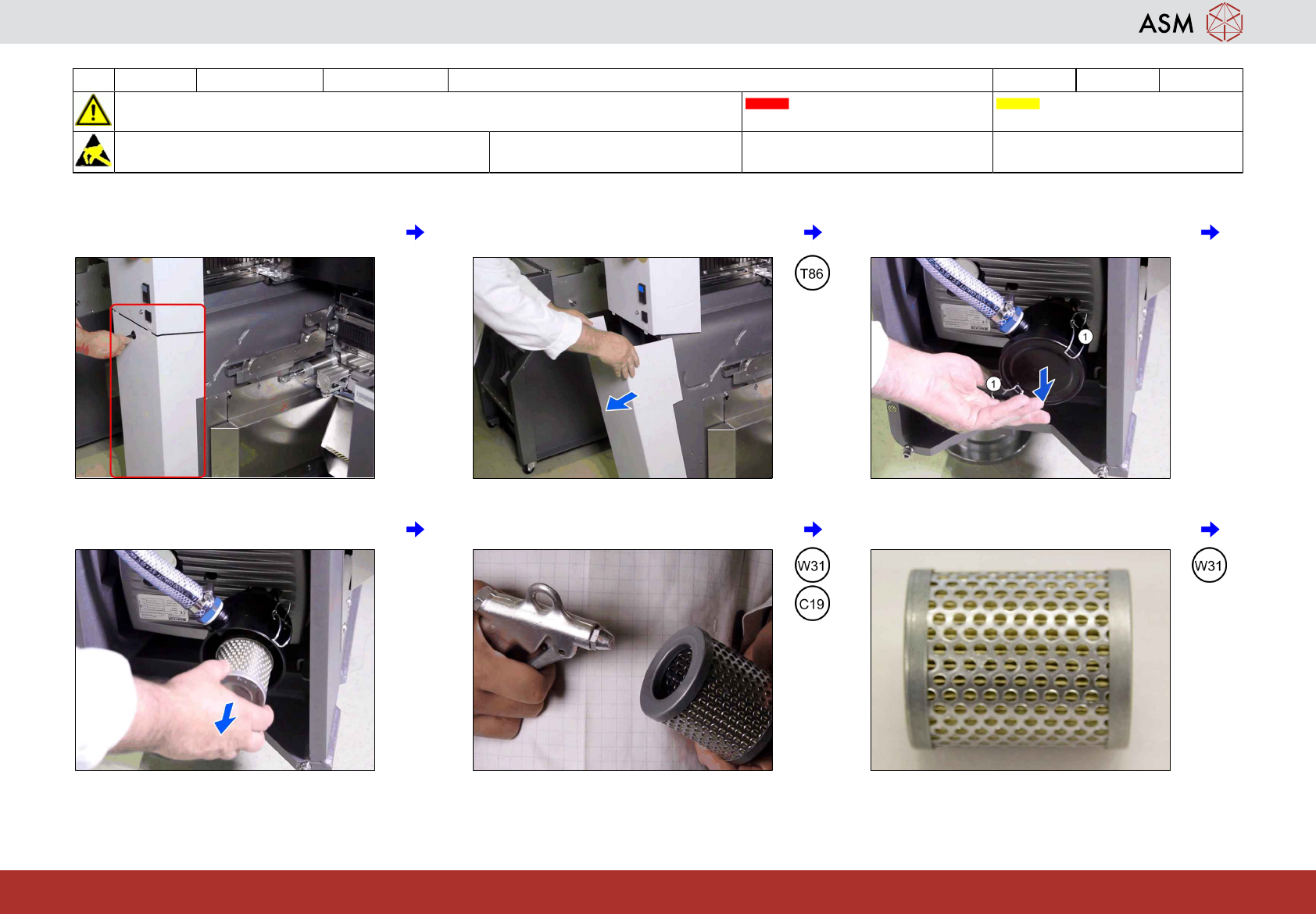
1 Location of the vacuum pump. 2 Open and remove the panel. 3 Open the edgewise retaining clamp (1)
and remove the cap.
4 Remove the vacuum filter. 5 Clean the vacuum filter. 6 If OK go to step 8.
13 WF 3 TX-Series Maintenance Check / replace the vacuum pump filter disk 4 min 2 / 2
CAUTION! Refer to safety instructions in user manual before commencing Maintenance
Machine Status OFF Conveyor Empty
NOTICE! ESD guidelines are to be followed Tool:
T86
Wear Part:
W31
Consumables:
C19
www.asm-smt.com
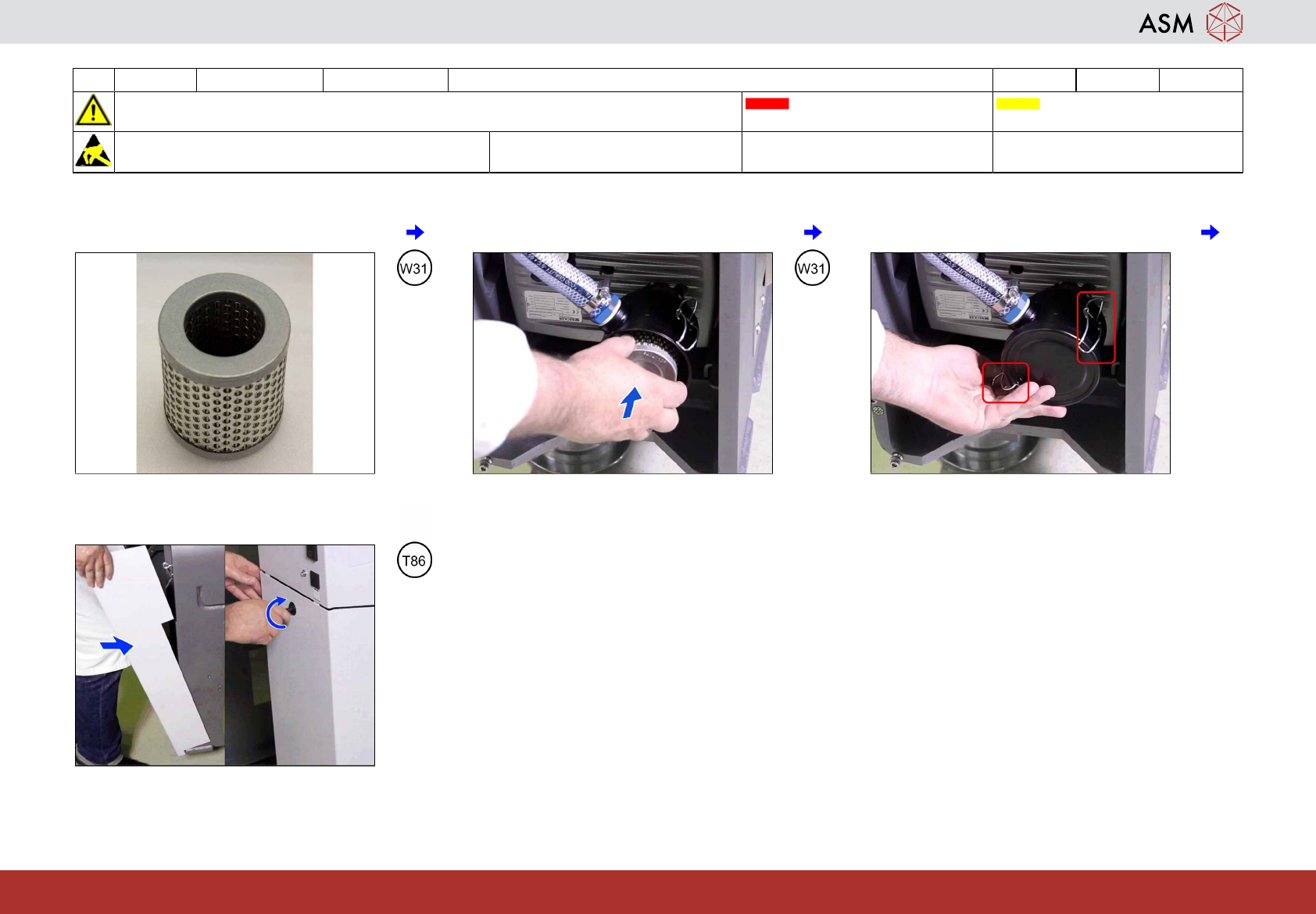
7 If NOT OK exchange the filter. 8 Return the vacuum filter. 9 Lock the edgewise retaining clamp.
10 Close the panel.