00196283_Install_WinXP_unattended_CD.pdf - 第18页
Installation Manual for Windows XP (unattended setup) CD V3.0 02/2011 US+DE Installationsanleitung für Windows XP (unattended setup) CD V3.0 18 5.7 Backup and Restore for existing st ation configuration data The configur…
Installation Manual for Windows XP (unattended setup) CD V3.0 02/2011 US+DE
Installationsanleitung für Windows XP (unattended setup) CD V3.0
17
5.6 Checking the hardware requirements
With the information from the previous dialog, a hardware check will start. If there is something wrong,
an error message will appear, but the installation will not stop.
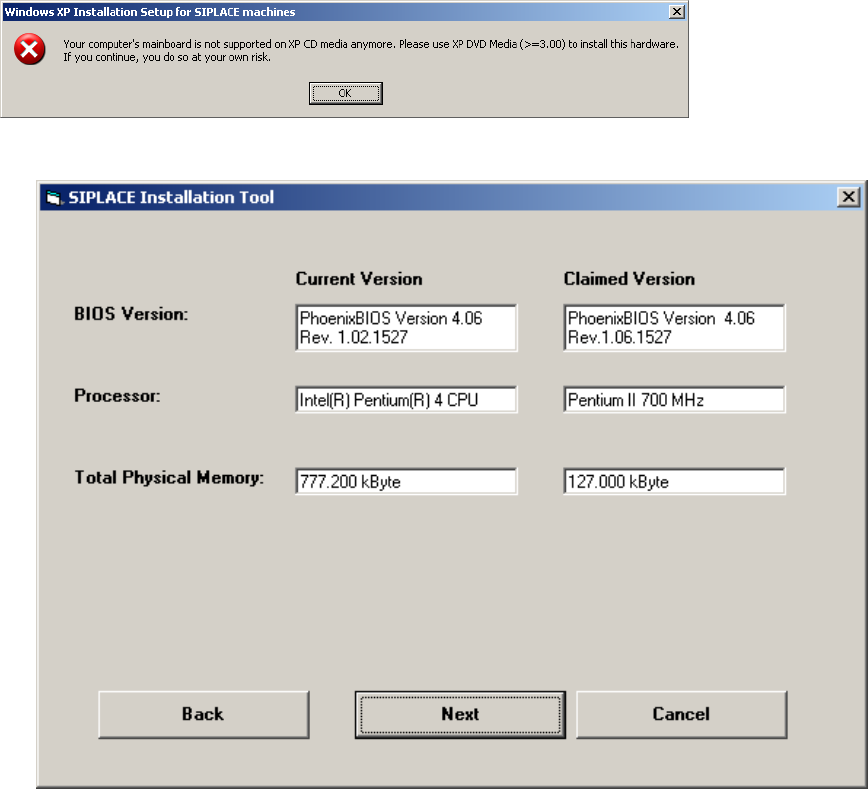
If the system is not anymore supported by this CD version (see Chapter 4.1) the following error
message will appear, so please the DVD Media V3.0 or later to install the system.
This is the Hardware Information Screen:
Fig. 5-5: Display of the hardware information (example)
→ Click the Next button.
Installation Manual for Windows XP (unattended setup) CD V3.0 02/2011 US+DE
Installationsanleitung für Windows XP (unattended setup) CD V3.0
18
5.7 Backup and Restore for existing station configuration data
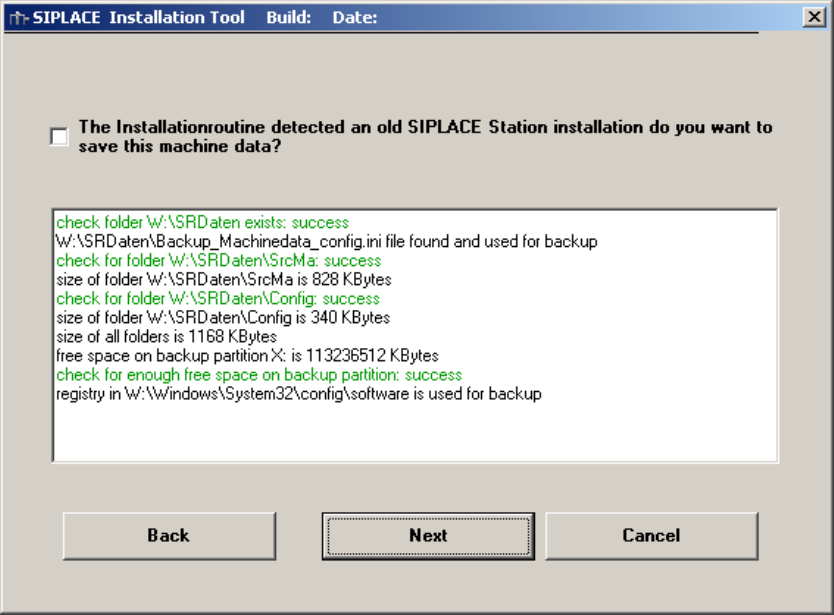
The configuration data backup screen is only available if an existing installation is found and the “Station
Computer” option is selected.
Enabling the checkbox the configuration data will be backed up and restored to the new windows
installation.
Prerequisites:
- previous installation exists
- extended partition exists
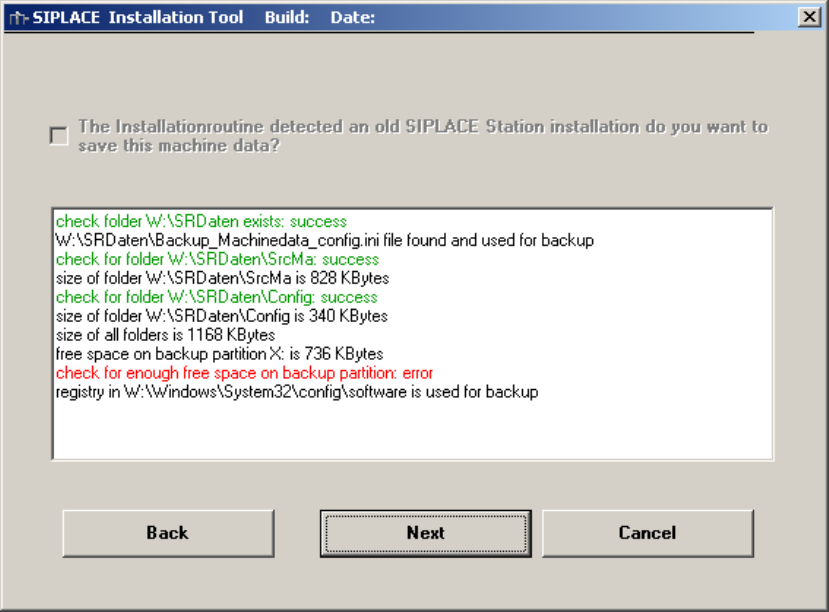
- enough free disk space is available on extended partition
The prerequisites are analyzed and if a problem is found this are marked in red.
Fig. 5-6:Configuration Data Backup, Analyze OK
Installation Manual for Windows XP (unattended setup) CD V3.0 02/2011 US+DE
Installationsanleitung für Windows XP (unattended setup) CD V3.0
19
Fig. 5-7:Configuration Data Backup, Analyze found a problem