00196283_Install_WinXP_unattended_CD.pdf - 第19页
Installation Manual for Windows XP (unattended setup) CD V3.0 02/2011 US+DE Installationsanleitung für Windows XP (unattended setup) CD V3.0 19 Fig. 5-7:Configuration Data Backup, Analyze f ound a problem
Installation Manual for Windows XP (unattended setup) CD V3.0 02/2011 US+DE
Installationsanleitung für Windows XP (unattended setup) CD V3.0
18
5.7 Backup and Restore for existing station configuration data
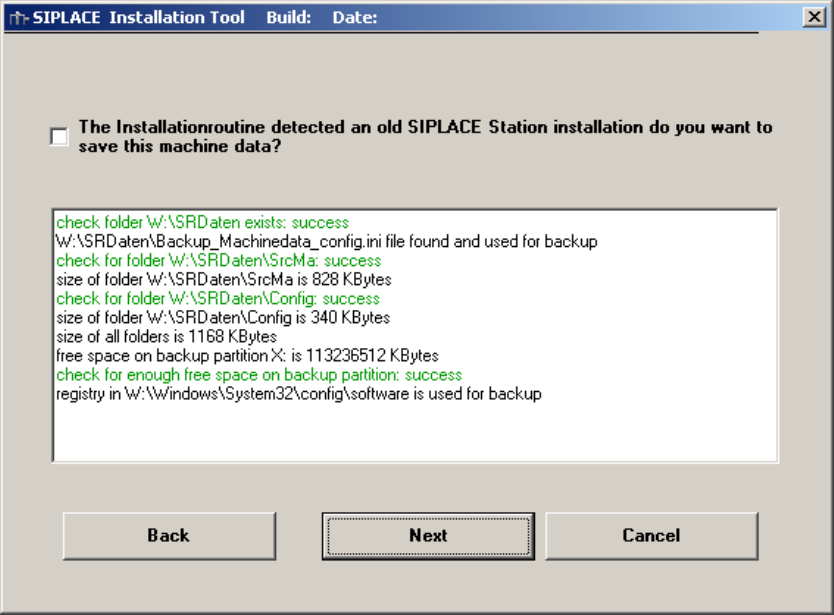
The configuration data backup screen is only available if an existing installation is found and the “Station
Computer” option is selected.
Enabling the checkbox the configuration data will be backed up and restored to the new windows
installation.
Prerequisites:
- previous installation exists
- extended partition exists
- enough free disk space is available on extended partition
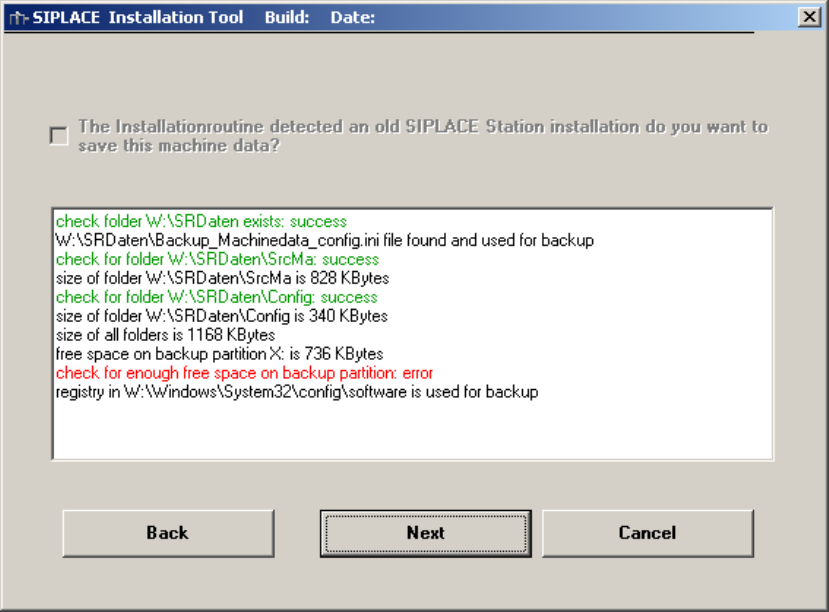
The prerequisites are analyzed and if a problem is found this are marked in red.
Fig. 5-6:Configuration Data Backup, Analyze OK
Installation Manual for Windows XP (unattended setup) CD V3.0 02/2011 US+DE
Installationsanleitung für Windows XP (unattended setup) CD V3.0
19
Fig. 5-7:Configuration Data Backup, Analyze found a problem
Installation Manual for Windows XP (unattended setup) CD V3.0 02/2011 US+DE
Installationsanleitung für Windows XP (unattended setup) CD V3.0
20
5.8 Windows XP Professional Licensing
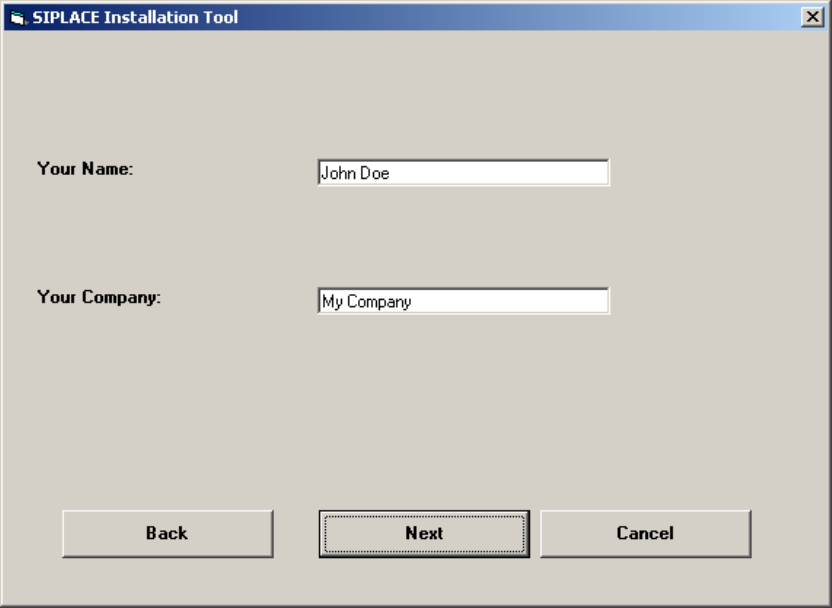
In the following setup steps you have to enter all necessary parameters for the installation and
configuration of Windows XP Professional, because this Windows XP version is a special version for
SIPLACE.
Fig. 5-8: Licensing
→ Please enter the user name (not the administrator name).
→ Please enter the name of your Company.
→ Click the Next button.