00196283_Install_WinXP_unattended_CD.pdf - 第23页
Installation Manual for Windows XP (unattended setup) CD V3.0 02/2011 US+DE Installationsanleitung für Windows XP (unattended setup) CD V3.0 23 Fig. 5-11: Touch screen ty pes → Select the correct Ty pe . → Click the Next…
Installation Manual for Windows XP (unattended setup) CD V3.0 02/2011 US+DE
Installationsanleitung für Windows XP (unattended setup) CD V3.0
22
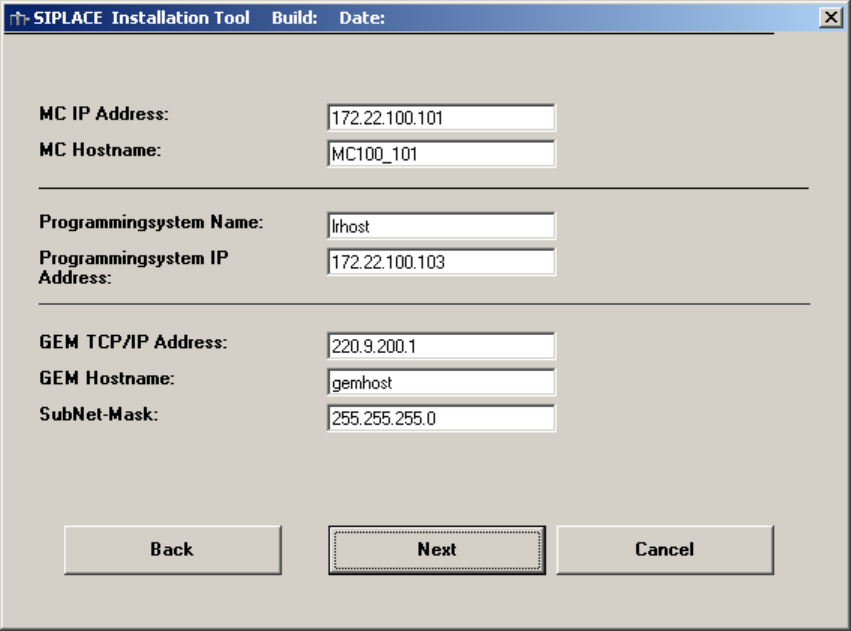
5.10 Network settings for communication partners
Here the communication partners of the station computer will be detected. You have to enter the
following data:
• MC Host name: mchost
• MC TCP/IP address: not fixed
Please use an address from the same network segment as the station computer.
• Programming system name (SIPLACE C Pro): Sipro01s01
• SIPLACE C Pro TCP/IP address: not fixed
Please use an address from the same network segment as the station computer.
• GEM Host name: gemhost
• GEM TCP/IP address: not fixed
Don’t change the default data if no GEM option installed
• GEM Sub net mask: not fixed
Don’t change the default data if no GEM option installed
Fig. 5-10: Network settings
→ Please enter the data.
→ Click the Next button.
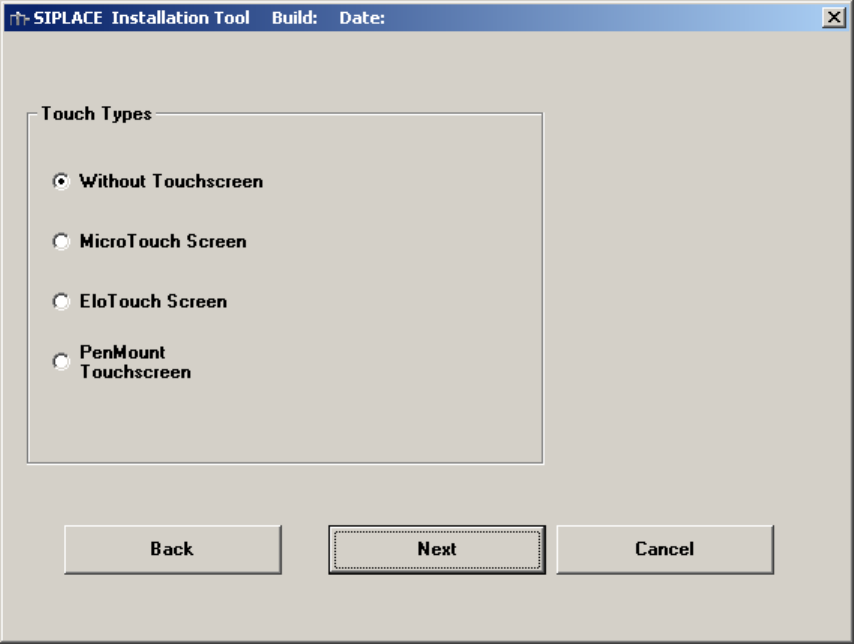
5.11 Touch screen type selection
If you selected the installation for the SIPLACE Product “station computer” you have to configure the
Touch Screen.
Installation Manual for Windows XP (unattended setup) CD V3.0 02/2011 US+DE
Installationsanleitung für Windows XP (unattended setup) CD V3.0
23
Fig. 5-11: Touch screen types
→ Select the correct Type.
→ Click the Next button.
Installation Manual for Windows XP (unattended setup) CD V3.0 02/2011 US+DE
Installationsanleitung für Windows XP (unattended setup) CD V3.0
24
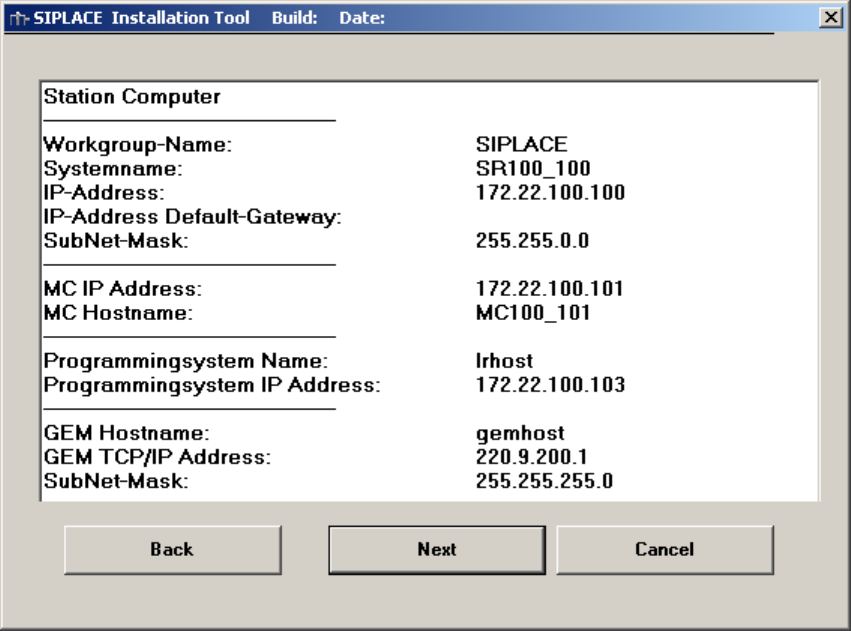
5.12 Display of the configured information
Here you will find a display with all configured network parameters (check display). You can change the
data if necessary.
Fig. 5-12: Configurations
→ Check the information.
→ Click the Next button.