00900085-04_IG_ASMProcessEngine_2.0-R18-1_EN.pdf - 第20页
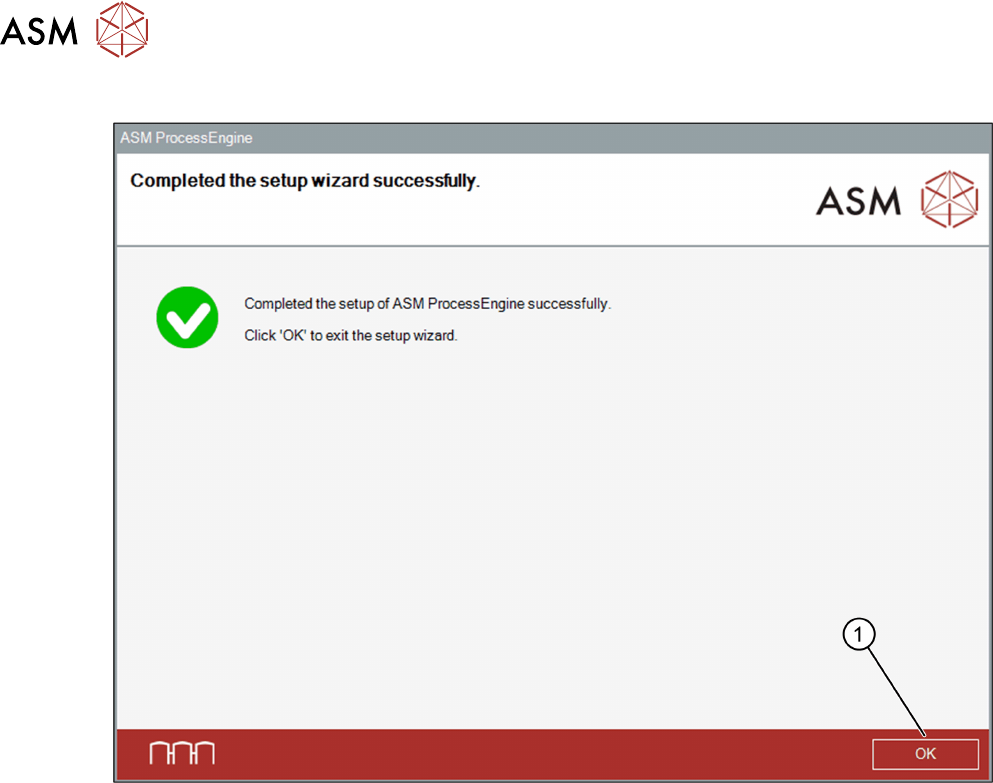
4 Installation 4.2 Installing ASM ProcessEngine 20 Installation Guide ASM ProcessEngine 2.0 (Pre-Placement) (R18-1) 10/2018 Completed… dialog box ► Click OK (1) to exit the Setup Wizard .
4 Installation
4.2 Installing ASM ProcessEngine
Installation Guide ASM ProcessEngine 2.0 (Pre-Placement) (R18-1) 10/2018 19
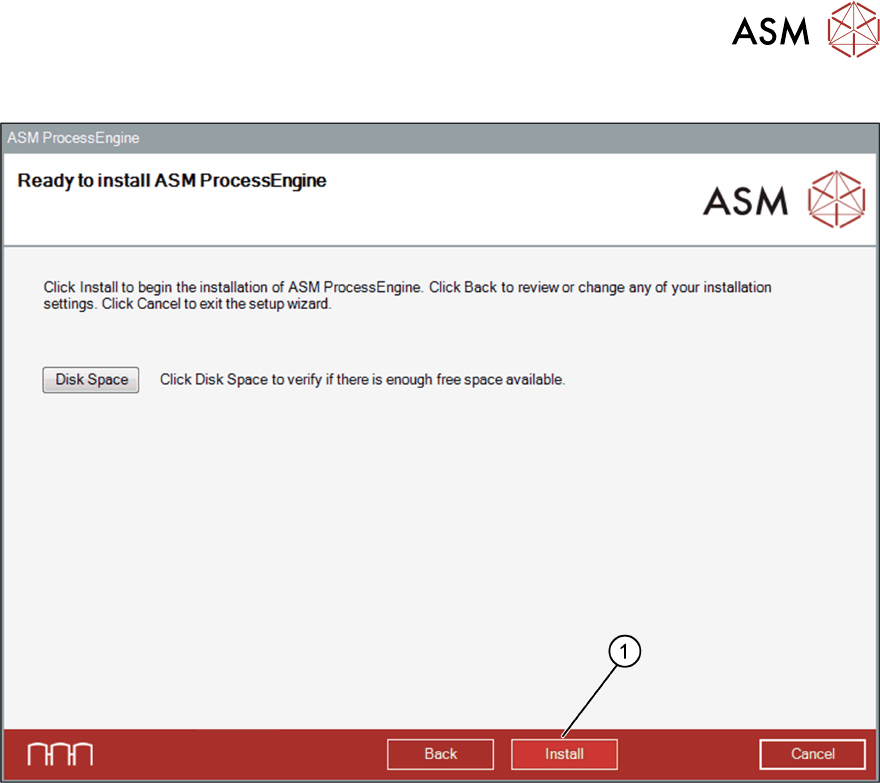
Ready to install… dialog box
► Click Install (1), to start the installation of ASM ProcessEngine.
Once the installation procedure has finished, the Completed… dialog box opens.
4 Installation
4.2 Installing ASM ProcessEngine
20 Installation Guide ASM ProcessEngine 2.0 (Pre-Placement) (R18-1) 10/2018
Completed… dialog box
► Click OK (1) to exit the Setup Wizard.
4 Installation
4.2 Installing ASM ProcessEngine
Installation Guide ASM ProcessEngine 2.0 (Pre-Placement) (R18-1) 10/2018 21
4.2.1 Restarting the Computer
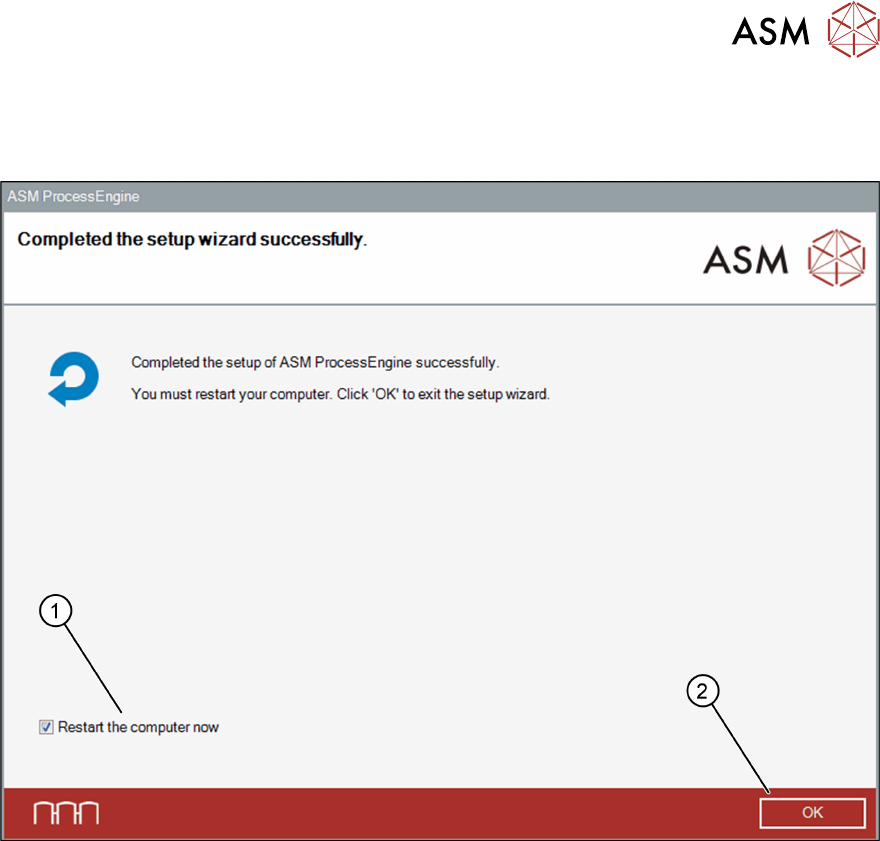
If a restart of the computer is required after the Setup Wizard has been completed, the following
dialog box opens.
The Restart the computer now checkbox (1) is selected by default.
► Click OK (2) to force a shutdown and automatically restart the computer.
Or
► Deselect the Restart the computer now checkbox (1) and click OK (2) to manually restart
the computer at a later point in time.