00900085-04_IG_ASMProcessEngine_2.0-R18-1_EN.pdf - 第23页
5 Uninstallation Installation Guide ASM ProcessEngine 2.0 (Pre-Placement) (R18-1) 10/2018 23 5 Uninstallation You can remove the ASM ProcessEngine installation with the Windows Uninstall application. ► From the Windows…
4 Installation
4.3 Starting ASM ProcessEngine
22 Installation Guide ASM ProcessEngine 2.0 (Pre-Placement) (R18-1) 10/2018
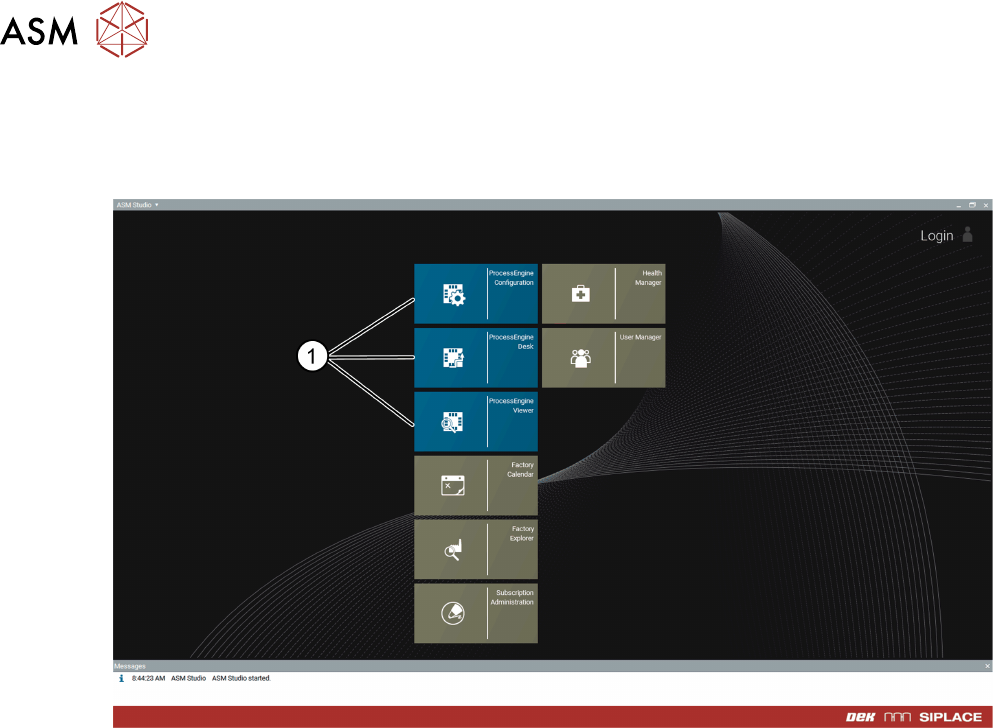
4.3 Starting ASM ProcessEngine
► Click the ASM Studio desktop icon.
ASM Studio opens and displays the installed ASM ProcessEngine modules (1).
5 Uninstallation
Installation Guide ASM ProcessEngine 2.0 (Pre-Placement) (R18-1) 10/2018 23
5 Uninstallation
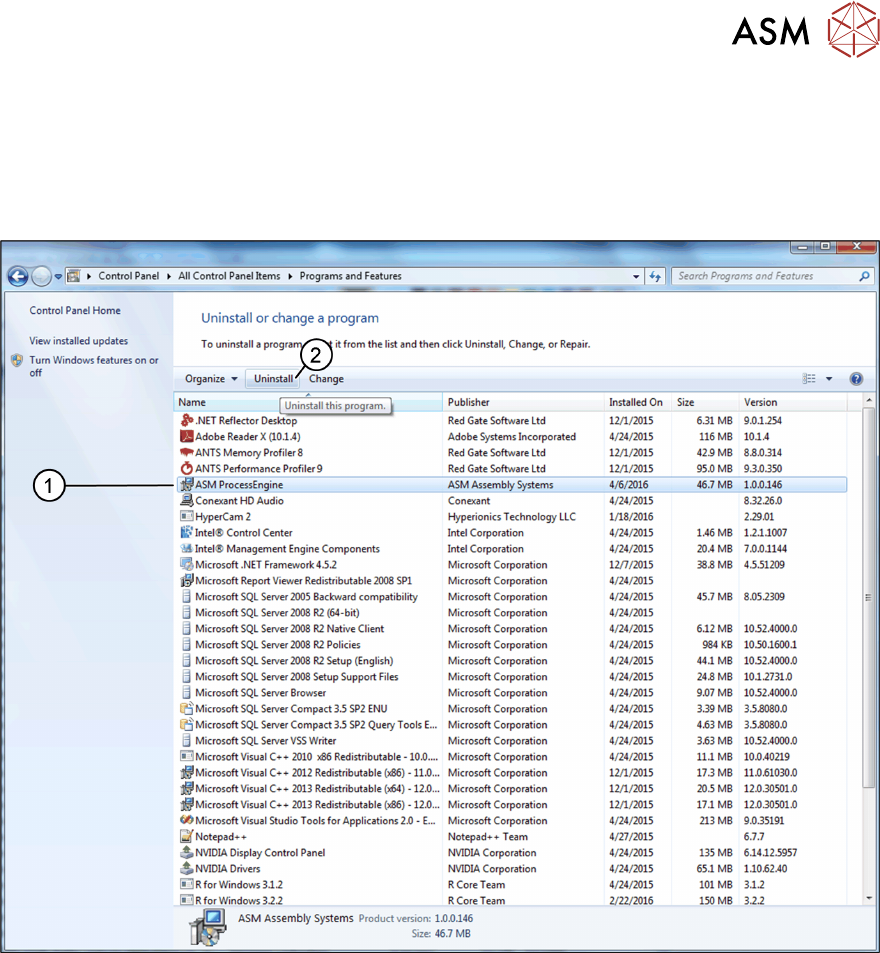
You can remove the ASM ProcessEngine installation with the Windows Uninstall application.
► From the Windows Start Menu, choose Control Panel → Programs and Features.
The Uninstall or change a program dialog box opens.
► From the list of installed programs, select ASM ProcessEngine (1).
► Click Uninstall (2).
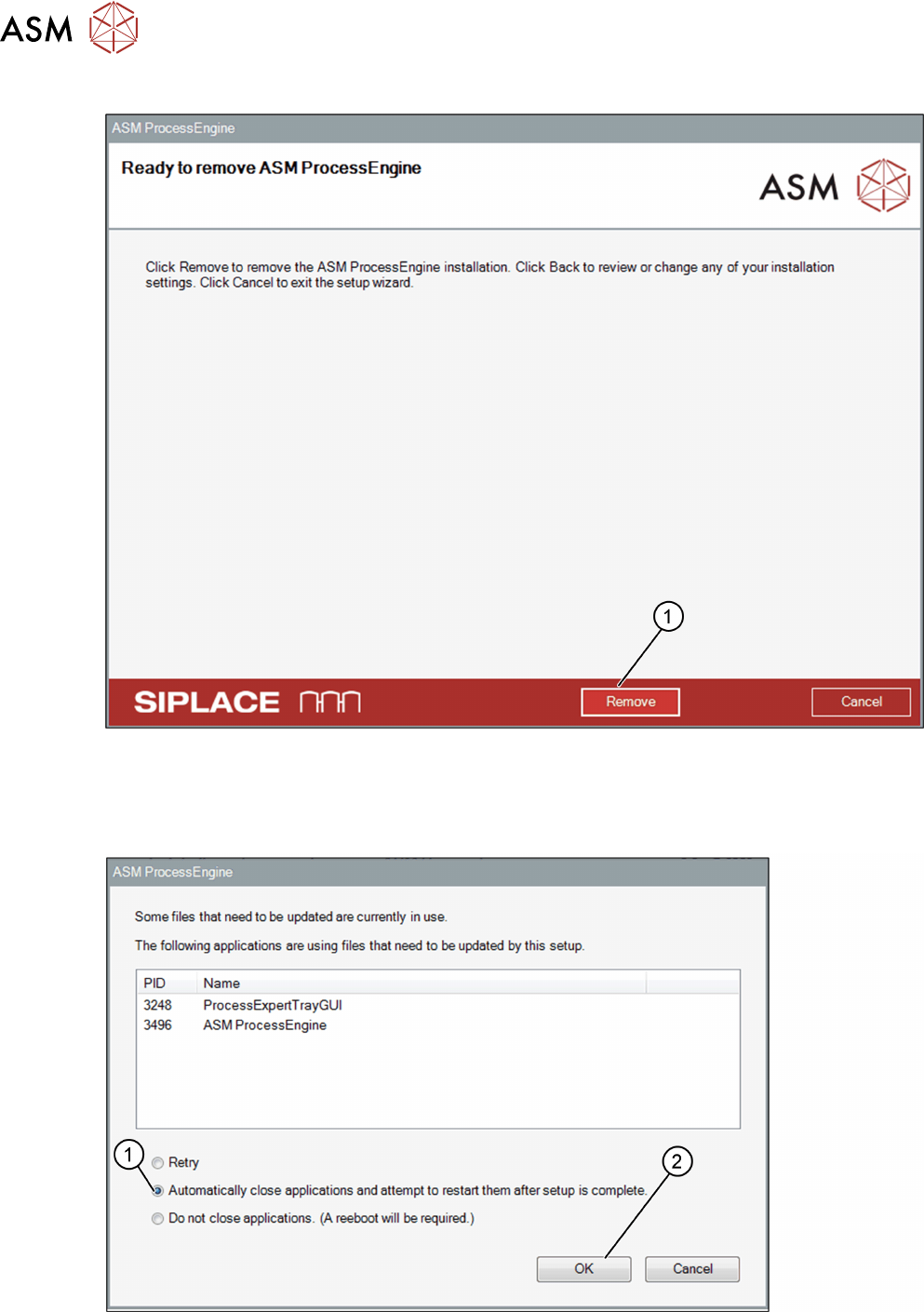
The Ready to remove ASM ProcessEngine dialog box opens.
5 Uninstallation
24 Installation Guide ASM ProcessEngine 2.0 (Pre-Placement) (R18-1) 10/2018
Ready to remove ASM ProcessEngine dialog box
► Ensure that you want to remove the ASM ProcessEngine installation.
► Click Remove (1).
The uninstallation process is being started.
A dialog box opens.
► Close the listed applications or select the Automatically close applications … option (1).
► Click OK (2) to continue the uninstallation of ASM ProcessEngine.
The progress of the uninstallation process is displayed.