196396 Iss 2 Nov 2015 - Semi Appendix Manual.pdf - 第33页
Appendix to M icron Technical Manuals APPENDIX C T echnical Reference Information
POWER UP SEQUENCE
MACHINE POWER UP SEQUENCE
Chapter Issue 4, Nov 14 Installation Manual 5.11
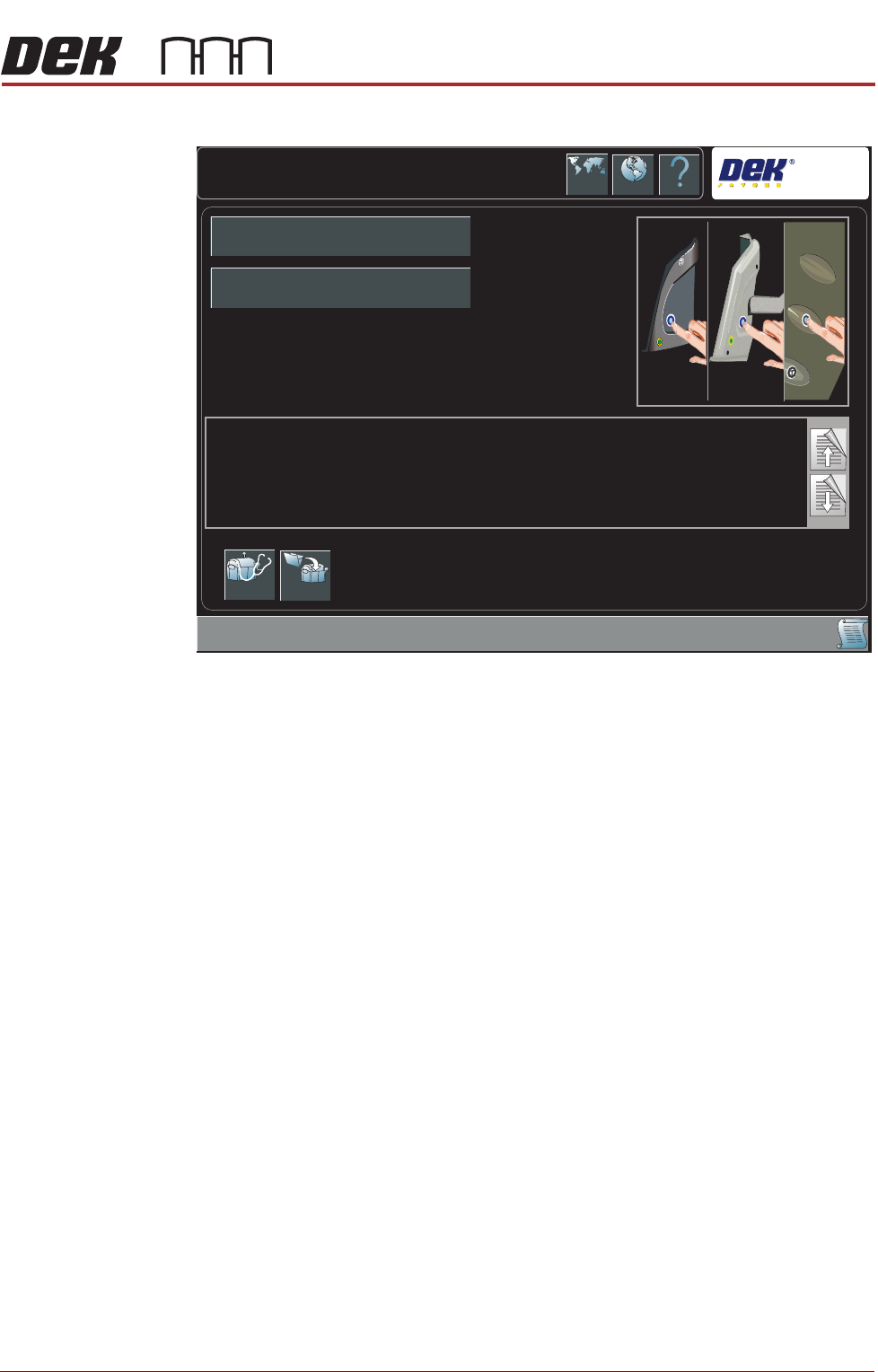
i. During the machine initialisation, the following window is displayed:
j. Press the System button.
Printhead Cover
Loop & EMO
Operation
3. Carry out the following procedure for printhead cover loop & EMO operation
check:
a. Press the EMO button.
b. Reset the EMO by turning the button clockwise until it unlatches.
c. Press the Start button to restore electrical and pnuematic power to the
machine.
d. Press the System button when prompted.
e. Open the front printhead cover. The Machine Operation Suspended -
Cover Open window is displayed.
f. Close the front printhead cover.
g. Press the System button when prompted.
System Initialisation
DEK
Press the System button on the outer cover, to initialise the machine,
OR...
Select Diagnostics - to enter the machine’s diagnostic functions,
OR...
If the current product file needs to be changed, select Load Product to load another product file.
Diagnostics Load
Product Name
Product ID

Appendix to Micron Technical Manuals
APPENDIX C
Technical Reference
Information

Appendix to Micron Technical Manuals