Galaxy EX Barcode Reader.pdf - 第10页
BARCODE READER REP ALCEMENT PROCE DURES 23. 10 Tech nic al Ref ere nce Ma nual Cha pter Is sue 3, Au g 14 The follow ing p age is dis pla yed : 4. H ighligh t the requir ed it em i n t he tab le. NO TE Th e so rt dir ec …
BARCODE READER
REPALCEMENT PROCEDURES
Chapter Issue 3, Aug 14 Technical Reference Manual 23.9
NOTE
The barcode set up is shown in code format. The code format for a
barcode of length 14 starting at character 4 would be:
###PPPPPPPPPPPPPP###
18. Select Back.
19. Select Back.
20. Select Back.
Use the documentation supplied with the reader to setup the language,
keyboard format and barcode symbology.
Barcode Start
Character and
Name Length
A barcode may consist of many types of information, setting the start character
and the name length allows only part of the barcode to be considered whilst
ignoring the rest.
The start character is the numerical position in the barcode from which to start,
ignoring any previous characters.
The name length is the amount of characters to be considered, beginning with
the start character.
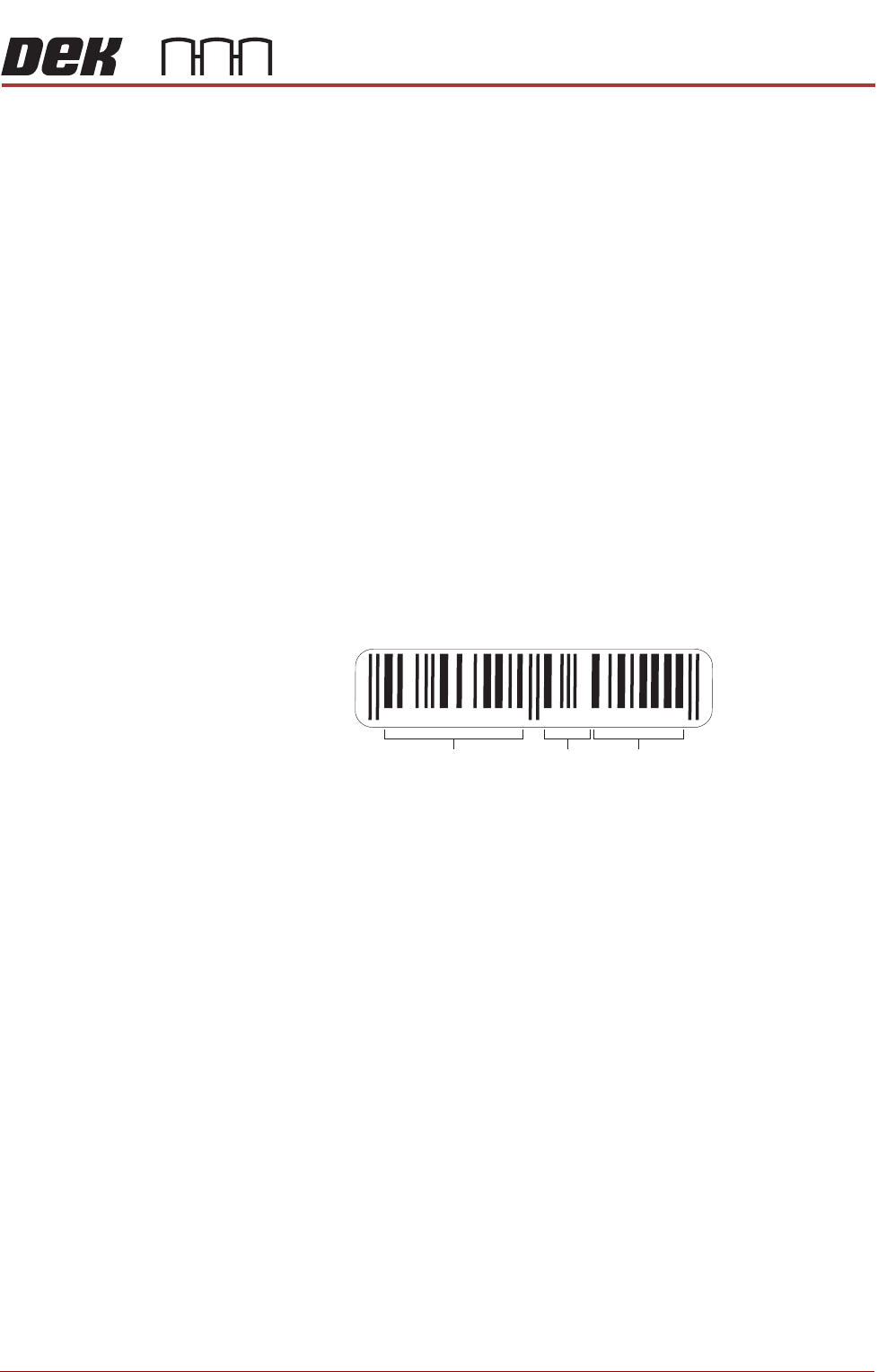
In the following example, the barcode is made up of the product type, batch
number and date code:
If the batch number was the only part of the barcode that needed to be
considered for verification, the start character would be 7 and the name length
would be 2.
NOTE
Once the start character and name length are set, i.e. for solvent, this is global.
Solvent in all the product files on this machine must use the same barcode
format.
To set the start character and name length for the required verification items,
use the following procedure:
1. Select Maintenance.
2. Select Machine Setup.
3. Select Barcodes.
987654 321012
Product
Type
Batch
Number
Date
Code
BARCODE READER
REPALCEMENT PROCEDURES
23.10 Technical Reference Manual Chapter Issue 3, Aug 14
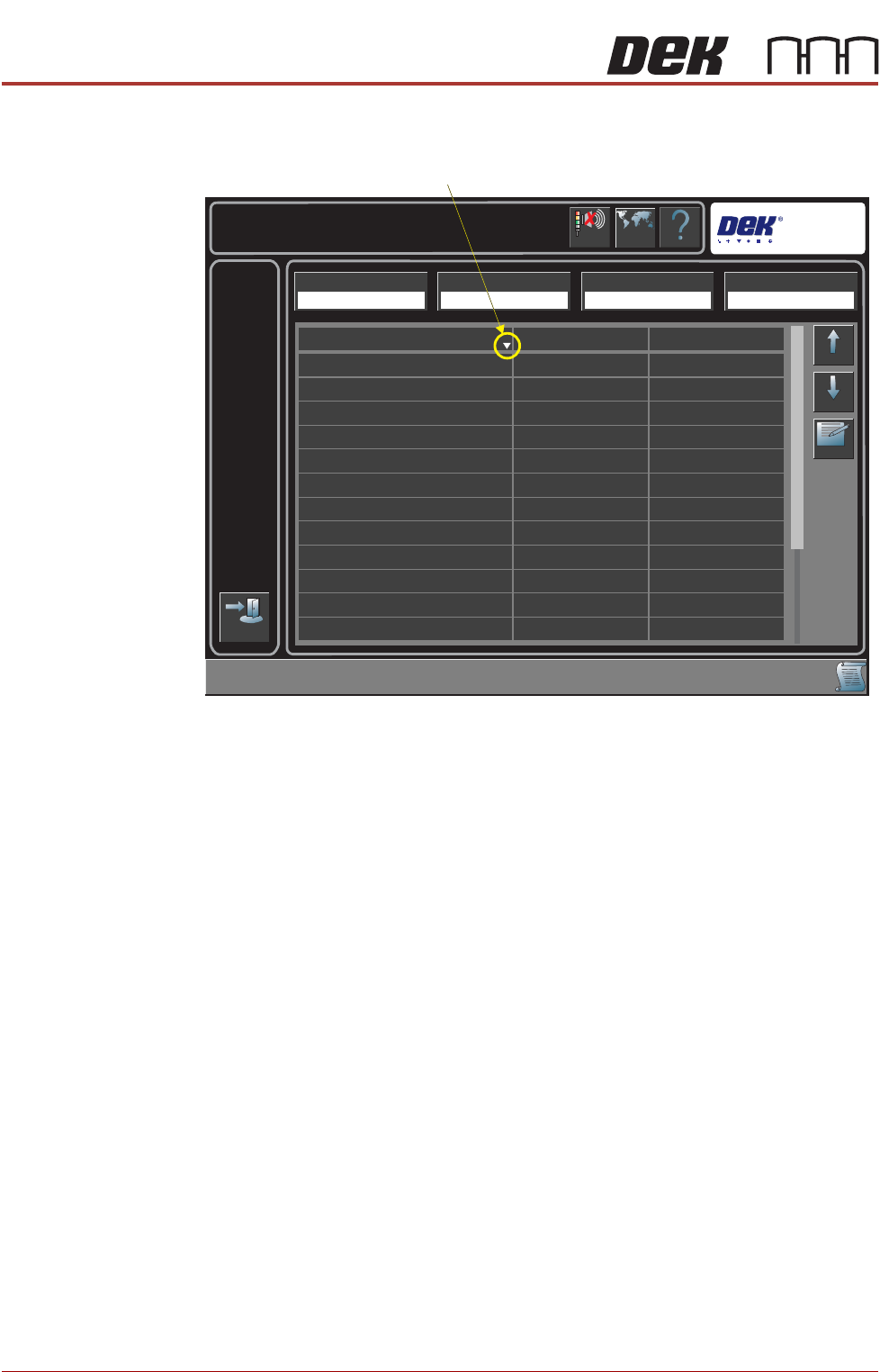
The following page is displayed:
4. Highlight the required item in the table.
NOTE
The sort direction button switches the table display alphabetically between
A to Z and Z to A.
5. Select Edit.
6. Select Name Length.
7. Enter the required name length.
8. Select Start Character.
9. Enter the required start character.
10. Select Accept.
11. Repeat Steps 4 to 9 for all the items that need to be verified.
Help
Maintenance \ Machine Setup \ Barcodes
Language
Cancel
Buzzer
Exit
Up
Down
Edit
Start Character
Item Name
201
1
1
1
1
1
1
1
1
1
1
1
20
20
20
20
20
20
20
20
20
20
20
Squeegee Holder Front
Squeegee Holder Rear
Screen
Cleaner Paper
Print Medium
Print Medium Cartridge
Cleaner Solvent
Squeegee Blades
Tooling
Board Identifier
ProFlow Cassette
ProFlow Head
Name Length
Remote Barcode HW Handheld Barcode HW Load Product Start Character Load Product Name Length
Fitted Fitted 1 20
Sort Direction
BARCODE READER
REPALCEMENT PROCEDURES
Chapter Issue 3, Aug 14 Technical Reference Manual 23.11
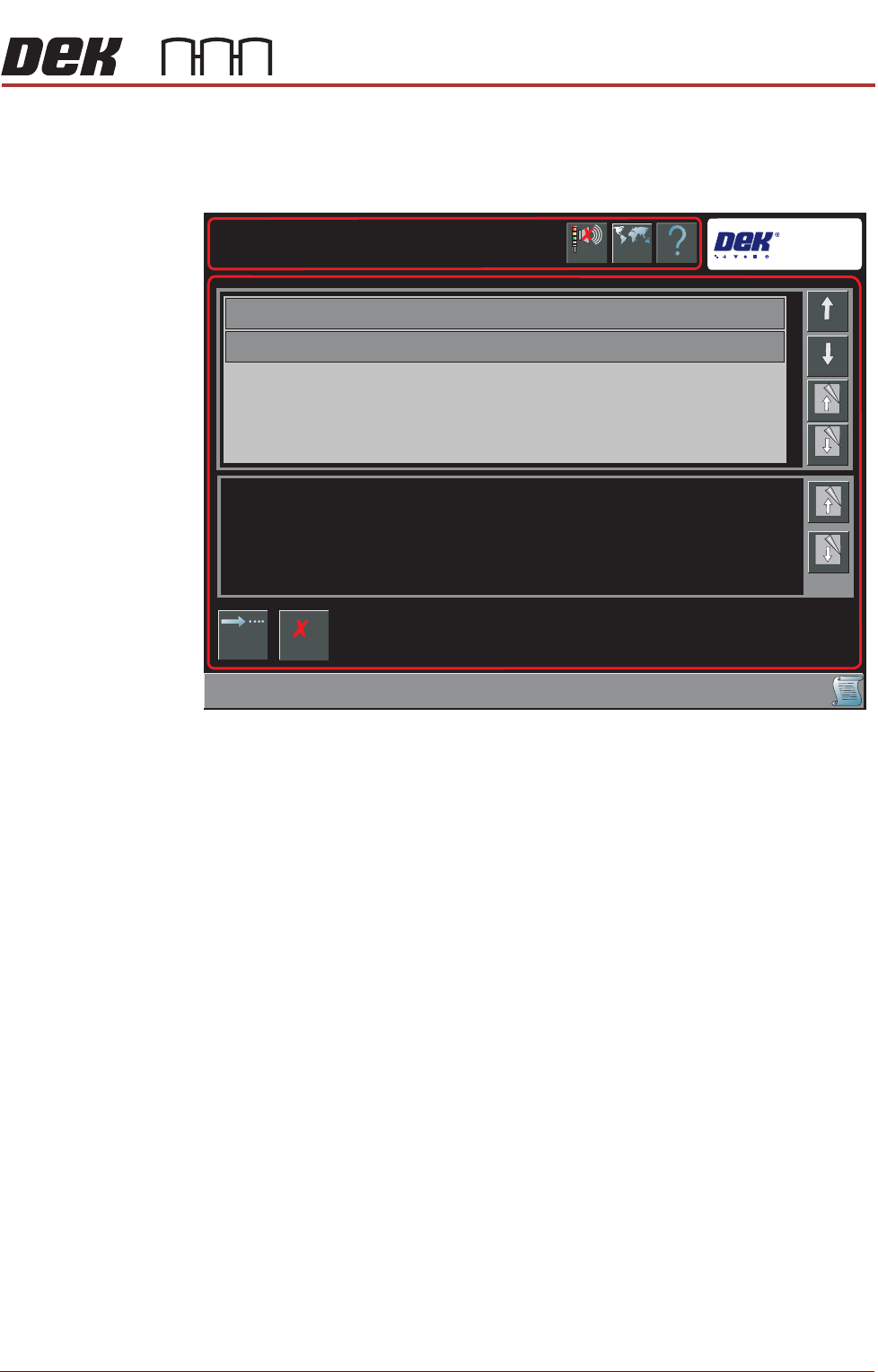
12. Select Exit.
A Board Configuration Error page is displayed when there is a conflict
between the name length and any existing permitted values:
13. Select Continue to save the Barcode configuration,
OR . . .
Select Cancel to reset the Barcode Configuration.
14. Select Back.
15. Select Back.
NOTE
Data stored in the Barcode Configuration.xml is transferable between
printers.
Enabling
Verification and
Traceability
This procedure enables the verification and traceability parameters.
1. Select Maintenance.
2. Select Machine Setup.
Help
Barcode Configuration Error
Barcode Configuration Error
Language
Cancel
Buzzer
Cancel
Changing Barcode Configuration has invalidated the items displayed in the table.
Page
Down
Page
Down
Down
Board Identifier
Item Name
Up
Page Up
Page Up
Continue