Galaxy EX Barcode Reader.pdf - 第12页
BARCODE READER REP ALCEMENT PROCE DURES 23. 12 Tech nic al Ref ere nce Ma nual Cha pter Is sue 3, Au g 14 De pe nden t up on th e op tion s av ailable , the fo llow ing page is disp laye d: 3. Select V eri fica tion . 4.…
BARCODE READER
REPALCEMENT PROCEDURES
Chapter Issue 3, Aug 14 Technical Reference Manual 23.11
12. Select Exit.
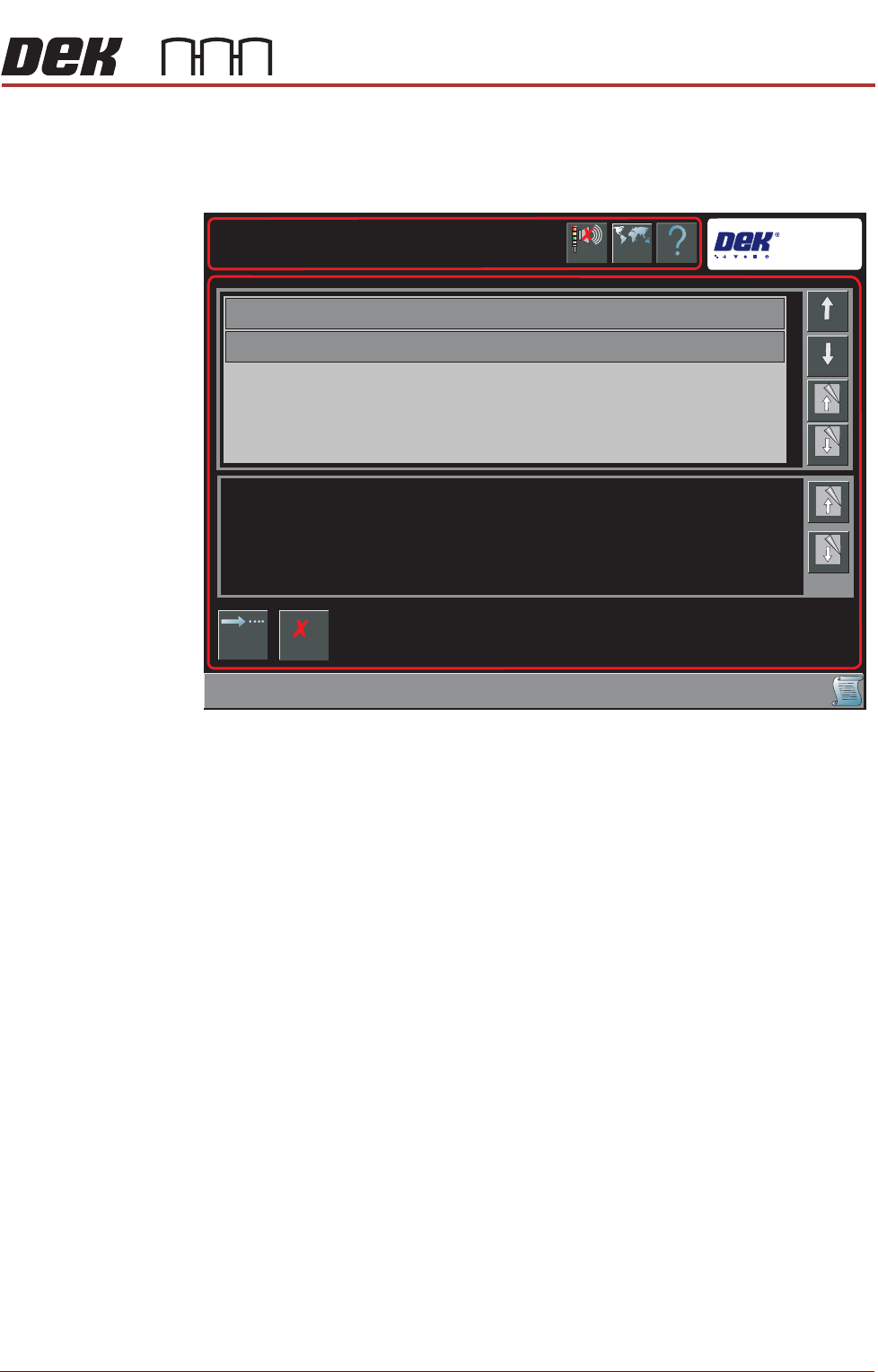
A Board Configuration Error page is displayed when there is a conflict
between the name length and any existing permitted values:
13. Select Continue to save the Barcode configuration,
OR . . .
Select Cancel to reset the Barcode Configuration.
14. Select Back.
15. Select Back.
NOTE
Data stored in the Barcode Configuration.xml is transferable between
printers.
Enabling
Verification and
Traceability
This procedure enables the verification and traceability parameters.
1. Select Maintenance.
2. Select Machine Setup.
Help
Barcode Configuration Error
Barcode Configuration Error
Language
Cancel
Buzzer
Cancel
Changing Barcode Configuration has invalidated the items displayed in the table.
Page
Down
Page
Down
Down
Board Identifier
Item Name
Up
Page Up
Page Up
Continue
BARCODE READER
REPALCEMENT PROCEDURES
23.12 Technical Reference Manual Chapter Issue 3, Aug 14
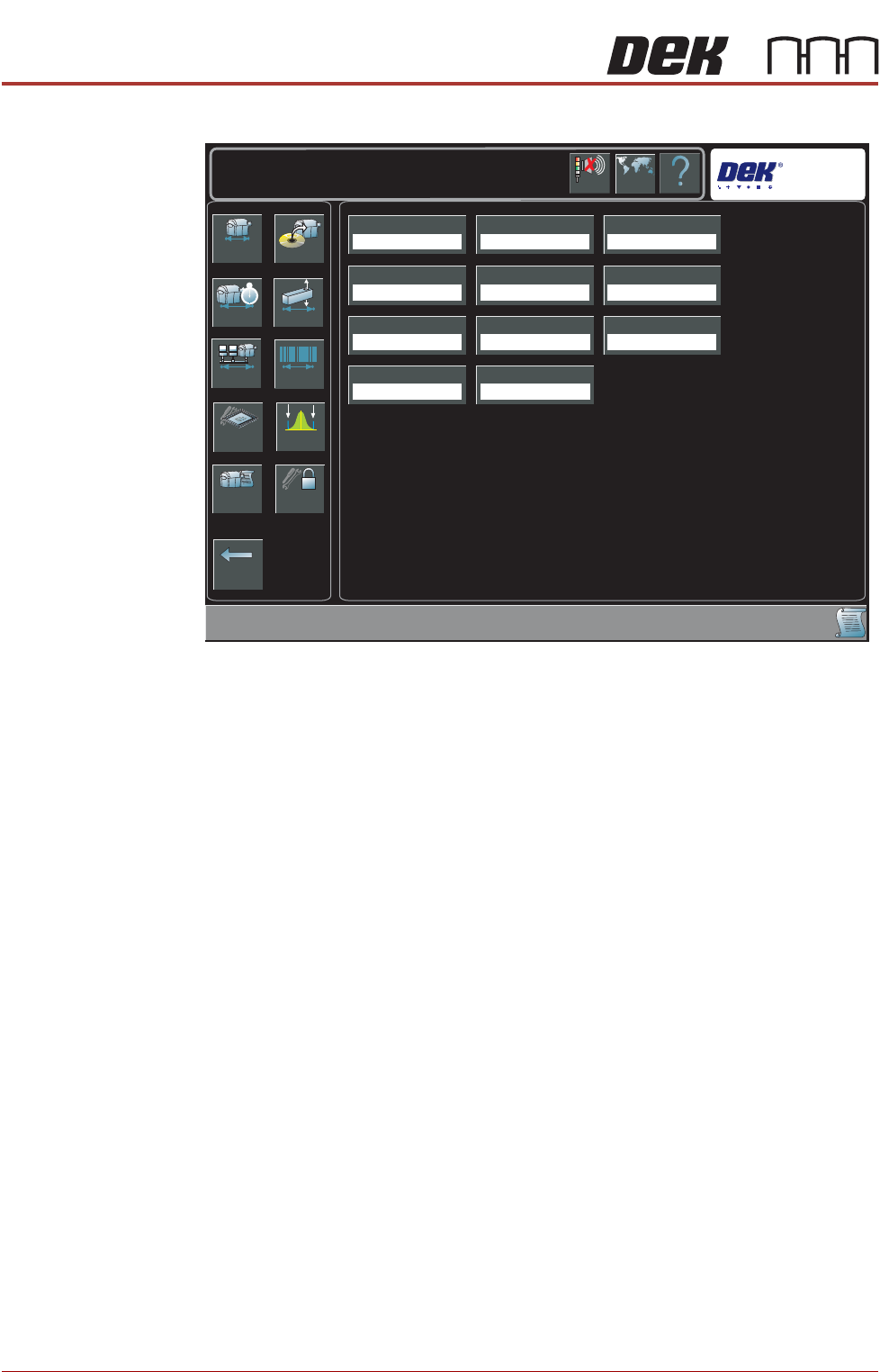
Dependent upon the options available, the following page is displayed:
3. Select Verification.
4. Select Enabled.
5. Select Accept.
6. Select Traceability.
7. Select Enabled.
8. Select Accept.
9. Select Back.
10. Select Back.
Network Replication The traceability file is saved on the hard drive of the PC and may also be
replicated to a network drive, use the following procedure to enable replication:
1. Select Maintenance.
2. Select Machine Setup.
3. Select Network.
Back
Basics Options
Performance Vision
Network Barcodes
Screen SPC Limits
Event Log Passwords
Transport Mode
Left To Right
Printer Mode
Print
Consumable Action
Warn
Too ling Hardware
Plain
Screen Size
Library
Shift Time
8.00 Hours
2D Inspection
Disabled
Hawkeye
Disabled
TTG BTG Estimates
Enabled
Help
Maintenance \ Machine Setup
Language
Cancel
Buzzer
Verification
Disabled
Traceability
Disabled
BARCODE READER
REPALCEMENT PROCEDURES
Chapter Issue 3, Aug 14 Technical Reference Manual 23.13
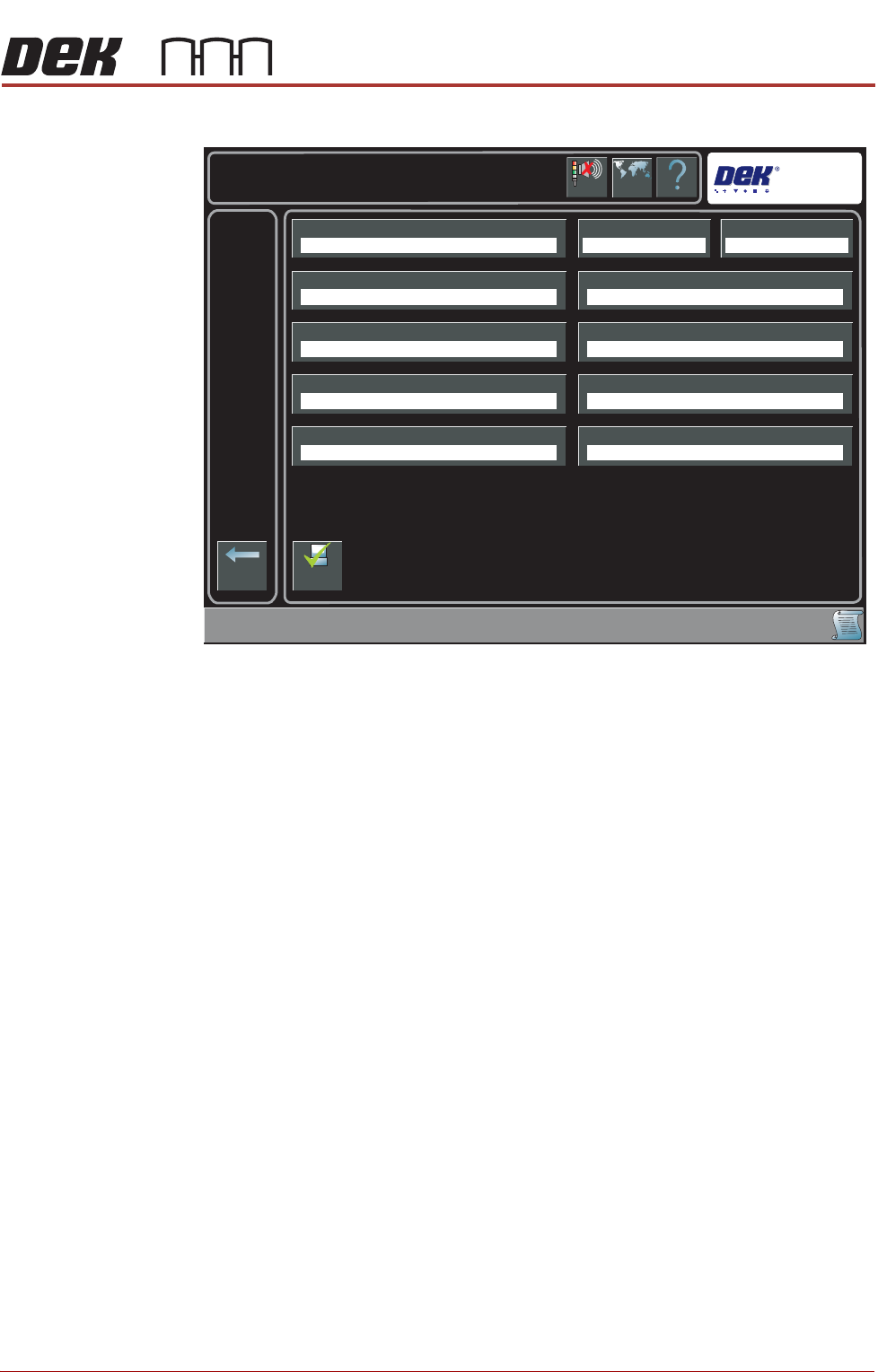
The following page is displayed:
4. Select Traceability Network Output.
5. Select Enabled.
6. Select Accept.
7. Select Traceability Network Drive.
8. Select the drive followed by the directory where the traceability files are to
be stored on the network.
9. Select Accept.
10. Select Back.
11. Select Back.
12. Select Back.
Help
Maintenance \ Machine Setup \ Network
Language
Cancel
Buzzer
Back
Comms ProtocolLocal CopiesMachine Location
Product Directory Data Directory
Remote Product Path
Run With GEM Remote
Traceability Network Drive
Gerber Directory
Remote Data Path
Traceability Network Output
No Comms Disabled
E:\configE:\Product
Disabled
Enable
Comms