00900067-02_OM_ProcessLens_EN.pdf - 第24页
Operation - Load Recipe 24 www.asm-smt.com 1. Click Load (1) . List of files promp- ted. A) for Dual lane if individual re- cipe has to load separately on "LEFT/RIGHT lane" 2. Select a Recipe (2) with x.7z , cl…
Operation - Load Recipe
23
www.asm-smt.com
6 Operation - Load Recipe
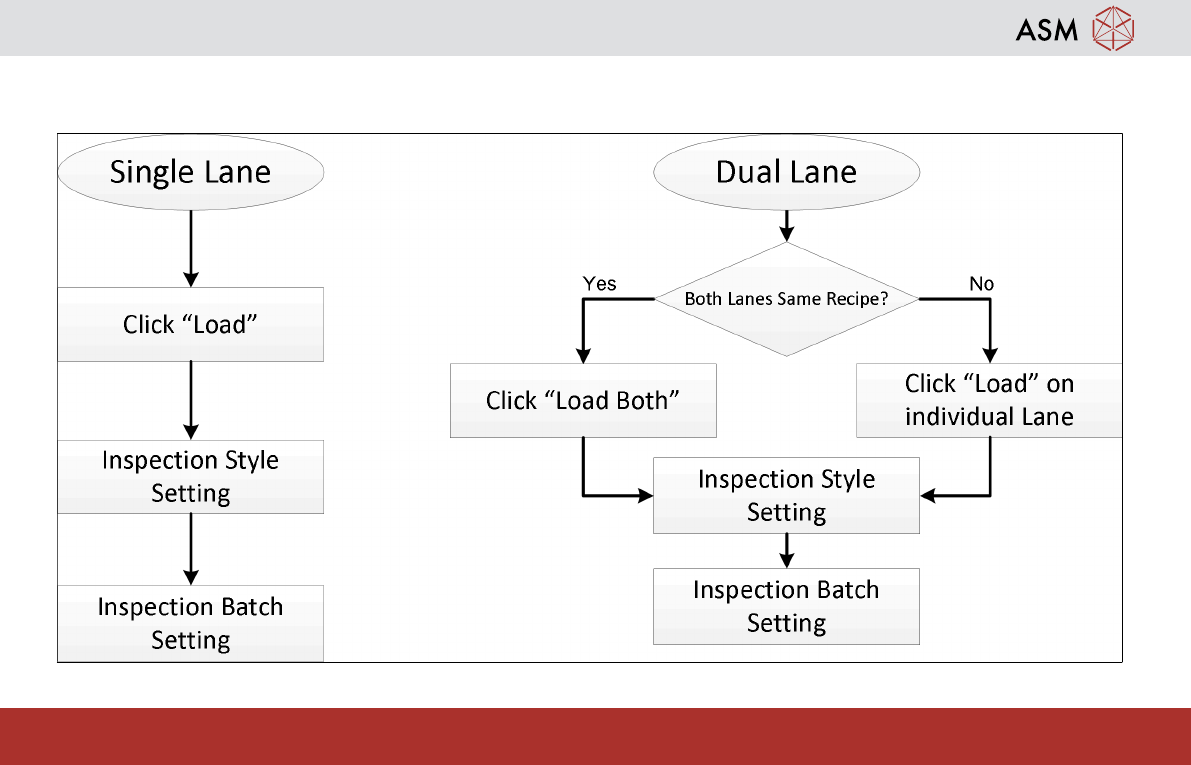
Steps to load recipe for inspection
Operation - Load Recipe
24
www.asm-smt.com
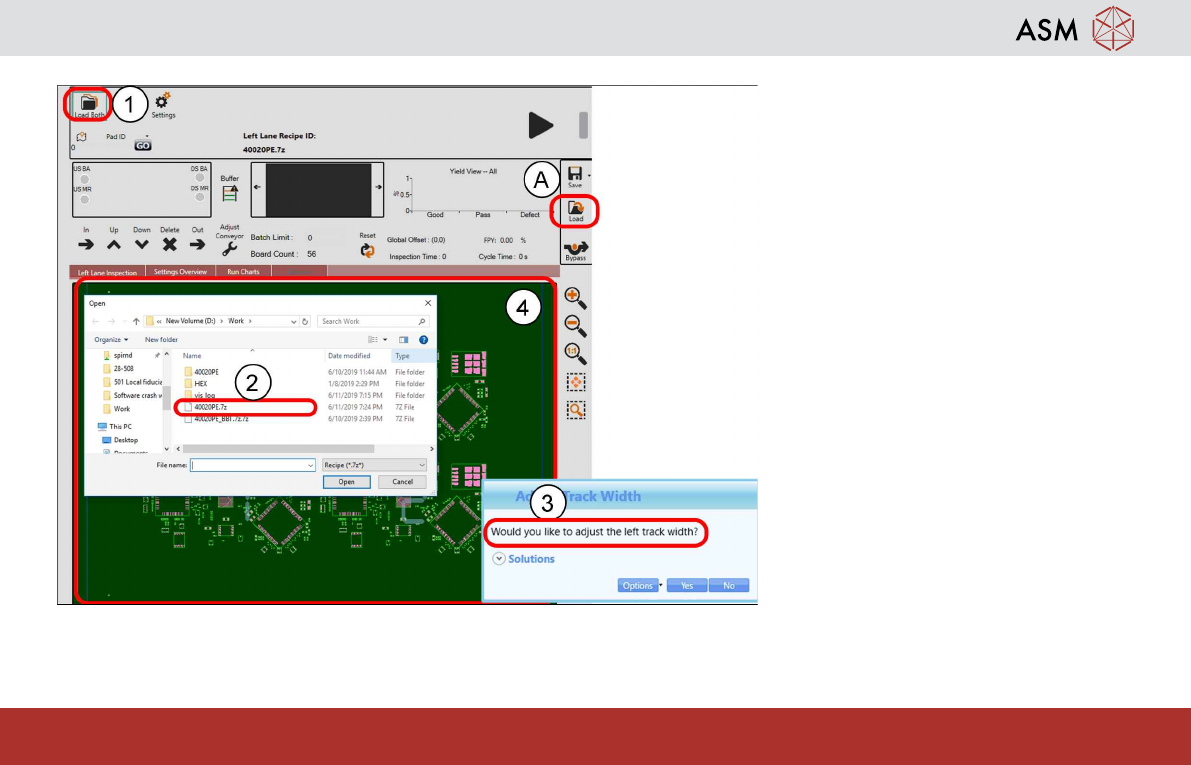
1. Click Load (1). List of files promp-
ted. A) for Dual lane if individual re-
cipe has to load separately on
"LEFT/RIGHT lane"
2. Select a Recipe (2) with x.7z, click
Open.
3. Confirm if conveyor width to be ad-
justed.
4. Compare PCB on GUI (4) and ac-
tual board for correct recipe load-
ing.
Operation - Load Recipe
25
www.asm-smt.com
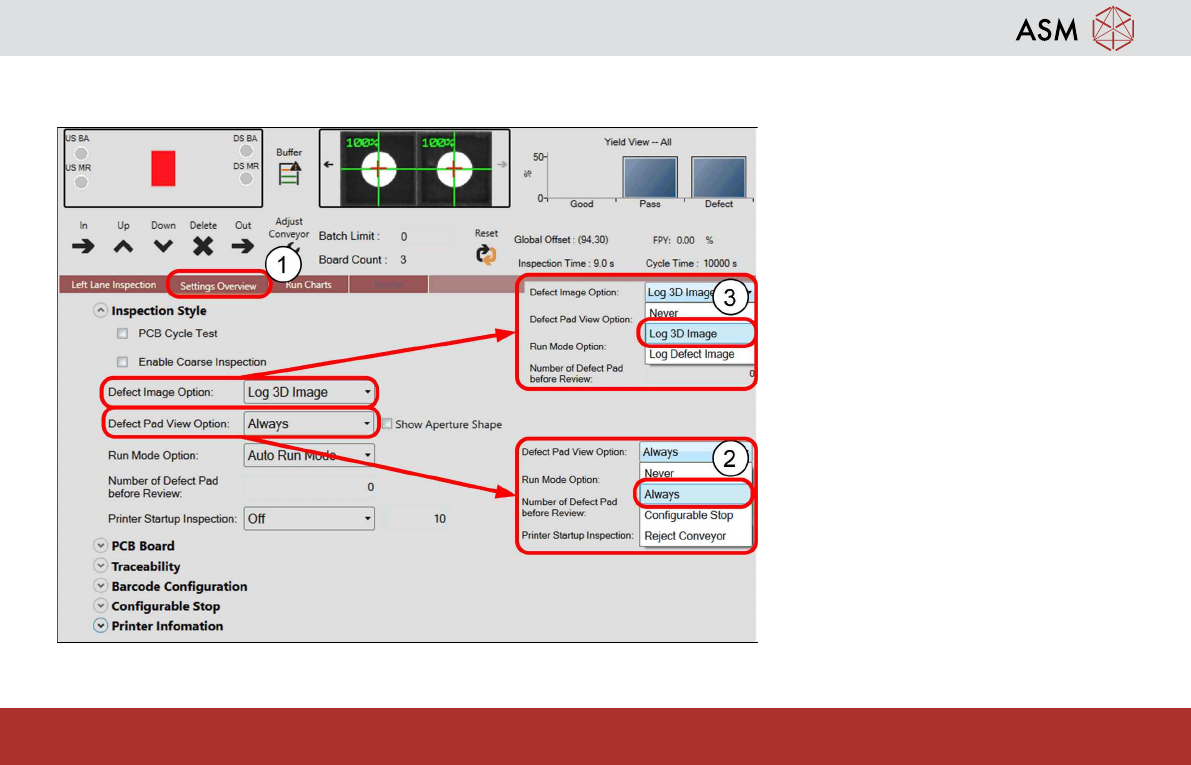
Inspection Style Settling
1. Click Inspection Style button.
2. Click Defect Pads View Option,
select Always.
3. Click Defect Image Option, select
Log Defect Img.
– When defect occurs, Defect Re-
view will prompt user to review
possible defects images.
– Operator to decide suspected de-
fect pads PASS/ DEFECT.