00900067-02_OM_ProcessLens_EN.pdf - 第26页
Operation - Load Recipe 26 www.asm-smt.com Production Batch Setting Batch Limit function to prevent over production or under production. 1. Click Production 2. Enter production batch size, pro- duction stop when reach ba…
Operation - Load Recipe
25
www.asm-smt.com
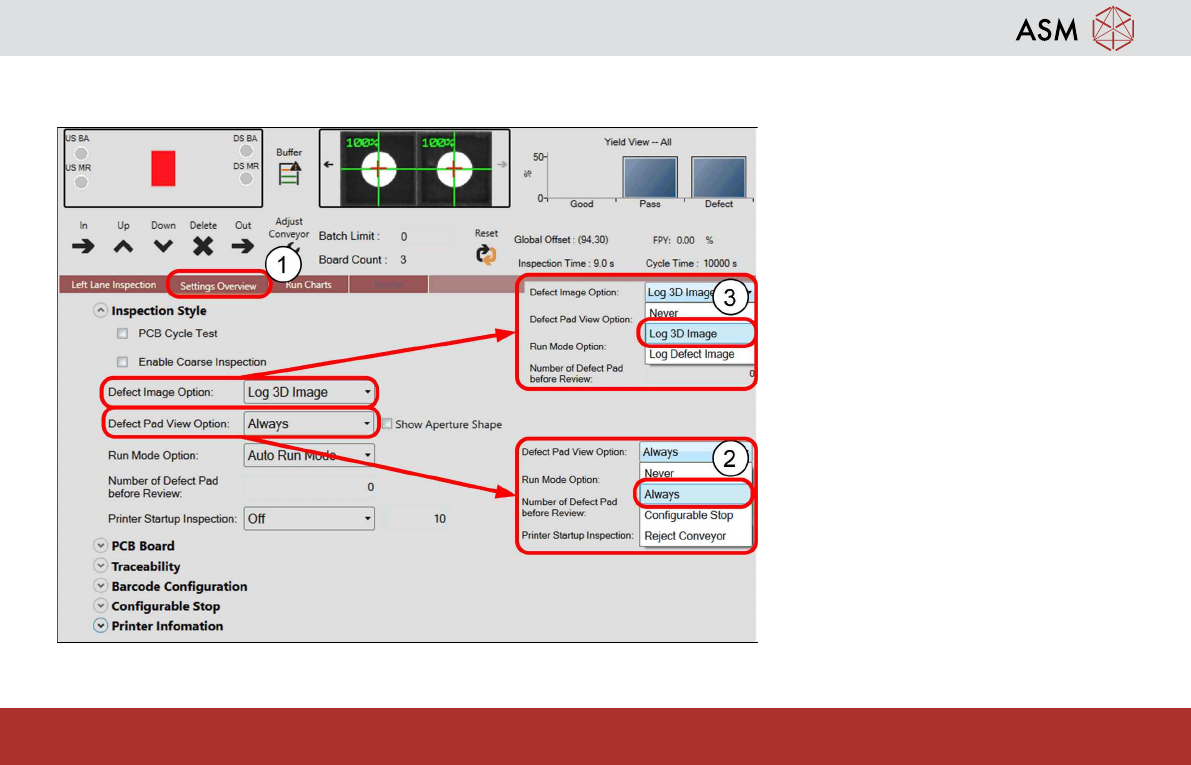
Inspection Style Settling
1. Click Inspection Style button.
2. Click Defect Pads View Option,
select Always.
3. Click Defect Image Option, select
Log Defect Img.
– When defect occurs, Defect Re-
view will prompt user to review
possible defects images.
– Operator to decide suspected de-
fect pads PASS/ DEFECT.
Operation - Load Recipe
26
www.asm-smt.com
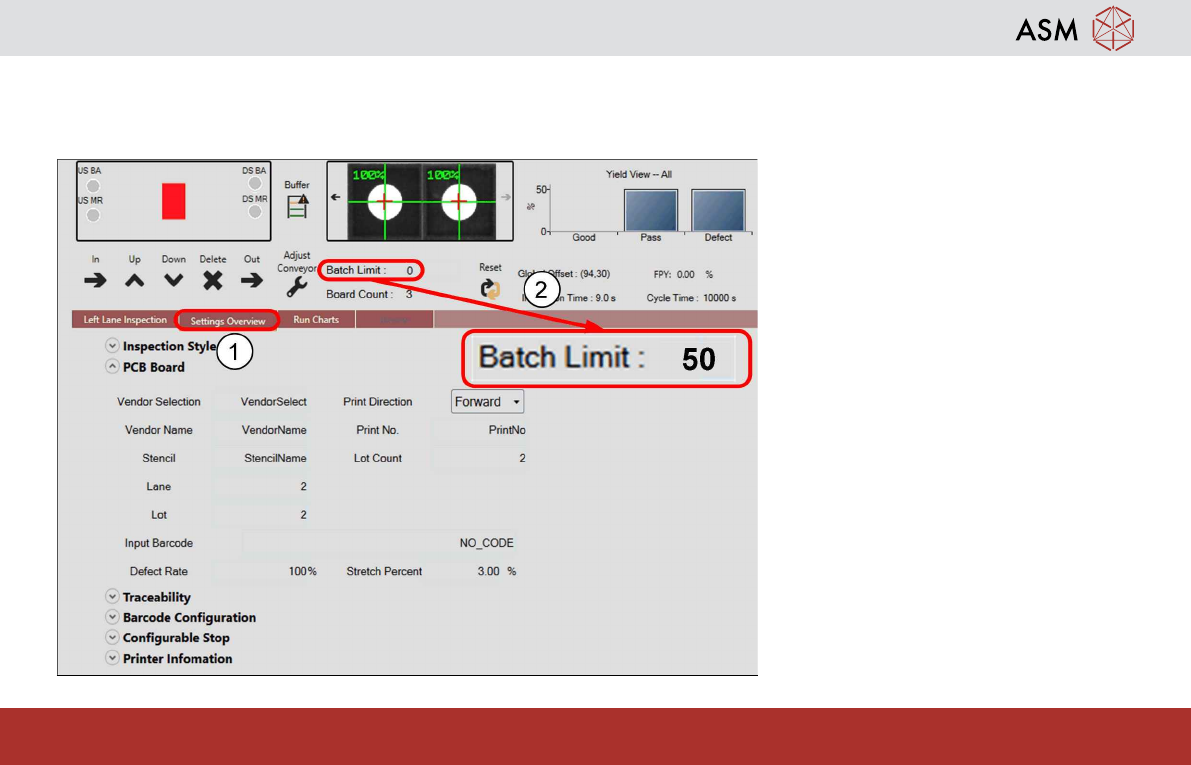
Production Batch Setting
Batch Limit function to prevent over production or under production.
1. Click Production
2. Enter production batch size, pro-
duction stop when reach batch
size. Input the batch size. 0 = no
limit to batch size.
Operation - Load Recipe
27
www.asm-smt.com
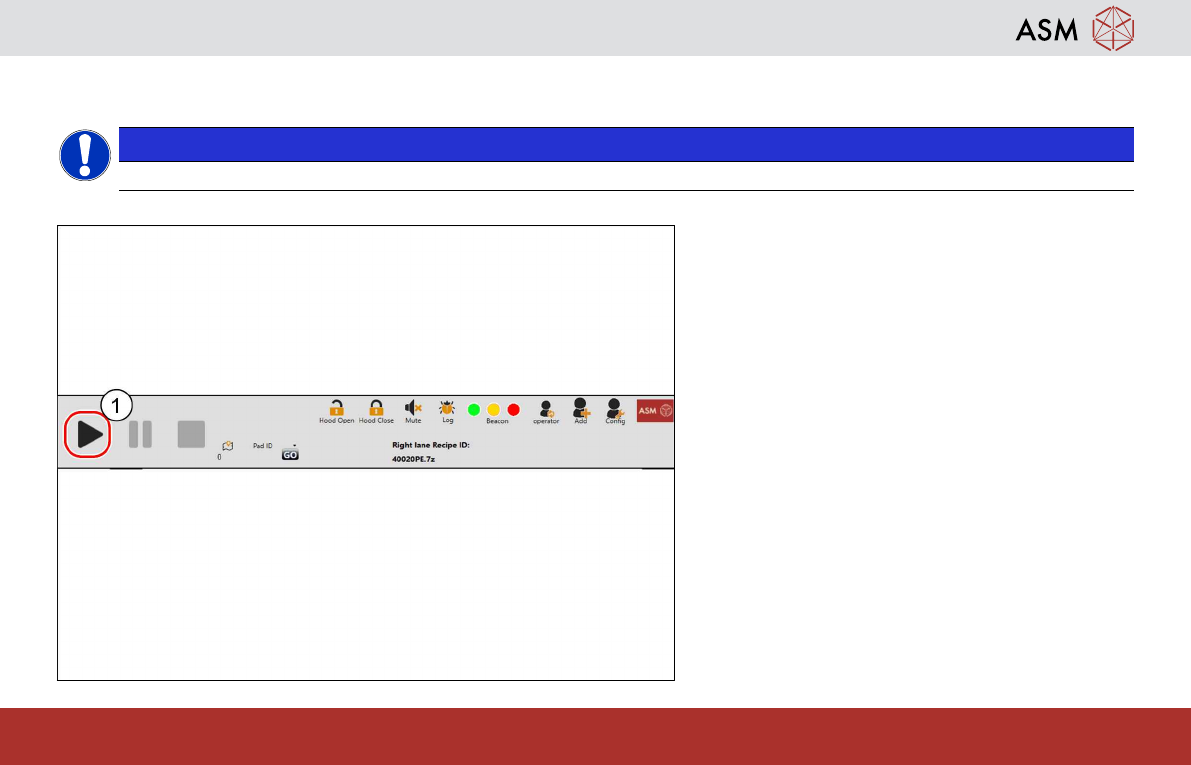
Start Production
NOTICE
Check if support pins are necessary
1. Click Start Inspection.
– ProcessLens scans fiducials, in-
spection cycle starts till batch limit
is reached.