00193796-06.pdf - 第23页
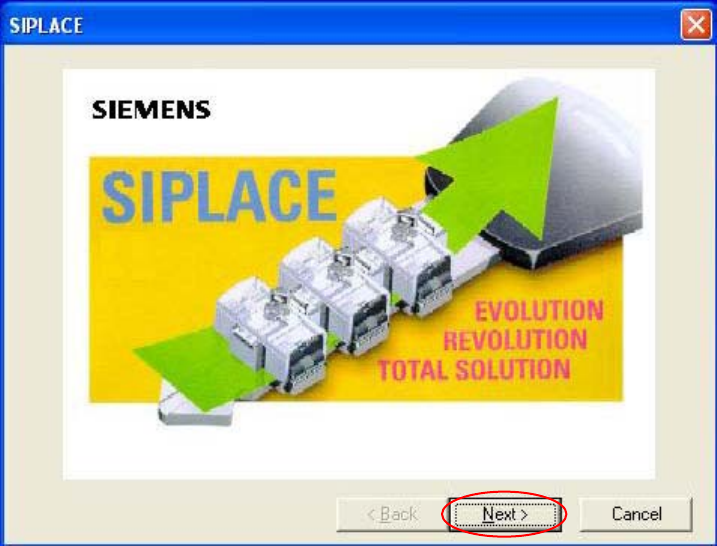
Installation Manual, Station Software Version 505.03 SP1 Edition 08/2005 23 of 154 Welcome screen Fig. 4-5 Welcome screen → Click the Next button.
Installation Manual Station Software Version 505.03 SP1
22 of 154
4.1.3 Installing the station computer and the machine controller
Note:
The installation requires approximately 30 minutes.
4.1.3.1 Installation program
→ Switch on the SIPLACE placement machine.
→ Log in to the station computer as the Administrator.
(Keep the Shift key pressed as soon as the XP logo appears)
Put the CD into the CD drive and wait until the machine starts to read it. The installation begins by
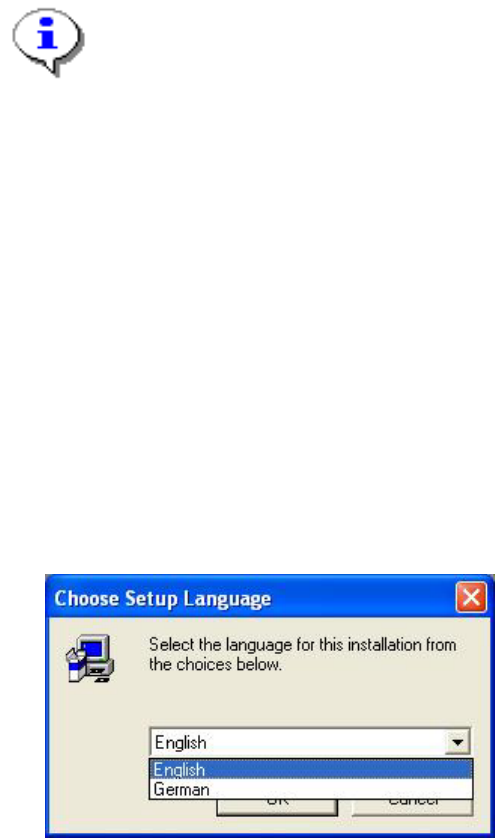
asking you to select a language.
Language selection
→ Select the language which is to be used during the installation.
You can choose between German and English.
Fig. 4-4: Language selection
→ Click the OK button.
Installation Manual, Station Software Version 505.03 SP1 Edition 08/2005
23 of 154
Welcome screen
Fig. 4-5 Welcome screen
→ Click the Next button.
Installation Manual Station Software Version 505.03 SP1
24 of 154
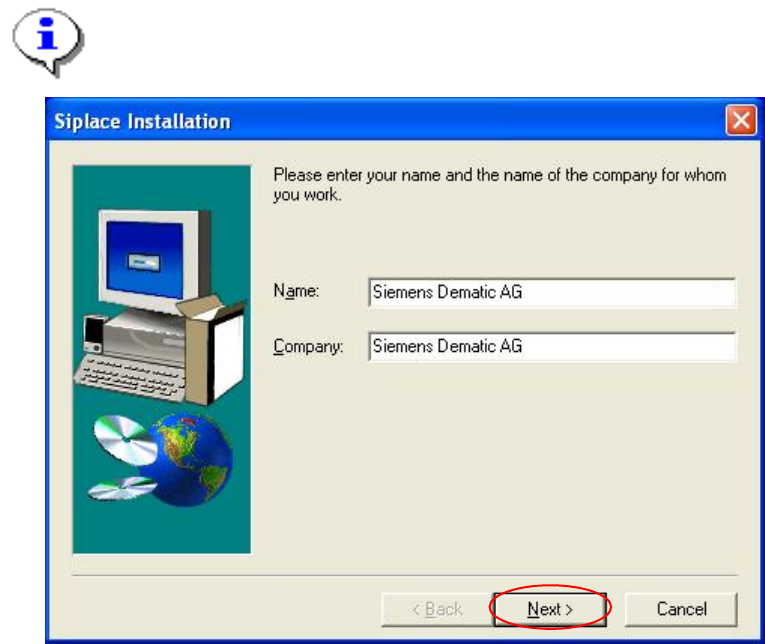
Registration
→ Enter the Name and the Company.
Note:
The information which you enter here is saved in a log file. This log file is created by the
installation program.
Fig. 4-6: Registration
→ Click the Next button.