MPM UP2000印刷机中文操作手册.pdf - 第32页
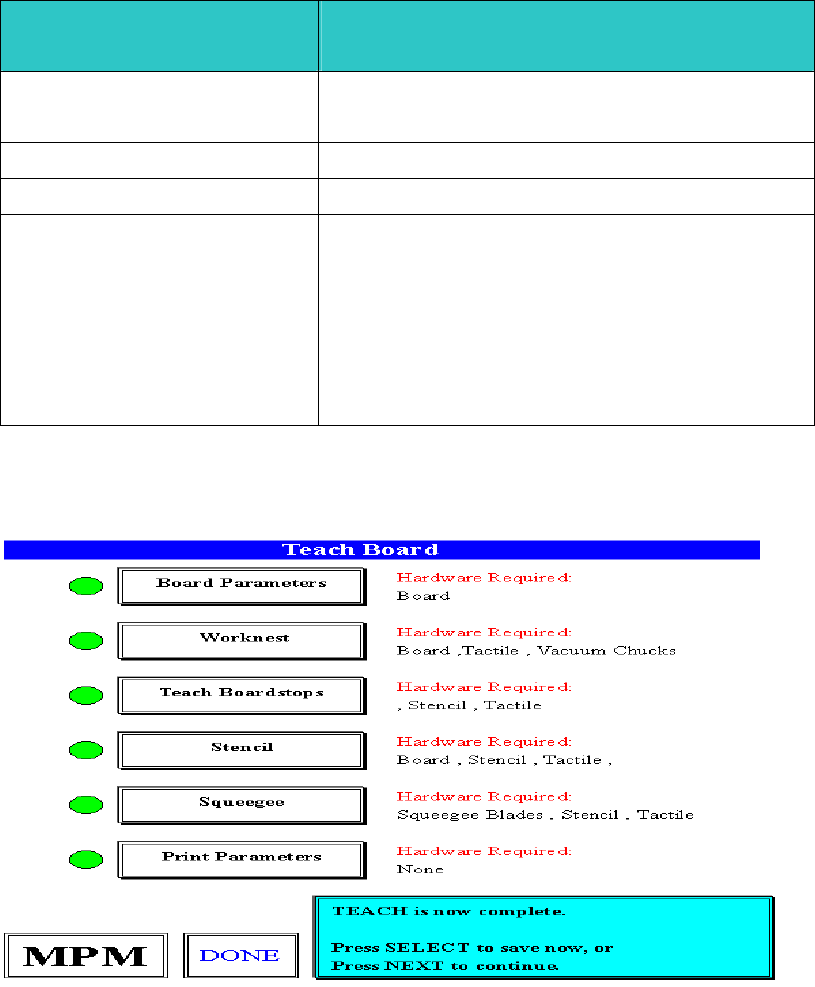
Pr ess NEXT to continue. ( 按 NE XT 繼續 , 回主畫面 ) 锡膏印刷机 www.smt11.cn
Slow Snop off
慢速脫模參數設定
慢速脫模參數設定慢速脫模參數設定
慢速脫模參數設定
Enabled No
Yes
不使用慢速脫模
使用慢速脫模
Down Delay 0.00
脫離鋼板前延遲時間
Distance 1.570
慢速脫模之距離
Speed 1
2
3
4
5
6
慢速脫模速度
1
脫模速度
5mil/s
2
脫模速度
10mil/s
3
脫模速度
15mil/s
4
脫模速度
20mil/s
5
脫模速度
25mil/s
6
脫模速度
30mil/s
Enter Slow snapoff parameters. (
輸入慢速脫模參數
)
Press Done when finished. (
按
Done
完成
)
TEACH is now complete. (
程式現在設定完成
)
Press SELECT to save now, or(
按
SELECT
現在存入檔案
)
Press NEXT to continue. (
按
NEXT
繼續回主畫面
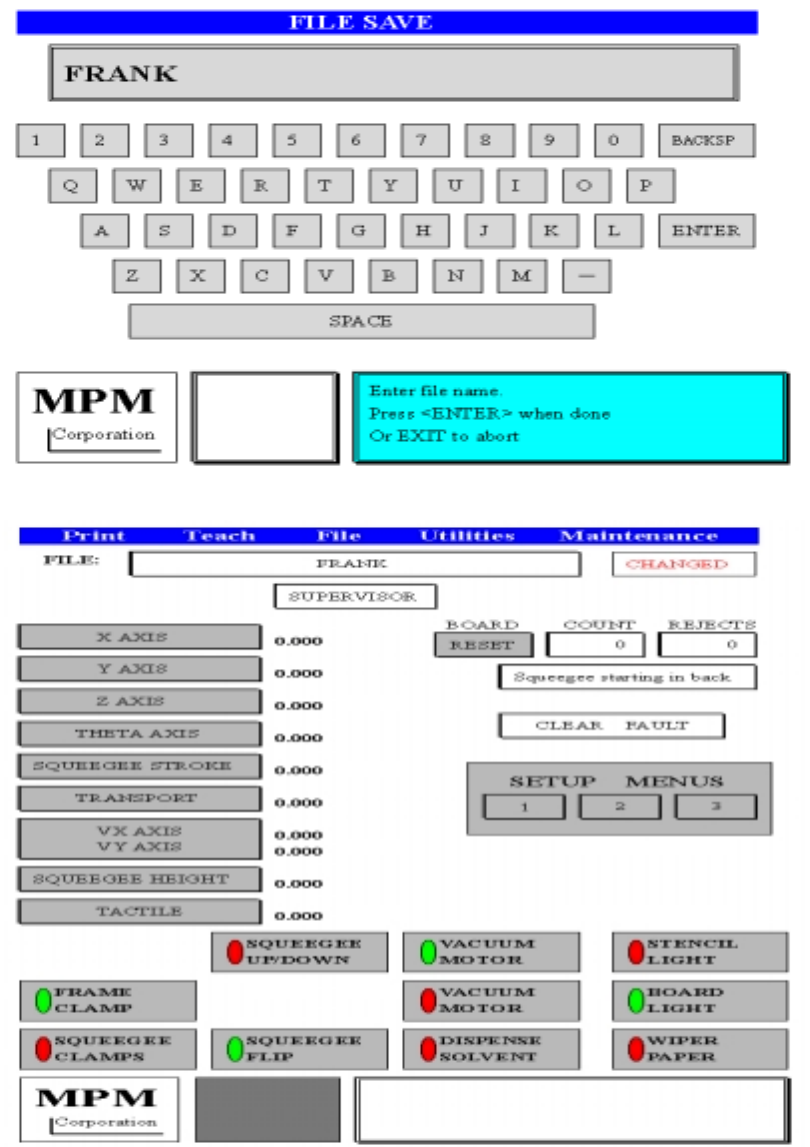
按
SELECT
之後
,
出現存入檔案鍵盤畫面
锡膏印刷机 www.smt11.cn
Press NEXT to continue. (按 NEXT 繼續,回主畫面)
锡膏印刷机 www.smt11.cn
2.
Teach Vision 做一片
PCB
新程式的
Mark
點
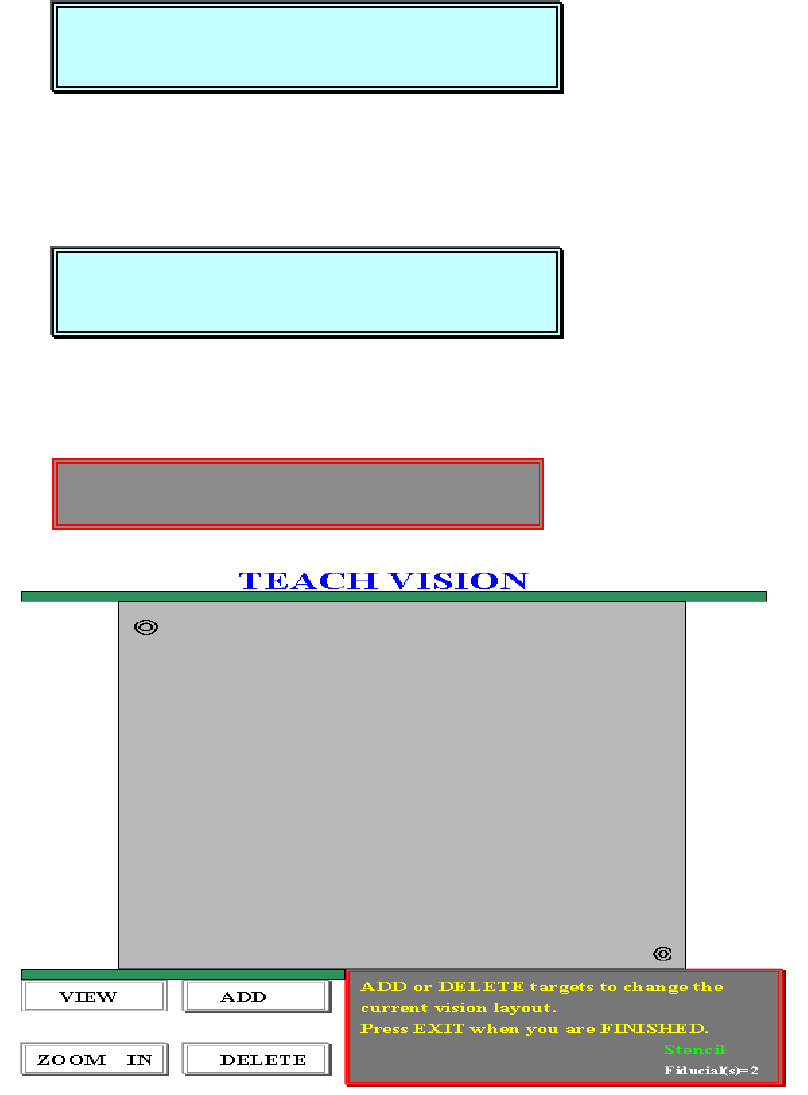
about to enter VISION TEACH operation. (即將進入視覺系統設定操作)
Press NEXT to Continue, or EXIT to Quit. (按 NEXT 繼續, 按 EXIT 離開)
你按 NEXT 之後,出現下列訊息:
Place a board on input track. (請將基板放到軌道輸入端)
Press NEXT to Continue, or EXIT to Quit. (按 NEXT 繼續, 按 EXIT 離開)
你按 NEXT 之後,出現下列訊息:
ADD or DELETE targets to change the(新增或刪除,所指 Mark 點位置或變更目
current vision layout.前 Mark 點位置)
Locating the board…
about to enter VISION TEACH operation.
Press NEXT to Continue, or EXIT to Quit.
Place a board on input track.
Press NEXT to Continue, or EXIT to Quit.
锡膏印刷机 www.smt11.cn