MPM UP2000印刷机中文操作手册.pdf - 第70页
26 10.S tencil Adjust PC 板與鋼板重新對位 1 1. Change Paper 換 紙 功能 ※當按下此功能時 , 整 個 影像 視覺系統會動作到 最 前面 , 進行換 紙 , 更換完 畢 時 再 按 CLEAR F AUL T 回到後面 12. Add Paste 自動加錫 ( 需有自動加錫 配 備 ) 13. T imeout Adjust 啟 動高 階 使用 者模 式選擇視窗時間 限 制 Minuts : …
25
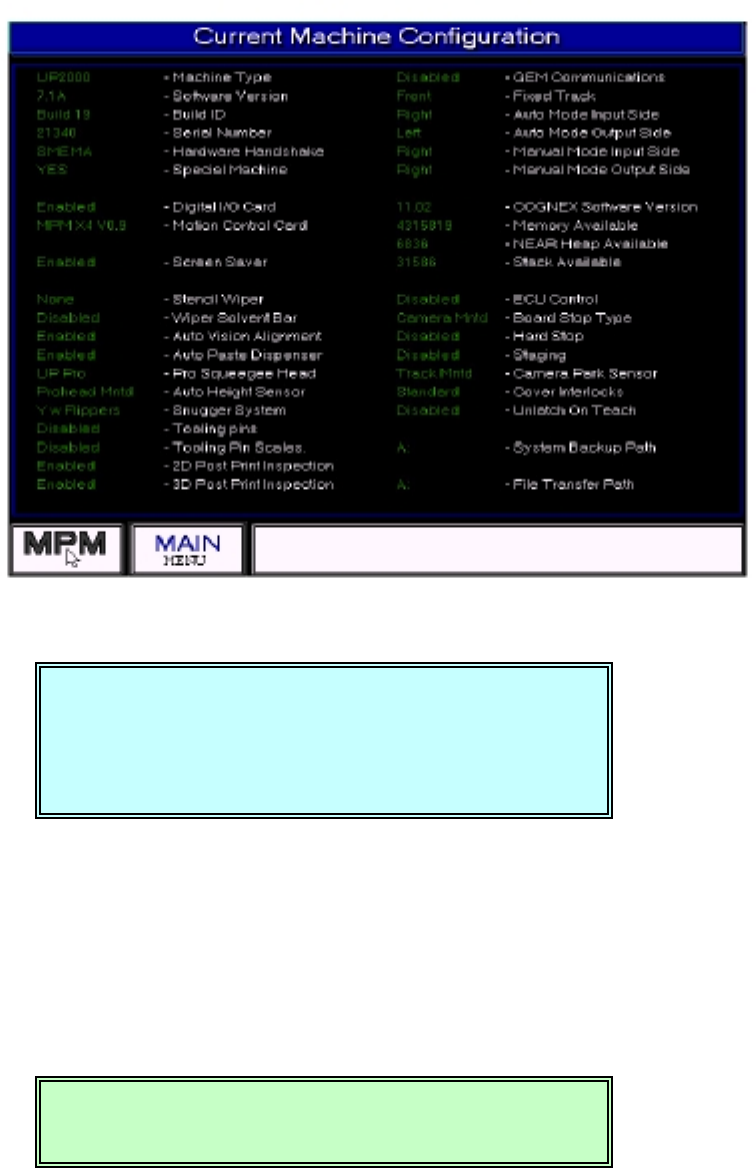
8. Configuration 機器全部結構顯示視窗
※顯示目前機器內部配備,如 2D、3D、軟體版本、機器序號等等….
9. Vision Adjust 影像視覺調整位置
You Have Selected VISION ADJUST.(選擇影像視覺調整)
This utility will make the current X,Y,Theta(將現在 X、Y、Theta 位置,改
position the vision alignment home position 為原原點位置)
Press NEXT to Continue, or EXIT to QUIT. (按 NEXT 繼續,EXIT 離開)
按 NEXT 之後,出現下列訊息繼續
VISION ADJUST has completed. (影像視覺調整完成)
Press NEXT to Continue. (按 NEXT 繼續)
You Have Selected VISION ADJUST.
This utility will make the current X,Y,Theta
position the vision alignment home position
PressNEXTtoContinue,orEXITtoQUIT.
VISION ADJUST has completed.
Press NEXT to Continue.
锡膏印刷机 www.smt11.cn
26
10.Stencil Adjust PC 板與鋼板重新對位
11. Change Paper 換紙功能
※當按下此功能時,整個影像視覺系統會動作到最前面,進行換紙,更換完畢時
再按 CLEAR FAULT 回到後面
12. Add Paste 自動加錫(需有自動加錫配備)
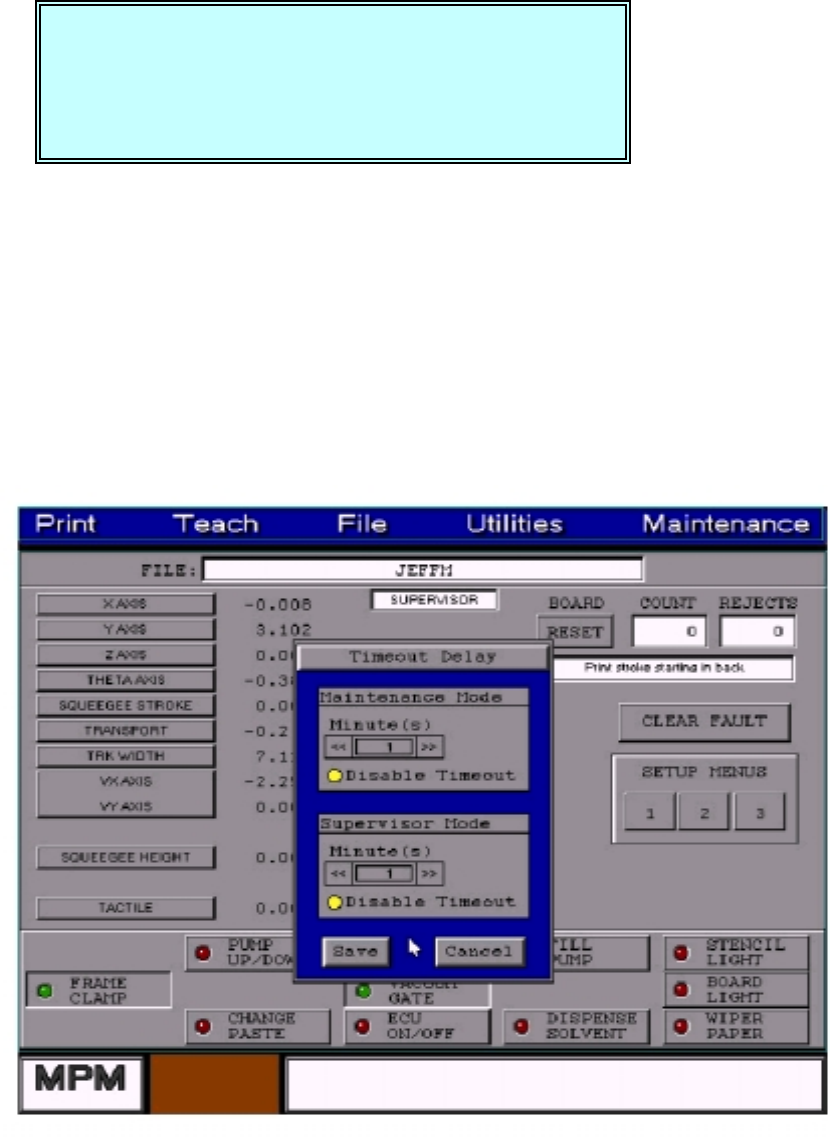
13. Timeout Adjust
啟動高階使用者模式選擇視窗時間限制
Minuts:
::
:調整時間
Disable Timeout :
::
:關閉高階使用者模式選擇視窗時間限制
CAUTION, The machine must move to
TEACH POSITION before teach can
Begin. The machine is now going to move.
Press NEXT to Continue, or EXIT to Quit.
锡膏印刷机 www.smt11.cn
27
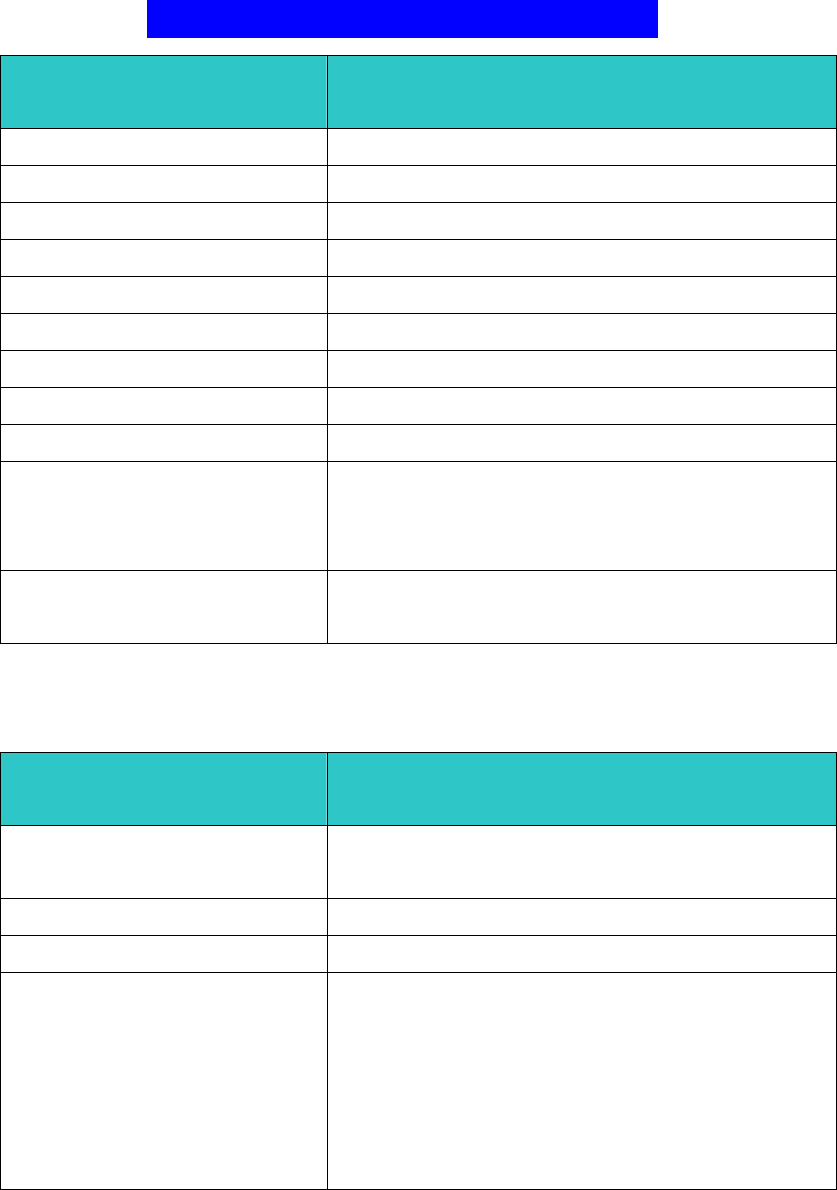
SETUP MENU PAGE #1
Board Parameters
基板
基板基板
基板 (PCB)參數設定
參數設定參數設定
參數設定
X size 228.600
PCB 基板 X 軸方向長度
Y size 406.400
PCB 基板 Y 軸方向寬度
Thickness 1.570
PCB 基板厚度
Boardstop X 0.00
PCB X 軸方向預停位置(依 Teach Boardstop X 值)
Boardstop Y 0.00
PCB Y 軸方向預停位置(依 Teach Boardstop Y 值)
Detent 12.7
PCB 停於中心印刷位置值
Load speed 432
進板軌道皮帶轉速值(數字越大,轉速越快)
Unload speed 381
出板軌道皮帶轉速值(數字越大,轉速越快)
Snap off 0.000
PCB 與鋼板之間隙(數字越大,間隙越大)
Vacuum 0
1
2
真空系統使用 0不使用真空系統
1印刷全程都使用真空系統
2只有印刷不使用真空系統
Tooling Type Unier.
Dedicat.
治具 不使用治具
使用治具
Slow Snop off
慢速脫模參數設定
慢速脫模參數設定慢速脫模參數設定
慢速脫模參數設定
Enabled No
Yes
不使用慢速脫模
使用慢速脫模
Down Delay 0.00
脫離鋼板前延遲時間
Distance 1.570
慢速脫模之距離
Speed 1
2
3
4
5
6
慢速脫模速度 1脫模速度 5mil/s
2脫模速度 10mil/s
3脫模速度 15mil/s
4脫模速度 20mil/s
5脫模速度 25mil/s
6脫模速度 30mil/s
锡膏印刷机 www.smt11.cn