manual-ams-stand-tweezers-0027180_ID-219236.pdf - 第4页
HD T S (HT470) AT420 AT420 AT420 A T S ( A T420) HT S (h T420) HD T S (HT470) AT420 AT420 AT4 20 A T S ( A T420) HT S (h T420) HD T S (HT470) AT420 AT420 AT420 A T S ( A T420) HT S (h T420) 4 Assembly Adjustable Cable Co…
3
40 mm
50 mm
60 mm
80 mm
100 mm
130 mm
130 mm
para manuales - color gris
200 mm
300 mm
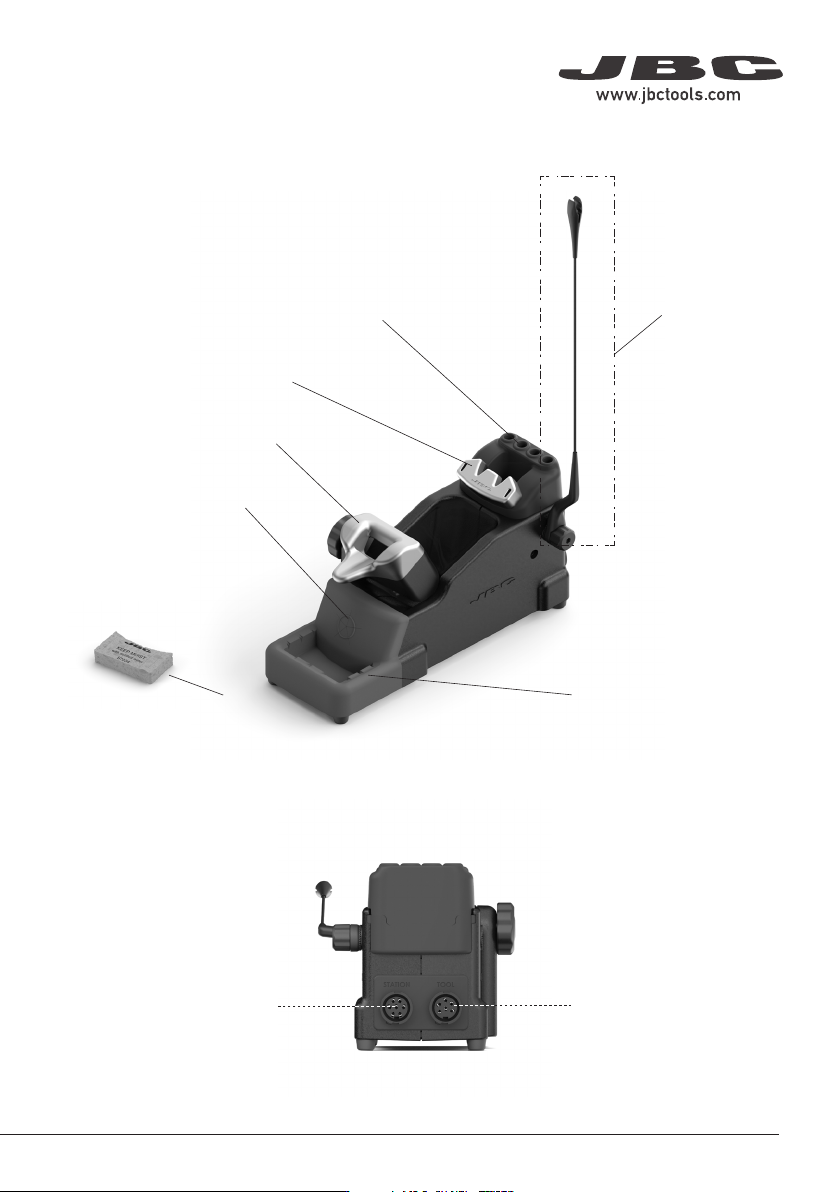
Tool Connector
Wiper
Ref. CL7899
Adjustable
Cable Collector
Ref. CC1001
Tip Exchanger
Cartridge Holder
Ajustable Tool Holder
Brass Wool
(inside)
Sponge
Features and Connections
Control Unit Connector
HDTS (HT470)
AT420
AT420
AT420
ATS (AT420)
HTS (hT420)
HDTS (HT470)
AT420
AT420
AT420
ATS (AT420)
HTS (hT420)
HDTS (HT470)
AT420
AT420
AT420
ATS (AT420)
HTS (hT420)
4
Assembly
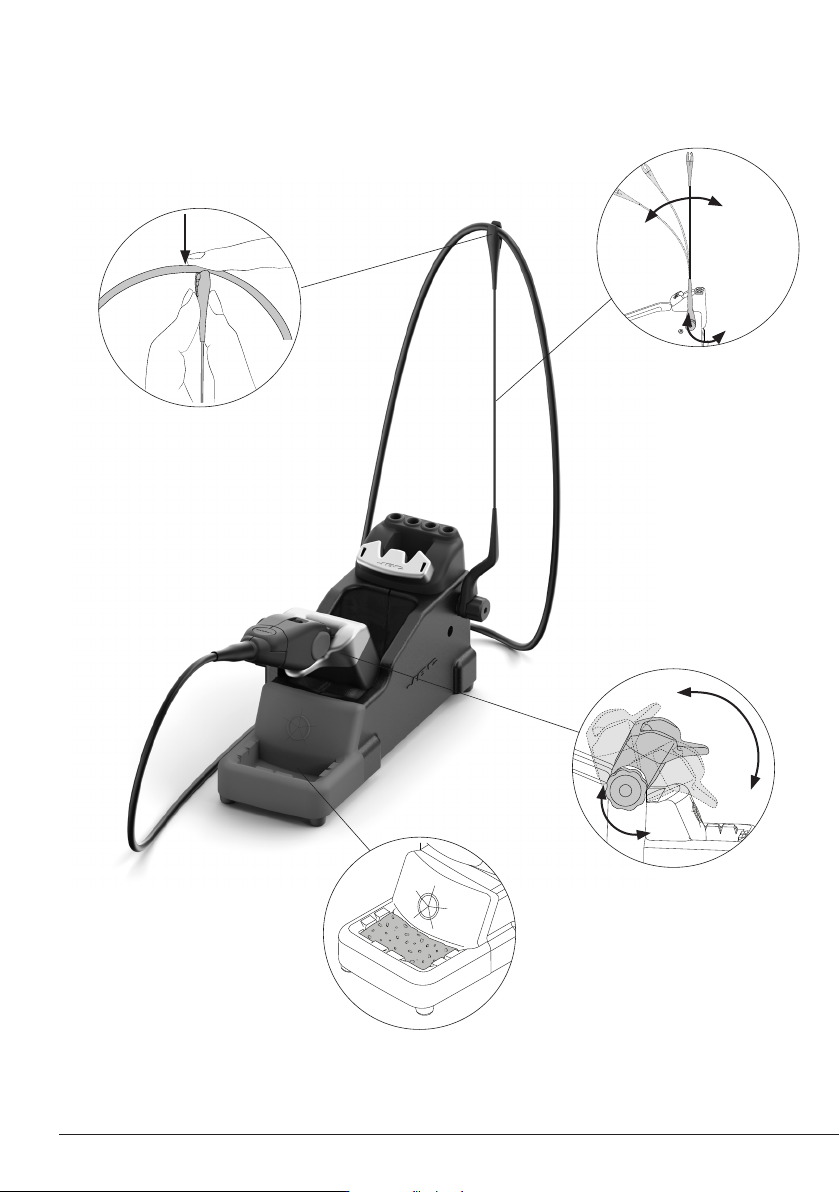
Adjustable Cable Collector and Adjustable Tool Holder
Adjust the tool holder angle to
suit the work position.
The wiper offers different ways to
clean the cartridge tips. If desired
use the included sponge.
Insert the cable into the cable
collector clip. Do not leave the
cable longer than necessary to
reach the work area freely.
The cable collector is flexible.
It accompanies and adapts
to the movements during the
soldering process.
5
40 mm
50 mm
60 mm
80 mm
100 mm
130 mm
130 mm
para manuales - color gris
200 mm
300 mm
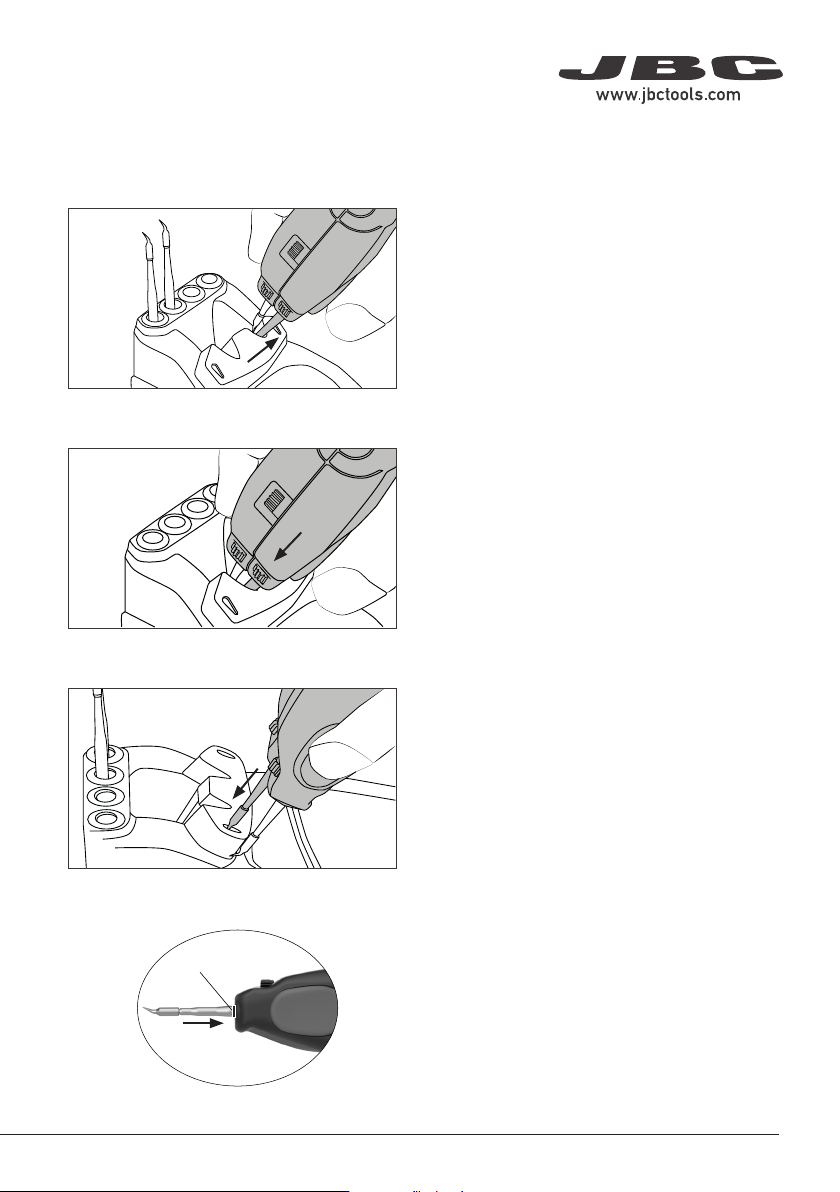
2. Positioning
1. Removing
Place the cartridges in the extractor and pull
the tweezers to remove them.
Place the tweezers on top of the new cartridge
and slightly press down.
3. Inserting
Use the grooves to insert the cartridges as far
as the mark*.
Mark
*Important
It is essential to insert the cartridges as far as
the mark for a proper connection.
Changing Cartridges - AM120 Tweezers