manual-ams-stand-tweezers-0027180_ID-219236.pdf - 第9页
9 40 mm 50 mm 60 mm 80 mm 100 mm 130 mm 130 mm par a manuales - c olor g r is 200 mm 300 mm Stand Ex tension Cable Ref. A1286 Length: 1.5m Stand Cable Accessories Clean periodically Maintenance Befo re ca rr yi ng ou t m…
8
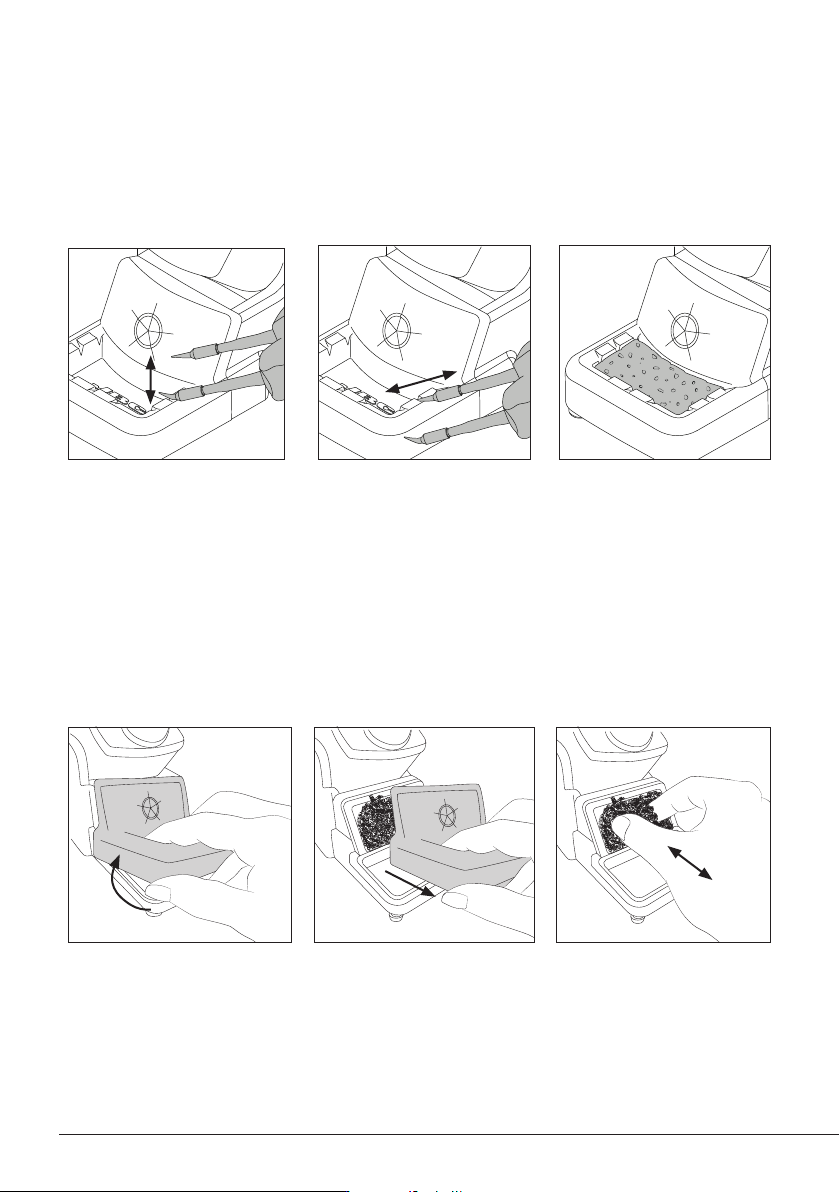
Tap gently to remove excess
solder.
Use the slots to remove the
remaining particles.
Wiper
Tapping Wiping Sponge
The softest cleaning method.
Keep the sponge damp with
distilled water when working to
avoid tip wear.
The integrated wiper offers different ways to clean the cartridge tips.
Wiper and Brass Wool Replacement
Lift the wiper at its front edge.
The wiper and brass wool can easily be removed for cleaning or replacement when they are worn.
Remove the wiper by pulling
it out.
Replace the brass wool with a
new one when it is worn out.
Place the wiper back o replace
them if desired.
9
40 mm
50 mm
60 mm
80 mm
100 mm
130 mm
130 mm
para manuales - color gris
200 mm
300 mm
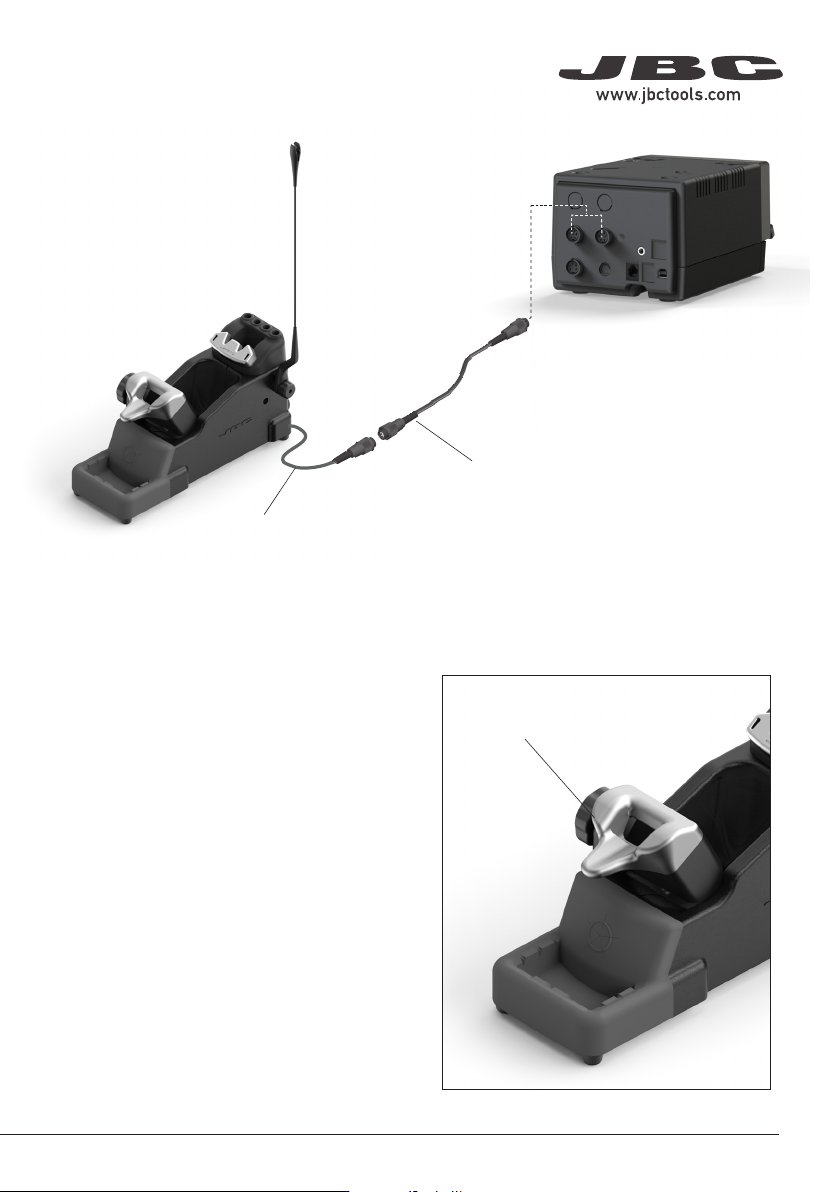
Stand Extension Cable
Ref. A1286
Length: 1.5m
Stand Cable
Accessories
Clean periodically
Maintenance
Before carrying out maintenance or storage,
always unplug the stand from the station and
the tool.
- Use a damp cloth to clean the stand. Alcohol
can be used only when cleaning metal parts.
- Check periodically that the metal parts of the
tool/stand are clean so that the station can
check the tool’s status.
- Periodically check all cables and tube
connections.
- Replace any defective or damaged parts. Use
original JBC spare parts only.
- Repairs should only be performed by a JBC
authorized technical service.
Safety
- Do not use the units for any purpose other than soldering or rework. Incorrect use may cause a fire.
- The power cord must be plugged into approved bases. Be sure that it is properly grounded before
use. When unplugging it, hold the plug, not the wire.
- Do not work on electrically live parts.
- The tool should be placed in the stand when not in use in order to activate the sleep mode. The
soldering tip or nozzle, the metal part of the tool and the stand may still be hot even when the station
is turned off. Handle with care, including when adjusting the stand position.
- Do not leave the appliance unattended when it is on.
- Do not cover the ventilation grills. Heat can cause inflammable products to ignite.
- Avoid flux coming into contact with skin or eyes to prevent irritation.
- Be careful with the fumes produced when soldering.
- Keep your workplace clean and tidy. Wear appropriate protection glasses and gloves when working
to avoid personal harm.
- Utmost care must be taken with liquid tin waste which can cause burns.
- This appliance can be used by children over the age of eight and also people with reduced physical,
sensory or mental capabilities or lack of experience provided that they have been given adequate
supervision or instruction concerning the use of the appliance and understand the hazards involved.
Children must not play with the appliance.
- Maintenance must not be carried out by children unless supervised.
It is imperative to follow safety guidelines to prevent electric
shock, injury, fire or explosion.
10