TM5739.Insertion-Component_SimpleVisionAlgorithmSetting.pdf - 第10页
SMT Software En gineering G rou p IM Ope rations Y A M A HA MOTOR CO., L TD. MDO C-SOFT 50229 10 /12 Set following v a lues to the upper column of [P in Posi tion Edit] screen. Item Explanation X (mm), Y (mm) Inp…
SMT Software Engineering Group
IM Operations YAMAHA MOTOR CO., LTD.
MDOC-SOFT50229 9/12
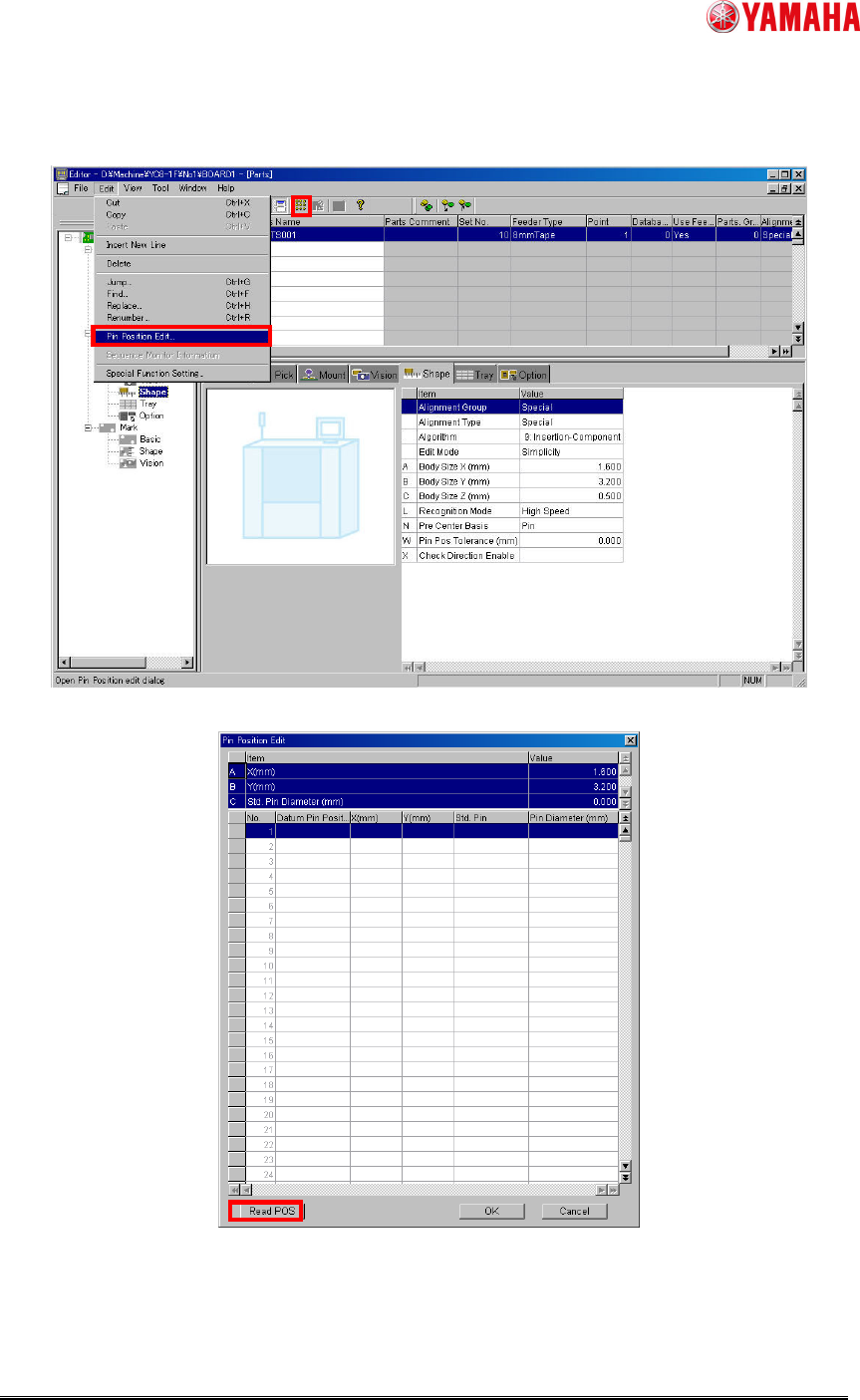
In editor, tap [Edit] - [Pin Position Edit] of menu (Or, ”Pin Position Edit” button at toolbar)
and open ”Pin Position Edit” screen.
Fig.9 Editor
Fig.10 [Pin Position Edit] screen of editor
SMT Software Engineering Group
IM Operations YAMAHA MOTOR CO., LTD.
MDOC-SOFT50229 10/12
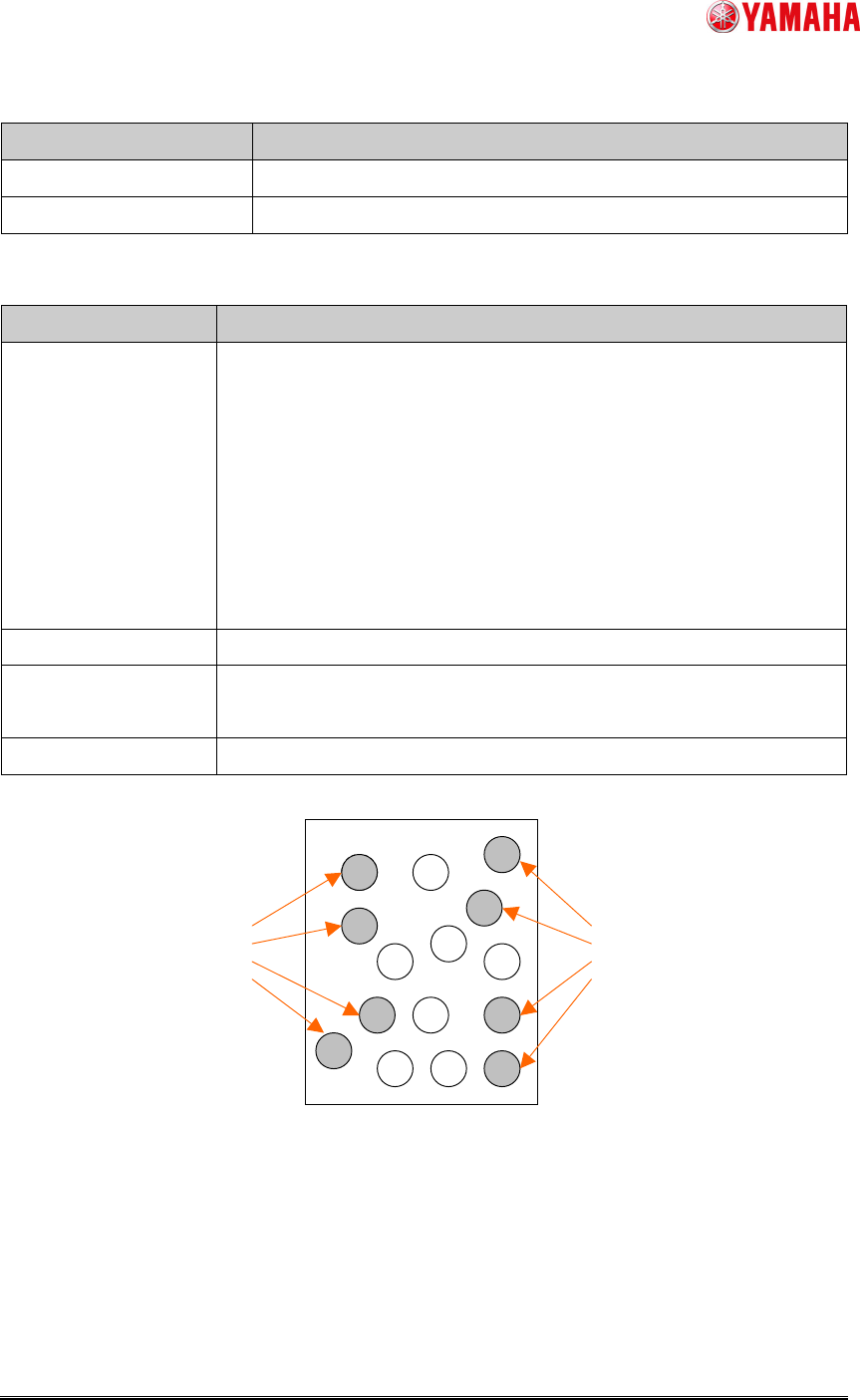
Set following values to the upper column of [Pin Position Edit] screen.
Item Explanation
X (mm), Y (mm) Input parts size.
Std. Pin Diameter (mm) Input pin size.
Set each pin position data to the lower column of [Pin Position Edit] screen.
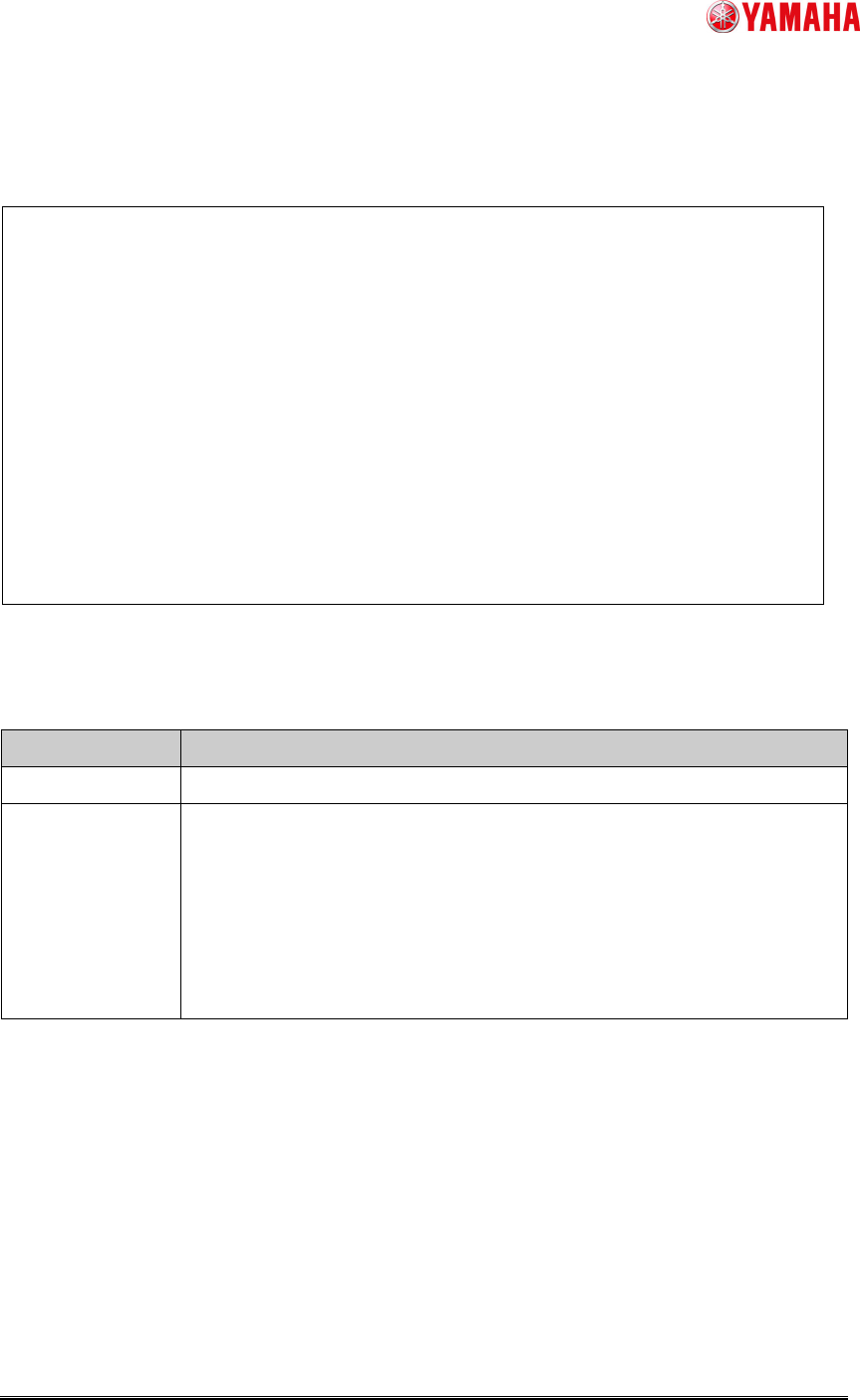
Item Explanation
Datum Pin Position
Choose the pins located preferably outside as datum pins in each
position of the upper left, the upper right, the lower left, and the
lower right. And allocate number “0” ~ “7” to them. (Ref. fig.11)
The datum pins are required two or more pairs. When parts have
only three or less pins, add same X and Y coordinate data
(“Datum pin position” number is not overlapping) to two or more
lines.
Set “(Std.)” except datum pins.
X (mm), Y (mm) Please input the coordinates from parts center.
Std. Pin
When check is attached, “Std. Pin Diameter” of upper column is
applied.
Pin Diameter (mm) When “Std. Pin” is unchecked, input pin diameter.
Fig.11 Datum pin position
Datum pin
Datum pin
SMT Software Engineering Group
IM Operations YAMAHA MOTOR CO., LTD.
MDOC-SOFT50229 11/12
When reading a pin position (POS) file, tap “Read POS” button.
When creating pin position (POS) data file, describe the following contents by text editor.
File name is arbitrary, but add ".POS" extension.
Fig.12 Example of pin position (POS) data file
Table3 Input data of pin position (POS) data file
Input data Explanation
Std. pin diameter
Input Standard pin diameter after “#DIAMETER”.
Pin position data
- In the case of standard pin position
For example, when standard pin position is “0”, input X coordinate, Y
coordinate and pin diameter after “#POS0”.
- In the case of pin position except standard pin position
Input X coordinate, Y coordinate and pin diameter after “#POS”.
When pin diameter is omitted, std. pin diameter is used.
When you input data, be careful of the following points.
・ Only one-byte alphanumeric characters, one-byte signs, and decimal points are
available for the data.
・ Only one byte spaces and tabs are available for the delimiter of data.
・ The line beginning in "//" becomes the comment. When "//" enters in the middle of a
line, the data after it is recognized as a comment. A comment can be inputted by
two-byte characters.
//==============================================================
// Pin position data file
//==============================================================
//===== Std. Pin Diameter ===========================================
// Diameter
#DIAMETER 0.100
//===== Pin position data ============================================
// X coordinate Y coordinate [Diameter]
#POS0 -0.250 0.500 0.050 // 1
#POS 0.050 0.500 // 2
#POS1 0.250 0.400 // 3
#POS2 -0.250 -0.400 // 4
#POS -0.050 -0.500 0.050 // 5
#POS3 0.250 -0.500 // 6