05_SM481_Service Manual Conveyor.pdf - 第13页
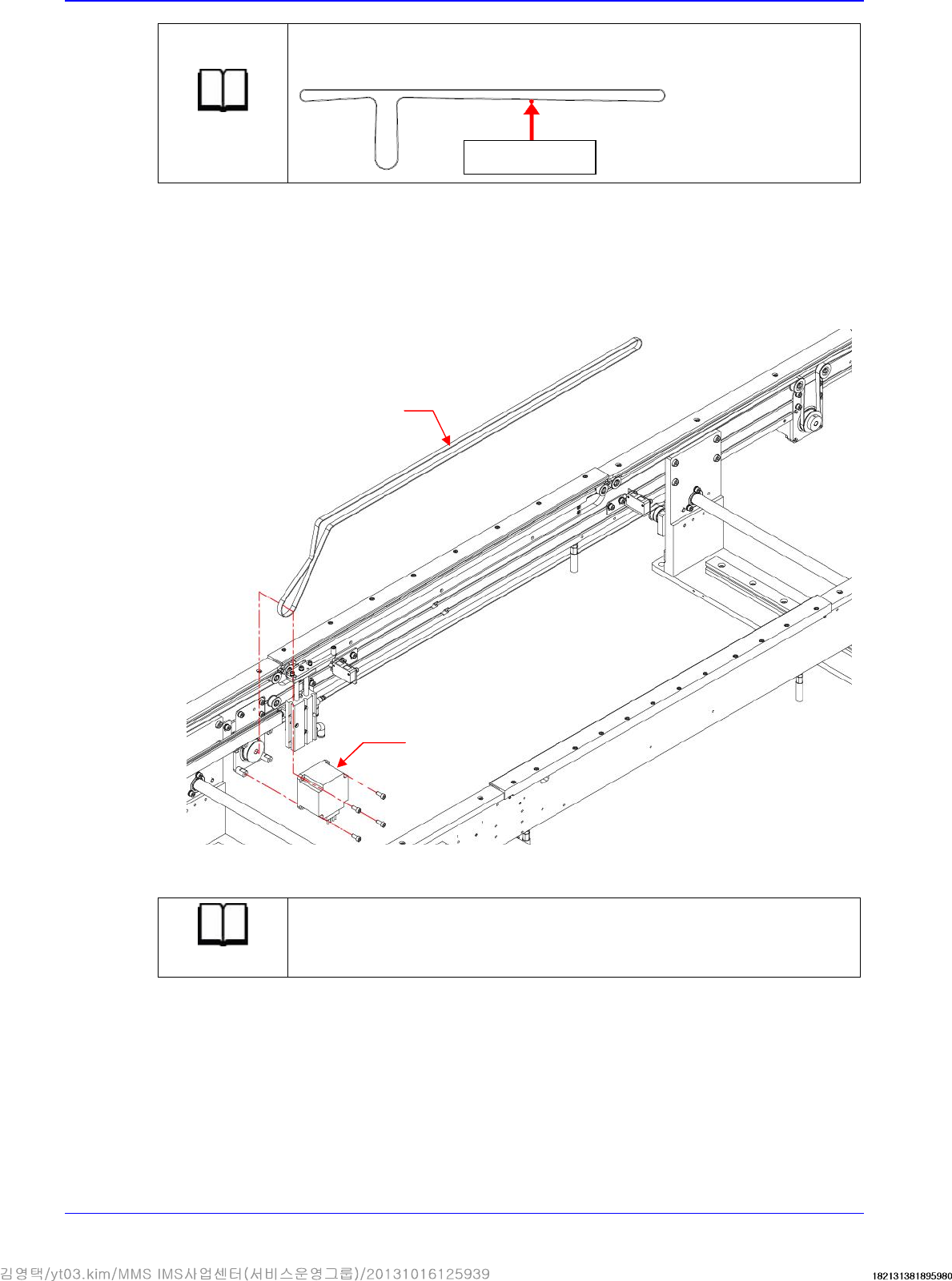
Conveyor 5-9 3. By adjusting t he b el t t ension using a scr e w drive r wi t h a ‘-’ shaped tip, m ove the idle r shaft to the left a nd r igh t through the conveyor fra me r ail and then adjust the tension. Referen ce…
Advanced High Speed Flexible Mounter
5-8
Reference
Tension : 135±10%Hz
Tension Gage : U-505
4. Assemble the belt in the reverse order of disassembling.
5.2.6. Work PCB Transfer Belt replacement procedure
1. Unscrew the fixing bolts securing the work PCB transfer belt using a hex wrench and remove
it.
2. Replace the belt with a new one.
Reference
The part number of the new belt is J66021018A
Measurement
position
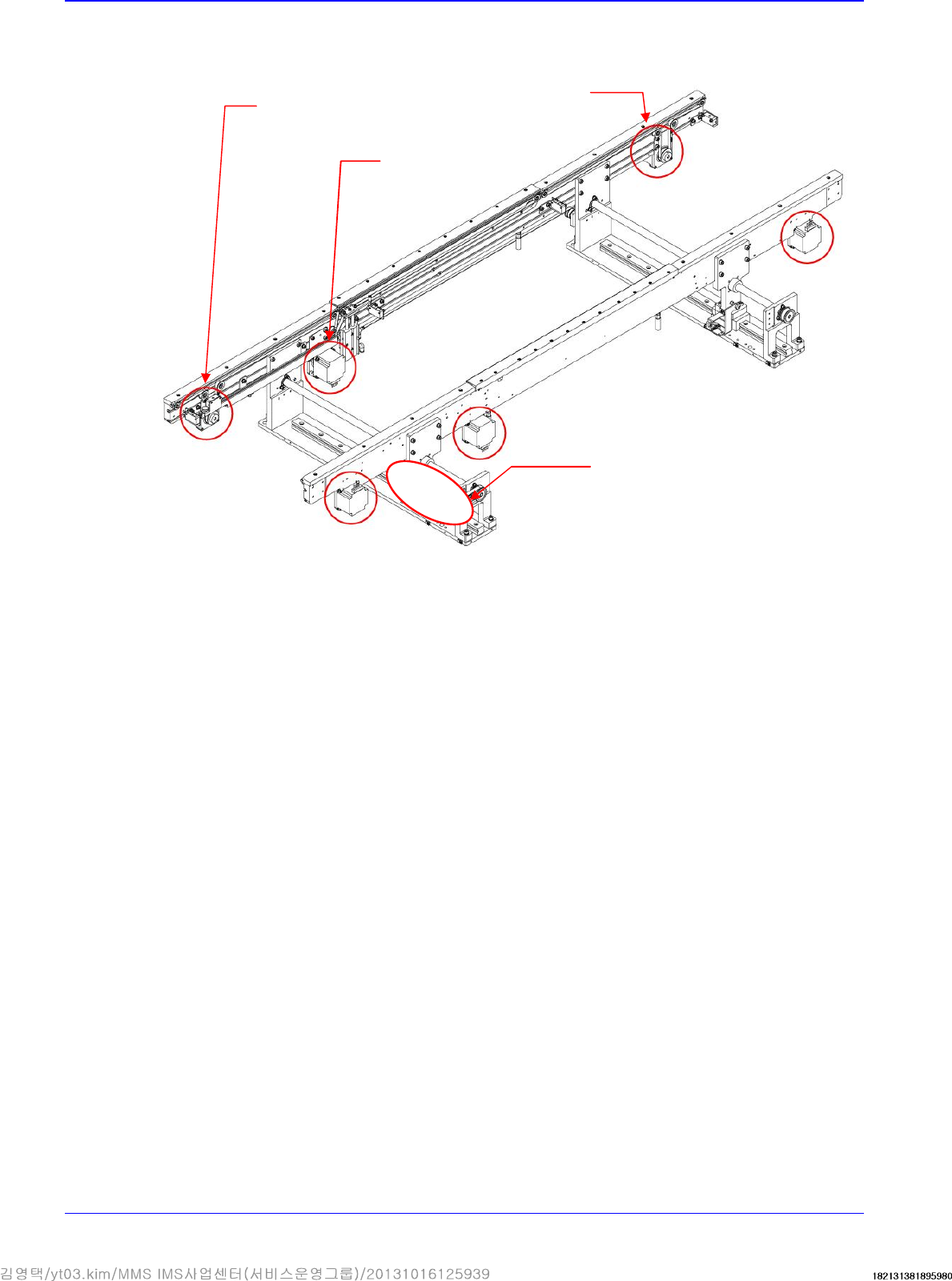
Motor
Work PCB transfer
Conveyor
5-9
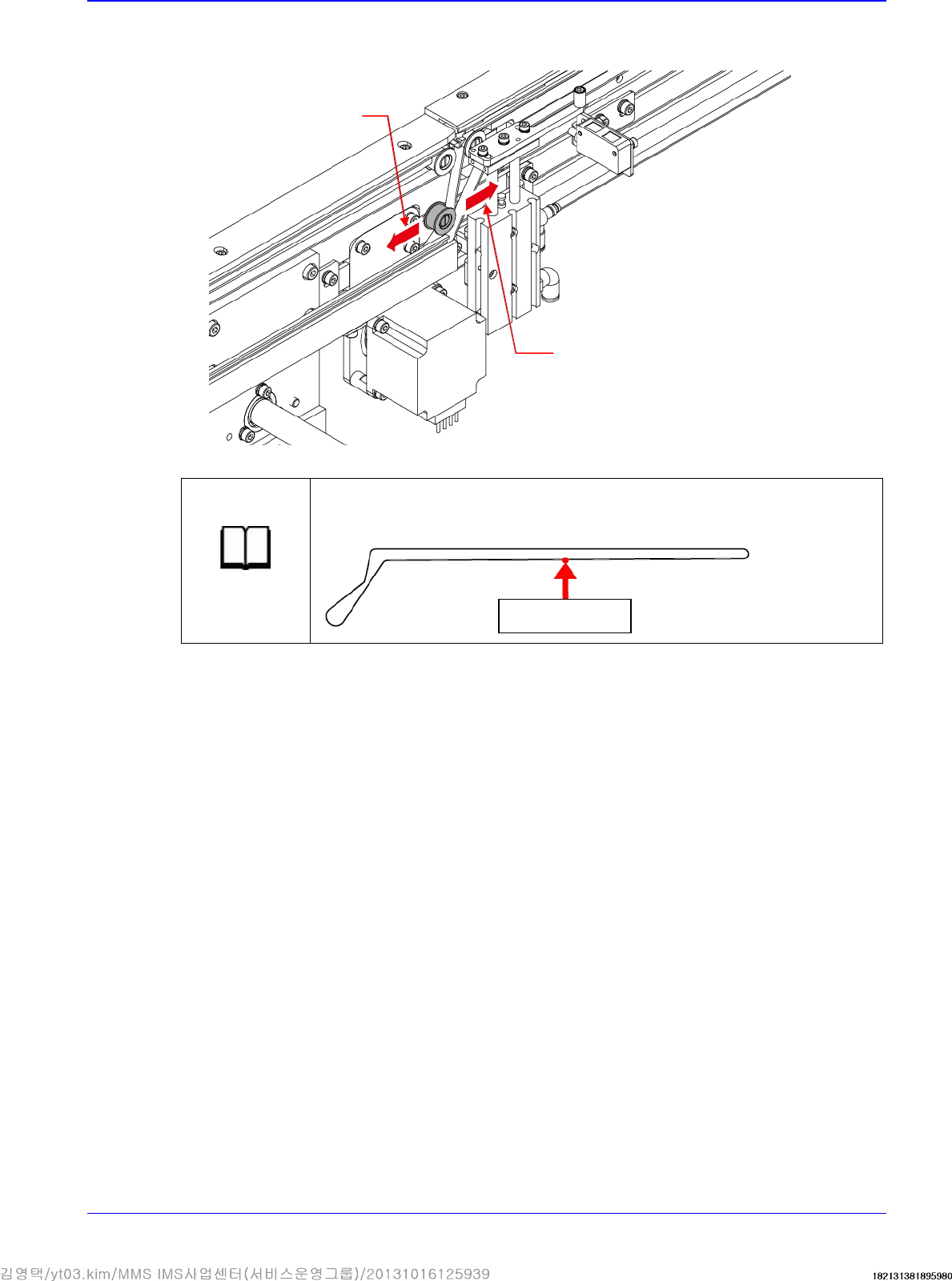
3. By adjusting the belt tension using a screw driver with a ‘-’ shaped tip, move the idler shaft to
the left and right through the conveyor frame rail and then adjust the tension.
Reference
Tension : 177±10%Hz
Tension Gage : U-505
4. Assemble the belt in the reverse order of disassembling.
Measurement
position
Increase in the PCB
transfer belt tension
Reduction of PCB
transfer belt tension
Advanced High Speed Flexible Mounter
5-10
5.3. Motor
5.3.1. Required Tools
Tension Gage(U-505)
T wrench (other tools supplied) or hex wrench
- shape tipped screw driver set
Calipers
5.3.2. Width Adjustment Motor replacement procedure
1. Manipulate the teaching box to move the X-Frame to the rear side.
2. Turn Off the PC in normal way. Then turn off the main switch on the front side of the machine.
3. Remove the cable connected to the motor.
4. Unscrew the fixing bolts securing the motor using a hex wrench and remove it.
WORK ZONE
ENTRY STATION
EXIT STATION
Entry PCB
Transfer Motor
Exit PCB
Transfer
Motor
Width Adjustment Motor
Work PCB
Transfer
Motor