M4serviceManual_e.pdf - 第60页
3 Mechanical Section 3-30 ■ Applying Grease to Z-axis Ball Screw/ Z-ax is linear guide ACTION: ① Select [Manual] t o display [Nozzle Info] window. From this window, return all the nozzl es to ANC, and move the head to th…
3 Mechanical Section
3-29
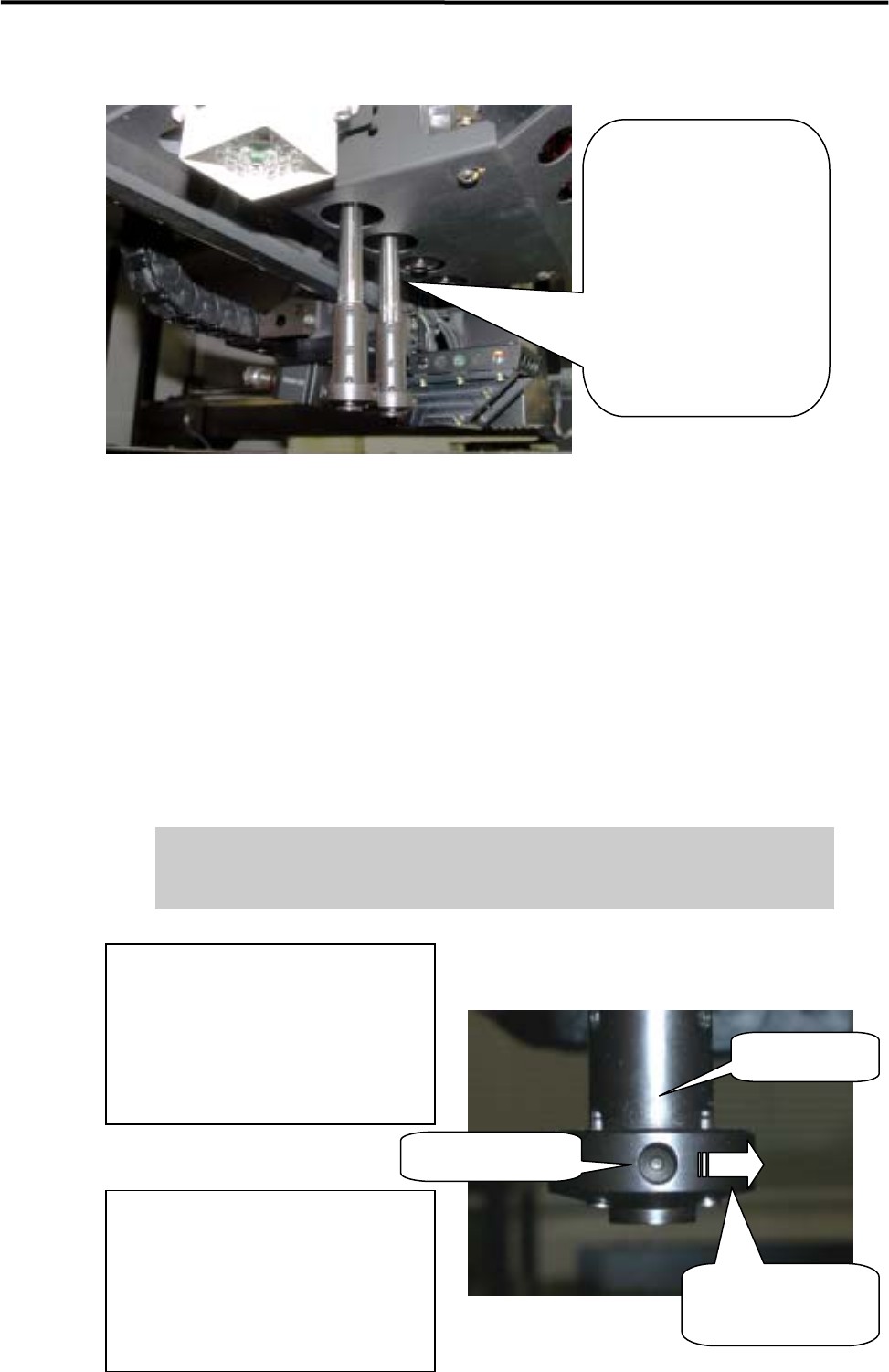
■ Lubrication Points for Spline Shaft
Spline Shaft:
Turning off the servo motor
power, each head can be
pulled down manually. Pull
down each head until the
spline shaft part appears as
seen on left, and applying
grease can be easily
performed.
NOTE: For the procedure to turn off the servo motor power, see the iMS Operation Manual, Chapter 7, Servo Off.
NOTE: With each head in down position, do not manually move X /Y/S axis , neither set feeder on the feeder bank
or remove it off because that may cause head collision with other part such as conveyor, feeder, lighting
box of scan camera. When any heads pulled down manually to apply grease, the heads must be up before
starting the other operation, by manually pushing them up to Z axis origin around or performing
Return-to-origin for Z axis with Servo On.
NOTE: If R-axis (Theta axis) is rotated by hand during machine power OFF or Servo OFF condition, the R-axis
origin may shift 180 degrees away after the Origin Initialization. If you rotated R-axis by hand during
lubrication, be sure to check the R-axis orientation after Origin initialization. If the orientation is not correct,
adjust it by following steps. In case of M4e/M4s, this problem would3-27 not occur.
If machine is operated under the R-axis origin with 180 degrees shift, several
problems may occur such as Nozzle broken, abnormal machine stop at Auto
Nozzle Change, and Scan Camera broken (mirror or lighting unit).
Rotating direction of
Nozzle holder
How to adjust R-axis origin position;
1) Under the Servo OFF condition, rotate
the Nozzle holder to right direction for
two turns.
2) Perform “Origin” command, and check
that the R-axis faces to correct orientation.
Nozzle holder
Hole of Origin-sign
How to check R-axis origin position;
After returning R-axis to Origin, check
that the hole of origin-sign on the Nozzle
holder faces to machine front.
That is the correct orientation of R-axis at
origin.
3 Mechanical Section
3-30
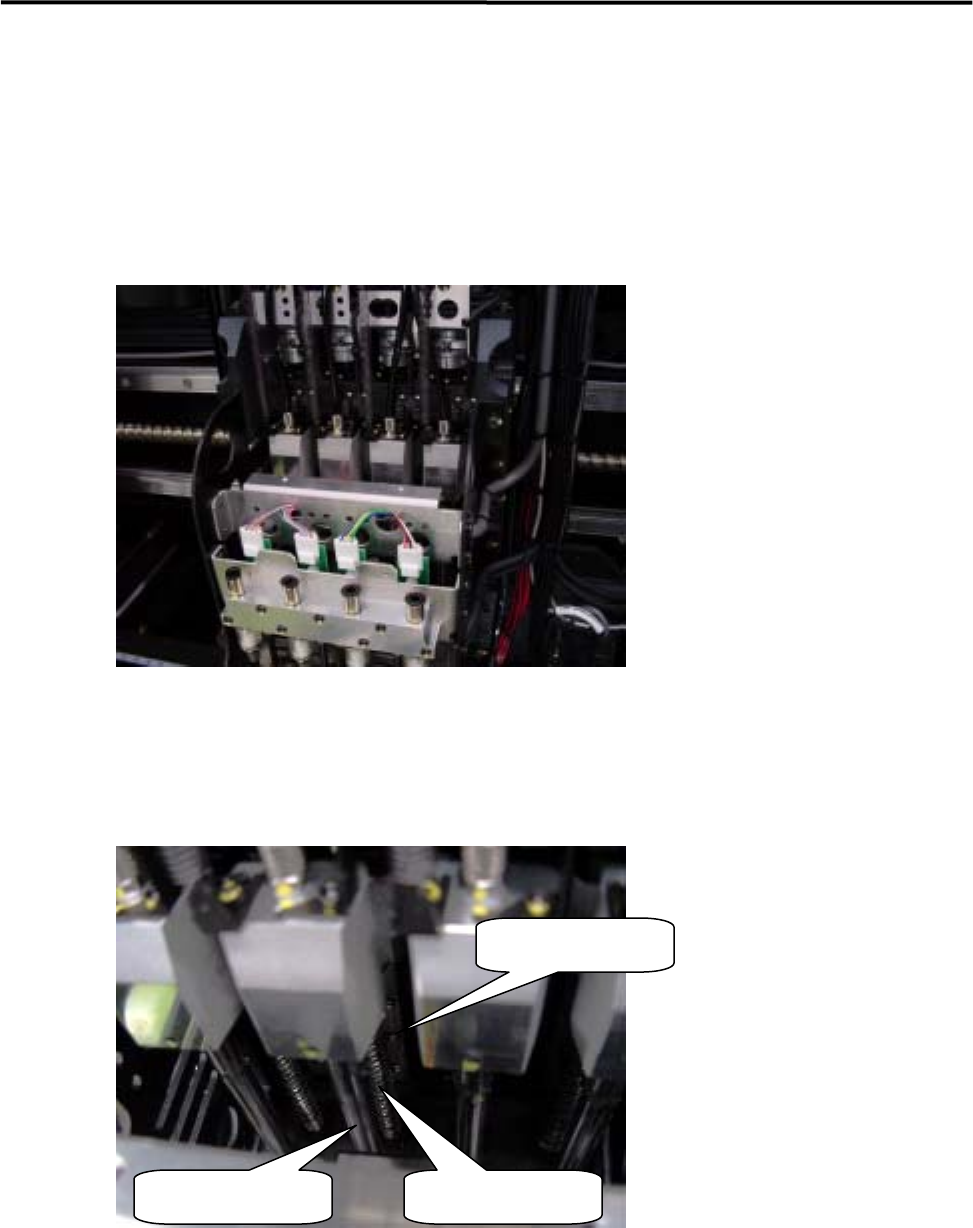
■ Applying Grease to Z-axis Ball Screw/ Z-axis linear guide
ACTION:
① Select [Manual] to display [Nozzle Info] window. From this window, return all the nozzles to ANC,
and move the head to the center (X-axis) approximately and to the nearest front side (Y-axis) in JOG
mode.
② Remove the upper head cover . (For the method, refer to “Head Cover Part”.)
③ Turn OFF the main power of the machine.
④ Apply grease to the upper section of Z-axis ball screw of each head. Do not apply an excessive amount
of grease as doing so may cause grease splash. (An appropriate amount that forms a film of oil on the
surface is sufficient.)
Z-axis linear guide
Spline shaft Z-axis ball screw
⑤ To spread the grease over the entire moving area, move the Z-axis by hand. For the Z-axis, each head
must be moved up and down a few times.
⑥ Raise all the heads approximately to the height of the machine origin by hand.
⑦ Attach the upper head cover .
3 Mechanical Section
3-31
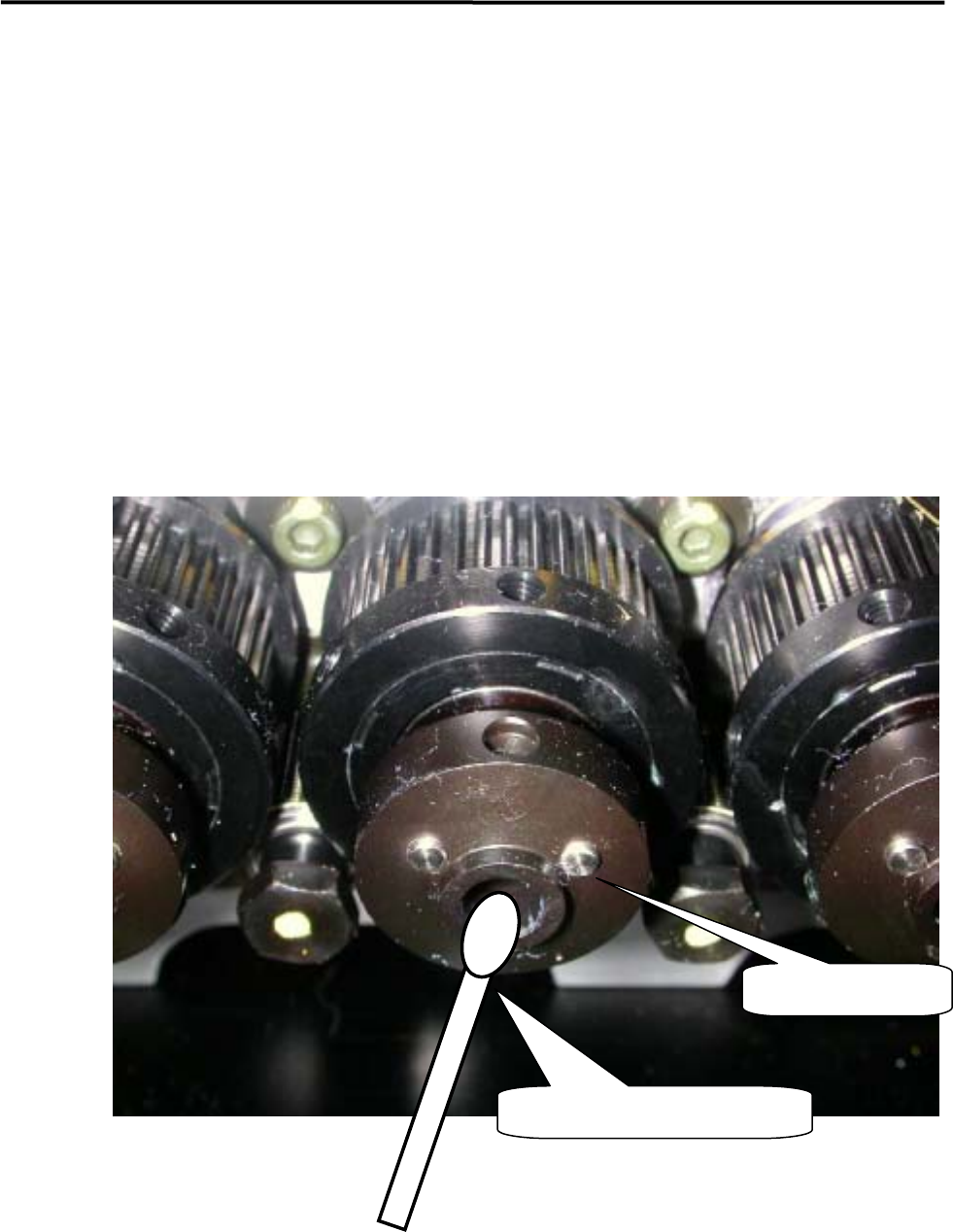
■ Application of grease on a Nozzle Holder
【Steps】
① Rub the inside of the Nozzle Holder with materials like a dry cotton swab to clean out the grime, such
as old grease.
② Use the head vacuum breaker to blow out the dust, such as fibers from a cotton swab.
NOTE: The head vacuum breaker can be executed by clicking the button at required head on the window of Main
Menu > Manual Menu > Actuator > On/Off > Head Vacuum.
③ Apply silicon grease evenly on the new cotton swab and rub the inside of the Nozzle Holder softly and
evenly with it.
④ After grease is applied, insert a nozzle and confirm that the nozzle escaping works smoothly.
Nozzle Holder
Such as a cotton swab