00198002-01_VersionDescription_SR709.0_LPCD_DE_EN.pdf - 第19页
Software Versi on Description Language Pack 709.0 12/201 5 Edition 19 Compl etion Scr een Actuate th e Finish butt on to com plete the i nstallat ion.
Software Version Description Language Pack 709.0 12/2015 Edition
18
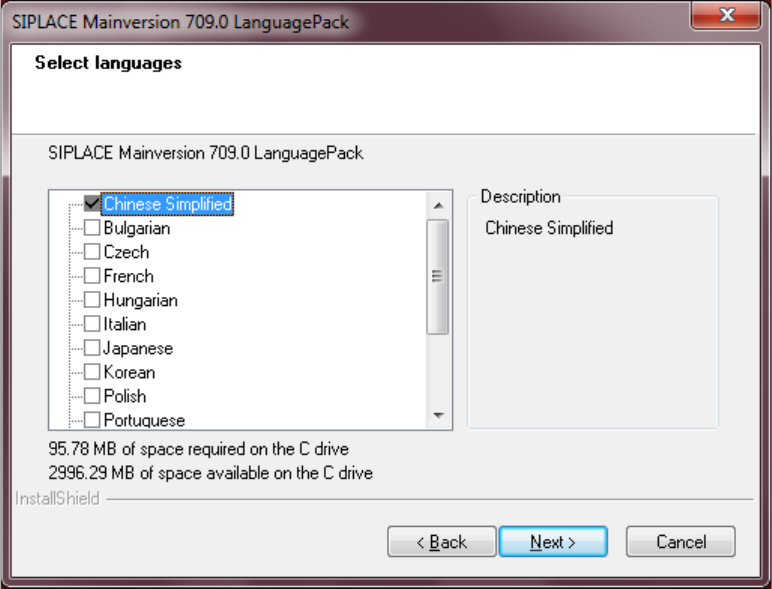
Component Selection
The screen below allows you to select the languages you wish to install.
• Default: Chinese Simplified is selected and will be installed.
• If you wish to install different languages, you must select those.
Actuate the Next button to start the installation.
Software Version Description Language Pack 709.0 12/2015 Edition
19
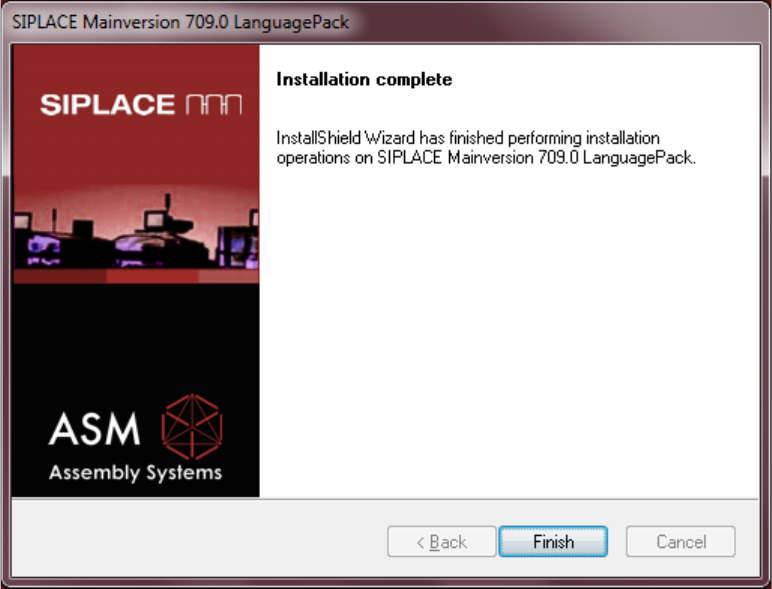
Completion Screen
Actuate the Finish button to complete the installation.
Software Version Description Language Pack 709.0 12/2015 Edition
20
5.1.3.2 Uninstallation
Proceed as follows to uninstall the language pack:
• Switch the station computer on.
• Log in as the administrator.
• Switch to the operating system.
• Start the uninstallation:
Start -> All Programs -> SIPLACE -> SIPLACE Mainversion 709.0 LanguagePack Uninstall
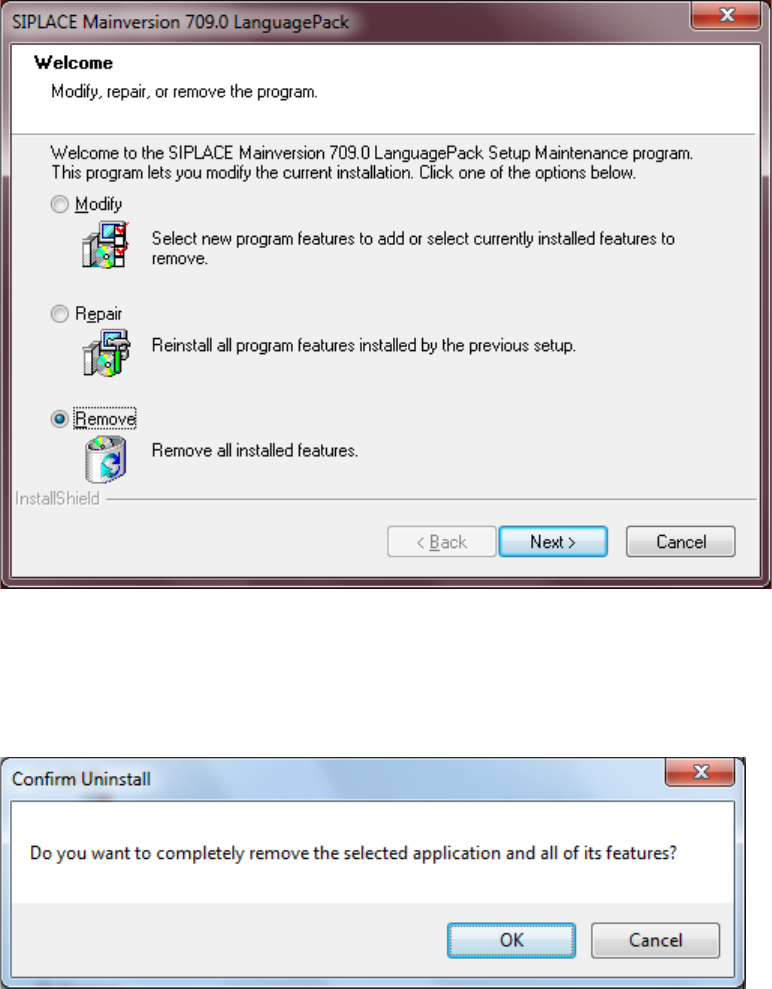
Remove
Select the radio button Remove, actuate the button Next to start the uninstallation.
CONFIRM UNINSTALL
Actuate the OK button to confirm the uninstallation.