M6e_ServiceManual_e.pdf - 第46页
3 Mechanical Section 3-12 ● Replacing seals of nozzle holders Seals are attached on bottom s of nozzle holders to prevent from being recognized as nozzles when “Scan Nozzles” is performed. Long-term producti on doing noz…

3 Mechanical Section
3-11
ACTION:
① Unscrew the two screws with a Phillips screwdriver to take the roller and leaf spring off.
② Remove dust and dirt around the area where the roller touches, the roller and leaf spring.
Check to see that there is no flaw in them. (Replace the part with a new one if there is a flaw)
③ Apply the proper amount of Silicone Grease to the roller and the area where it touches.
Put them back in reverse order of removal.
● Inspection interval
When unusual conditions are seen by an inspection, or once/twice a month.
Part Name
Part No. Remark
SCREW,BIND.HEAD LC1-M71GN-30X Pan-head screw
PIN,PARALLEL LC6-M71AY-00X Parallel pin
LEAF,SPRING 1 LC6-M714R-00X
LEAF,SPRING 2 LC6-M714S-00X
LEAF,SPRING 3 LC6-M714T-00X
LEAF,SPRING 4 LC6-M714U-00X
NOTE: A life of a leaf spring is approximately five hundred thousand nozzle changes. It should be replaced
periodically.
3 Mechanical Section
3-12
● Replacing seals of nozzle holders
Seals are attached on bottoms of nozzle holders to prevent from being recognized as nozzles when “Scan
Nozzles” is performed.
Long-term production doing nozzle exchange may cause seal damage such as scratches and wear.
Damaged seals may cause light reflection which occurs vision recognition errors. In this case replace
damaged seals with new ones.
Part Name
Part No. Remarks
SEAL (Z), HOLDER LC6-M714V-00X Holder seal Z (Old type)
SEAL B, HOLDER LC6-M714V-10X Holder seal B (New type)
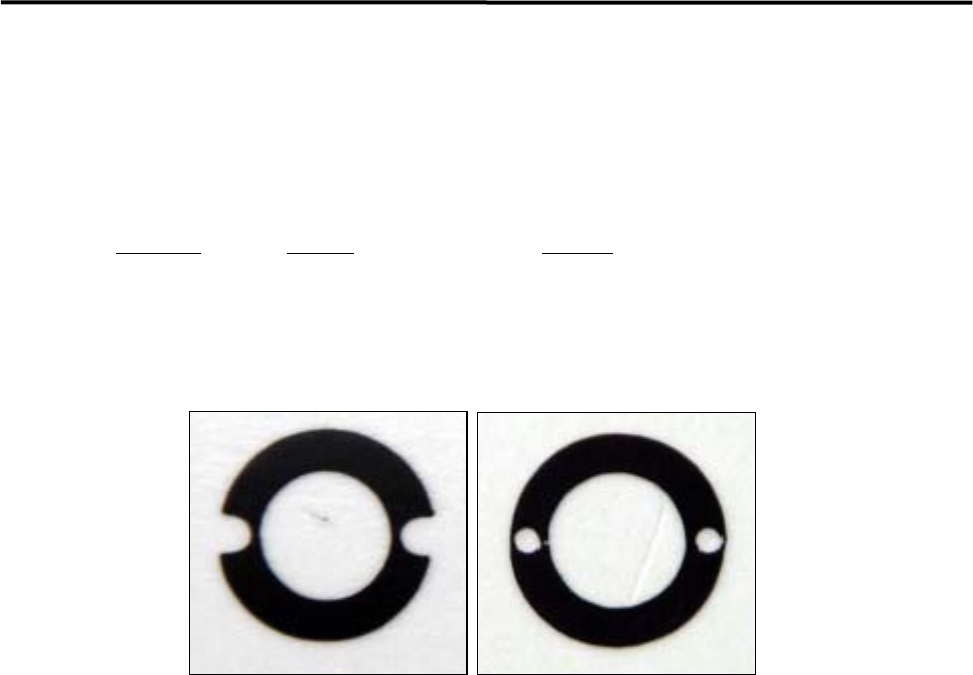
NOTE: There are two types of seals as shown below. Choose the same type of seals attached to your mounter.
The seal types vary depends on mounter delivery time. It is switched to the new one around July in 2007.
LC6-M714V-00X (Old type) LC6-M714V-10X (New type)
3 Mechanical Section
3-13
■ O-ring
If the O-ring inside the nozzle deteriorates and develops cracks, air leakage will occur. This will reduce the
maximum air pressure (negative pressure), causing problems with suction operation. If the reduction in the
maximum air pressure is found and the cause seems to be in the nozzle, replace the O-ring inside the nozzle.
ACTION:
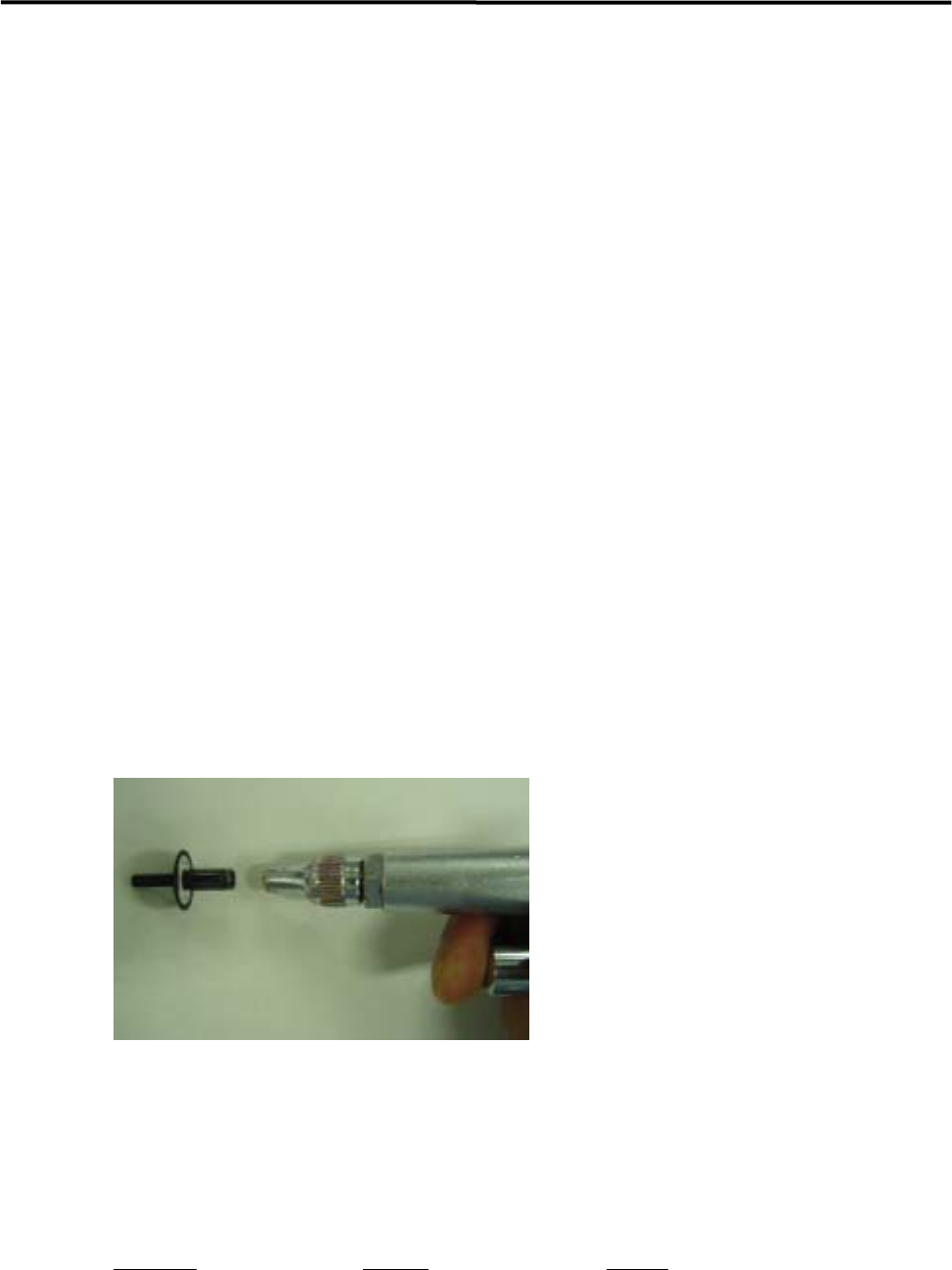
① Pull out the O-ring from the nozzle and clean inside the nozzle with an air blower.
② Insert a new O-ring into the nozzle from its rear end.
③ Push the O-ring against the bottom inside the nozzle.
④ After the new O-ring has been set in place, attach the nozzle to the head and check for nozzle
clogging.
)
Checking the nozzle for clogging
NOTE: Do not apply silicon grease or the like to the O-ring since it may cause nozzle clogging.
■ Nozzle Filter
The nozzle filter prevents dust from getting inside the nozzle. It also prevents the escape action malfunction
caused by the dust. Periodical cleaning of the nozzle filter must be performed.
ACTION:
① Clean the nozzle with an air blower from its rear end.
NOTE: Normally, cleaning with the air blow may be enough. But when the dirt is firmly fixed, remove the O-ring
and the filter to clean.
NOTE: Nozzles with filter:
P005, P006, P013, P018, P019, P020 and Custom-made nozzles.
Dust and dirt are easily taken in to a nozzle hole with a big-diameter. (1.0mm or more)
Part Name
Part No. Remark
O RING LC1-M77A5-90X
FILTER, NOZZELE 15 LC6-M771Y-00X
REMOVER,O-RING LC1-M861R-01X O-ring removal jig
PIN(O RING) LC1-M8911-10X For inserting O-ring