M6e_ServiceManual_e.pdf - 第70页
4 Electrical Section 4-4 ■ Write Protect To prevent form atting or overwriting dat a by mi stake, floppy disks can be wri te-protected. Data can be read from write-protected floppy disks, but cannot be written on them . …

4 Electrical Section
4-3
Floppy Disk and Disk Drive (Option)
Handling Floppy Disk
Floppy disks are used to store the operation data of the mounter. When handling floppy disks, the following
precautions must be taken.
■ Label
・ Check if a floppy disk is 2HD.
・ Keep floppy disks with a title on.
・ Check the contents before using floppy disks.
・ Write a title on a label before putting it on a floppy disk.
・ Don't write a title with a benzene pen.
・ Don't use a pencil, a ball point pen, and an eraser.
・ Use a felt tip pen which does not blur.
・ To put a new label, remove the existing one carefully.
■ Notes on Handling
・ Don't fold nor bend floppy disks.
・ No magnetic field is allowed around floppy disks.
・ Avoid dust.
・ Avoid direct sunlight, high temperature and high humidity.
・ Don't touch the magnetic surface of the floppy disk.
・ When the indicator is on, the disk drive is working.
・ Don't draw out the floppy disk when the indicator is on.
・ Keep floppy disks in a safekeeping box.
4 Electrical Section
4-4
■ Write Protect
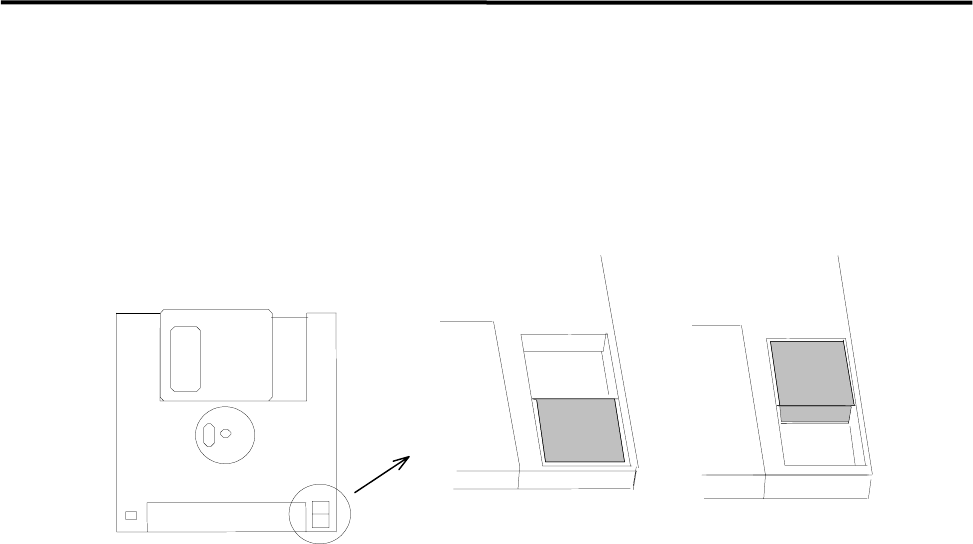
To prevent formatting or overwriting data by mistake, floppy disks can be write-protected. Data can be read
from write-protected floppy disks, but cannot be written on them. When you slide the plastic tab to open
the window, the floppy disk is write-protected. When the window is closed, data can be written on the
floppy disk.
Not protectedProtected
Cleaning of Disk Drive
The head of a floppy disk drive gets dirty from repetitive writing and loading. If you continue using it
without any cleaning, malfunctions may occur and it also shortens the life of the floppy disk. Clean monthly
the head of the floppy disk drive with a conventional head cleaner .
4 Electrical Section
4-5
Electrodes on Feeder / Feeder Bank
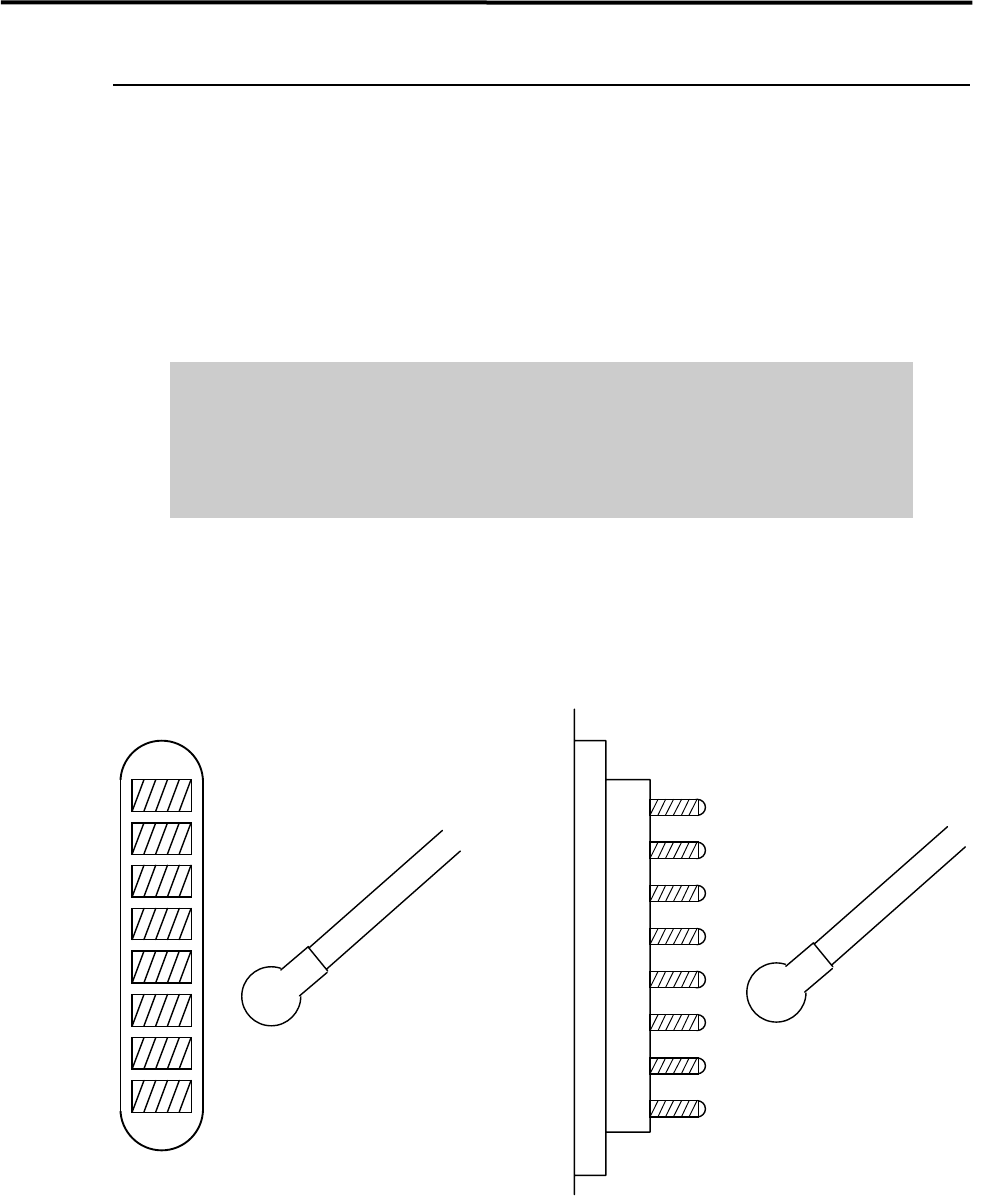
When electrodes on the feeder bank and the tape feeder get dirty, clean them as follows:
NOTE: If the electrodes are touched by hand or have come into contact with foreign matter, cleaning is
recommended even if no dirt can be observed visually.
ACTION: Clean the electrodes by wiping off dust gently with a dry cotton swab or non-woven fabric. When cleaning
them, check that the pins are not bent. If they are bent excessively, contact i-PULSE for repair. Continuing
to use them if the pins are bent may scratch the contact surface of the feeder bank.
Do not use alcohol, water base detergents and organic solvent, such as
thinner, benzene and acetone.
Do not use sandpaper and tools with sharp blade or edge, such as a knife and
a screwdriver.
NOTE: If they get stubborn stains, try not to get rid of them forcedly. Please contact us.
Cotton swab
Pin Electrodes on feederElectrodes on feeder bank
Cotton swab