AP250-A_MANUAL.pdf - 第3页
Features So lde r Feed I ron R ef. A P2 50 - A Solder Feed Stand R ef. A P- SD Control Unit Th e AP250 -A Sold er Fe ed Iro n is ful ly co mpati ble w ith any J BC stat ion wi thin t he Mod ula r Lin e and wi th the CF S…
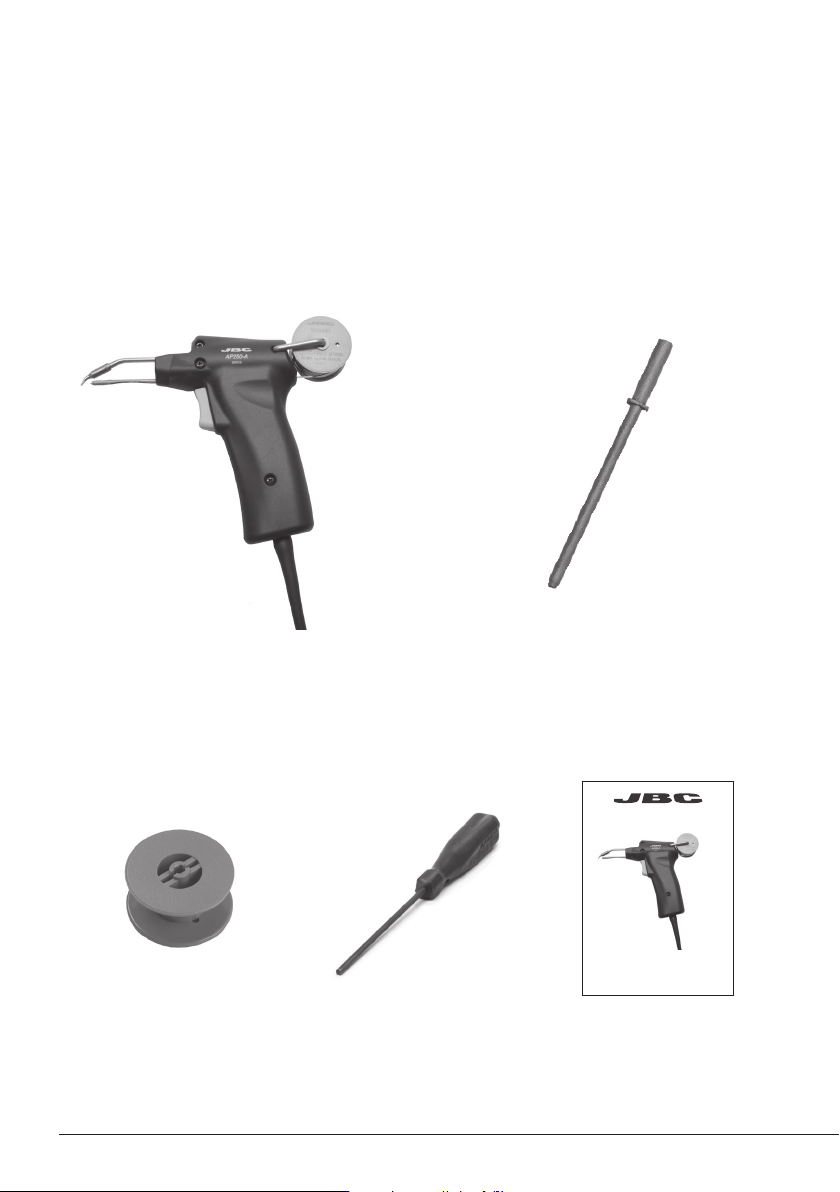
Packing List
The following items should be included:
Solder Feed Iron ....................................... 1 unit
Ref. AP250-A
Ø1 mm Feeder Nozzle (Ref. 0019212) is included
Manual ............................ 1 unit
Ref. 0017297
Ø1.5 mm Feeder Nozzle ......................... 1 unit
Ref. 0 019 211
Reel .................................. 1 unit
Ref. 0002801
Allen Key ........................ 1 unit
Ref. 0780493
Solder Feed Iron
Ref. AP250-A
INSTRUCTION MANUAL
2
www.jbctools.com
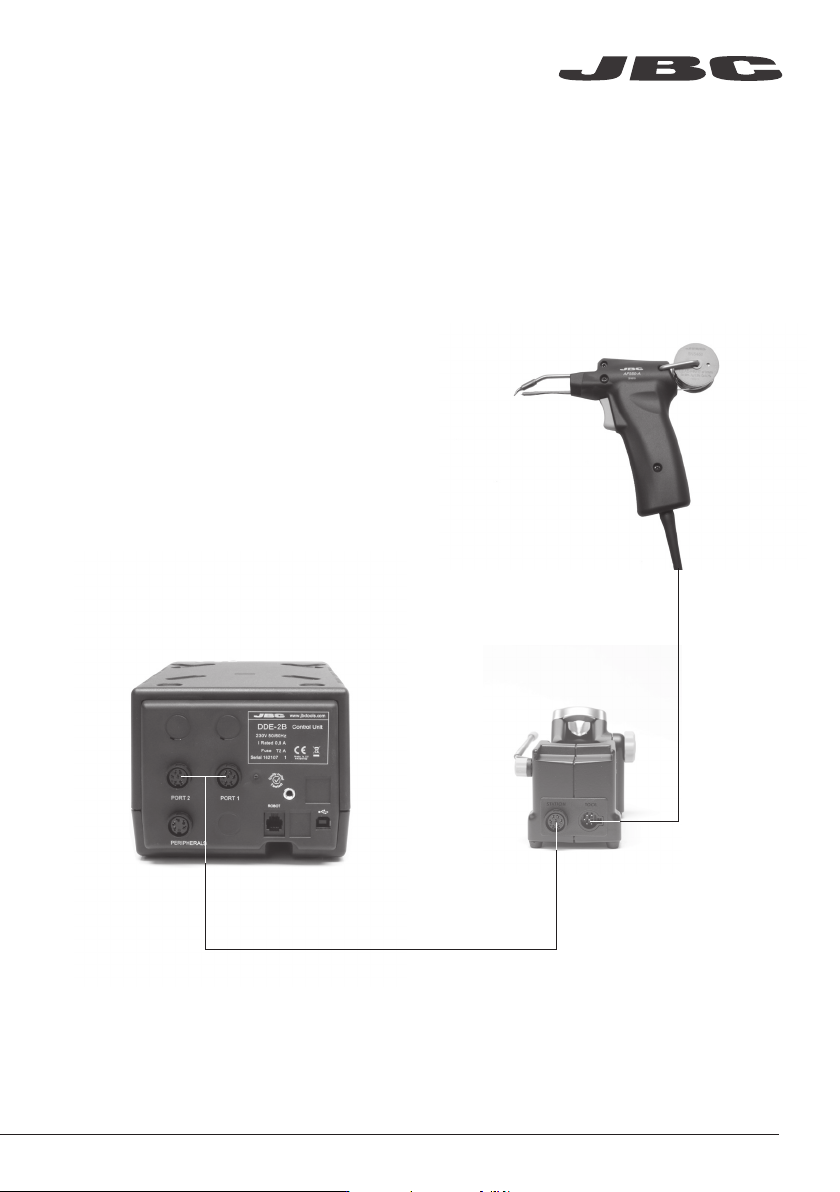
Features
Solder Feed Iron
Ref. AP250-A
Solder Feed Stand
Ref. AP-SD
Control Unit
The AP250-A Solder Feed Iron is fully compatible with any JBC station within the Modular Line and
with the CF Solder Feed station within the Compact Line.
www.jbctools.com
3
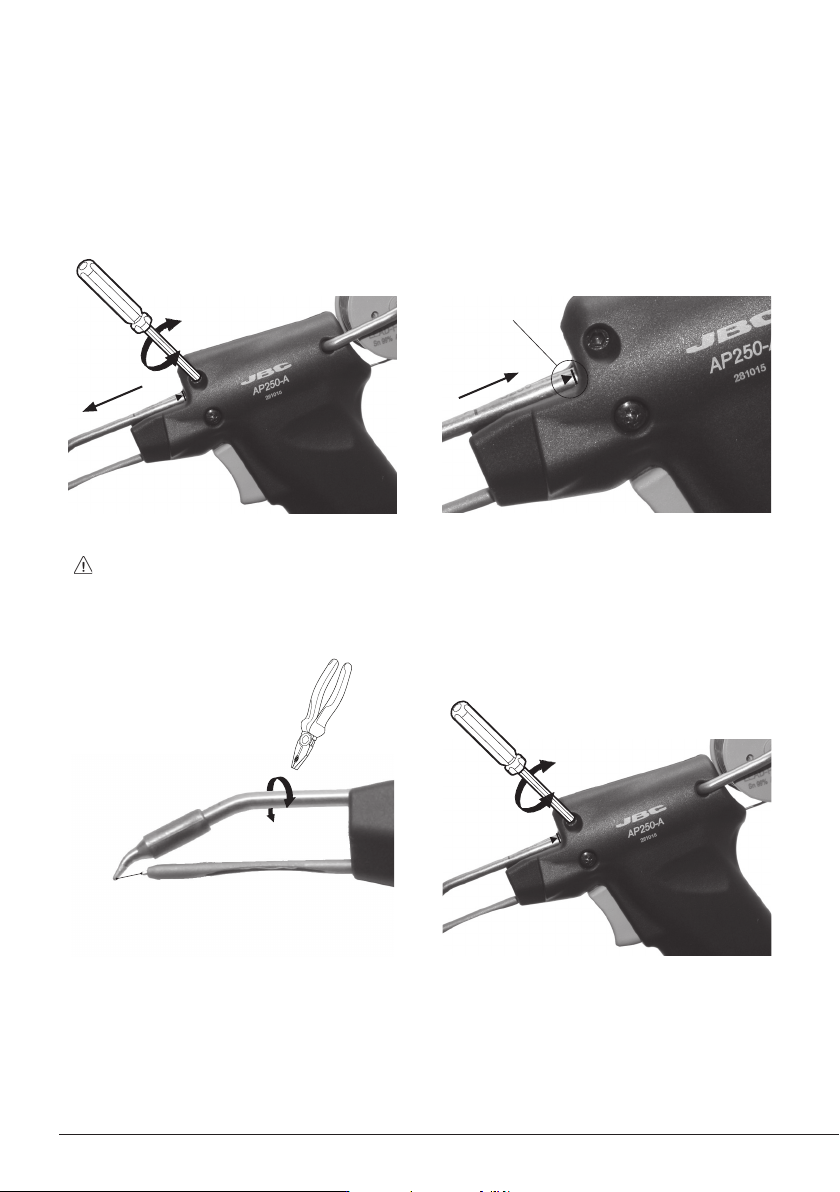
Align the tip of the cartridge with the feeder
nozzle. Use a pliers for a correct tip alignment.
Changing cartridge
For a safe cartridge change, unplug the tool or turn the station off before following these guidelines:
Loosen the screw and remove the cartridge.
Use a flat pliers to remove it if still hot.
1. Removing
Alignment
Important: Tighten the screw again. This is
necessary for the tool to function.
3. Aligning
2. Inserting
4. Fixing
Mark
Important: Insert the cartridge as far as
the mark for a correct connection.
4