AP250-A_MANUAL.pdf - 第7页
Regulating the Feeder Nozzle De pen ding o n the co mpo nen t you are s olde ri ng or th e car tr idg e bein g use d, you ca n eith er sh or - ten or l eng the n the fee de r nozz le by (a ma x) 1 0 m m. 1. Loos en th e …
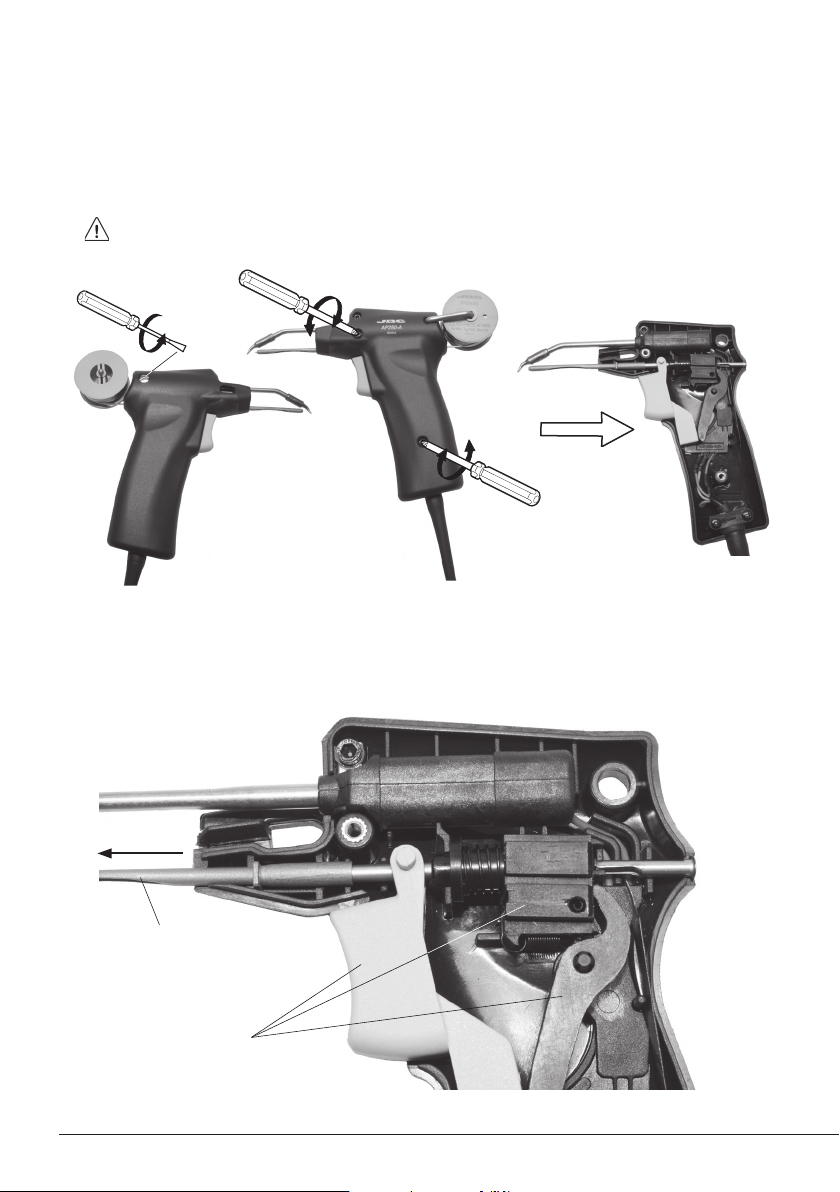
Changing the Feeder Nozzle
Feeder Nozzle
1. Take out the screw from behind to remove the reel and the solder wire from the nozzle.
Next, remove the two screws from the other side and lift the cover off.
Make sure the tool is unplugged.
2. Take out the nozzle and replace it with the new one while holding the following 3 components
inplace. Reassemble the handpiece and tighten the 3 screws.
The 3 components
6
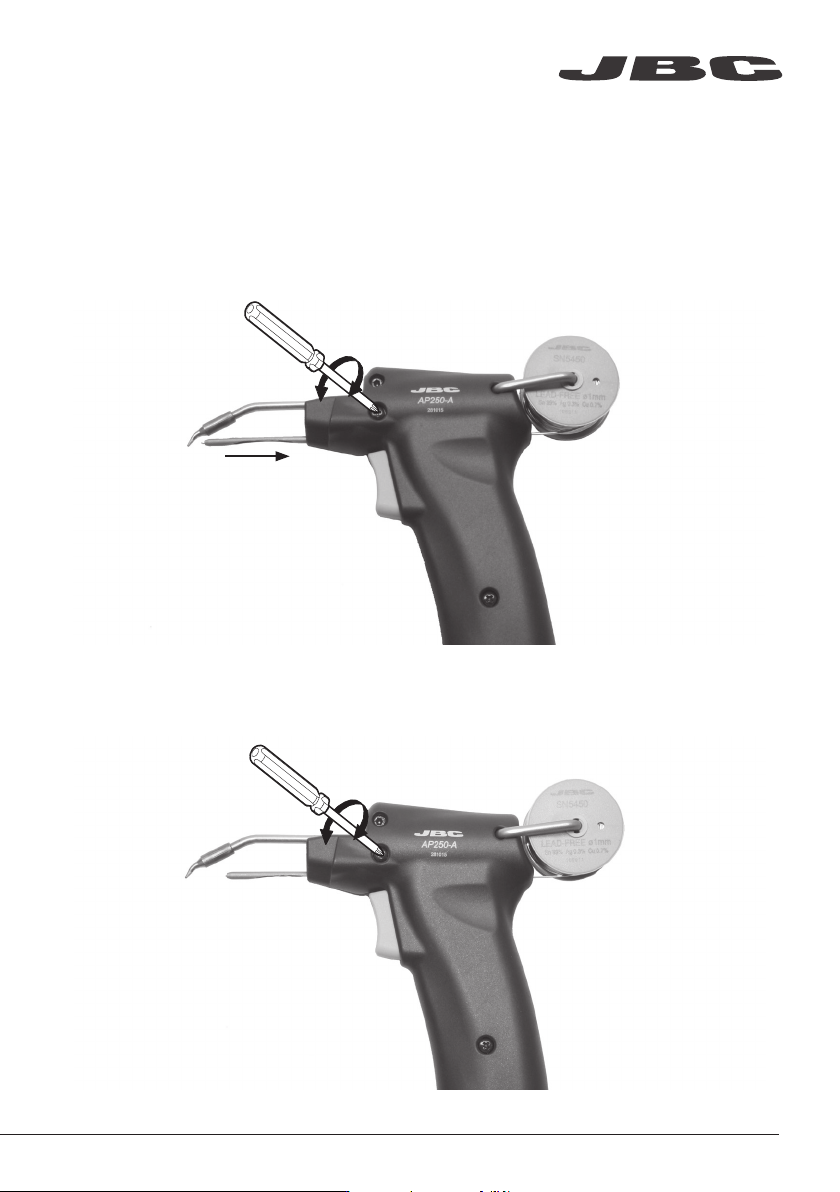
Regulating the Feeder Nozzle
Depending on the component you are soldering or the cartridge being used, you can either shor-
ten or lengthen the feeder nozzle by (a max) 10 mm.
1. Loosen the screw to change the length of the nozzle.
2. Adjust it to the required length and tighten the screw.
www.jbctools.com
7
ø 0,6
ø 0,8
3,2x1,5
ø 2,2
1,8x0,8
2,2x1
ø 1,7
2,2 x 1
1,2x0,7
2,2x1
4,8x1,5
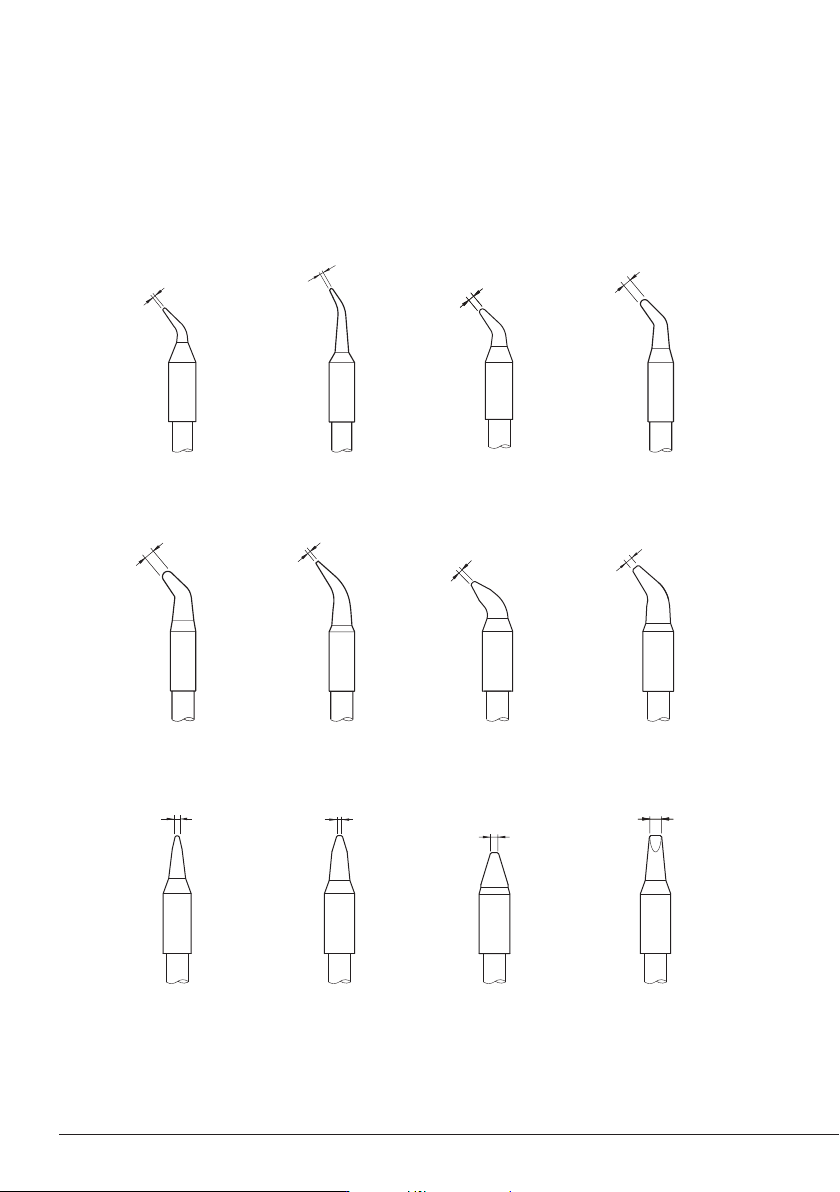
The AP250-A Solder Feed Iron works with C250 cartridge range. Find the model that best suits your
soldering needs in www.jbctools.com
Compatible Cartridges
C250-401 C250-402 C250-403
C250-418C250-410 C250-405 C250-406
C250-409
C250-413C250-407 C250-411
Note: All the cartridges shown are actual size.
C250-408
8