YG100R_Ope_E.pdf - 第90页
2-37 2 Basic operation 6 I n s e r t t h e n e w m a g a z i n e . A l i g n t h e g r o o v e s i n t h e b o t t o m o f t h e m a g a z i n e w i t h t h e g u i d e s o n t h e i n n e r s i d e o f t h e m a g a z i…
2-36
2
Basic operation
4
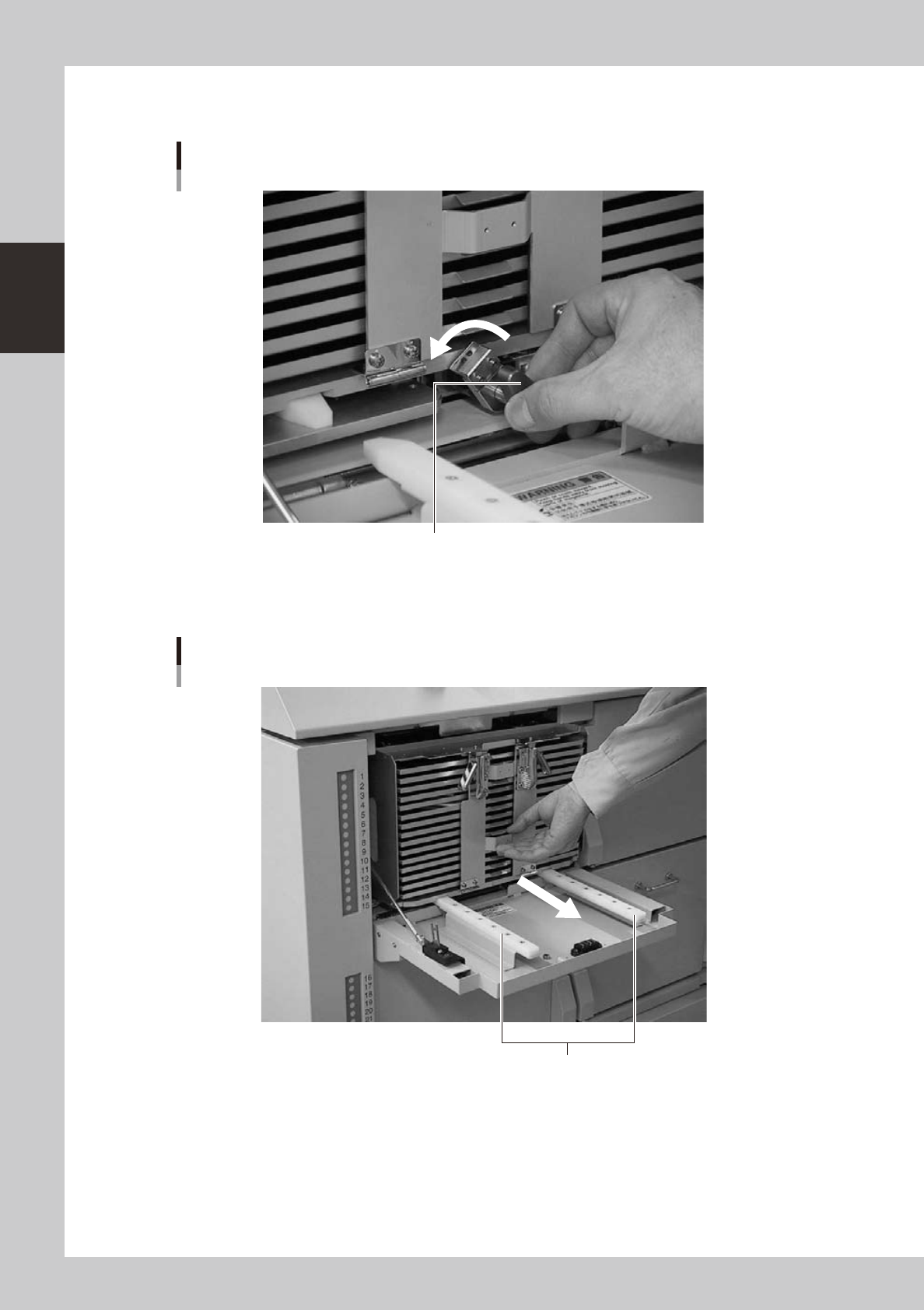
Unclamp the magazine.
Turn the clamp lever to the left while pulling it.
Magazine clamp
Turn the clamp lever to the left to unclamp the magazine.
23231-M0-00
5
Pull out the entire magazine.
Holding the handle on the pallet retainer door, slowly pull the magazine straight out.
Pulling out the magazine
Guide
23232-M0-00

2-37
2
Basic operation
6
Insert the new magazine.
Align the grooves in the bottom of the magazine with the guides on the inner side of the magazine door,
and slowly insert in until the magazine stops.
7
Clamp the magazine.
While pulling the clamp lever, turn it to the right to clamp the magazine.
8
Close the magazine door.
9
Return the door switch to "CLOSE".
The magazine door is closed and the door switch lamp lights up.
c
CAUTION
Automatic operation stops due to an error if an instruction to replace the currently used pallet is issued while you are
exchanging a magazine or pallets.

Chapter 3 Starting and ending production
Contents
1. Starting production 3-1
1.1 Resuming operation from the stopped point 3-4
1.1.1 Loading the saved data 3-4
1.1.2 Editing mount flags 3-4
2.
Ending production and turning power off
3-6
3. Displaying the production monitors 3-
8
3.1 Main 3-8
3.2 Detail 3-1
0
3.3 Vision 3-1
2
3.4 Alignment 3-1
4
3.5 Retry 3-1
5
3.6 Fiducial 3-1
5
3.7 Badmark 3-1
6
3.8 Pick Pos. (Pickup position offset) 3-1
7
3.9 Pick Rate Warning 3-1
8
3.10 Coplanarity checker (YG100R and YG88R only) 3-2
1